Introduction
The Umbro Smartwatch is a versatile activity tracker designed for daily use and sports enthusiasts. This unisex smartwatch helps you monitor various aspects of your health and fitness, including activity tracking, heart rate, body temperature, and sleep patterns. It also provides convenient notifications for calls, messages, and emails directly on your wrist.
To fully utilize the smartwatch's features, it must be paired with your mobile phone via Bluetooth and the dedicated application installed.
Package Contents
- Umbro Smartwatch (Model: UMB-SW1)
- Charging Cable
- User Manual
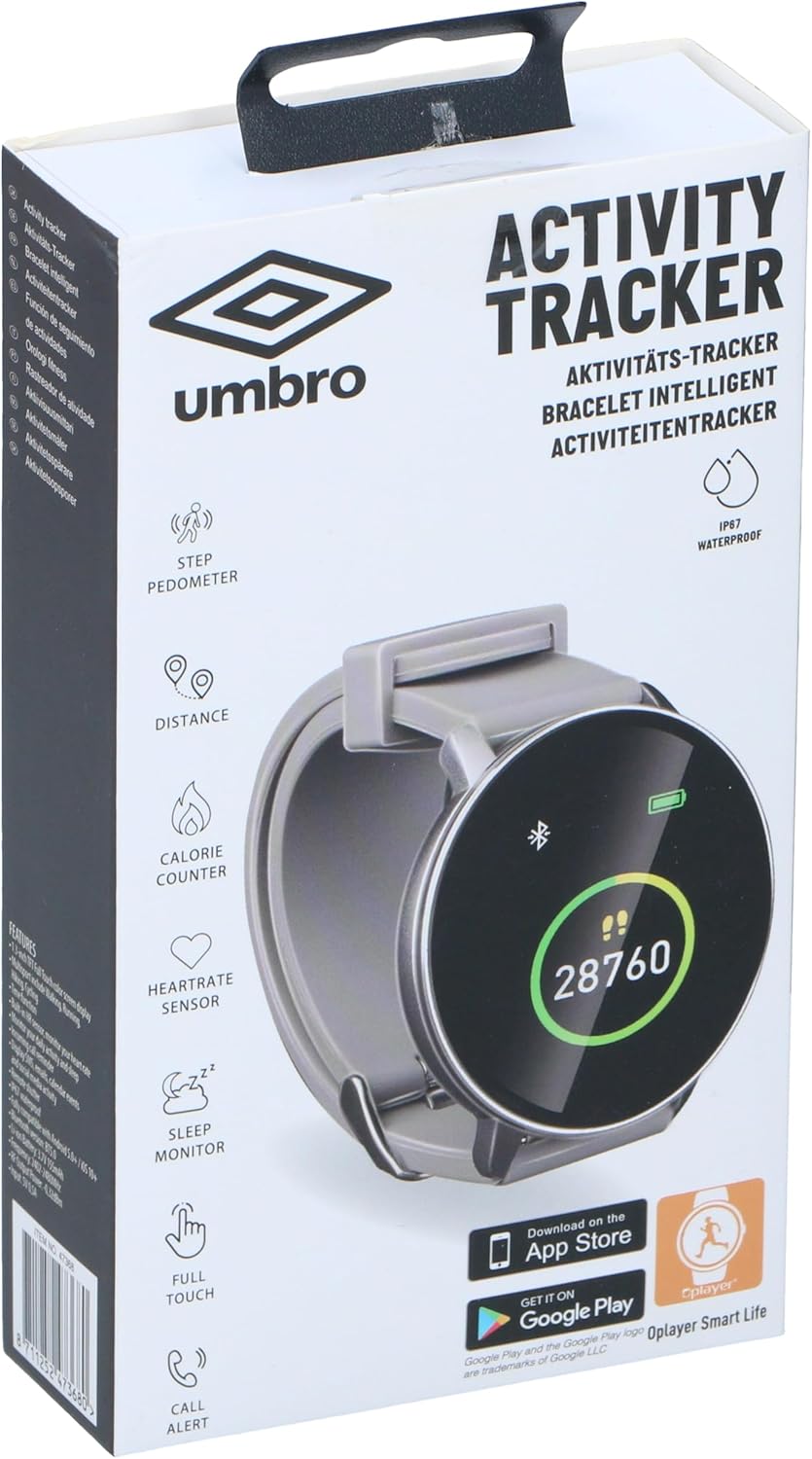
Image: The retail packaging of the Umbro Smartwatch, highlighting its key features such as step pedometer, distance tracking, calorie counting, heart rate monitoring, sleep monitoring, full touch screen, and call alerts. The box also indicates IP67 waterproof rating and prompts to download the Oplayer Smart Life app from App Store or Google Play.
Setup Guide
1. Charging the Smartwatch
Before initial use, fully charge your Umbro Smartwatch. Connect the charging cable to the charging contacts on the back of the watch and plug the USB end into a compatible USB power source (e.g., computer USB port, USB wall adapter).
2. Installing the Companion App
The Umbro Smartwatch requires the Oplayer Smart Life application for full functionality and data synchronization. You can download this app from:
- Apple App Store (for iOS devices)
- Google Play Store (for Android devices)
Search for "Oplayer Smart Life" in your respective app store and install it on your smartphone.
3. Pairing with Your Smartphone
- Ensure your smartphone's Bluetooth is turned ON.
- Open the Oplayer Smart Life app on your smartphone.
- Follow the in-app instructions to add a new device. The app will search for available Bluetooth devices.
- Select "UMB-SW1" or a similar device name from the list of found devices.
- Confirm the pairing request on both your smartwatch and smartphone if prompted.
- Once successfully paired, the smartwatch will synchronize time and data with your phone.

Image: A close-up view of the Umbro Smartwatch, featuring a round black display with a green circle indicating progress, a step count of 28760, a Bluetooth icon, and a battery level indicator. The watch has a grey silicone strap.
Operating Instructions
Navigating the Interface
- Touch Screen: The 1.3-inch IPS color touch screen allows for intuitive navigation. Swipe left, right, up, or down to access different functions and menus.
- Tap: Tap on icons or options to select them.
- Wake Screen: Raise your wrist or press the side button (if present) to wake the screen.
Key Features
- Activity Tracking: The smartwatch tracks daily activities including steps (pedometer), distance, and calories burned. View your progress directly on the watch or in the Oplayer Smart Life app.
- Heart Rate Monitoring: Equipped with an integrated HR sensor, the watch can monitor your heart rate. Access this feature from the watch menu to take a reading or set up continuous monitoring via the app.
- Body Temperature Sensor: The integrated body temperature sensor allows for monitoring your body temperature. Refer to the app for detailed historical data and trends.
- Sleep Monitoring: Wear the smartwatch to bed to track your sleep patterns, including deep sleep, light sleep, and awake times. Data is synchronized to the app for analysis.
- Notifications: Once paired, the smartwatch displays incoming calls, SMS messages, emails, and other app notifications from your smartphone. You can manage which notifications appear via the Oplayer Smart Life app settings.
- Sports Modes: The watch may include various sports modes for specific activities. Consult the app for a full list and how to activate them.
Maintenance and Care
- Cleaning: Wipe the smartwatch and strap regularly with a soft, dry cloth. For stubborn dirt, use a slightly damp cloth and then dry thoroughly. Do not use harsh chemicals or abrasive cleaners.
- Water Resistance (IP68): The Umbro Smartwatch is IP68 rated, meaning it is resistant to dust and can withstand immersion in water up to 1.5 meters for up to 30 minutes. It is suitable for daily use, hand washing, and light rain. However, it is not recommended for hot showers, saunas, or diving, as steam and high water pressure can compromise the seals.
- Charging: Always ensure the charging contacts are clean and dry before charging to prevent corrosion.
- Storage: Store the smartwatch in a cool, dry place when not in use for extended periods.
Troubleshooting
- Smartwatch not turning on: Ensure the battery is charged. Connect it to the charger for at least 30 minutes.
- Cannot pair with smartphone:
- Ensure Bluetooth is enabled on your phone.
- Make sure the smartwatch is sufficiently charged.
- Restart both your smartphone and the smartwatch.
- Ensure the Oplayer Smart Life app is updated to the latest version.
- If previously paired, try "forgetting" the device in your phone's Bluetooth settings and re-pairing.
- Inaccurate activity data:
- Ensure the smartwatch is worn snugly on your wrist.
- Check app settings for correct personal information (height, weight, age).
- Calibrate the pedometer if an option is available in the app.
- Notifications not appearing:
- Ensure the smartwatch is connected to your phone via Bluetooth.
- Check notification permissions for the Oplayer Smart Life app in your phone's settings.
- Verify that notification alerts are enabled within the Oplayer Smart Life app for specific applications.
- Short battery life:
- Reduce screen brightness.
- Disable continuous heart rate or temperature monitoring if not needed.
- Limit the number of apps sending notifications to the watch.
- Ensure the watch is fully charged each time.
Specifications
| Feature | Detail |
|---|---|
| Model Name | Umbro Smart Watch (UMB-SW1) |
| Brand | UMBRO |
| Display Size | 1.3 inches |
| Display Type | IPS Color Touch Screen |
| Connectivity | Bluetooth 5.0 |
| Battery Capacity | 155 mAh |
| Usage Time | Up to 3 days |
| Standby Time | Up to 15 days |
| Water Resistance | IP68 (Dust and water resistant) |
| Sensors | Integrated HR Sensor, Body Temperature Sensor |
| Compatible Devices | Smartphones (Android, iOS) |
| GPS | No GPS |
| Color | Grey |
| Country of Origin | China |
Warranty and Support
For warranty information and customer support, please refer to the documentation provided with your purchase or visit the official Umbro website. Keep your proof of purchase for warranty claims.
For app-related issues or further assistance, please contact the Oplayer Smart Life app support team.


