
1. Introduction
Thank you for choosing the Joywhale 12V Kids Ride-On Truck. This electric vehicle is designed to provide an engaging and safe driving experience for children aged 3-6 years. It features dual driving modes (manual and remote control), 4-wheel suspension for a smooth ride, LED lights, a music player, and essential safety features like a seat belt and double-lockable doors.
Please read this manual thoroughly before assembly and operation to ensure proper use and safety.
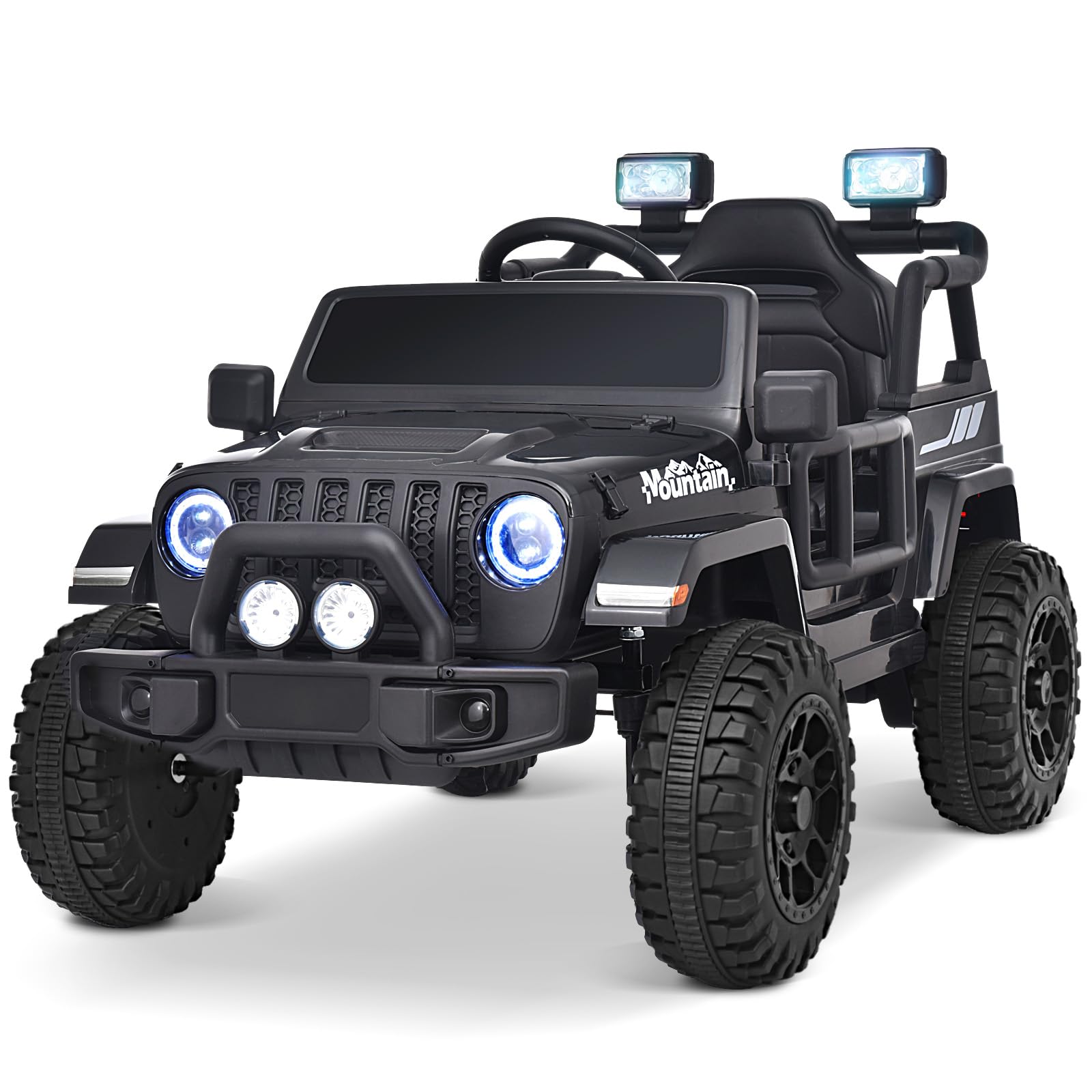
Image: The Joywhale 12V Kids Ride-On Truck, showcasing its robust design and LED headlights.
Key Features:
- 12V Dual Motors for powerful performance.
- Dual Driving Modes: Parental remote control and child manual operation.
- 4-Wheel Spring Suspension for a smooth and comfortable ride.
- Bright LED Headlights and Colorful Tail Lights.
- Wireless Music Player, FM Radio, and realistic engine sounds.
- Adjustable Seat Belt and Double-Lockable Doors for enhanced safety.
- Portable Handle for easy transport when not in use.
Video: Joywhale 12V Kids Ride on Truck Introduction Video. This video provides an overview of the product's features and capabilities.
2. Important Safety Warnings
FAILURE TO FOLLOW THESE SAFETY INSTRUCTIONS MAY RESULT IN SERIOUS INJURY OR DEATH.
- This product is intended for children aged 3-6 years.
- Maximum load capacity is 66 LBS (30 kg). Do not exceed this weight limit.
- Always ensure the child is securely fastened with the adjustable seat belt.
- Ensure both doors are securely locked before operation.
- Adult supervision is required at all times during operation.
- The vehicle features a slow start function to prevent sudden acceleration.
- The remote control includes an emergency brake button ('P') to stop the vehicle immediately.
- Do not operate the vehicle near roads, motor vehicles, steep inclines, swimming pools, or other bodies of water.
- Avoid operating on uneven surfaces, loose dirt, or gravel to prevent tipping.
- Wear appropriate safety gear, such as a helmet, when operating the vehicle.
- Only use the charger and battery provided by the manufacturer.
3. Setup and Assembly
Follow these steps to assemble your Joywhale 12V Kids Ride-On Truck. Refer to the installation video for visual guidance.
Video: Joywhale 12V Kids Ride on Truck Installation Video. This video demonstrates the complete assembly process.
Assembly Steps:
-
Prepare the Chassis: Place the car upside down on a soft cloth or smooth surface to prevent scratches. Install the rear axle fixing seat and rear bracket, securing them with screws.
Image: Securing the rear axle fixing seat to the vehicle's underside.
-
Install Axles and Wheels: Loosen nuts from the rear axle and remove gaskets. Insert the rear axle into the car. Attach the drive motors to the rear axle and secure them into the body slots. Place the rear wheel, gasket, and nut onto the rear axle, then attach the wheel cover. Repeat for the front axle and wheels.
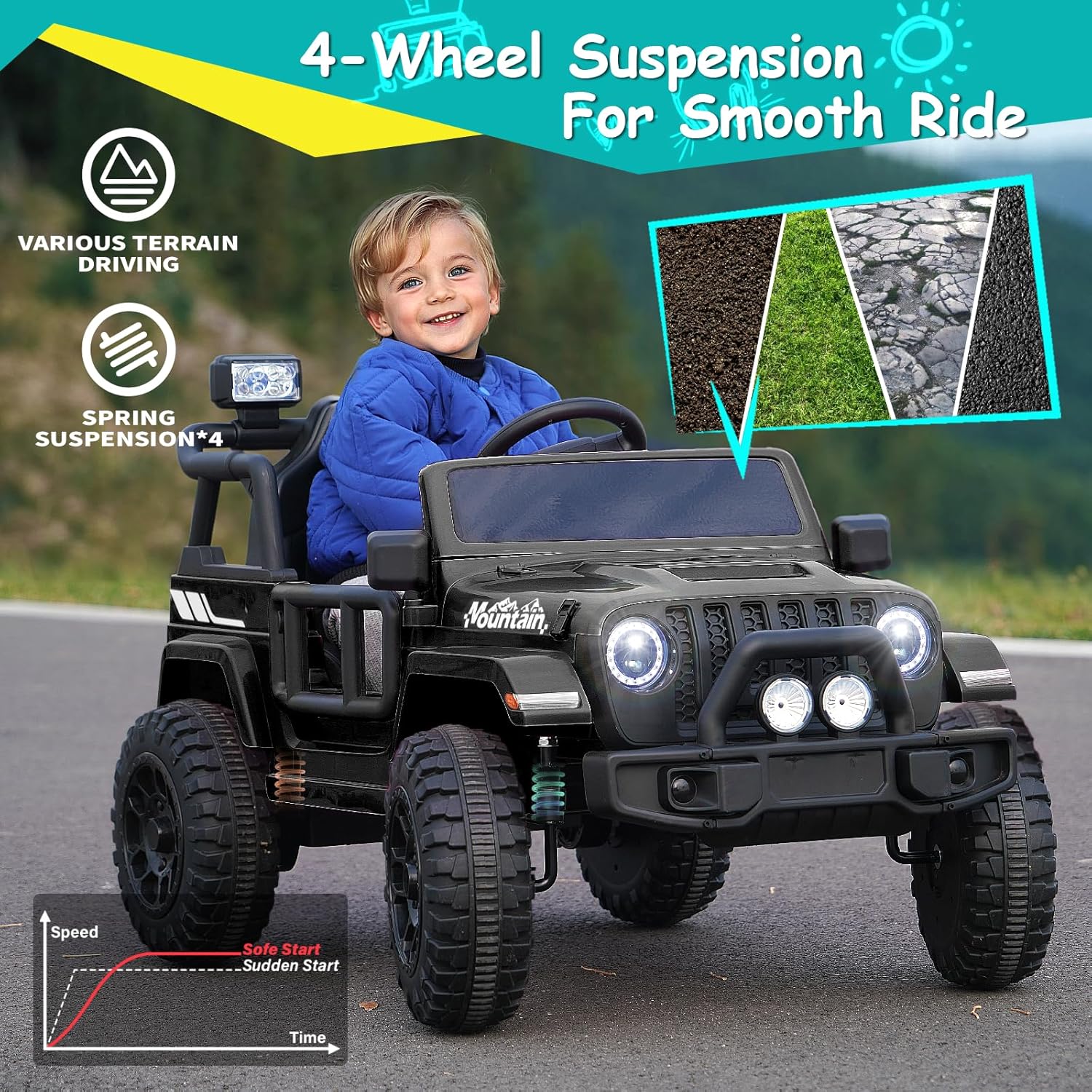
Image: Detail of the 4-wheel suspension, crucial for a smooth ride.
- Assemble Front Bumper: Connect the front bumper accessories and the front safety connector accessories to form a complete front bumper. Clip the assembled front bumper into the corresponding body slots and fix with screws.
- Connect Steering Rod: Insert the steering rod into its designated hole position.
- Electrical Connections: Connect the motor terminal and main power terminal. Ensure all connections are secure.
- Install Steering Wheel: Remove the nut and bolt from the steering wheel. Connect the wires from the steering column to the wires on the steering wheel. Insert the steering wheel over the steering column and secure with the nut and bolt.
- Attach Mirrors: Stick the side mirrors into the designated slots on the car.
- Install Roll Bar/Tail Stock: Butt and fix the tail stock with the search lights. Use M4 x12 screws to fix the inside of the two butted brackets and snap them into the car body.
- Attach Windshield: Stick the windshield into the corresponding slot on the body.
- Install Seat and Tail Lights: Insert the upper seat cover into the lower seat cover. Stick the seat buckle into the vehicle slot. Press the seat switch to secure. Clip the rear tail lights into the corresponding slots at the rear of the car. Fix the shovel in the hole at the rear of the car.

4. Operating Instructions
Driving Modes:
-
Manual Operation (Child): The child can control the car using the steering wheel and foot pedal. The car can be started or turned off with one click and has high and low speeds.

Image: Demonstrating the dual driving modes: child manual operation and parental remote control.
- Parental Remote Control: For younger children, parents can control the vehicle using the highly sensitive remote control. The remote allows for forward, backward, left, and right steering, and offers three adjustable speeds. The 'P' button on the remote acts as an emergency brake.
Multimedia Functions:
The electric truck features a multifunctional control panel for an enhanced driving experience:
- Music Player: Enjoy pre-loaded music or connect your own device via USB.
- FM Radio: Tune into your favorite radio stations.
- LED Lights: Bright LED headlights and colorful tail lights provide visibility and fun, even in low-light conditions.
- Engine Sounds: Realistic engine sounds add to the immersive driving experience.

Image: The ride-on truck's bright LED headlights and colorful tail lights illuminate the path for evening play.
5. Maintenance
Battery Care:
- Charge the battery fully before first use (typically 8-12 hours).
- Do not overcharge the battery; maximum charging time should not exceed 18 hours.
- Recharge the battery after each use, even if only for a short period.
- If storing the vehicle for an extended period, charge the battery once a month to prolong its lifespan.
Cleaning and Storage:
- Clean the vehicle with a soft, damp cloth. Do not use abrasive cleaners or solvents.
- Store the vehicle in a dry, cool place away from direct sunlight and moisture.
- When moving the vehicle with a depleted battery, utilize the portable handle located at the rear for easy transport.

Image: The portable handle extended for convenient transportation of the vehicle.
6. Troubleshooting
| Problem | Possible Cause | Solution |
|---|---|---|
| Vehicle does not start or move. | Battery is low or not connected. Loose wire connection. | Charge the battery. Check all wire connections, especially the main power and motor terminals. Ensure the foot pedal wires are securely connected. |
| Vehicle moves slowly. | Low battery. Overloaded vehicle. Operating on rough terrain. | Charge the battery. Reduce load. Operate on smoother surfaces. |
| Remote control not working. | Remote batteries are dead. Remote not paired with the vehicle. | Replace remote batteries. Refer to the remote control pairing instructions (usually found in a separate remote manual or quick start guide). |
| Lights or music not working. | Loose wire connection. Blown fuse. | Check connections to lights and music panel. Consult a qualified technician for fuse replacement if necessary. |
7. Specifications
| Feature | Detail |
|---|---|
| Brand Name | Joywhale |
| Model Number | WT-619 |
| Overall Size (L x W x H) | 40.6 x 24.8 x 25 inches (103 x 63 x 63.5 cm) |
| Seat Width | 13 inches |
| Wheel Diameter | 9.8 inches |
| Maximum Load | 66 LBS (30 kg) |
| Battery | 12V 4.5 AH |
| Speed Range | 1.2–3 MPH |
| Playtime | Around 1~2.5 Hours (varies with load, speed, surface, temperature) |
| Recommended Age | 3–6 years |
| Material Type | Plastic |
| Assembly Required | Yes |
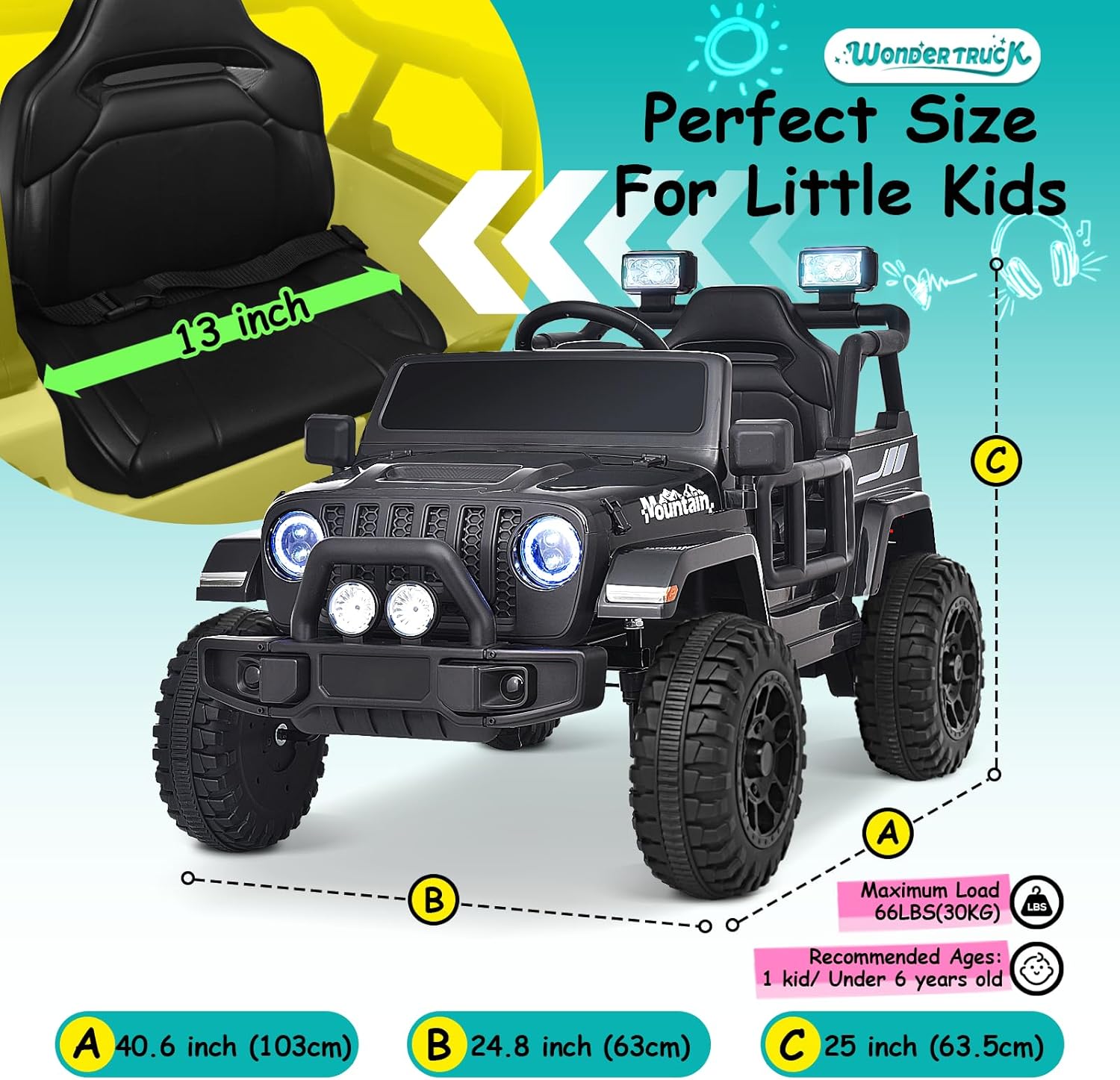
Image: Detailed dimensions of the Joywhale 12V Kids Ride-On Truck.
8. Warranty and Support
Warranty Information:
The Joywhale 12V Kids Ride-On Truck comes with a 90-day warranty against manufacturer defects. Please retain your proof of purchase for warranty claims.
Customer Support:
For any questions, concerns, or technical assistance regarding your Joywhale product, please contact our customer support team. You can typically find contact information on the Joywhale official website or through your retailer's support channels.
When contacting support, please have your product model (WT-619) and purchase details ready.