
Beneouya Bearing Arm Bracket
Beneouya Glider Bearing Arm Bracket Replacement Hardware Instruction Manual
Model: Bearing Arm Bracket
1. Product Overview
The Beneouya Glider Bearing Arm Brackets are designed as replacement hardware to restore the smooth gliding motion of various outdoor and indoor furniture, including patio gliders, garden benches, vintage loveseats, sofas, and chairs. Crafted from rigid material and coated with a galvanized surface, these brackets are built to withstand diverse weather conditions, ensuring durability and longevity for your furniture.

Figure 1.1: Four Beneouya Glider Bearing Arm Brackets.
2. Key Features
- Dimensions: Each bracket has a total length of 9 inches, with a hardware hole center distance of 7-1/2 inches. The bolt hole diameter is 1/4 inch, and both ends feature a 1-1/32 inch offset.
- Durable Material: Constructed from rigid material with a galvanized surface technology, ensuring resistance to various weather conditions.
- Wide Application: Suitable for restoring smooth motion to a variety of outdoor and indoor furniture, including swings, gliding benches, loveseats, sofas, and chairs.
- Package Contents: Each package includes 4 Bearing Arm Brackets.

Figure 2.1: Detailed dimensions of the Glider Bearing Arm Bracket.
3. Setup and Installation
These bearing arm brackets are designed for direct replacement of existing worn-out or broken glider hardware. The product does not include new nuts and bolts; it is recommended to reuse your original hardware. If new hardware is desired, stainless steel is a suitable choice for outdoor applications.
- Preparation: Before beginning, ensure the furniture is stable and safely supported. Remove any cushions or obstructions.
- Remove Old Brackets: Carefully unbolt and remove the old bearing arm brackets from your glider or rocking furniture. Note the orientation and attachment points for reassembly.
- Install New Brackets: Position the new Beneouya Glider Bearing Arm Brackets in the same location and orientation as the old ones. The 1-1/32 inch offset should align correctly with your furniture's design.
- Secure Hardware: Reattach the original nuts and bolts (or new stainless steel hardware) through the 1/4-inch bolt holes, ensuring they are securely tightened. Do not overtighten, as this may impede smooth motion.
- Test Functionality: Once all brackets are installed, gently test the gliding motion of the furniture to ensure it moves smoothly and quietly.

Figure 3.1: Schematic view of bracket installation.

Figure 3.2: Glider bench with installed bearing arm bracket.
4. Operating Instructions
Once installed, the Beneouya Glider Bearing Arm Brackets facilitate the smooth, back-and-forth gliding motion of your furniture. No specific operational steps are required beyond the natural use of the glider. The brackets are designed to provide a quiet and effortless glide, enhancing the comfort and functionality of your furniture.
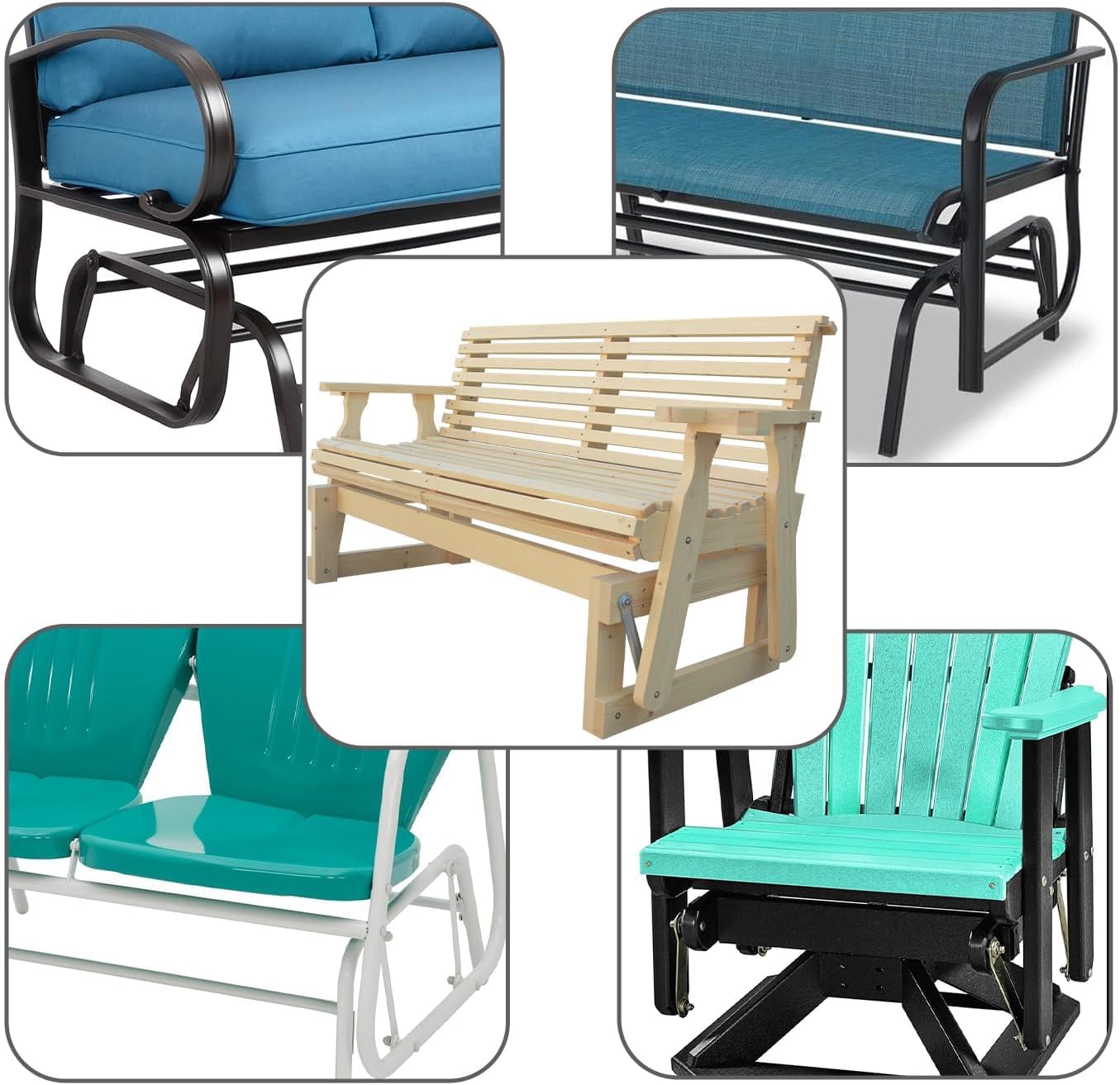
Figure 4.1: Examples of furniture compatible with the brackets.
5. Maintenance
To ensure the longevity and continued smooth operation of your Beneouya Glider Bearing Arm Brackets, follow these simple maintenance guidelines:
- Cleaning: Wipe clean with a damp cloth as needed to remove dirt and debris. Avoid abrasive cleaners that could damage the galvanized surface.
- Inspection: Periodically inspect the brackets and all associated hardware for any signs of wear, corrosion, or loosening.
- Lubrication: While the bearings are designed for smooth operation, a light application of a silicone-based lubricant to the pivot points can help maintain optimal performance and reduce any potential squeaking over time.
- Tighten Hardware: If any bolts or nuts appear loose, gently tighten them to ensure secure attachment.
6. Troubleshooting
If you encounter issues with your glider's motion after installing the Beneouya Glider Bearing Arm Brackets, consider the following:
- Stiff or Jerky Motion:
- Check if all bolts are tightened appropriately. Overtightening can restrict movement. Loosen slightly if necessary.
- Ensure the brackets are installed with the correct offset and orientation.
- Apply a silicone-based lubricant to the bearing points.
- Squeaking Noises:
- Lubricate all pivot points on the brackets and any other moving parts of the glider.
- Inspect for any debris or foreign objects caught in the mechanism.
- Bracket Damage:
- If a bracket appears bent, cracked, or severely corroded, it may need replacement.
7. Specifications
| Attribute | Detail |
|---|---|
| Brand | Beneouya |
| Model Number | Bearing Arm Bracket |
| Color | Silver |
| Product Dimensions | 9"D x 1.5"W x 0.15"H (Overall Length 9", Hole Center Distance 7-1/2", Bolt Hole Diameter 1/4", Offset 1-1/32") |
| Material | Rigid material with galvanized surface |
| Item Weight | 1.5 pounds (for the pack of 4) |
| Included Components | 4 Bearing Arm Brackets |
| Indoor/Outdoor Usage | Outdoor |
| Product Care Instructions | Wipe Clean |
8. Safety Information
For safe and proper use of your glider furniture after installing these replacement brackets, please observe the following:
- Weight Limit: Ensure the total weight on the glider does not exceed 300 lbs. Exceeding this limit can compromise the integrity of the furniture and the brackets.
- Regular Inspection: Periodically check all connections and the brackets themselves for any signs of wear, damage, or loosening. Address any issues promptly.
- Proper Installation: Always ensure the brackets are installed correctly and securely according to the instructions to prevent accidents.
9. Warranty and Support
Beneouya stands behind the quality of its products. While specific warranty details are not provided in this manual, for any questions regarding product performance, installation, or potential defects, please contact Beneouya customer support through the retailer where the product was purchased or visit the official Beneouya brand store online. Keep your purchase receipt as proof of purchase.
For more information, visit the Beneouya Store on Amazon.
Ask a question about this manual
Ask about setup, troubleshooting, compatibility, parts, safety, or missing instructions. Manuals+ will review the question and use this page’s manual context to help answer it.