Introduction
This manual provides instructions for the proper use and care of your Generic Flip Wallet Case, designed specifically for the Sony Xperia 5 II 5G (models SO-52A, XQ-AS52). This case offers protection, convenience with card holders, and a kickstand feature.
Installation
To install your phone into the case, gently align your Sony Xperia 5 II 5G with the soft silicone inner casing. Press the phone firmly but carefully into the case, ensuring all edges are securely seated within the flexible bumper. Verify that all ports, buttons, and camera lenses are correctly aligned with the case's precise cutouts.

Image: The soft silicone inner case provides a secure fit and bumper protection for your device.
Operating Features
Kickstand Function
The flip cover of this case can be folded to create a horizontal kickstand. This allows for hands-free viewing of content such as videos or web pages. Simply fold the front cover backward and adjust it to your desired viewing angle.
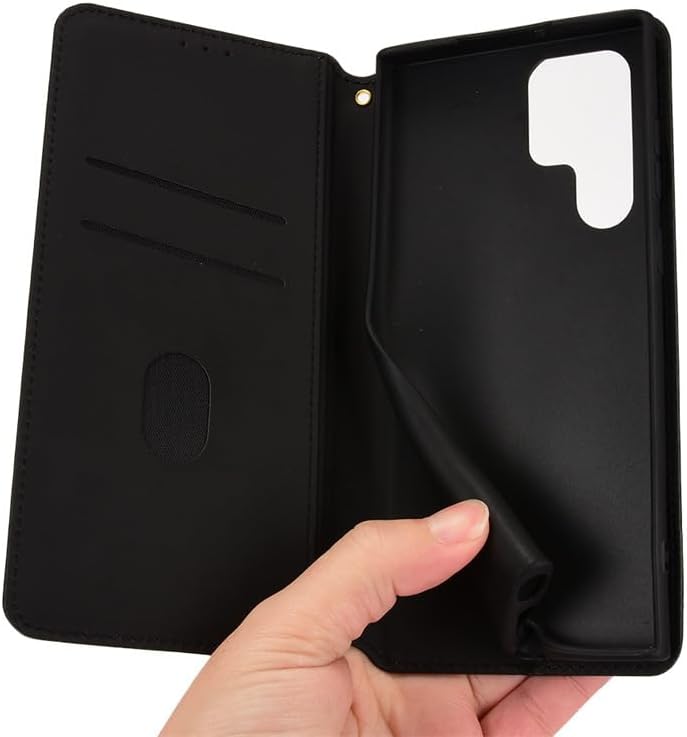
Image: The case can be folded into a kickstand for convenient media viewing.
Card Holders
The interior of the flip cover features dedicated slots for storing essential cards, such as ID cards or credit cards. There is also a larger pocket for cash or notes. Insert your cards and cash securely into these slots.

Image: Interior view of the case displaying card and cash storage slots.
Magnetic Closure
The case is equipped with a magnetic closure mechanism to keep the front cover securely shut when not in use. This helps protect the screen and contents of the wallet. The magnetic design is engineered to not interfere with credit cards.
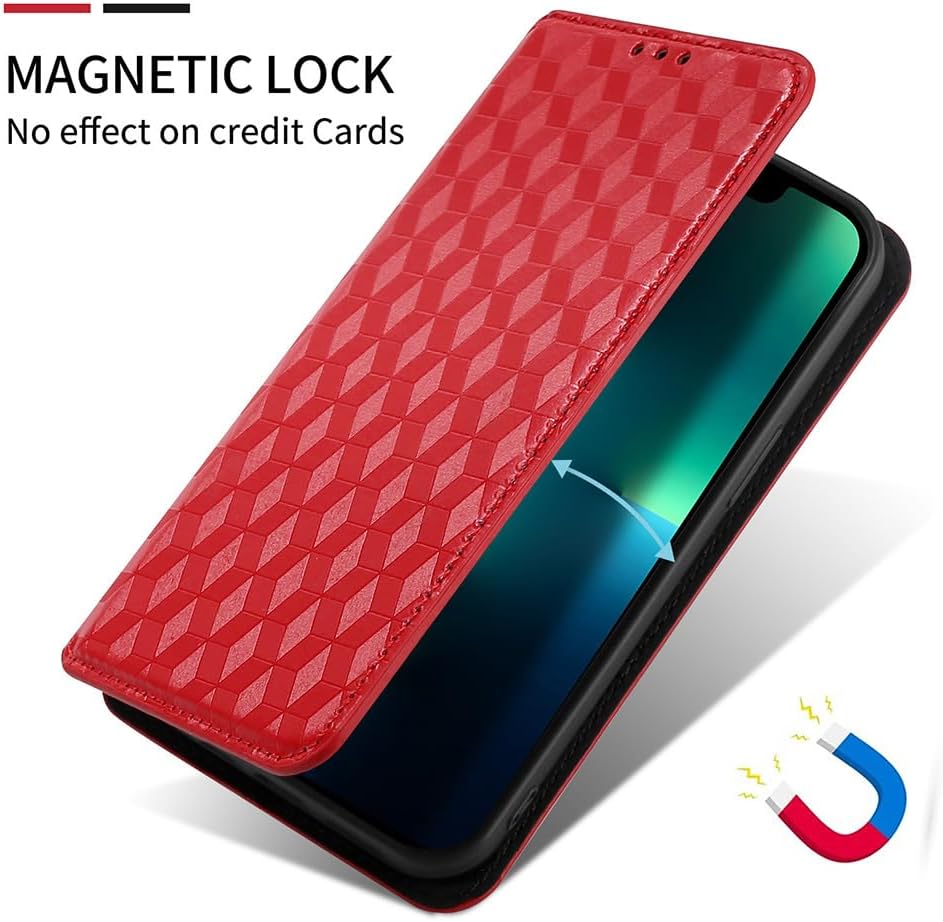
Image: The magnetic closure ensures the case remains securely closed.
Maintenance
To clean your case, gently wipe it with a soft, slightly damp cloth. Avoid using harsh chemicals, abrasive cleaners, or excessive moisture, as these can damage the PU leather material. Allow the case to air dry completely before reinserting your phone.
Troubleshooting
- Case not fitting correctly: Ensure your phone model is specifically the Sony Xperia 5 II 5G (SO-52A, XQ-AS52). Remove any existing screen protectors or other accessories that might interfere with the fit.
- Magnetic closure not holding: Check if there are too many cards or items in the wallet section, which might prevent the magnet from engaging properly.
- Buttons difficult to press: Verify that the phone is fully seated in the case and that the case's button covers are aligned with the phone's buttons.
Specifications
| Feature | Detail |
|---|---|
| Compatible Phone Models | Sony Xperia 5 II 5G (SO-52A, XQ-AS52) |
| Material | Polyurethane (PU) Leather, Thermoplastic Polyurethane (TPU) |
| Product Dimensions | 0.39 x 0.39 x 0.39 inches (approximate) |
| Item Weight | 2.46 ounces (approximate) |
| Special Features | Kickstand, Card Holders, Magnetic Closure, Shock Absorption |
Warranty Information
This product is covered by a standard manufacturer's warranty against defects in materials and workmanship. Please refer to the product packaging or contact the seller for specific warranty terms and conditions.
Customer Support
For any questions, concerns, or assistance regarding your Generic Flip Wallet Case, please contact the seller or manufacturer through the platform where the purchase was made. Provide your order details for faster service.


