
PZL NH800UP, RF402A-V14
PZL NH800UP RF402A-V14 IR Remote Control Instruction Manual
Replacement Remote Control for Philips Smart Android 4K Ultra HD LED TVs
1. Introduction
This manual provides comprehensive instructions for the PZL NH800UP RF402A-V14 IR Remote Control. This remote is designed as a direct replacement for various Philips Smart Android 4K Ultra HD LED TV models, offering full control functionality without the need for programming or pairing. Please note that this is an infrared remote control and does not include voice function.

Image 1.1: Front and side view of the PZL NH800UP RF402A-V14 IR Remote Control, showcasing its ergonomic design and button layout.
2. Setup
The PZL NH800UP RF402A-V14 remote control is designed for immediate use with compatible Philips TV models. No programming or pairing is required.
2.1 Battery Installation
- Locate the battery compartment on the back of the remote control.
- Slide open the battery compartment cover.
- Insert two (2) AAA batteries (not included), ensuring the positive (+) and negative (-) terminals align correctly with the markings inside the compartment.
- Close the battery compartment cover securely.
Once batteries are installed, the remote is ready to operate your compatible Philips TV.
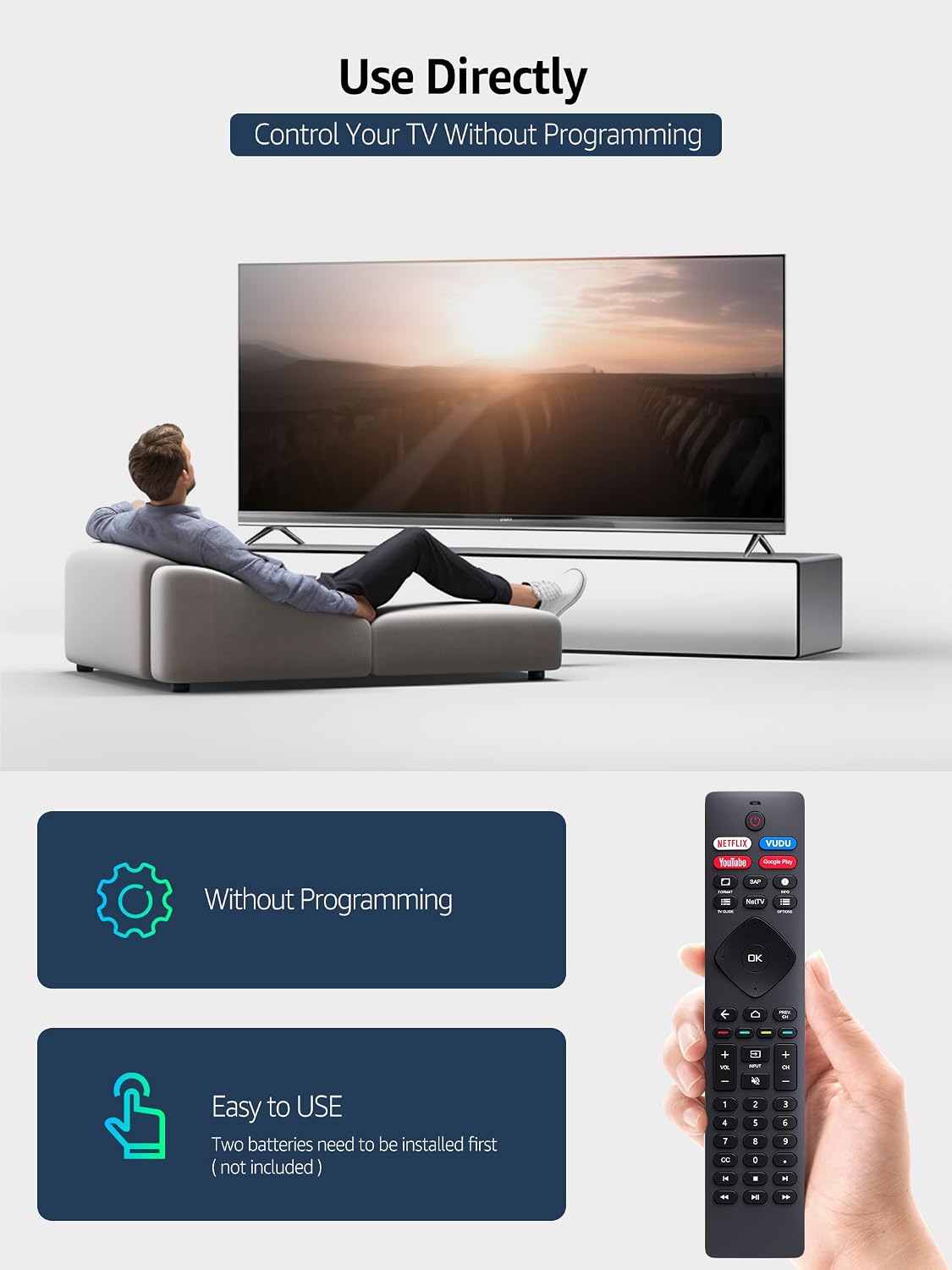
Image 2.1: Illustration of the remote control being used directly with a television, emphasizing that no programming is required for operation.
3. Operating Instructions
The remote control provides intuitive access to all standard functions of your Philips Smart Android TV. Below are the primary button functions:
- Power Button: Turns the TV on or off.
- Navigation Pad (Up, Down, Left, Right, OK): Used to navigate menus and select options.
- Back Button: Returns to the previous screen or menu.
- Home Button: Accesses the TV's home screen or smart hub.
- Volume Up/Down: Adjusts the TV volume.
- Channel Up/Down: Changes TV channels.
- Input Button: Selects input sources (HDMI, AV, etc.).
- Shortcut Buttons (Netflix, VUDU, YouTube, Google Play): Provides direct access to these popular streaming applications.
- Numeric Keypad (0-9): For direct channel entry or other numerical inputs.
- Media Control Buttons (Play, Pause, Fast Forward, Rewind): Controls media playback.
Ensure there is a clear line of sight between the remote control and the TV's infrared receiver for optimal performance.
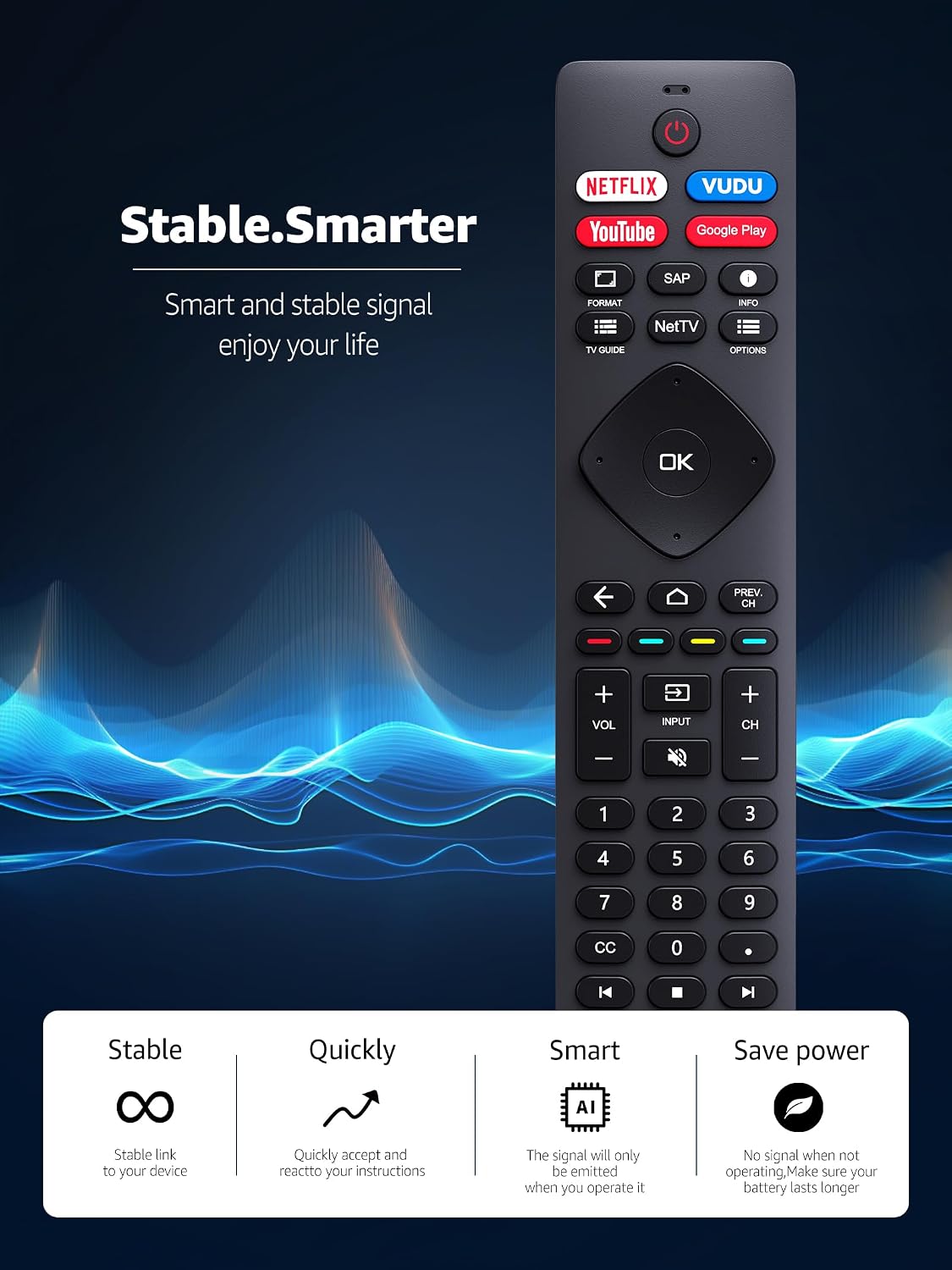
Image 3.1: A detailed view of the remote control, illustrating its stable signal and smart functionality for an enhanced user experience.
4. Compatibility
This remote control is compatible with a wide range of Philips Smart Android 4K Ultra HD LED TV models. Key compatible series include 5704, 5604, 5504, 5766, and 5806 Series. Specific compatible models include, but are not limited to:
- 43PFL5766, 43PFL5766/F7, 43PFL5604/F7, 43PFL5704/F7
- 50PFL5704/F7, 50PFL5604/F7, 50PFL5766, 50PFL5766/F7, 50PFL5806, 50PFL5806/F7
- 55PFL5604, 55PFL5604/F7, 55PFL5604/F7A, 55PFL5704/F7, 55PFL5766, 55PFL5766/F7
- 65PFL5504/F7, 65PFL5704/F7, 65PFL5704/F7A, 65PFL5604/P7, 65PFL5604/F7A, 65PFL5604, 65PFL5766, 65PFL5766/F7
- 75PFL5704, 75PFL5704/F7, 75PFL5604/F7
- Other models: 24PFL6704/F7, 32PFL5505, 32PFL5505/F7
- Replaces remotes: NH800UP, URMT26RST004, URMT47CND0, URMT47CND002
If your specific TV model is not listed, please refer to the product listing or contact customer support for compatibility verification.

Image 4.1: The remote control positioned next to a Philips TV displaying its menu, highlighting its broad compatibility with various Philips TV models.
5. Key Features
- Infrared (IR) Technology: Operates using standard infrared signals, ensuring wide compatibility with Philips TVs designed for IR remotes. Note: This remote does not support voice control.
- No Programming Required: Ready to use out of the box after battery installation.
- Accurate Control & Fast Response: Equipped with an upgraded smart chip for stable performance and a response time within 0.5 seconds.
- Extended Transmitting Distance: Features a transmitting distance of over 32 feet, allowing for flexible use within your viewing area.
- Multi-Angle Sensing: Infrared technology ensures strong signal transmission for multi-angle sensing, providing reliable control from various positions.
- Dedicated Shortcut Buttons: Includes direct access buttons for popular streaming services: Netflix, VUDU, YouTube, and Google Play.

Image 5.1: A visual representation of the remote control's advanced infrared technology, demonstrating its long-distance capability (up to 26 feet) and wide-angle (120°) multi-directional control.
6. Maintenance
To ensure the longevity and optimal performance of your remote control, follow these simple maintenance guidelines:
- Cleaning: Wipe the remote control regularly with a soft, dry cloth. For stubborn dirt, slightly dampen the cloth with water or a mild cleaning solution, then wipe dry immediately. Avoid using abrasive cleaners or solvents.
- Battery Replacement: Replace batteries promptly when the remote's response becomes sluggish or it stops functioning. Always replace both batteries at the same time with new ones of the same type (AAA).
- Storage: Store the remote in a cool, dry place away from direct sunlight, extreme temperatures, and high humidity.
- Avoid Drops: Protect the remote from physical impact. Dropping it can damage internal components.
- Liquid Exposure: Keep the remote away from liquids. Liquid damage can cause malfunctions.
7. Troubleshooting
If you experience issues with your remote control, try the following troubleshooting steps:
| Problem | Possible Cause | Solution |
|---|---|---|
| Remote not responding. | Dead or incorrectly installed batteries. | Replace batteries with new AAA batteries, ensuring correct polarity (+/-). |
| Remote has limited range or intermittent response. | Obstruction between remote and TV; low batteries; interference. | Ensure clear line of sight to TV's IR sensor. Replace batteries. Minimize sources of infrared interference (e.g., strong sunlight, other IR devices). |
| Certain buttons not working. | Dirt or debris under buttons; internal malfunction. | Clean the remote surface. If problem persists, contact customer support. |
| Remote works but TV model is not listed as compatible. | The remote may still be compatible with your specific TV model. | Continue using if it functions correctly. If issues arise, contact customer support for verification. |
If these steps do not resolve the issue, please refer to the Warranty & Support section for further assistance.
8. Specifications
- Model: NH800UP, RF402A-V14
- Brand: PZL
- Technology: Infrared (IR)
- Power Source: 2 x AAA Batteries (not included)
- Special Feature: No Programming Required
- Compatible Devices: Philips Smart Android 4K Ultra HD LED Televisions
- Max Number of Supported Devices: 1 (one TV)
- Dimensions (approximate):
- Package Dimensions: 8.39 x 2.01 x 1.06 inches
- Remote Dimensions: Approximately 6.8 inches (length) x 1.7 inches (width) x 0.9 inches (thickness)
- Item Weight: 3.84 ounces

Image 8.1: A technical diagram illustrating the precise dimensions of the remote control, including length, width, and thickness.
9. Warranty & Support
PZL offers customer support and a warranty for this product.
9.1 After-Sale Service
The product comes with an unlimited return and refund service for 60 days from the date of purchase. If you encounter any issues or have questions regarding compatibility, functionality, or require assistance, please do not hesitate to contact our customer support team.
9.2 Contact Information
For support, please refer to the contact details provided with your purchase or visit the official PZL support page online. When contacting support, please have your product model (NH800UP or RF402A-V14) and purchase details ready.
Ask a question about this manual
Ask about setup, troubleshooting, compatibility, parts, safety, or missing instructions. Manuals+ will review the question and use this page’s manual context to help answer it.