
Itel A33 Plus
Generic Itel A33 Plus Phone Case and Tempered Glass Screen Protector User Manual
Model: Itel A33 Plus Case (IMDZ-HUA1)
1. Introduction
This manual provides detailed instructions for the installation and proper use of your Generic Itel A33 Plus Phone Case and Tempered Glass Screen Protector. This product is designed to offer robust protection for your device while enhancing functionality with features like a rotating ring stand and magnetic car mount compatibility.
2. What's Included
- 1 x Itel A33 Plus Phone Case
- 1 x Tempered Glass Screen Protector
3. Product Features
- Dual-Layer Protection: Constructed with a hard PC back panel and a soft silicone frame for comprehensive defense.
- Shock Airbags: Four-corner shock airbags and a thickened design provide enhanced impact absorption.
- Screen and Camera Protection: The case design is elevated around the camera and screen to prevent direct contact with flat surfaces.
- Integrated Ring Support: An adhesive metal finger ring offers 360-degree rotation for comfortable grip and viewing angles.
- Magnetic Car Mount Compatibility: The ring support is designed to work with magnetic car mounts (car mount not included).
- IMD Laser Style: The back panel features a multi-layered design with a clear, scratch-resistant surface, a special process layer, an ultra-high definition pattern layer, and a solid PC base, creating colorful reflective light effects.
- Tempered Glass Screen Protector: Provides 9H high hardness, shatterproof protection, 99.9% super transparency, perfect adhesion, and anti-fingerprint properties.

Image 3.1: Overview of the Itel A33 Plus phone case and included tempered glass screen protector.
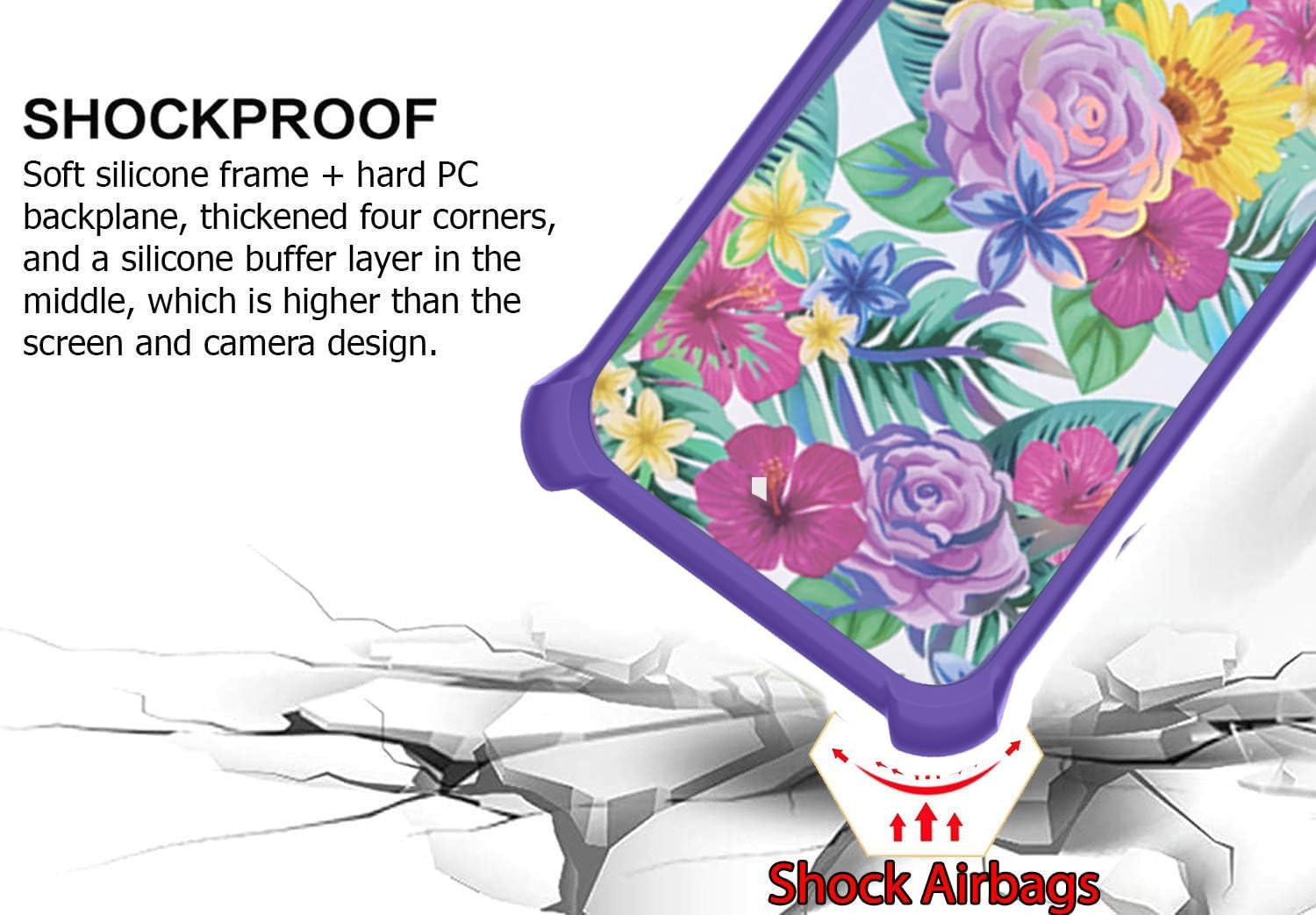
Image 3.2: Illustration of the shockproof design with corner airbags and elevated screen/camera protection.

Image 3.3: Diagram showing the multi-layered IMD laser style back panel construction.
4. Setup and Installation
4.1. Installing the Tempered Glass Screen Protector
- Clean the Screen: Thoroughly clean your phone's screen with an alcohol wipe and then dry it with a microfiber cloth to remove all dust, smudges, and fingerprints. Ensure no dust particles remain.
- Align the Protector: Carefully peel off the protective film from the adhesive side of the tempered glass. Align the screen protector with your phone's screen, ensuring the cutouts for the camera and sensors match perfectly.
- Apply: Once aligned, gently lower the screen protector onto the screen. It will adhere automatically.
- Remove Bubbles: If any bubbles appear, gently push them towards the edges of the screen using a clean cloth or a squeegee card.

Image 4.1: Key features of the tempered glass screen protector, including 9H hardness and anti-fingerprint properties.

Image 4.2: Demonstration of the screen protector's scratch-proof capabilities.
4.2. Installing the Phone Case
- Ensure your phone is clean and free of dust.
- Gently insert your Itel A33 Plus phone into the soft silicone frame of the case, starting with one side.
- Press the remaining edges of the phone into the case until it is fully seated and secure.
4.3. Attaching the Ring Support
The metal finger ring support comes with an adhesive backing. You can choose to attach it directly to the back of the phone case or use it separately. If attaching, ensure the surface is clean and dry before peeling off the adhesive film and pressing the ring firmly onto the desired position on the case.
5. Operating Instructions
5.1. Using the Ring Stand
The integrated ring support can be rotated 360 degrees and swiveled 180 degrees. Pull out the ring to use it as a stand for hands-free viewing in both portrait and landscape orientations. It also provides a secure grip for one-hand operation, reducing the risk of accidental drops.

Image 5.1: Demonstrating enhanced one-hand operation and reach with the ring stand.
5.2. Magnetic Car Mount Functionality
The metal plate on the back of the ring support allows the phone case to be securely attached to compatible magnetic car mounts. Simply place the back of the case onto a magnetic car mount for navigation or hands-free use while driving. Note: A magnetic car mount is not included with this product.

Image 5.2: Illustration of the phone case's compatibility with a magnetic car mount.
6. Maintenance
6.1. Cleaning the Phone Case
To clean your phone case, remove it from your device. Use a soft, damp cloth with mild soap and water to gently wipe down the case. Avoid harsh chemicals or abrasive materials, as these can damage the finish. Allow the case to air dry completely before reattaching it to your phone.
6.2. Cleaning the Screen Protector
For the screen protector, use a microfiber cloth to gently wipe away fingerprints and smudges. For more stubborn marks, lightly dampen the cloth with water or a screen cleaner specifically designed for electronics. Do not use excessive force or abrasive cleaners.
7. Troubleshooting
7.1. Screen Protector Bubbles
If bubbles appear after screen protector installation:
- Small Bubbles: Gently push them towards the nearest edge with a clean cloth or squeegee.
- Dust Bubbles: If a bubble is caused by a dust particle, carefully lift the nearest corner of the screen protector slightly, use a dust-absorber sticker to remove the dust, and then reapply.
7.2. Ring Stand Looseness
If the ring stand feels loose over time, ensure the adhesive is still firmly attached to the case. If the hinge itself is loose, it may be due to normal wear and tear. Avoid excessive force when rotating the ring.
8. Specifications
| Product Dimensions | 0.39 x 0.39 x 0.39 inches |
| Item Weight | 2.46 ounces |
| Compatible Phone Models | Itel A33 Plus |
| Material | PC hard back panel + soft silicone frame + metal support finger ring |
| Special Features | 360 Rotating Ring, Car Magnetic Fixing, Finger ring + support + car bracket magnetic suction |
| Color | IMDZ-HUA1 |
9. Warranty and Support
For warranty information or customer support, please refer to the seller's contact information provided at the point of purchase. Keep your purchase receipt as proof of purchase.
Ask a question about this manual
Ask about setup, troubleshooting, compatibility, parts, safety, or missing instructions. Manuals+ will review the question and use this page’s manual context to help answer it.