Introduction
This manual provides instructions for the installation, operation, and maintenance of your Generic phone case for the Oppo A1 5G. This product is designed to offer robust protection and enhanced functionality for your device, including a durable case, an integrated ring stand, and a tempered glass screen protector.
What's in the Box
- 1 x Phone Case (IMDZ-HUA1)
- 1 x Tempered Glass Screen Protector
Setup
1. Installing the Phone Case
- Ensure your Oppo A1 5G phone is clean and free of dust or debris.
- Align the phone with the case, starting with one side.
- Gently press the phone into the case, ensuring all corners are securely fitted. The soft silicone frame will provide a snug fit.

Image: The phone case with its integrated ring stand and the separate tempered glass screen protector.
2. Applying the Tempered Glass Screen Protector
- Clean the Screen: Use an alcohol wipe (not included) to thoroughly clean your phone's screen. Follow with a microfiber cloth to remove any streaks or dust.
- Remove Protective Film: Carefully peel off the protective film from the adhesive side of the tempered glass. Avoid touching the adhesive surface.
- Align the Protector: Align the screen protector with your phone's screen, ensuring the cutouts for the camera and sensors match perfectly.
- Apply: Once aligned, gently lower the protector onto the screen. It will adhere automatically.
- Remove Bubbles: If any bubbles appear, gently push them towards the edges of the screen using a clean cloth or a squeegee (not included).

Image: Key features of the tempered glass screen protector, including 9H hardness and shatterproof design.

Image: Visual representation of the screen protector's scratch resistance.
Operating Instructions
Using the Ring Stand
- The integrated ring on the back of the case can be pulled out to serve as a stand for horizontal viewing.
- The ring features 360-degree rotation, allowing for comfortable viewing angles and secure grip.
- The ring can also be used as a finger holder for enhanced one-hand operation and to prevent accidental drops.

Image: Demonstrates how the ring stand facilitates one-hand phone operation.

Image: Illustrates the rotational capabilities of the ring stand and its magnetic car mount feature.
Magnetic Car Mount Compatibility
The metal plate integrated into the ring stand allows for compatibility with magnetic car mounts (car mount not included). Simply attach your phone case to a magnetic car mount for secure in-car navigation or hands-free use.
Note: This case does not support wireless charging due to the integrated metal ring. Please remove the case for wireless charging or use a wired charger.
Product Features and Design
- Dual-Layer Protection: Constructed with a hard PC (Polycarbonate) back panel and a soft silicone frame for comprehensive protection against drops and impacts.
- Shock Airbags: Features thickened corners with "Shock Airbags" to absorb impact from falls, protecting your device.
- Elevated Edges: The case design includes raised edges around the camera and screen to provide additional protection when the phone is placed on flat surfaces.
- IMD Laser Style Back Panel: The back panel features a multi-layered design with an ultra-high definition pattern layer, a special process layer, and a clear, scratch-resistant surface layer, creating a colorful reflective light effect.
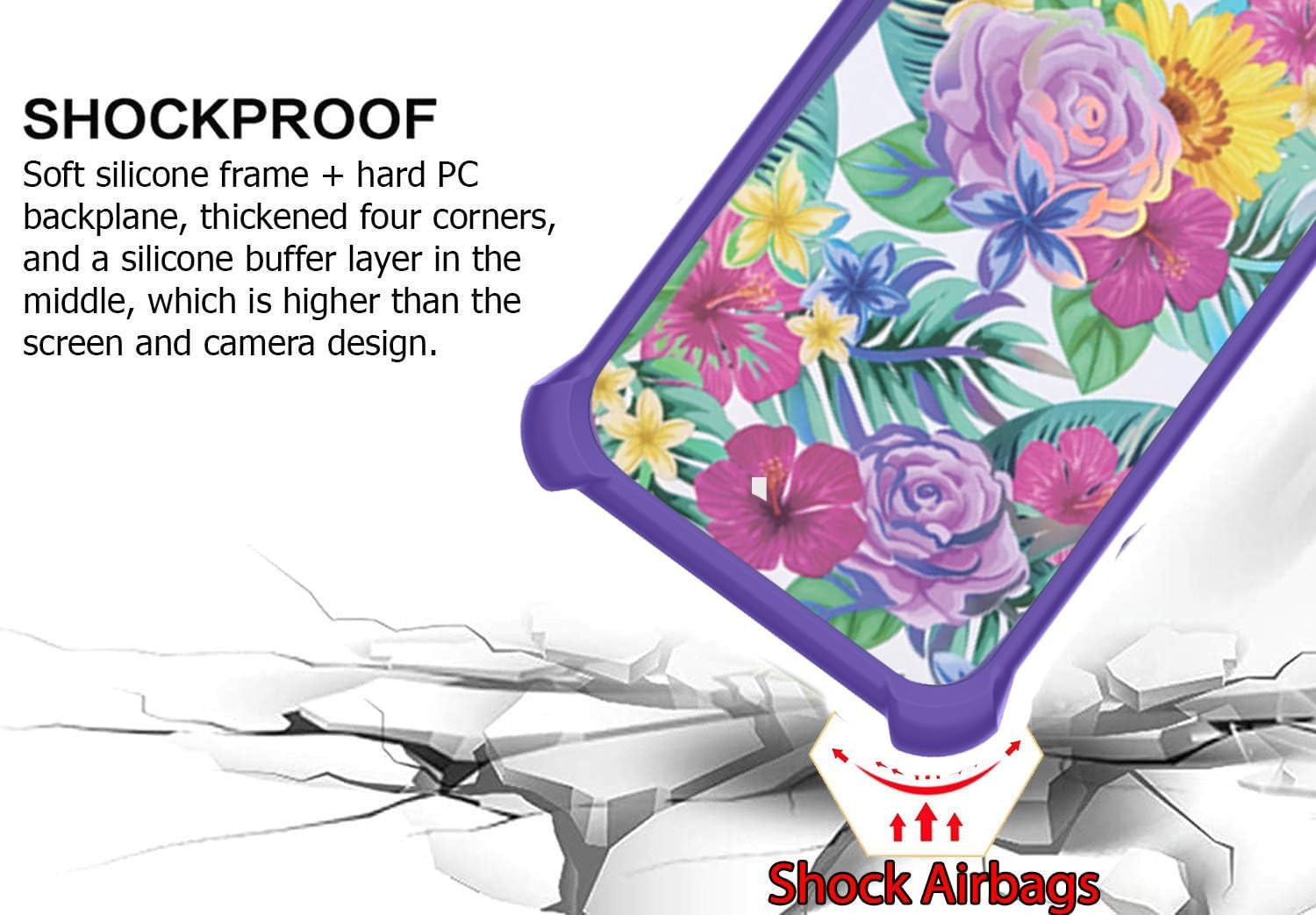
Image: Detail of the shockproof design with integrated "Shock Airbags" in the corners.

Image: Breakdown of the multi-layered back panel construction, highlighting the IMD laser style.
Maintenance
To maintain the appearance and functionality of your phone case and screen protector:
- Cleaning the Case: Wipe the case regularly with a soft, damp cloth. For stubborn dirt, a mild soap solution can be used, followed by rinsing and thorough drying. Avoid harsh chemicals or abrasive materials.
- Cleaning the Screen Protector: Use a microfiber cloth to gently wipe the screen protector. For smudges, a screen cleaning spray designed for electronics can be used.
- Avoid Extreme Temperatures: Do not expose the case to extreme heat or cold, as this may affect its material integrity.
Troubleshooting
- Screen Protector Bubbles: If bubbles appear after installation, try gently pushing them towards the edges with a soft cloth. Small bubbles may disappear on their own within 24-48 hours.
- Ring Stand Stiffness: The ring stand is designed to be firm to provide stable support. If it feels too stiff, gently rotate it a few times to loosen it slightly. Avoid excessive force.
- Case Fit Issues: Ensure your phone model is Oppo A1 5G. If the case does not fit correctly, double-check that the phone is fully seated in all corners.
Specifications
| Model | IMDZ-HUA1 |
| Compatible Phone Models | Oppo A1 5G |
| Material | PC hard back panel + soft silicone frame + metal support finger ring |
| Special Features | 360 Rotating Ring, Car Magnetic Fixing, Finger ring + support + car bracket magnetic suction, Shock Airbags, Elevated Camera/Screen Protection |
| Product Dimensions | 0.39 x 0.39 x 0.39 inches (approximate, for case) |
| Item Weight | 2.46 ounces |
| Manufacturer | Generic |
Warranty and Support
As a Generic brand product, specific warranty details may vary. For any questions, support, or warranty inquiries, please contact the seller directly through your purchase platform. Please retain your proof of purchase for any claims.