
1. Introduction
This user manual provides comprehensive instructions for the Logicom ILOA 255T Cordless Phone with Answering Machine - Duo. Please read this manual carefully before using your new phone system to ensure proper operation and to take full advantage of its features. Keep this manual for future reference.

Image 1.1: Logicom ILOA 255T Cordless Phone Duo. This image displays two black cordless handsets, each placed on its respective charging base. The handsets feature a digital display and a standard telephone keypad.
2. Package Contents
Verify that all items listed below are present in your package. If any items are missing or damaged, please contact your retailer.
- 2 x Logicom ILOA 255T Handsets
- 2 x Charging Bases
- 1 x RJ11 Telephone Line Cable
- 2 x Power Adapters (one for each base)
- 4 x AAA NiMH Rechargeable Batteries (2 per handset)
- 1 x User Manual (this document)
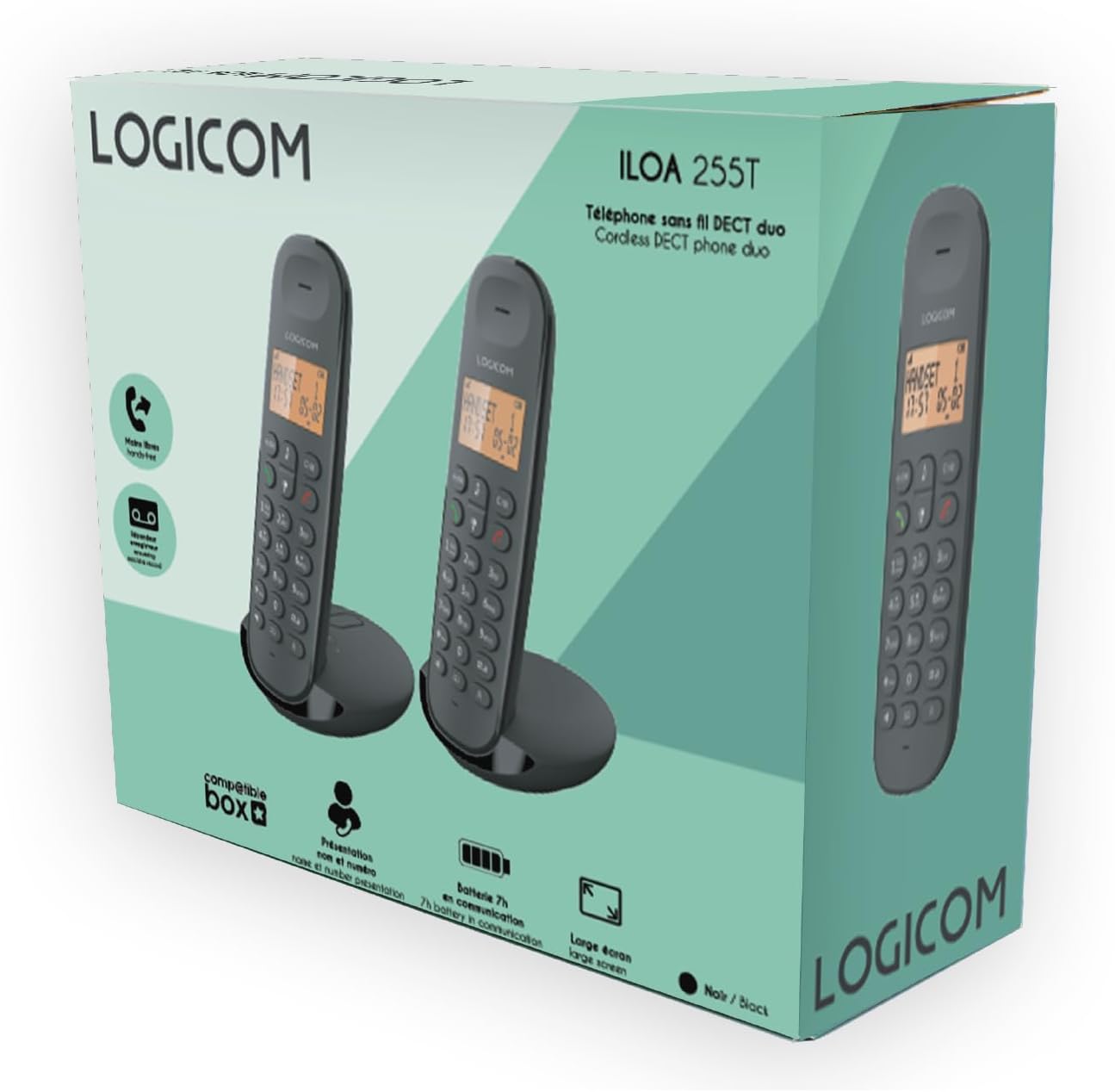
Image 2.1: Product Packaging. The image shows the retail box for the Logicom ILOA 255T, illustrating the two handsets and highlighting key features like DECT technology, answering machine, and battery life.
3. Setup Guide
3.1. Battery Installation
- Locate the battery compartment cover on the back of each handset.
- Slide the cover downwards to open it.
- Insert the two AAA NiMH rechargeable batteries into each handset, observing the correct polarity (+ and -).
- Replace the battery compartment cover, sliding it upwards until it clicks into place.
3.2. Connecting the Base Station
- Connect one end of the RJ11 telephone line cable to the "LINE" port on the main base station.
- Connect the other end of the RJ11 cable to your telephone wall socket or internet box.
- Plug one power adapter into the "POWER" port on the main base station.
- Plug the other end of the power adapter into a wall outlet.
- For the second charging base, plug its power adapter into the "POWER" port on the base and then into a wall outlet.
- Place each handset on its respective charging base. The display should indicate charging. Allow the batteries to charge for at least 12-15 hours before initial use.

Image 3.1: Charging Bases. This image shows the two charging bases for the Logicom ILOA 255T handsets. One base appears to have control buttons for the answering machine, indicating it is the main base, while the other is a simpler charging cradle.
4. Operation
4.1. Basic Call Functions
- Making a Call: Press the green call button, then dial the number. Alternatively, dial the number first and then press the green call button.
- Answering a Call: When the phone rings, press the green call button.
- Ending a Call: Press the red end call button or place the handset back on the charging base.
- Hands-Free (Speakerphone): During a call, press the speakerphone button (often indicated by a speaker icon) to activate hands-free mode. Press it again to return to handset mode.
- Redial: Press the redial button (often indicated by a phone icon with an arrow) to redial the last number called. The phone stores the last 5 numbers.
4.2. Answering Machine
The ILOA 255T features an integrated answering machine with a recording capacity of approximately 15 minutes.
- Activating/Deactivating: Refer to the on-screen menu options on your handset or the main base controls.
- Playing Messages: Press the play button on the main base or access the answering machine menu via the handset.
- Recording an Announcement: Follow the instructions in the handset menu to record your personalized outgoing message.
4.3. Advanced Features
- Call Transfer: During an active call, you can transfer it to another registered handset. Consult the handset menu for the specific steps.
- Intercom: Make internal calls between registered handsets. Up to 5 handsets can be associated.
- Conference Call: The system supports 3-way conference calls (1 external, 2 internal participants).
- Mute Function: During a call, press the mute button to temporarily disable your microphone.
- Keypad Lock: Press and hold the '#' key to lock/unlock the keypad, preventing accidental dialing.
- Alarm: Set an alarm via the handset menu.

Image 4.1: Handset Functions. This image highlights key functions of the ILOA 255T handset, including call transfer, answering machine, intercom, mute function, keypad lock, and alarm.
4.4. Language Settings
The ILOA 255T supports multiple languages for its menu interface.
- Access the "Settings" or "Menu" option on your handset.
- Navigate to "Language" or "Langue".
- Select from the available languages: French, English, Spanish, Dutch. Please note that German is not supported.
4.5. Volume Adjustment
- Ringer Volume: Adjustable to 5 levels. Access via the handset menu under "Settings" or "Ringer".
- Earpiece/Speaker Volume: Adjustable to 5 levels during a call using the navigation keys.

Image 4.2: Handset Characteristics. This image illustrates the features of the ILOA 255T handset, including its large 4-line screen, caller ID display, redial function for the last 5 numbers, adjustable ringer and listening volumes, 10 available ringtones, battery specifications (2x AAA NiMH, 90h standby, 7h talk time), and range (300m open field, 50m indoors).
5. Maintenance
5.1. Cleaning
Wipe the handset and base station with a soft, damp cloth. Do not use abrasive cleaners or solvents. Ensure the device is unplugged before cleaning.
5.2. Battery Care
Use only the supplied rechargeable AAA NiMH batteries. Non-rechargeable batteries may damage the device. If the phone will not be used for an extended period, remove the batteries to prevent leakage.
6. Troubleshooting
| Problem | Possible Cause | Solution |
|---|---|---|
| No dial tone | Telephone line cable not connected or faulty. | Check the RJ11 cable connection to the base and wall socket. Try another phone line if available. |
| Handset not charging | Handset not properly seated on base; power adapter not connected. | Ensure the handset is correctly placed on the charging base. Verify the power adapter is securely plugged into the base and wall outlet. |
| Poor call quality/static | Handset too far from base; interference from other electronic devices. | Move closer to the base station. Relocate the base station away from other electronic devices (Wi-Fi routers, microwaves). |
| Cannot make/receive calls | Handset not registered to the base; low battery. | Ensure the handset is registered. Recharge the handset batteries. |
| Answering machine not recording | Answering machine is off; memory full. | Activate the answering machine. Delete old messages to free up memory. |
7. Technical Specifications
- Model: ILOA 255T
- Color: Black
- Type: Cordless DECT Phone with Answering Machine
- Display: Large 4-line screen (1 dot matrix, 1 alphanumeric, 2 icon lines)
- Batteries: 2 x AAA NiMH rechargeable batteries per handset (included)
- Standby Time: Up to 90 hours
- Talk Time: Up to 7 hours
- Range: Up to 50 meters indoors, up to 300 meters in open field
- Answering Machine Capacity: Approximately 15 minutes (digital)
- Ringer Volume: 5 adjustable levels
- Earpiece/Speaker Volume: 5 adjustable levels
- Ringtones: 10 available melodies
- Caller ID: Yes
- Redial Memory: Last 5 numbers
- Multi-Handset Support: Up to 5 handsets can be registered to one base
- Intercom/Call Transfer: Yes
- Conference Call: 3-way (1 external, 2 internal)
- Keypad Lock: Yes
- Mute Function: Yes
- Alarm Function: Yes
- Dimensions (Handset): Approximately 15 x 8 x 5 cm (L x W x H)
- Weight: 250 Grams (approximate, likely per handset)
- Material: Plastic
- Power Source: Battery powered (handset), AC adapter (base)
- Compatible Devices: Traditional fixed line network, internet box
- Languages: French, English, Spanish, Dutch (German not supported)

Image 7.1: Product Dimensions. This image provides a visual representation of the handset and base dimensions, indicating a handset height of 163mm and a base width of 90mm.
8. Warranty and Support
8.1. Warranty Information
Logicom products are designed for reliability. If you encounter any issues with your ILOA 255T, please refer to the troubleshooting section first. For warranty claims, please retain your proof of purchase. The warranty period and terms are subject to local regulations and the retailer's policy.
8.2. Customer Support
For further assistance, technical support, or service inquiries, please contact Logicom customer service. Contact details can typically be found on the Logicom official website or on the product packaging.