
1. Introduction
Thank you for choosing the SYNOSHI Electric Spin Scrubber. This cordless, waterproof cleaning brush is designed to make your cleaning tasks easier and more efficient. With its dual-speed functionality and replaceable brush heads, it's suitable for various surfaces in your home. Please read this manual thoroughly before first use to ensure proper operation and maintenance.
2. Safety Information
- Keep the device away from children.
- Do not immerse the entire device in water. The brush head is waterproof (IPX5), but the charging port area should remain dry.
- Ensure the charging port cover is securely closed before using the device near water.
- Use only the provided charging cable.
- Do not use the device if it is damaged.
- Avoid using abrasive cleaners or harsh chemicals directly on the device.
- Store the device in a cool, dry place when not in use.
3. Package Contents
Verify that all items are included in your package:
- SYNOSHI Electric Spin Scrubber Unit
- USB-C Charging Cable
- Round Brush Head (for general cleaning)
- Cone Brush Head (for corners and tight spaces)
- Sponge Brush Heads (6 units - 3 for scrubbing, 3 for shiny surfaces)

Image: The SYNOSHI Electric Spin Scrubber unit with its included brush heads and charging cable.
4. Product Overview
The SYNOSHI Electric Spin Scrubber features an ergonomic design for comfortable handling and efficient cleaning.
- Main Unit: Contains the motor, battery, and control buttons.
- Power Button: Controls power on/off and speed settings.
- Charging Port: Located at the base of the handle, protected by a silicone cover.
- Brush Head Attachment Point: Where different cleaning heads are connected.
- Silicone Loop: For convenient hanging storage.

Image: Key features of the SYNOSHI Electric Spin Scrubber, including its waterproof design and multiple brush head compatibility.
Brush Head Types:
- Round Brush: Ideal for large flat surfaces like floors, tiles, and countertops.
- Cone Brush: Designed for cleaning corners, grout lines, and other hard-to-reach areas.
- Sponge Brush: Soft sponges for delicate surfaces or for polishing, and abrasive sponges for tougher scrubbing on pots and pans.
- Steel Brush (Optional Accessory): For very stubborn stains on robust surfaces.


Image: Various replaceable brush heads including sponge, round, and cone brushes.
5. Setup
5.1 Charging the Device
- Locate the charging port at the bottom of the scrubber's handle.
- Gently open the silicone cover to expose the USB-C port.
- Connect the provided USB-C charging cable to the port and the other end to a suitable USB power adapter (not included).
- The indicator light will show charging status (e.g., blinking while charging, solid when fully charged).
- A full charge takes approximately 1.5-2 hours and provides about 45 minutes of working time.
- Ensure the silicone cover is securely closed after charging to maintain waterproof integrity.

Image: Unscrewing the bottom of the handle reveals the USB-C charging port.
5.2 Attaching/Replacing Brush Heads
- Align the desired brush head with the attachment point on the main unit.
- Press the brush head firmly onto the unit until it clicks into place.
- To remove, simply pull the brush head off the unit.
Image: The process of easily replacing brush heads on the scrubber.
6. Operating Instructions
6.1 Power On/Off and Speed Settings
- Press the power button once to turn on the scrubber at the low-speed setting.
- Press the power button a second time to switch to the high-speed setting.
- Press the power button a third time to turn off the device.
6.2 Cleaning Tips
- Apply a small amount of cleaning solution directly to the surface or the brush head.
- Start with the low-speed setting for general cleaning and delicate surfaces.
- Switch to the high-speed setting for stubborn stains and tougher grime.
- Move the scrubber gently over the surface, allowing the rotating brush to do the work. Avoid excessive pressure.
- For optimal results, use the appropriate brush head for the task (e.g., cone brush for grout, sponge for polishing).

Image: The scrubber is versatile for effortless cleaning in bathrooms, kitchens, and other areas.
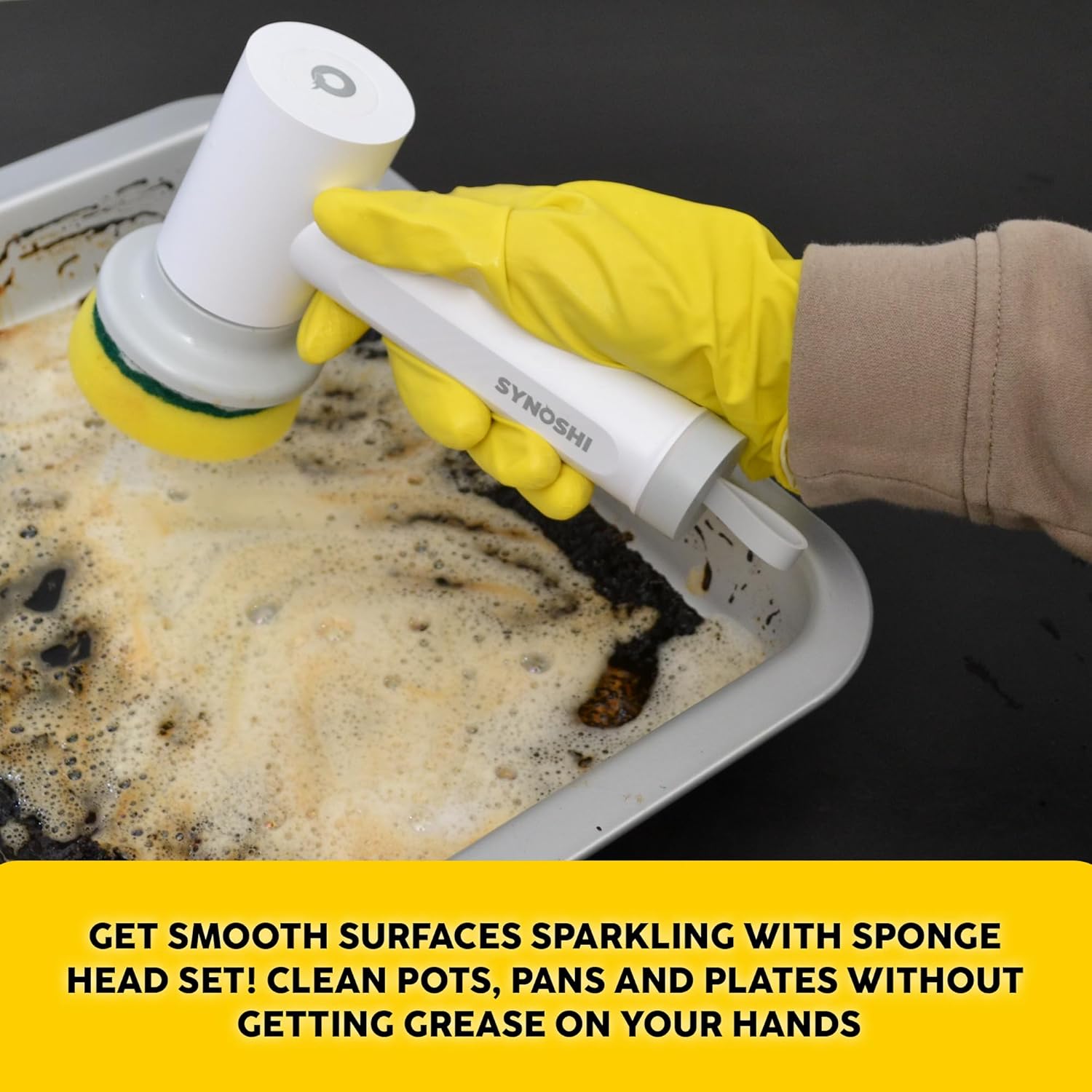
Image: Using the sponge head to clean pots, pans, and plates without direct hand contact with grease.
7. Maintenance
7.1 Cleaning the Scrubber
- After each use, remove the brush head and rinse it under running water.
- Wipe the main unit with a damp cloth. Do not use harsh chemicals.
- Ensure the device is completely dry before storing or recharging.
7.2 Replacing Brush Heads
Brush heads may wear out over time depending on usage. Replace them when bristles become flattened or sponges lose their effectiveness to maintain optimal cleaning performance. Replacement heads are available from SYNOSHI retailers.
8. Troubleshooting
| Problem | Possible Cause | Solution |
|---|---|---|
| Device does not turn on. | Low battery. | Charge the device for 1.5-2 hours. |
| Brush head stops spinning or slows down significantly. | Excessive pressure applied. Low battery. Brush head is worn out. | Reduce pressure. Recharge the device. Replace the brush head. |
| Water enters the charging port. | Silicone cover not properly closed. | Ensure the silicone cover is tightly sealed before use. If water has entered, allow the device to dry completely before attempting to charge or use. |
9. Specifications
- Brand: SYNOSHI
- Model: Electric Spin Scrubber
- Power Source: Battery Powered (1200 mAh Lithium Battery)
- Charging Time: 1.5-2 hours
- Working Time: Approximately 45 minutes
- Speed: Dual Speed (up to 1500 RPM)
- Waterproof Rating: IPX5
- Included Components: Scrubber Unit, USB-C Cable, Various Brush Heads
- Color: Black (main unit)
- ASIN: B0CJRPN7LF
10. Warranty and Support
For warranty information and customer support, please refer to the contact details provided with your purchase or visit the official SYNOSHI website. Keep your proof of purchase for any warranty claims.