
Introduction
Thank you for choosing the TAGVIT 1/2” Drive Digital Torque Adapter. This device converts a standard ratchet wrench into a precise digital torque wrench, providing accurate torque measurements for various applications. It is designed for reliability and ease of use in tasks such as bicycle, motorcycle, and automotive repair, as well as general industrial use. Please read this manual thoroughly before operation to ensure proper use and to maximize the lifespan of your tool.
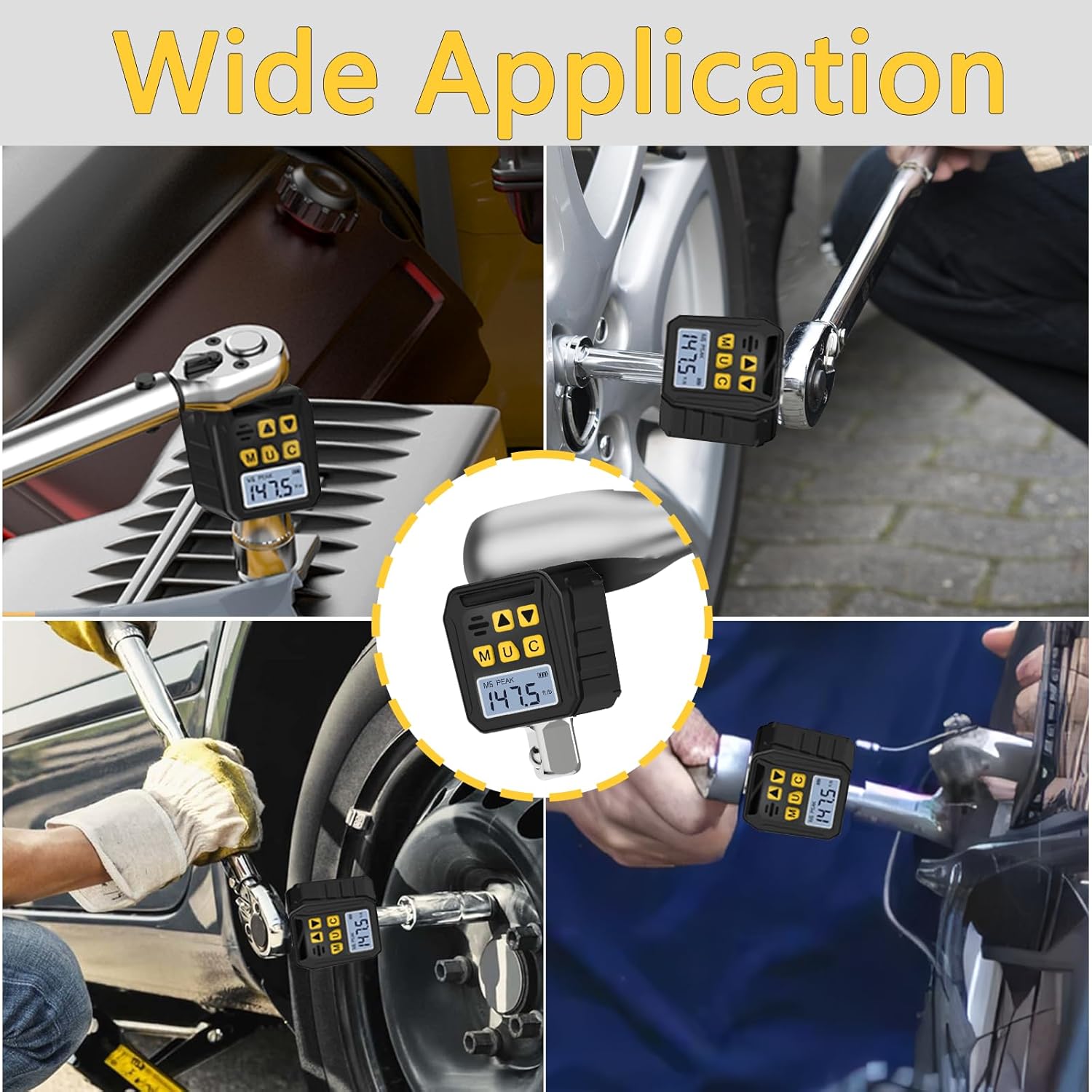
Image: The digital torque adapter being used in diverse settings, demonstrating its wide application in automotive, motorcycle, and bicycle maintenance.
Product Overview and Features
The TAGVIT Digital Torque Adapter offers advanced features for precise torque measurement and control:
- Four Measurement Units: Supports N.m, ft-lb, in-lb, and kg.cm. The torque range is 7.38-147.5 Ft-lb / 10-200 Nm.
- High Accuracy: Provides an accuracy of ±2% in clockwise direction and ±3% in counter-clockwise direction.
- 6 Preset Modes (M1-M6): Allows users to pre-set and quickly switch between frequently used torque values.
- TRACK / PEAK Mode: TRACK mode displays real-time torque values during application. PEAK mode captures and displays the maximum torque value achieved. In PEAK mode, the device can store up to 500 sets of historical data.
- Buzzer & LED Indicator: Visual and audible alerts for reaching target torque. A green LED illuminates and a beep sounds when 85-90% of the set torque is reached. The green light turns off, a red light illuminates, and a continuous beep sounds when 100% of the set torque is reached, indicating to stop applying force.
- LCD Backlight Display: Ensures clear readability of torque values even in low-light conditions.

Image: The adapter's display clearly showing the selection of four different measurement units, including N.m, ft-lb, in-lb, and kg.cm.

Image: The digital torque adapter's screen displaying two of the six preset value modes (M1 and M6) and indicating its capability to store 500 groups of data.
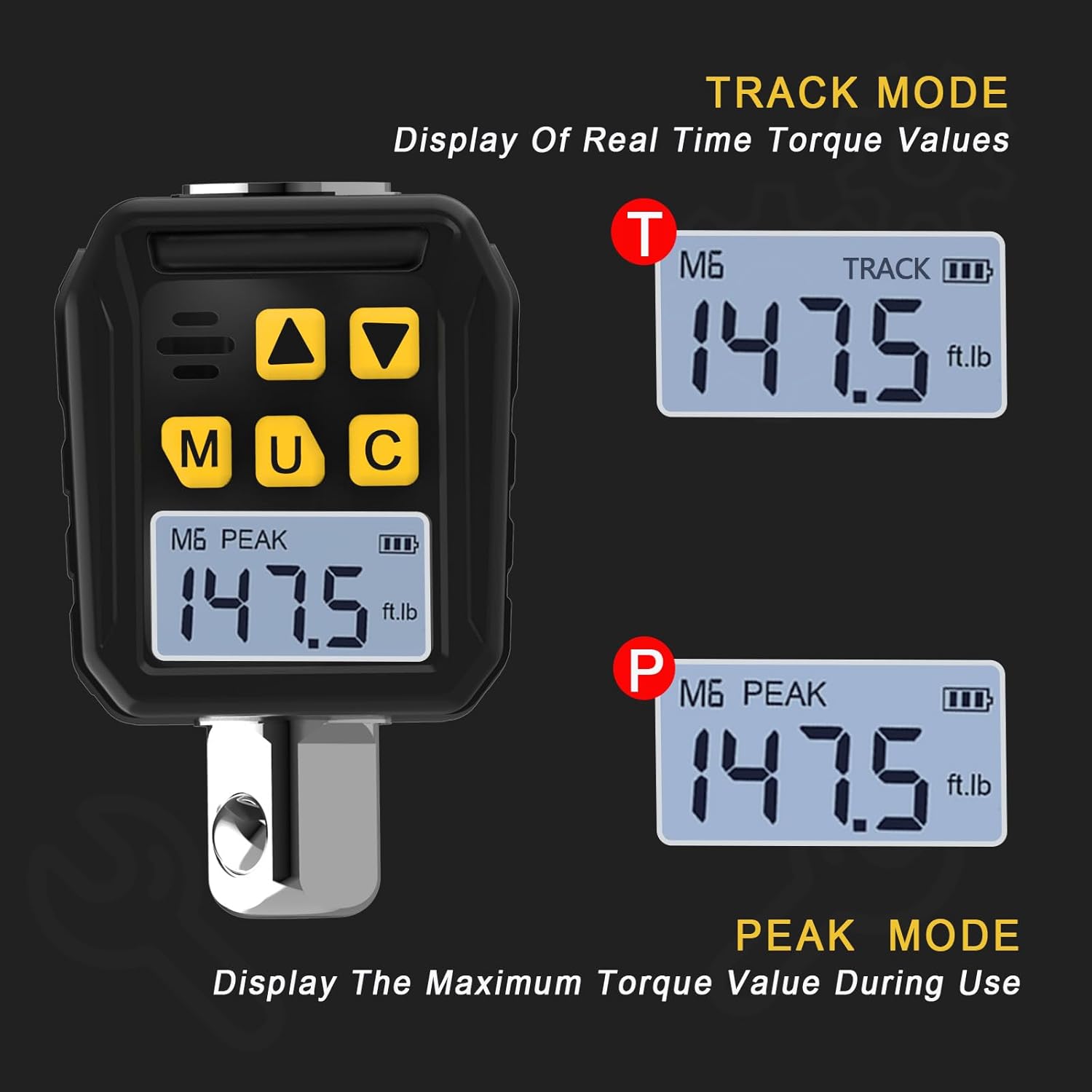
Image: A comparison of the adapter's display in TRACK mode, showing real-time torque, and PEAK mode, showing the maximum torque value achieved during use.
Package Contents
Please verify that all items are present in your package:
- 1 x TAGVIT 1/2” Digital Torque Adapter
- 1 x 3/8” Adapter
- 1 x 1/4” Adapter
- 2 x AA Batteries
- 1 x Screwdriver
- 1 x Instruction Manual (this document)

Image: The 1/2-inch digital torque adapter shown with the included 1/4-inch and 3/8-inch drive adapters, illustrating how they connect to a ratchet.
Setup
1. Battery Installation
- Locate the battery compartment cover on the back of the digital torque adapter.
- Use the provided screwdriver to remove the screw securing the battery cover.
- Insert the two AA batteries, ensuring correct polarity (+/-) as indicated inside the compartment.
- Replace the battery cover and secure it with the screw.
2. Attaching to a Ratchet Wrench
- Select the appropriate adapter (1/2”, 3/8”, or 1/4”) for your application. The digital torque adapter itself has a 1/2” drive.
- Insert the square drive of the digital torque adapter (or the selected adapter) into the drive of your ratchet wrench.
- Attach the socket or bit to the output square drive of the digital torque adapter.
Operating Instructions
1. Power On/Off
- To power on, press the 'C' button.
- The device will automatically power off after a period of inactivity to conserve battery life.
2. Unit Switching
- Press the 'U' button to cycle through the available measurement units: N.m, ft-lb, in-lb, kg.cm.
3. Mode Selection (TRACK / PEAK)
- Press the 'M' button to switch between TRACK mode and PEAK mode.
- In TRACK mode, the display shows the real-time torque being applied.
- In PEAK mode, the display shows the maximum torque value reached during the current operation. This mode also stores up to 500 sets of historical data.
4. Setting Target Torque (for Preset Modes)
- Press the 'M' button repeatedly until you enter one of the preset modes (M1-M6).
- Use the 'Up' (▲) and 'Down' (▼) arrow buttons to adjust the target torque value.
- Once the desired value is set, the device will save it for that preset mode.
5. Interpreting Buzzer & LED Indicators

Image: The digital torque adapter highlighting its buzzer and LED indicator features, which provide audible and visual alerts during operation.
- 85-90% of Target Torque: The green LED will light up, and the device will emit a series of beeps. This indicates you are approaching the target torque.
- 100% of Target Torque: The green LED will turn off, the red LED will light up, and the device will emit a continuous beep. This indicates the target torque has been reached. Stop applying force immediately to prevent over-tightening.
Maintenance
- Cleaning: Wipe the device with a soft, dry cloth. Do not use abrasive cleaners or solvents. Avoid submerging the device in water.
- Storage: Store the digital torque adapter in a clean, dry place away from direct sunlight and extreme temperatures. Remove batteries if the device will not be used for an extended period to prevent leakage.
- Calibration: For professional applications requiring certified accuracy, periodic calibration by a qualified service center is recommended.
Troubleshooting
| Problem | Possible Cause | Solution |
|---|---|---|
| Device does not power on. | Dead or incorrectly installed batteries. | Check battery polarity. Replace with new AA batteries. |
| Inaccurate torque readings. | Device not properly calibrated or damaged. | Ensure proper technique. If issues persist, consider professional calibration or contact support. |
| Buzzer/LED indicators not working. | Low battery or internal fault. | Replace batteries. If problem continues, contact customer support. |
| Display is dim or flickering. | Low battery power. | Replace batteries. |
Specifications
- Brand: TAGVIT
- Model Number: TA-065
- Torque Range: 7.38-147.5 Ft-lb / 10-200 Nm
- Accuracy: ±2% Clockwise, ±3% Counter-clockwise
- Drive Size: 1/2 inch (includes 3/8" and 1/4" adapters)
- Measurement Units: N.m, ft-lb, in-lb, kg.cm
- Operating Modes: TRACK, PEAK, 6 Preset Modes (M1-M6)
- Data Storage (PEAK Mode): Up to 500 sets
- Indicators: Buzzer, Green/Red LED
- Power Source: 2 x AA Batteries
- Finish Type: Powder Coated
- Head Style: Fixed Square
Warranty and Support
For warranty information, technical support, or service inquiries, please refer to the warranty card included with your product or contact the TAGVIT customer service department through the retailer where the product was purchased. Please have your model number (TA-065) and purchase date available when contacting support.