
1. Introduction and Overview
The Kongzee 4-in-1 D.I.Y & TENS Unit & EMS & Massage Muscle Stimulator is a versatile device designed for pain relief, muscle exercise, and relaxation. Featuring dual channels and a user-friendly interface, it offers a personalized massage therapy experience to alleviate muscle tension and discomfort. This manual provides essential information for safe and effective use of your device.
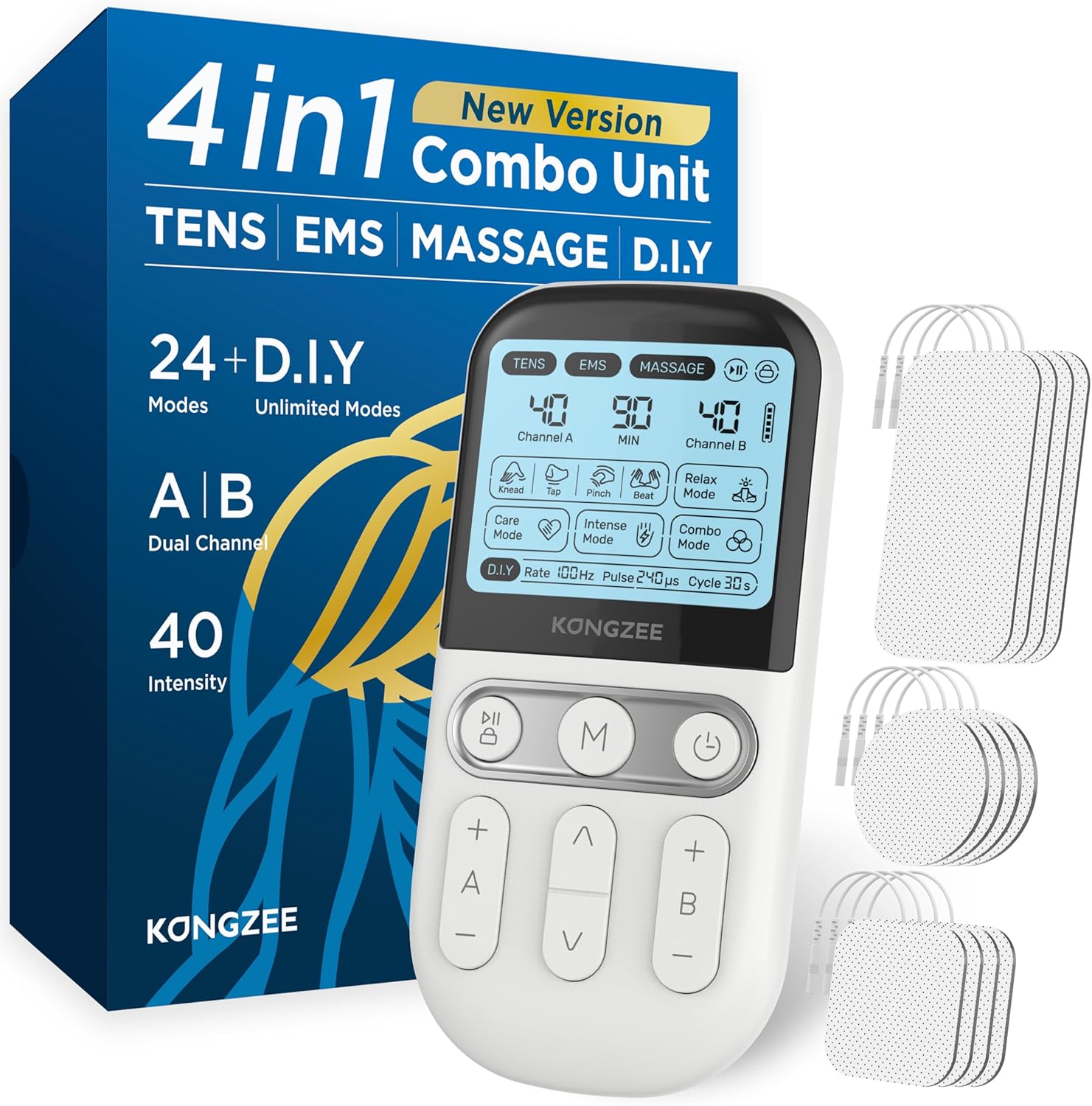
Image: The Kongzee 4-in-1 Muscle Stimulator with its packaging and electrode pads.
2. Important Safety Information
WARNING: Please read all instructions and safety warnings carefully before using this device.
- Before using the device, be sure to read the entire user manual.
- Do not use near sensitive areas such as the heart, head, or carotid artery.
- This device is not suitable for pregnant women and individuals with hypertension.
- It is also unsafe for individuals with pacemakers.
- Prior to use, it is advisable to consult a doctor's advice.
- Always clean your skin before using the electrode pads.
- Ensure all pads in one channel are firmly attached to your skin for proper function. If pads are not firmly attached, intensity adjustment may not be possible.
- Statements regarding dietary supplements have not been evaluated by the FDA and are not intended to diagnose, treat, cure, or prevent any disease or health condition.
Video: A brief demonstration of the device's features and important usage notes displayed on the screen.
3. Package Contents
Your comprehensive package includes the following items:
- 1 x Kongzee TENS Unit
- 2 x Electrode Wires
- 12 x Electrode Pads (various sizes)
- Plastic Plates for pad storage
- 1 x Convenient Pouch
- 1 x USB-C Charging Cable

Image: The portable electrotherapy massager unit with electrode pads and wires.
4. Product Features
4-in-1 Functionality
This device combines four distinct functions to cater to various needs:
- TENS (Transcutaneous Electrical Nerve Stimulator): Transmits nerve signals to your brain by blocking pain, significantly reducing pain and discomfort.
- EMS (Electrical Muscle Stimulation): Stimulates the elongation and contraction of main muscle groups by releasing pulsed current, restoring elasticity and vitality, and improving stiff muscle states.
- Massage: Provides different massage techniques for relaxation and comfort.
- D.I.Y (Do It Yourself): Allows you to create unlimited customized modes by setting your own rate, pulse, and cycle for a personalized experience.

Image: Close-up of the device screen highlighting the TENS, EMS, Massage, and D.I.Y modes.
Dual Channel Output
The device features A/B Dual Channels, allowing you to use up to 4 electrode pads simultaneously on different areas of the body. Output intensity can be increased or decreased individually for each channel.

Image: Demonstration of the dual-channel functionality with pads connected to the device and applied to an arm.
Adjustable Intensity and Timer
- 40 Intensity Levels: Offers 40 levels of output for deeper effects, catering to different individual needs.
- Customizable Endurance Time: Set your working time from 10 to 90 minutes for uninterrupted relaxation.

Image: Close-up of the device screen displaying the 40 intensity levels.
User-Friendly Design
- One-Button Protection: Features pause work and lock screen functionality to prevent accidental touches.
- Memory Feature: The device contains a memory function, and the default mode when turned on is the mode it was last turned off in.
- Rechargeable Battery: Equipped with a rechargeable battery and USB-C charging for extra-long battery life.

Image: The device highlighting the one-button protection feature.
Advanced Electrode Pads
Our state-of-the-art electrode pads are crafted from the latest materials, offering an optimal fit to the skin for a soft and skin-friendly touch. They are reusable, ensuring a sustained and comfortable experience.

Image: A diagram illustrating the multi-layered construction of the durable electrode pads, including the non-woven cloth, conductive wire-end layer, conductive carbon film, and TENS Premium Gel.
5. Setup Guide
5.1 Charging the Device
- Locate the USB-C charging port at the bottom of the device.
- Connect the provided USB-C cable to the device and a compatible USB power source (e.g., wall adapter, computer USB port).
- The battery indicator on the screen will show charging status. A full charge provides extended usage time.

Image: The device connected to a USB-C charging cable.
5.2 Connecting Electrode Pads
- Ensure the device is turned off before connecting pads.
- Insert the pin connectors of the electrode wires into the A and/or B output ports at the top of the device.
- Attach the other end of the electrode wires to the electrode pads. Ensure a secure connection.
- Remove the protective film from the electrode pads.
- Apply the pads firmly to clean, dry skin on the desired treatment area.

Image: A close-up view of the dual channel A and B output ports on the device.
6. Operating Instructions
6.1 Power On/Off
- To turn on: Press and hold the power button (⏻) until the screen illuminates.
- To turn off: Press and hold the power button (⏻) until the screen turns off.
6.2 Mode Selection
The device offers TENS, EMS, and Massage modes, along with a D.I.Y. mode.
- Press the 'M' button to cycle through the main modes: TENS, EMS, and Massage.
- Within each main mode (TENS, EMS, Massage), use the arrow buttons (up/down) to select specific sub-modes or massage techniques (e.g., Knead, Tap, Pinch, Beat, Relax Mode, Care Mode, Intense Mode, Combo Mode).
6.3 Adjusting Intensity
- Use the '+' and '-' buttons for Channel A to adjust its intensity.
- Use the '+' and '-' buttons for Channel B to adjust its intensity.
- Increase intensity gradually to a comfortable level. If pads are not firmly attached, intensity adjustment will not work.
6.4 Setting the Timer
- While the device is on, short press the power button (⏻) to enter timer setting mode.
- Use the up/down arrow buttons to adjust the session duration from 10 to 90 minutes.
- The device will automatically shut off once the set time has elapsed.
6.5 Using D.I.Y. Mode
- To enter D.I.Y. mode, long press the 'M' button.
- In D.I.Y. mode, you can customize the Rate (1-100Hz), Pulse (1-240µs), and Cycle (1-30s) to create your unique massage experience.
- Note: When one channel utilizes the D.I.Y. function, the other channel cannot be used simultaneously with other functions.
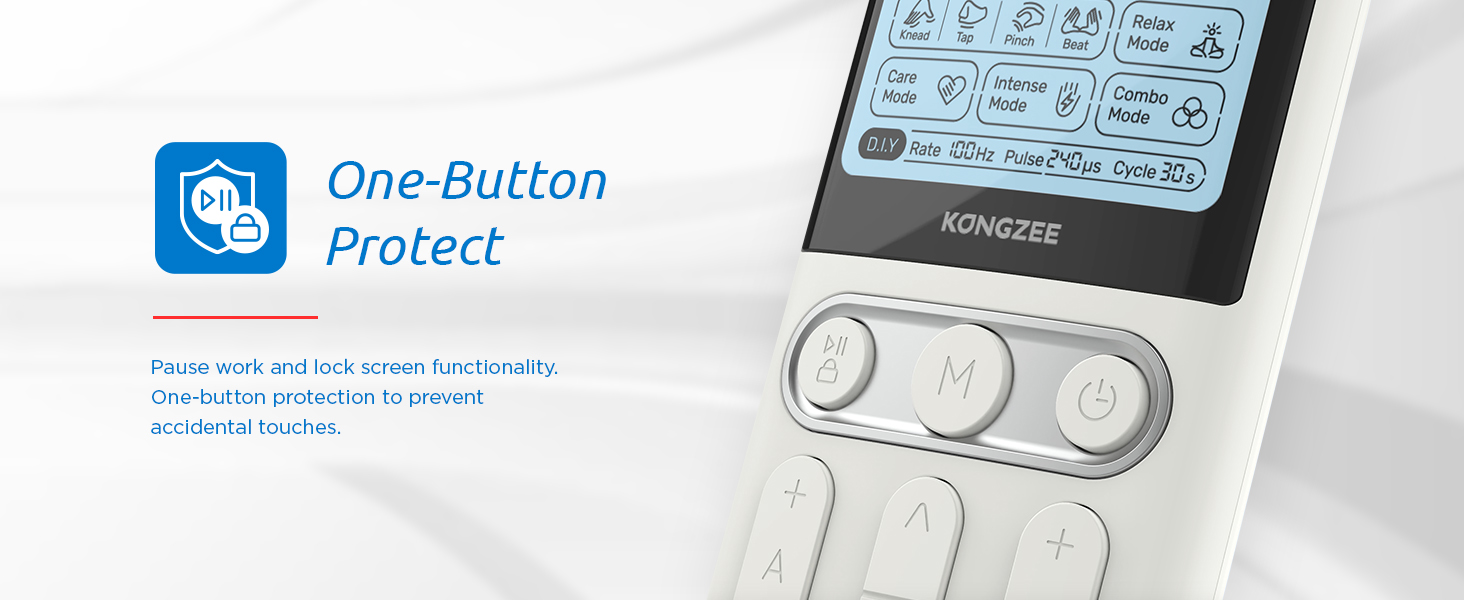
Image: A visual representation of the D.I.Y. mode's customizable parameters: Rate, Pulse, and Cycle.
7. Electrode Pad Application & Care
7.1 Application
- Clean the skin area where pads will be applied with soap and water, then dry thoroughly.
- Apply pads firmly to the skin. Ensure full contact for optimal performance and to prevent discomfort.
- Refer to the diagram below for suggested placement on various body parts.

Image: Visual guide for electrode pad placement on different body areas including shoulder, forearm, arm, knee, leg, and waist.
7.2 Care and Storage
- After each use, gently remove the pads from your skin.
- Place the pads back onto the provided plastic plates to maintain their adhesive quality.
- Store the pads and device in the convenient pouch in a cool, dry place, away from direct sunlight.
- If the pads lose their stickiness, clean them with a damp cloth and let them air dry. Replace pads when they no longer adhere well.
8. Maintenance
- Wipe the device with a soft, dry cloth after each use. Do not use abrasive cleaners or immerse the device in water.
- Keep the device and accessories away from extreme temperatures, humidity, and direct sunlight.
- Regularly check electrode wires for any signs of damage or fraying. Replace if necessary.
9. Troubleshooting
| Problem | Possible Cause | Solution |
|---|---|---|
| Device does not turn on. | Low battery or device is off. | Charge the device fully. Press and hold the power button to turn on. |
| No sensation or weak sensation. | Pads not firmly attached, low intensity, or pads are worn out. | Ensure pads are firmly attached to clean skin. Increase intensity gradually. Replace old pads. |
| Intensity cannot be adjusted. | Electrode pads not firmly attached to skin. | Ensure all electrode pads are firmly attached to your skin. |
| Pads losing stickiness. | Pads are dirty or worn out. | Clean pads with a damp cloth and air dry. If still not sticky, replace with new pads. |
10. Specifications
- Product Dimensions: 5.31 x 2.05 x 6.5 inches
- Item Weight: 14.89 ounces
- Model Number: AS9026
- Batteries: 1 Lithium Polymer battery (included)
- Manufacturer: Shen Zhen As Tec Technology Co Ltd
- ASIN: B0CJR9T2T3
- Country of Origin: China
11. Warranty and Support
For warranty information and customer support, please refer to the documentation included with your product or contact Kongzee customer service directly. This product is FSA/HSA eligible, meaning you may be able to use your flexible spending or health savings account to purchase it.
You can also refer to the official User Guide (PDF) for additional details.

