
1. Product Overview
The KIDLEDUCT Indoor Outdoor Wireless Thermometer provides accurate temperature and humidity readings for both indoor and outdoor environments. This device features a main display unit and two wireless remote sensors, offering enhanced signal technology for stable connections up to 330 feet. Key features include a backlit display, temperature alert functions, and a comfort index indicator.
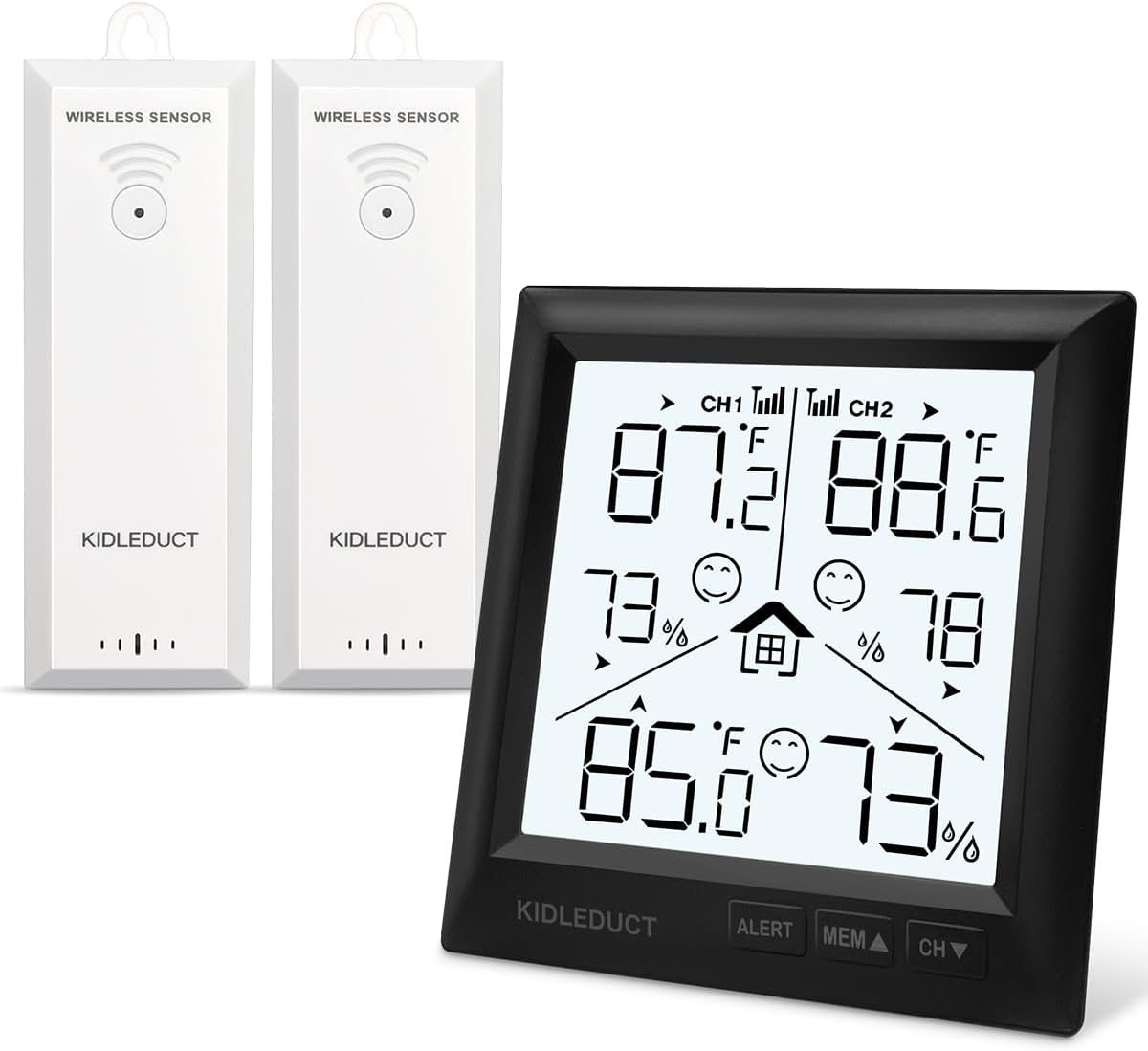
Figure 1.1: Main display unit and two wireless remote sensors. The main unit displays indoor temperature and humidity, along with readings from two outdoor channels (CH1 and CH2) provided by the remote sensors.
2. Package Contents
- 1 x Indoor Thermometer Main Unit
- 2 x Wireless Remote Sensors
- 1 x User Manual
Note: Batteries are not included. The main unit requires 3x AAA batteries, and each remote sensor requires 2x AAA batteries.
3. Setup Instructions
3.1 Battery Installation
- Main Unit: Open the battery compartment on the back of the main unit. Insert 3 AAA batteries, observing the correct polarity (+/-). Close the compartment.
- Remote Sensors: Open the battery compartment on the back of each wireless sensor. Insert 2 AAA batteries into each sensor, observing the correct polarity (+/-). Close the compartment.
3.2 Sensor Placement
The wireless sensors are designed for outdoor use with an IPX4 waterproof rating, protecting against splashes from any direction. For optimal performance and signal transmission:
- Place sensors in a shaded area to avoid direct sunlight, which can cause inaccurate temperature readings.
- Ensure sensors are protected from heavy rain or snow, despite their water resistance.
- Mount sensors vertically using the integrated hanging hole or place them on a flat surface.
- Maintain a clear line of sight between the main unit and sensors if possible, or minimize obstructions for best signal strength. The maximum wireless range is approximately 330 feet (100 meters) in open areas.

Figure 3.1: The main display unit can be placed on a tabletop using its integrated stand or mounted on a wall.
3.3 Initial Pairing
After inserting batteries into both the main unit and sensors, the main unit will automatically search for and connect to the sensors. This process may take a few minutes. Once connected, the outdoor temperature and humidity readings will appear on the display for CH1 and CH2.
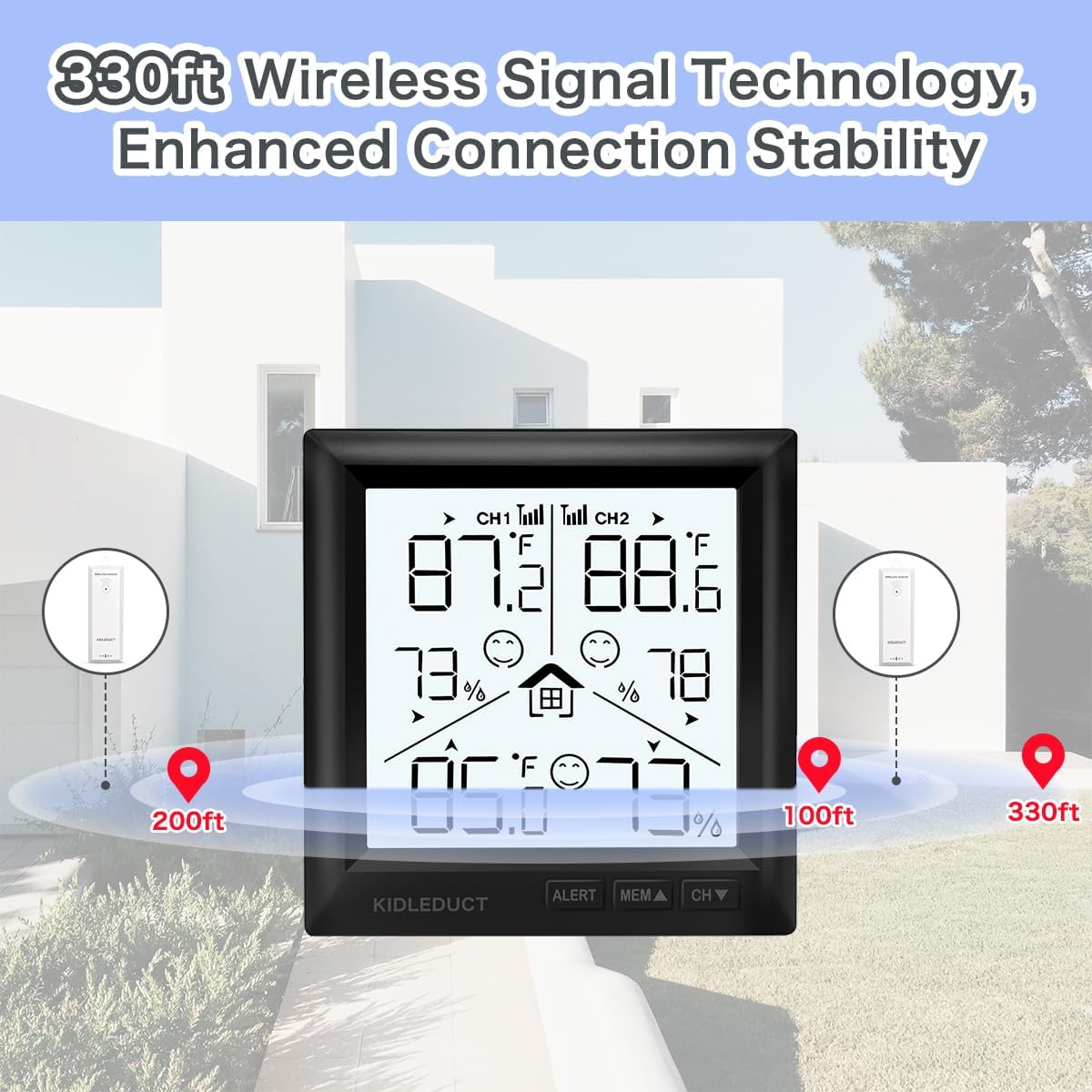
Figure 3.2: Illustration of the 330ft wireless signal technology, demonstrating stable connection over distance.
4. Operating Instructions
4.1 Display Overview
The main display unit shows indoor temperature and humidity, along with readings from the two outdoor sensors (CH1 and CH2). It also indicates comfort levels, weather trends, and low battery reminders.

Figure 4.1: Icons on the display indicate features such as 2 wireless channels, temperature alerts, indoor/outdoor temperature, indoor/outdoor humidity, weather trend, low battery reminder, comfort index, and 10-second backlight.
4.2 Backlight Function
To activate the backlight, gently touch the top of the main unit. The screen will illuminate for approximately 10 seconds, providing clear visibility in low-light conditions.

Figure 4.2: The LCD screen features a backlight that activates for 10 seconds, improving readability in dark environments.
4.3 Temperature Unit Selection
Press the 'CH' button on the main unit to cycle through the outdoor channels (CH1, CH2) or to switch between Celsius (°C) and Fahrenheit (°F) display for temperature readings. Refer to the detailed instruction manual for specific button functions.
4.4 Temperature Alert Settings
The device supports customizable temperature alerts. You can set high and low temperature thresholds for each channel. If the temperature exceeds or falls below these set points, an alert will be triggered.
- Press the 'ALERT' button to enter alert setting mode.
- Use the 'MEM/▲' and 'CH/▼' buttons to adjust the high and low temperature limits.
- Press 'ALERT' again to confirm settings and exit.

Figure 4.3: Customizable alerts can be set to notify users when temperature levels exceed or fall below desired ranges.
4.5 Max/Min Record
The device automatically records the maximum and minimum temperature and humidity readings over a 24-hour period. Press the 'MEM/▲' button to view these records.
5. Maintenance
5.1 Cleaning
Wipe the main unit and sensors with a soft, damp cloth. Do not use abrasive cleaners or solvents, as these may damage the display or casing.
5.2 Battery Replacement
When the low battery indicator appears on the display, replace the batteries in the respective unit (main unit or sensor) with new AAA batteries. Ensure correct polarity.
5.3 Sensor Care
Although the sensors are IPX4 waterproof, prolonged exposure to extreme weather conditions (e.g., direct heavy rain, snow, or extreme temperatures) should be avoided to ensure longevity and accuracy. Periodically check the sensor's placement to ensure it remains in a suitable location.
6. Troubleshooting
- No Display on Main Unit:
Check if batteries are inserted correctly and are not depleted. Replace with fresh AAA batteries if necessary. - No Outdoor Readings (CH1/CH2):
Ensure batteries in the remote sensors are fresh and correctly installed. Verify that the sensors are within the 330ft wireless range and that there are no major obstructions (thick walls, metal objects) between the main unit and sensors. Try re-pairing by removing and reinserting batteries in both units. - Inaccurate Readings:
Ensure sensors are not in direct sunlight or near heat sources/vents. Allow units to stabilize for 15-30 minutes after setup. Compare readings with another reliable thermometer if available. - Alerts Not Functioning:
Verify that alert thresholds are set correctly and that the alert function is enabled.
7. Specifications
| Feature | Detail |
|---|---|
| Model Number | WS003-2 |
| Power Source (Main Unit) | 3 x AAA Batteries (not included) |
| Power Source (Remote Sensors) | 2 x AAA Batteries per sensor (not included) |
| Connectivity Technology | 433 MHz / 868 MHz Wireless |
| Wireless Range | Up to 330 feet (100 meters) in open air |
| Temperature Accuracy | ±1 °C (±0.5 °F) |
| Humidity Accuracy | ±2% RH |
| Sensor Update Rate | Every 5 seconds (sensors) / Every 30 seconds (display) |
| Special Features | Backlit Display, Fast Refresh, High Accuracy, Wireless, Temperature Alert, Max/Min Record, Comfort Index |
| Sensor Waterproof Level | IPX4 |
| Material | Acrylonitrile Butadiene Styrene (ABS) |
| Display Type | Digital LCD |
8. Warranty and Support
8.1 Warranty Information
This KIDLEDUCT product comes with a lifetime after-sales guarantee, ensuring support for any manufacturing defects or performance issues under normal use. Please retain your purchase receipt for warranty claims.
8.2 Customer Support
For technical assistance, troubleshooting, or warranty inquiries, please contact KIDLEDUCT customer support through the retailer's platform or the contact information provided with your purchase. Our support team is available to help with any questions you may have regarding the operation or maintenance of your thermometer.