
TIEJUS MA3-1
TIEJUS 5G WiFi Security Camera Outdoor Instruction Manual
Model: MA3-1
Brand: TIEJUS
1. Introduction
This manual provides detailed instructions for the installation, operation, and maintenance of your TIEJUS 5G WiFi Security Camera Outdoor. This camera is designed to provide reliable 24/7 home security with advanced features such as 2K HD video, color night vision, dual-band WiFi connectivity, 360-degree auto-tracking, and two-way audio. Please read this manual thoroughly before using the product to ensure proper setup and functionality.

Figure 1.1: TIEJUS 5G WiFi Security Camera with its mobile application interface.
2. What's in the Box
Verify that all components are present and in good condition upon opening the package:
- TIEJUS 5G WiFi Security Camera
- Power Adapter
- Mounting Bracket
- Mounting Screws and Wall Plugs
- USB Charging Cable (10ft)
- Instruction Manual (this document)

Figure 2.1: Package contents including the camera, power adapter, and mounting accessories.

Figure 2.2: Detailed view of camera components including lens, microphone, speaker, reset button, and card slot.
3. Product Features
- 2K HD Live Video with Color Night Vision: Experience superior day and night vision with 2K full HD resolution. Advanced color night vision technology provides clear visuals up to 33 ft in low-light conditions.
- Wired Camera Supporting 24/7 Recording: The camera operates via a wired USB charging cable (10ft), ensuring continuous 24/7 recording without battery concerns. Ideal for continuous surveillance in various locations.
- Supporting 5G/2.4G Dual-Band WiFi: Connects to both 2.4GHz and 5GHz WiFi signals for enhanced connection speed and stability. 2.4G offers wider range, while 5G provides faster transmission and clearer picture quality.
- 360° Full View & PIR Motion Detection: Features a 355° horizontal and 90° vertical rotation range for comprehensive area coverage. The "Human Detection Only" feature identifies people and automatically tracks their movements, reducing false alerts.
- 2 Storage Modes: Supports loop cloud storage service (event recording) and local storage via a 16-256GB memory card (not included) for 24-hour continuous recording.
- IP66 Waterproof & Privacy Protection: Designed for outdoor use with improved IP66 waterproofing, ensuring effective operation in temperatures from -10°C to 55°C. Complies with GDPR data protection regulations for secure data access.
Visual Features Overview
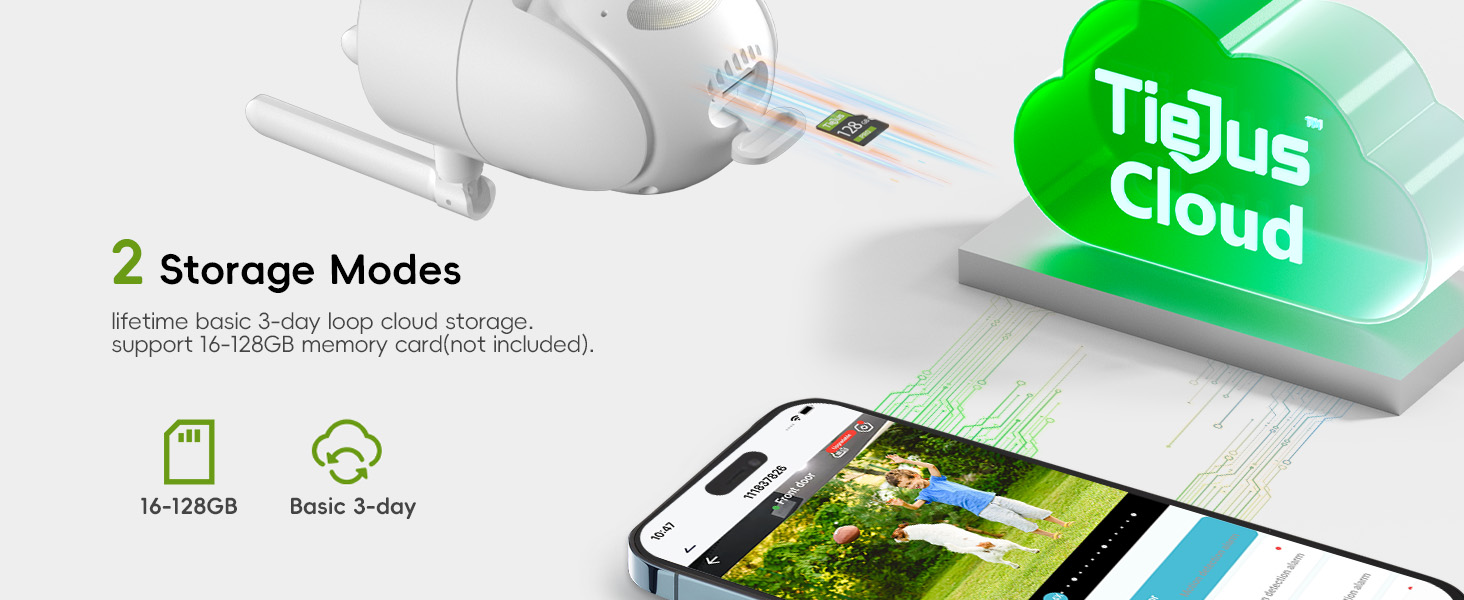
Figure 3.1: Comparison of Infrared Night Vision and Full Color Night Vision.

Figure 3.2: The camera supports 24/7 recording with wired power.

Figure 3.3: Dual-band WiFi support for 2.4GHz and 5GHz networks.

Figure 3.4: The camera offers 355° pan and 90° tilt for wide coverage.

Figure 3.5: Human auto-tracking with various alert options.

Figure 3.6: Flexible storage options including local SD card and cloud service.

Figure 3.7: IP66 weatherproof design ensures durability in diverse climates.
4. Setup Guide
4.1 Before You Begin
- Ensure you have a stable 2.4GHz or 5GHz Wi-Fi network available at the installation location.
- The camera requires a continuous power supply via the included USB cable and power adapter.
- For local storage, prepare a 16-256GB Micro SD card (not included).
4.2 App Download
Download the O-KAM Pro app to your smartphone. You can find it on the App Store (iOS) or Google Play Store (Android), or by scanning the QR code below:
4.3 Installation
The camera is designed for wall mounting. Choose a suitable outdoor location with a clear view of the area you wish to monitor and access to a power outlet.
- Secure the mounting bracket to the desired surface using the provided screws and wall plugs.
- Attach the camera securely to the mounting bracket.
- Connect the USB charging cable to the camera and plug the power adapter into a power outlet.

Figure 4.1: Installation options for the camera.
4.4 Initial Setup and Wi-Fi Configuration
Follow the in-app instructions to connect your camera to your Wi-Fi network:
- Open the O-KAM Pro app and create an account or log in.
- Tap "Add Device" or the "+" icon to begin adding your camera.
- Select your camera model or scan the QR code on the camera if prompted.
- Follow the on-screen prompts to connect the camera to your Wi-Fi network. This typically involves entering your Wi-Fi password and scanning a QR code generated by the app with the camera's lens.
- Once connected, you can name your camera and begin live viewing.

Figure 4.2: Step-by-step guide for app connection.
5. Operating Instructions
5.1 Live View and Pan/Tilt Control
Access the live feed from your camera through the O-KAM Pro app. Use the on-screen controls to remotely pan (355° horizontal) and tilt (90° vertical) the camera lens to adjust your viewing angle.
5.2 Motion Detection and Alerts
Configure motion detection settings within the app. The camera features PIR human detection to minimize false alarms. When motion is detected, you can receive instant app notifications and email alerts. Options include activating a siren and spotlight.

Figure 5.1: Motion detection alerts and alarm options.
5.3 Two-Way Audio
Utilize the built-in microphone and speaker for two-way communication. Tap the microphone icon in the live view to speak through the camera, and listen to audio from the camera's location.

Figure 5.2: Two-way audio allows for direct communication.
5.4 Storage Management
The camera supports two storage methods:
- Micro SD Card: Insert a Micro SD card (16-256GB, not included) into the card slot for continuous 24/7 recording. The camera will automatically overwrite the oldest footage when the card is full.
- Cloud Storage: The camera supports a loop cloud storage service for event-triggered recordings. Refer to the app for subscription details and options.

Figure 5.3: SD card and cloud storage options.
5.5 Multi-User Sharing
Share access to your camera's live feed and recordings with family and friends through the O-KAM Pro app. Up to 4 users can view simultaneously.

Figure 5.4: Share camera access with multiple users.
5.6 Voice Control with Alexa
The TIEJUS camera is compatible with Amazon Alexa. Link your camera to your Alexa account to enable voice commands for live viewing on compatible devices (e.g., "Alexa, show me the front door camera").
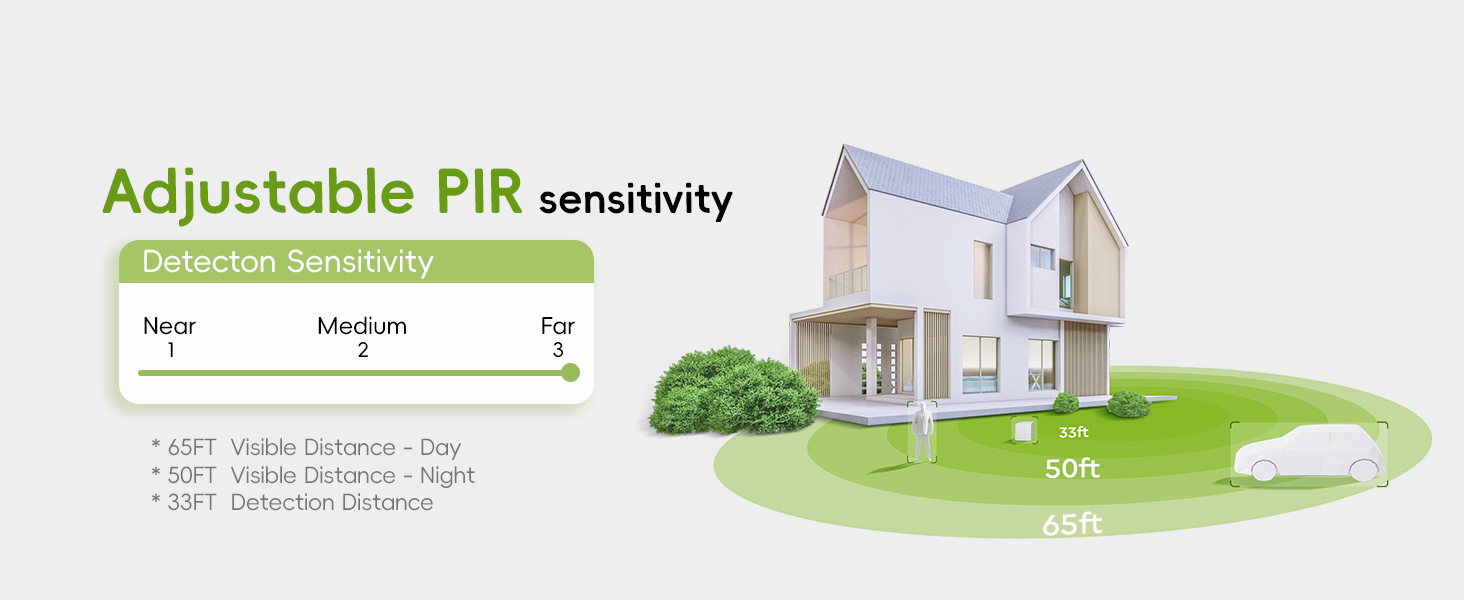
Figure 5.5: Voice control integration with Amazon Alexa.
6. Maintenance
6.1 Cleaning
To maintain optimal performance, periodically clean the camera lens and housing. Use a soft, dry cloth to wipe away dust and dirt. Avoid using harsh chemicals or abrasive materials that could damage the camera's surface or lens.
6.2 Environmental Conditions
The camera has an IP66 waterproof rating and is designed to operate in temperatures ranging from -10°C to 55°C (14°F to 131°F). While it is built to withstand various weather conditions, extreme prolonged exposure to severe weather (e.g., blizzards, hurricanes) should be avoided if possible to prolong its lifespan.
7. Troubleshooting
7.1 Camera Offline
- Check the power connection to ensure the camera is receiving power.
- Verify your Wi-Fi network is active and stable.
- Ensure the camera is within range of your Wi-Fi router. If necessary, consider using a Wi-Fi extender.
- Restart your Wi-Fi router.
- If the issue persists, try resetting the camera as described below.
7.2 How to Reset the Camera
If you encounter persistent issues or need to reconfigure the camera, a factory reset may be necessary. Ensure the camera is powered on before proceeding.
- Locate the rubber stopper on the camera body.
- Open the rubber stopper to reveal the reset button.
- Press and hold the reset button for approximately 5-10 seconds until you hear a voice prompt indicating a successful reset.
- Release the button and wait for the camera to reboot.
- Once rebooted, the camera will be in its default state, ready for re-configuration via the O-KAM Pro app.
Video 7.1: How to reset the TIEJUS 2.4G/5G WiFi wired camera.
This video demonstrates the process of resetting the camera to its factory settings, which can resolve connectivity or operational issues.
8. Specifications
| Specification | Detail |
|---|---|
| Model Name | MA3-1 |
| Indoor/Outdoor Usage | Outdoor |
| Connectivity Technology | Wired, Wi-Fi (2.4GHz/5GHz Dual-Band) |
| Power Source | Corded Electric |
| Video Capture Resolution | 1920p (2K HD) |
| Maximum Webcam Image Resolution | 3 MP |
| Pan/Tilt Range | 355° Horizontal, 90° Vertical |
| Night Vision Range | Up to 33 ft (Color Night Vision) |
| Storage Options | Cloud Storage, Micro SD Card (16-256GB, not included) |
| Waterproof Rating | IP66 |
| Operating Temperature | -10°C to 55°C (14°F to 131°F) |
| Compatible Devices | Smartphone (iOS/Android), Amazon Alexa |
| Alert Type | Motion Only (PIR Human Detection) |
| Product Dimensions | 4.33 x 3.54 x 6.69 inches |
| Item Weight | 14.9 ounces |
9. Warranty and Support
TIEJUS Technology is committed to providing reliable security products and customer satisfaction. For any inquiries, technical assistance, or warranty information, please contact our customer service team:
- Online Chat: 8AM-11PM EST
- Phone: (+1) 2692189888 (8AM-11PM EST)
- Email: Tech@tiejus.com

Figure 9.1: TIEJUS Customer Service contact details.
Ask a question about this manual
Ask about setup, troubleshooting, compatibility, parts, safety, or missing instructions. Manuals+ will review the question and use this page’s manual context to help answer it.