
1. Introduction
The Magneto DBK282 Lithium-Ion LED Lantern is designed to provide reliable illumination for various situations, including power outages, outdoor activities, and general household use. This lantern features a powerful Lithium-Ion battery, multiple lighting modes, and can also function as a power bank for charging mobile devices.
Please read this manual thoroughly before operating the device to ensure safe and efficient use.
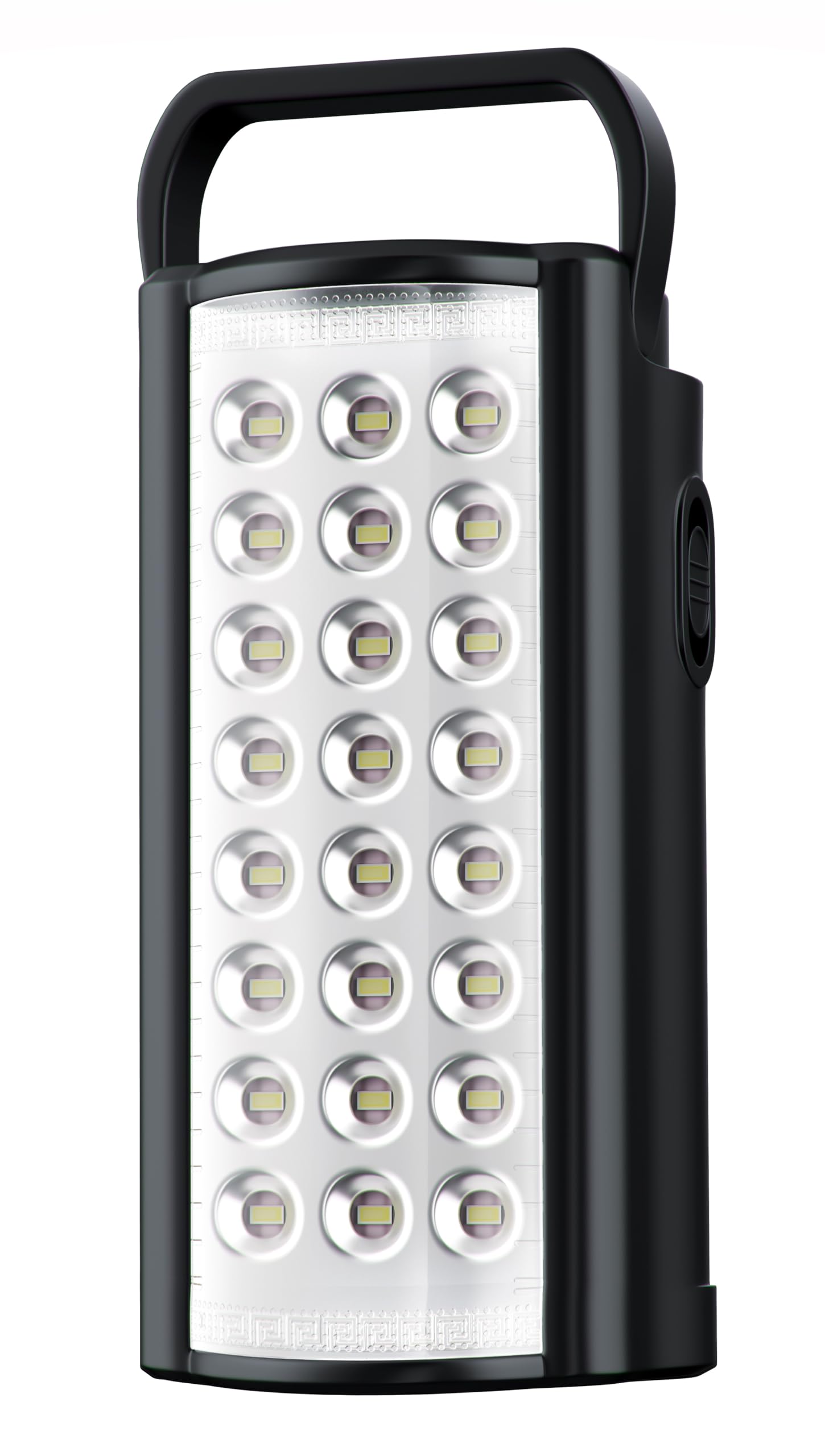
Image 1.1: Magneto DBK282 Rechargeable Lithium-Ion LED Lantern
This image displays the Magneto DBK282 LED Lantern, highlighting its compact design and LED panel.
2. Safety Instructions
- Read all instructions before using the lantern.
- Keep the lantern away from water and moisture. Do not immerse in liquids.
- Do not attempt to disassemble, repair, or modify the lantern. This may void the warranty and pose safety risks.
- Charge the lantern only with the provided USB Type-C cable and a compatible USB power adapter (not included).
- Do not expose the lantern to extreme temperatures, direct sunlight for prolonged periods, or open flames.
- Keep out of reach of children.
- Dispose of the battery according to local regulations. Do not dispose of in household waste.
3. Package Contents
Verify that all items are present in the package:
- 1 x Magneto DBK282 Rechargeable Lithium-Ion LED Lantern
- 1 x USB Type-C Charging Cable
Note: A USB wall adapter is not included and must be supplied by the user.

Image 3.1: Magneto DBK282 Lantern and Packaging
This image shows the Magneto DBK282 LED Lantern alongside its retail packaging, indicating the product and its box.
4. Product Features
The Magneto DBK282 LED Lantern offers a range of features for versatile use:
- High Capacity Battery: Equipped with a 10000mAh Lithium-Ion battery for extended operation.
- Bright Illumination: Features 24 super-powerful surface-mounted LEDs, providing up to 850 lumens of light.
- Multiple Lighting Modes: Offers three distinct modes: Emergency, Power-Saver, and Ultra-Bright.
- Automatic Power Outage Activation: When plugged into a wall socket, the lantern can automatically switch on during a power failure.
- Integrated Power Bank: Can be used to charge most mobile phones via its USB output port.
- Convenient Design: Includes integrated wall-hanging mounts and a fold-away handle for easy portability and placement.
- Battery Protection: Incorporates advanced battery protection with built-in discharge and overcharge circuits.

Image 4.1: Key Features of Magneto DBK282
This image illustrates key features with icons, including auto-on during power outages, up to 20 hours of light, mobile phone charging capability, rechargeable Lithium-Ion battery, and USB-C charging.

Image 4.2: Magneto DBK282 Solar Panel Compatibility
This image highlights the lantern's compatibility with 9V solar panels (not included) for charging, alongside its long-lasting light duration.
5. Setup and Charging
5.1 Initial Charging
Before first use, it is recommended to fully charge the Magneto DBK282 lantern. This ensures optimal battery performance and longevity.
- Connect the small end of the provided USB Type-C charging cable to the charging port on the lantern.
- Connect the larger USB-A end of the cable to a compatible USB power adapter (e.g., a smartphone charger, computer USB port, or power bank).
- The charging indicator light on the lantern will illuminate to show that charging is in progress.
- Allow several hours for a full charge. The indicator light may change or turn off once fully charged (refer to specific product markings if available).
5.2 Automatic Power Outage Function
To utilize the automatic power outage feature, keep the lantern plugged into a live wall socket via a USB adapter. In the event of a power failure, the lantern will automatically activate to provide emergency lighting.
6. Operation
6.1 Turning On/Off and Mode Selection
The lantern features a single power button to control its functions:
- First Press: Activates the Ultra-Bright mode, providing maximum illumination.
- Second Press: Switches to Power-Saver mode, offering reduced brightness for extended battery life.
- Third Press: Activates Emergency mode, typically a flashing or SOS signal (refer to product for specific emergency light pattern).
- Fourth Press: Turns the lantern Off.
6.2 Using as a Power Bank
The Magneto DBK282 can charge other USB-powered devices:
- Locate the USB output port on the lantern.
- Connect your device's charging cable to the lantern's USB output port.
- The lantern will begin charging your device.
Note: The power bank function is intended for emergency charging and may not provide the same charging speed as a dedicated wall charger.
7. Maintenance
7.1 Cleaning
To clean the lantern, use a soft, dry cloth. Do not use abrasive cleaners, solvents, or harsh chemicals, as these can damage the surface or internal components.
7.2 Storage
When storing the lantern for extended periods, ensure it is fully charged. Recharge the battery every 3-6 months to maintain its health and prevent deep discharge.
8. Troubleshooting
| Problem | Possible Cause | Solution |
|---|---|---|
| Lantern does not turn on. | Battery is depleted. | Charge the lantern fully. |
| Lantern is not charging. | Charging cable is not properly connected or power source is inactive. | Ensure the USB Type-C cable is securely connected to both the lantern and a working USB power adapter. Try a different USB port or adapter. |
| Light output is dim. | Battery charge is low. | Recharge the lantern. |
| Device not charging from lantern's power bank function. | Lantern battery is low or device is incompatible. | Ensure the lantern is sufficiently charged. Verify your device is compatible with USB charging. |
9. Specifications
- Brand: Magneto
- Model: DBK282
- Manufacturer: Tevo (Pty) LTD
- Product Dimensions: 10 x 9 x 20.3 cm
- Item Weight: 600 g
- Battery: 10000mAh Lithium-Ion
- Light Output: 850 lumens
- LEDs: 24 surface mounted LEDs
- Material: Plastic
- Color: Black
- Included Components: 1 x Magneto Rechargeable Lithium-Ion LED Lantern, Black; 1 x USB Type-C Charging Cable
10. Warranty and Support
For information regarding product warranty, returns, or technical support, please refer to the documentation included with your purchase or contact your retailer directly. Keep your proof of purchase for any warranty claims.