
1. Product Overview
The SENRISE Zigbee Smart Water/Gas Valve Shutoff Manipulator is designed to provide remote and automated control over water and gas ball valves. This device integrates with smart home systems, allowing for convenient management of your home's water and gas supply through a mobile application, voice commands, and scheduled operations. It is compatible with Zigbee hubs and smart platforms such as Tuya Smart/Smart Life, and supports voice control via Alexa and Google Assistant.
Key features include remote app control, timing control for automated valve operations, voice control for hands-free management, and linkage control with other smart home devices like gas alarms and water leakage detectors for enhanced safety.
2. Product Components and Structure
Familiarize yourself with the main components and internal structure of the valve manipulator.

Figure 2.1: Front View and Internal Structure Map
This diagram illustrates the external features such as the Manipulator Power Button, Connection Status Indicator, and Power Socket. It also details internal components like the Limit Switch and Metal Gear, providing insight into the device's mechanical operation.

Figure 2.2: Valve Manipulator Components and Applicable Valve Type
This image highlights the various parts of the manipulator, including the Rotary Arm, Arm Clamping Screw, Handle, Clutch, Gas Ball Valve Spindle, and Bracket. It also shows an example of a one-shaped valve, indicating the device's compatibility with standard faucet, gas, natural gas, and liquid gas switches.
3. Specifications
| Power Supply Voltage | 12V/1A |
| Communication Technology | Zigbee |
| Wireless Distance | 30m/98ft (outdoor) |
| Valve Pressure | 1.6Mpa |
| Valve Specifications | DN15 1/2'', DN20 3/4'', DN25 1'' |
| Valve Closing/Opening Time | 5~10 Seconds |
| Applicable Valve Type | Handle Valve |
| Color | Black |
| Item Weight | 537 Grams |
| Operating Temperature | 25 Degrees Celsius |
4. Installation Guide
Follow these steps to properly install your smart valve manipulator:
- Prepare the Valve: Ensure the water or gas supply to the valve you intend to automate is temporarily shut off for safety during installation.
- Position the Manipulator: Place the manipulator over the handle of the ball valve. Ensure the manipulator's output shaft aligns with the valve handle.
- Secure the Bracket: Use the provided bracket and hex bolts to firmly attach the manipulator to the pipe. The bracket should be tightened securely to prevent movement.
- Adjust the Rotary Arm: Adjust the rotary arm and arm clamping screw to ensure a snug fit around the valve handle. The manipulator should be able to fully open and close the valve without obstruction.
- Connect Power: Plug the power adapter into the manipulator's power socket and then into a suitable power outlet.
- Test Operation: Manually operate the valve using the manipulator's power button to ensure it moves freely and fully opens/closes the valve.

Figure 4.1: Installation Procedure
This visual guide demonstrates the four key steps for installing the valve manipulator: positioning the device, securing it to the pipe, attaching the arm to the valve handle, and a final view of the installed unit.

Figure 4.2: Schematic Diagram of Pipe Manipulator Installation
This diagram illustrates a typical installation scenario, showing the 'Pipeline Robot' (valve manipulator) connected to a gas meter and a 'Stove Front Valve', demonstrating its application in a household gas supply system.
5. Operating Instructions
The smart valve manipulator offers multiple ways to control your water or gas supply.
5.1. App Control
Connect the smart valve to your mobile phone via the Tuya Smart or Smart Life application. Once connected, you can remotely open or close the valve from anywhere, ensuring home safety even when you are away.

Figure 5.1: Remote App Control
This image depicts the convenience of controlling your gas valve remotely via a smartphone application, particularly useful when away from home.
5.2. Timing Control
Set schedules within the mobile application to automatically open or close the valve at specific times. This feature is ideal for automating tasks such as garden irrigation or managing water supply for breeding farms.

Figure 5.2: Timing Control for Automated Operations
This image illustrates the timing control feature, allowing users to schedule automatic opening or closing of the valve, as shown with a garden irrigation setup.
5.3. Voice Control
The smart valve controller is compatible with Alexa and Google Assistant. Simply use voice commands to turn the valve on or off, providing a hands-free and convenient control method.
Figure 5.3: Voice Control Integration
This image demonstrates the voice control capability, where users can command the valve using smart assistants like Alexa and Google Assistant.
5.4. Linkage Control
Integrate the smart valve with other smart home devices. When a gas alarm or water leakage detector triggers an alert, the system can automatically close the water or gas valve, providing an immediate safety response.
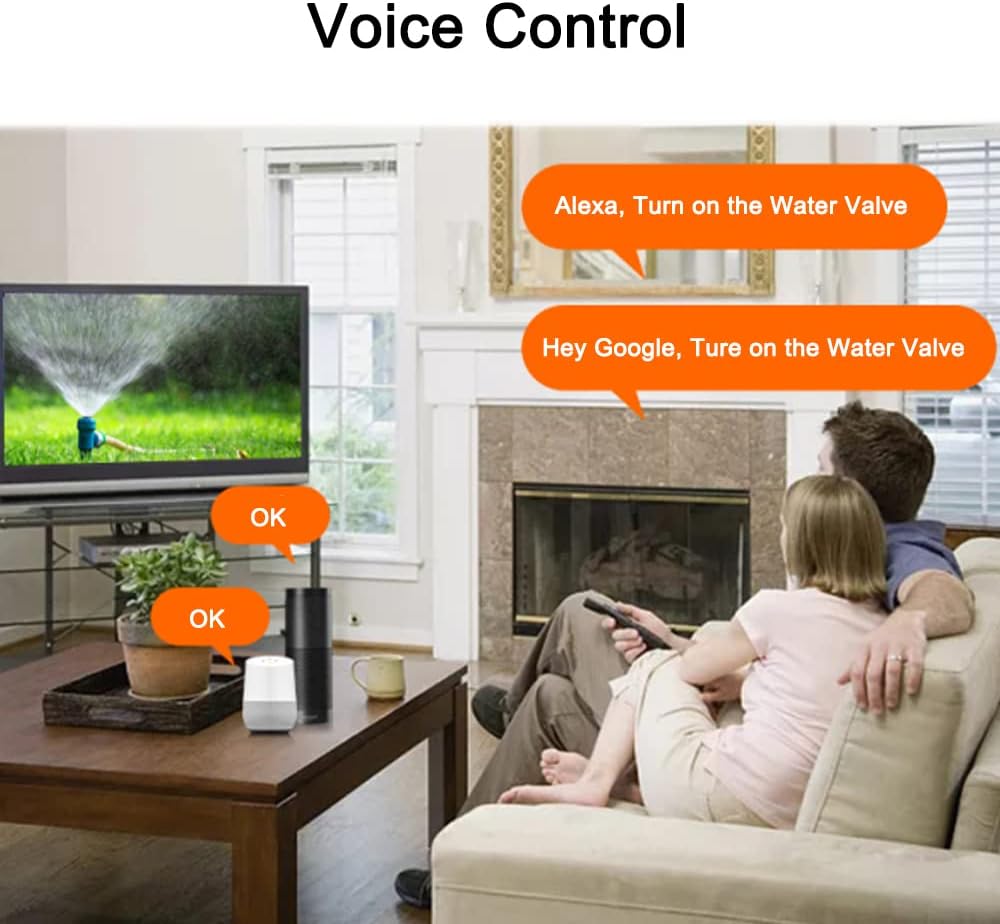
Figure 5.4: Suitable for Multiple Environments
This collage illustrates the versatility of the smart valve manipulator, showing its application in diverse settings such as household water supply, farmland irrigation, garden watering, and farm water management.
6. Maintenance
To ensure optimal performance and longevity of your SENRISE Smart Valve Manipulator, consider the following maintenance guidelines:
- Regular Cleaning: Periodically wipe the exterior of the device with a soft, dry cloth to remove dust and debris. Avoid using harsh chemicals or abrasive cleaners.
- Check Connections: Ensure all power and mounting connections remain secure. Loose connections can affect performance or lead to device malfunction.
- Inspect Valve Operation: Occasionally observe the valve's opening and closing cycles to confirm smooth operation. If you notice any resistance or unusual sounds, check for obstructions or misalignment.
- Firmware Updates: Check the Tuya Smart/Smart Life app for any available firmware updates for your device. Keeping the firmware updated ensures you have the latest features and security enhancements.
- Power Supply: Ensure the device is connected to a stable 12V/1A power supply. Fluctuations in power can impact the device's functionality.
7. Troubleshooting
If you encounter issues with your smart valve manipulator, refer to the following common troubleshooting steps:
- Device Not Responding:
- Check if the power adapter is securely plugged in and receiving power.
- Verify the Connection Status Indicator on the device. If it's not lit or blinking as expected, try re-pairing the device with your Zigbee hub.
- Ensure your Zigbee hub is online and functioning correctly.
- Valve Not Opening/Closing Fully:
- Inspect the physical installation. The manipulator's arm might be misaligned with the valve handle or the mounting bracket might be loose.
- Check for any physical obstructions preventing the valve handle from moving freely.
- Ensure the valve itself is not stiff or jammed. Manual operation of the valve might be necessary to free it.
- Voice Control Issues:
- Confirm that your smart assistant (Alexa/Google Assistant) is properly linked to your Tuya Smart/Smart Life account.
- Ensure the device is named clearly in the app and recognized by your smart assistant.
- Check your internet connection and the status of your smart speakers.
- Connection Drops Frequently:
- The device might be too far from your Zigbee hub. Consider relocating the hub or adding a Zigbee repeater.
- Interference from other wireless devices can affect Zigbee signals. Try to minimize such interference.
- Factory Reset: If other troubleshooting steps fail, you can perform a factory reset by pressing and holding the Manipulator Power Button for 5-10 seconds. Note that this will erase all settings and require re-pairing.
8. Warranty and Support
SENRISE products are designed for reliability and performance. For specific warranty information, please refer to the documentation provided at the time of purchase or contact your retailer. For technical support, product inquiries, or assistance with installation and operation, please reach out to SENRISE customer service through the contact information available on their official website or through your purchase platform.
Please retain your proof of purchase for warranty claims.