
Introduction
This manual provides detailed instructions for the installation, operation, and maintenance of your FELLOSTAR Android 12 Car Radio Stereo. This head unit is specifically designed for Peugeot 2008 models manufactured between 2013 and 2020, featuring a 10-inch IPS touchscreen, built-in Apple CarPlay, Android Auto, Bluetooth, and GPS navigation capabilities. Please read this manual thoroughly before installation and use to ensure proper functionality and safety.
Safety Information
- Always ensure the vehicle is turned off and the battery is disconnected before performing any installation or wiring.
- Improper installation can lead to vehicle damage or electrical malfunction. If you are unsure about the installation process, seek professional assistance.
- Do not operate the device in a manner that distracts you from driving. Always prioritize road safety.
- Avoid exposing the unit to extreme temperatures, direct sunlight for prolonged periods, or excessive moisture.
- Use only approved accessories and wiring harnesses provided with the unit.
Package Contents
Please verify that all items are present in your package:
- FELLOSTAR Car Radio Head Unit
- Complete Cable Kit (including power harness, USB cables, GPS antenna, etc.)
Setup and Installation
The FELLOSTAR car radio stereo is designed for easy, plug-and-play installation with a pre-connected harness. It is compatible with Peugeot 2008 models from 2013 to 2020. For optimal results, it is recommended to confirm compatibility by providing your car's model, production year, and a dashboard picture to the manufacturer before installation.
Installation Overview
- Preparation: Ensure the vehicle's ignition is off and disconnect the negative terminal of the car battery.
- Remove Original Unit: Carefully remove the existing car radio and trim panels from your Peugeot 2008 dashboard. Refer to your vehicle's service manual for specific instructions on panel removal.
- Connect Wiring: Connect the provided wiring harness to the vehicle's existing connectors. Ensure all connections are secure. Connect the GPS antenna and any other auxiliary cables (USB, camera, etc.).
- Install Head Unit: Mount the FELLOSTAR head unit into the dashboard opening. Secure it using the appropriate brackets or screws.
- Test Functionality: Reconnect the car battery. Turn on the ignition and test the basic functions of the radio, including power, audio, touchscreen response, and button operation.
- Reassemble: Once confirmed working, reassemble all trim panels.

This image illustrates the transformation of a Peugeot 2008 dashboard, showing the original car radio (left) and the integrated FELLOSTAR Android 12 Head Unit (right) after installation.
Operating Instructions
Your FELLOSTAR car radio operates on the Android 12 system, offering high performance, low power consumption, and a stable user experience through its IPS capacitive touchscreen.
Basic Operation
- Power On/Off: Press and hold the power button on the unit's front panel.
- Volume Control: Use the physical volume buttons or the on-screen controls.
- Touchscreen Navigation: Swipe, tap, and pinch to navigate through menus and applications, similar to a smartphone.

A detailed view of the FELLOSTAR car radio stereo's 10-inch display, showcasing the Android 12 interface with navigation, media, and communication applications.
Apple CarPlay and Android Auto
The unit features built-in wireless Apple CarPlay and Android Auto. Connect your smartphone via USB or wirelessly to access navigation, make calls, send messages, and listen to music directly from your phone's interface on the car stereo screen. Use voice commands (Siri for CarPlay) for hands-free operation.
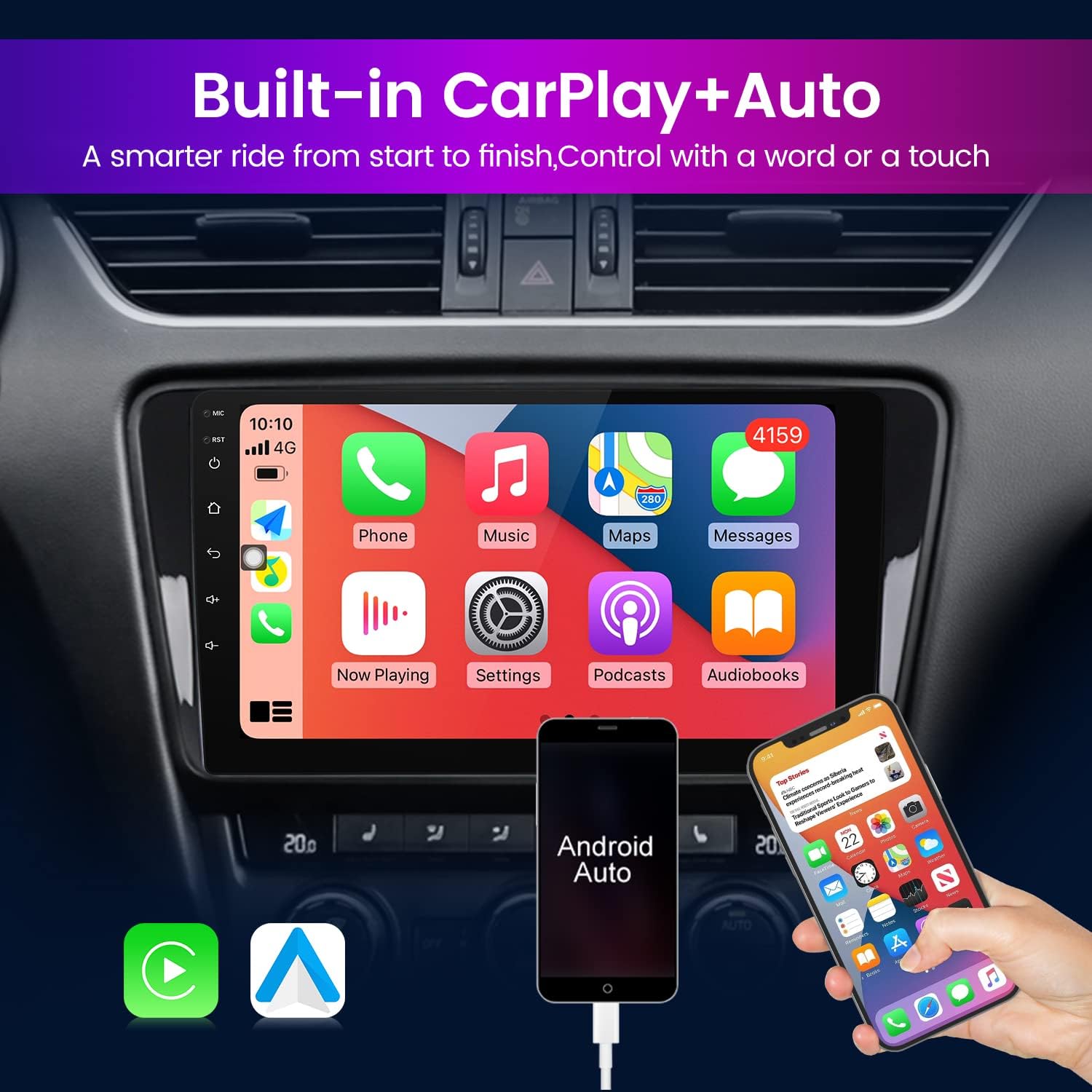
The FELLOSTAR car radio stereo screen showing the Apple CarPlay interface, demonstrating seamless integration with a smartphone for navigation, calls, and music.
IPS Screen Technology
The 10-inch IPS screen boasts a resolution of 1280x720, providing an ultra-clear display effect with improved clarity and delicate image rendering compared to standard TFT screens.

A visual comparison highlighting the superior clarity and detail of the 1280x720 IPS screen on the FELLOSTAR car radio compared to a standard 960x540 TFT screen.
Digital Sound Processor (DSP)
The integrated DSP module enhances audio quality by providing multi-dimensional surround sound effects and lossless audio processing. This allows for a high-definition audio-visual experience and customizable sound settings.

The digital sound processor (DSP) interface on the FELLOSTAR car radio, allowing users to fine-tune audio settings for an enhanced listening experience.
Split Screen Functionality
The split-screen feature allows two applications to be displayed simultaneously on the screen, making multitasking more convenient and efficient. For example, you can view navigation while controlling music or making a call.

The split-screen feature of the FELLOSTAR car radio, showing two applications (GPS navigation and phone dialer) running simultaneously for improved multitasking.
GPS Navigation and Bluetooth
- GPS Navigation: The unit includes built-in GPS navigation with worldwide map support. Ensure the GPS antenna is properly installed for accurate positioning.
- Bluetooth: Connect your smartphone via Bluetooth for hands-free calling and audio streaming. Pair your device through the unit's Bluetooth settings menu.
Maintenance
- Cleaning: Use a soft, dry cloth to clean the screen and unit exterior. For stubborn smudges, a slightly damp cloth with a mild, non-abrasive cleaner can be used, but avoid spraying liquids directly onto the unit.
- Software Updates: Periodically check for software updates from the manufacturer to ensure optimal performance and access to new features.
- Avoid Liquids: Do not allow liquids to enter the unit, as this can cause damage to internal components.
Troubleshooting
| Problem | Possible Cause | Solution |
|---|---|---|
| Unit does not power on | Loose power connection, blown fuse, vehicle battery issue | Check power wiring and fuse. Ensure car battery is charged. |
| No sound output | Speaker wires disconnected, volume too low, incorrect audio source | Verify speaker connections. Increase volume. Select correct audio source. |
| GPS signal weak or inaccurate | GPS antenna improperly installed or obstructed | Ensure GPS antenna has a clear view of the sky and is securely connected. |
| Bluetooth connection issues | Device not in pairing mode, incorrect pairing code, interference | Ensure both devices are in pairing mode. Re-pair the device. Move closer to the unit. |
| Touchscreen unresponsive | Software glitch, screen damage | Restart the unit. If issue persists, contact support. |
Specifications
| Brand | FELLOSTAR |
| Operating System | Android 12 |
| Screen Size | 10 Inches |
| Screen Type | IPS Touchscreen |
| Screen Resolution | 1280x720 |
| Processor | 8 Core |
| Memory (RAM) | 4GB |
| Storage (ROM) | 32GB |
| Connectivity | Bluetooth, Wi-Fi (5G), 4G LTE |
| Special Features | Built-in Apple CarPlay, Android Auto, DSP Processor, GPS Navigation, Split Screen |
| Audio Output Mode | Stereo |
| Included Components | Car radio + cable kit |
| Compatible Vehicle Type | Car (Peugeot 2008, 2013-2020) |
| Manufacturer | Fellostar |
Warranty and Support
Warranty: This FELLOSTAR car radio stereo comes with a 1-Year Warranty from the date of purchase, covering manufacturing defects.
Technical Support: We offer 24/7 after-sales technical support to assist with any installation or operation issues you may encounter. If you have questions or require assistance, please contact us via Amazon message. We commit to providing a solution within 24 hours.