
findtime 7237WB
findtime Military Tactical Sports Watch Model 7237WB User Manual
Comprehensive instructions for setup, operation, and maintenance.
Introduction
This manual provides detailed instructions for the findtime Military Tactical Sports Watch, Model 7237WB. Please read this manual carefully to ensure proper use and to maximize the lifespan of your watch. This watch features a robust design, dual digital and analog time display, LED backlight, alarm, stopwatch, and 50-meter water resistance.
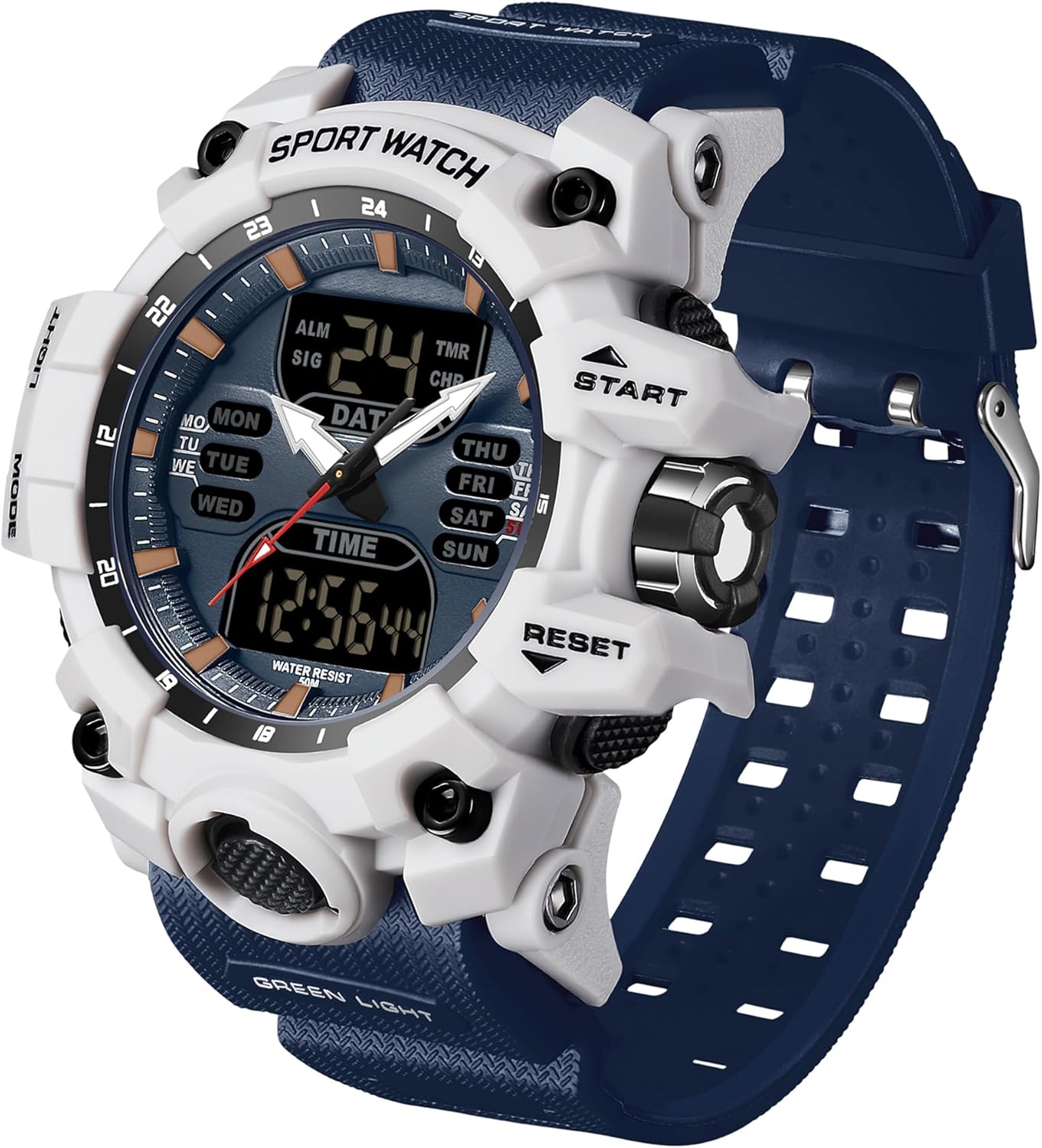
Image: The findtime Military Tactical Sports Watch, Model 7237WB, featuring a white and blue color scheme, showcasing its robust design and digital display.
Setup and Initial Configuration
Before using your watch, it is recommended to familiarize yourself with its buttons and basic functions.
Button Functions Overview

Image: Diagram illustrating the various buttons and their primary functions on the findtime sports watch. Labels include "LIGHT" (glow light button), "MODE" (mode switching), "START" (timing start/pause), "RESET" (setting keys), and "TIME DISPLAY" / "DATE DISPLAY" / "WEEK DISPLAY" for the screen areas.
- LIGHT Button: Activates the LED backlight. Press once for a brief illumination, press and hold for extended light.
- MODE Button: Cycles through different modes: Normal Time, Alarm, Stopwatch, and Time Setting.
- START Button: Used to start/pause functions in Stopwatch mode and to increase values during time/date setting.
- RESET Button: Used to reset functions in Stopwatch mode and to confirm settings or exit setup mode.
Setting Time and Date
- In Normal Time mode, press the MODE button repeatedly until the time setting digits begin to flash.
- Press the RESET button to select the digit you wish to adjust (seconds, minutes, hours, date, month, day of week).
- Use the START button to increase the selected digit's value.
- Once all settings are correct, press the MODE button to exit the setting mode.
Operating Instructions
LED Backlight
To illuminate the display in low-light conditions, press the LIGHT button on the left side of the watch. The LED backlight ensures clear visibility of the time and other information.

Image: The watch display illuminated by its LED backlight, demonstrating clear readability in dark environments.
Alarm Function
The watch includes an alarm function and an hourly chime.
- Press the MODE button until you reach the Alarm mode (indicated by "ALM" on the display).
- Press the RESET button to select the hour or minute digits.
- Use the START button to adjust the alarm time.
- Press MODE to confirm and exit.
- To toggle the alarm on/off, press the START button in Alarm mode. An alarm icon will appear/disappear.
- To toggle the hourly chime on/off, press the RESET button in Alarm mode. A chime icon will appear/disappear.

Image: The watch display showing the alarm and hourly chime indicators, highlighting these timekeeping features.
Stopwatch Function
- Press the MODE button until you reach the Stopwatch mode (indicated by "TMR" or "CHR" on the display).
- Press the START button to begin timing.
- Press the START button again to pause timing.
- Press the RESET button to clear the stopwatch to zero.
Maintenance and Care
Water Resistance
This watch is water-resistant up to 50 meters (5 ATM). This means it is suitable for daily use, such as hand washing, rain, and brief cold showers. Important: It is not suitable for diving, snorkeling, or hot baths/saunas. Do not press any buttons while the watch is submerged in water or wet, as this can compromise the water seal.

Image: An illustration demonstrating the 50-meter water resistance of the watch, showing its suitability for activities like hand washing, rainy days, and light water games.
Cleaning
Wipe the watch regularly with a soft, dry cloth. For stubborn dirt, a slightly damp cloth can be used, followed by immediate drying. Avoid using chemical cleaners, as they may damage the watch's materials.
Battery Replacement
The watch uses one Lithium-polymer battery. When the display dims or functions become erratic, the battery may need replacement. It is recommended to have the battery replaced by a qualified watch technician to ensure the water resistance seal is maintained.
Troubleshooting
| Problem | Possible Cause | Solution |
|---|---|---|
| Watch display is blank or dim. | Low battery. | Replace the battery. |
| Time is incorrect. | Time needs to be set or reset. | Refer to the "Setting Time and Date" section. |
| Buttons are unresponsive. | Watch may be in a locked mode or battery is very low. | Try pressing the MODE button to cycle modes. If unresponsive, replace battery. |
| Water inside the watch. | Water resistance compromised (e.g., buttons pressed underwater, exposure to hot water). | Immediately take the watch to a professional for inspection and repair. Do not attempt to dry it yourself. |
Specifications
- Model Number: 7237WB
- Brand: findtime
- Movement: Imported Japanese Digital Quartz Movement
- Display: Dual Digital and Analog
- Case Material: High-quality Resin
- Strap Material: Rubber with Stainless Steel Buckle
- Mirror Material: Thick Acrylic
- Water Resistance: 50 Meters (5 ATM)
- Functions: Time (12/24H), Date, Day of Week, Alarm, Hourly Chime, Stopwatch, LED Backlight
- Battery Type: 1 Lithium-polymer (included)
- Package Dimensions: 9.1 x 9.1 x 9.1 cm
- Weight: 165 grams

Image: A visual summary of the watch's key functions, including LED light, alarm, date, shock resistance, 50M water resistance, week display, 24/12 hour format, and stopwatch.

Image: The watch demonstrating its shockproof structure, designed to withstand impacts and drops, making it suitable for sports and outdoor activities.
Support and Contact Information
For any questions, concerns, or technical assistance regarding your findtime watch, please contact customer support through your purchase platform.
If purchased on Amazon, follow these steps:
- Click on "Orders" in the upper right corner of the Amazon page.
- Locate your order for the findtime watch.
- Click on "Sold by Fusong EU" (or the relevant seller name) under the product name on the order page.
- Click the yellow "Ask a question" button.
- Select "I need help with an order I placed".
- Click the yellow "Write a message" button and describe your inquiry.
Customer support aims to respond within 24 hours.