Introduction
This manual provides essential instructions for the installation, operation, and maintenance of your FELLOSTAR Android 12 Car Radio Stereo. This head unit is designed for Volvo XC60 models manufactured between 2008 and 2017, offering advanced features such as Apple CarPlay, Android Auto, DSP audio processing, and GPS navigation. Please read this manual thoroughly before installation and use to ensure proper function and safety.
Safety Information
- Always ensure the vehicle is parked safely with the engine off before attempting any installation or wiring.
- Incorrect installation can lead to vehicle damage or electrical issues. If you are unsure about any step, seek professional assistance.
- Do not operate the device in a way that distracts you from driving. Always prioritize road safety.
- Keep the device away from water, moisture, and extreme temperatures.
- Use only specified power cables and accessories to prevent damage or fire.
Package Contents
Verify that all items are present in your package:
- FELLOSTAR Android 12 Head Unit
- 1x GPS Antenna
- 1x Radio extension cable & adapter
- 1x User's Manual in English (this document)
- 2x USB Adapter Cable
- Wiring Harness (pre-connected for specific Volvo XC60 models)
Compatibility
This FELLOSTAR car radio stereo is specifically designed for the following vehicle models:
- Volvo XC60: 2008, 2009, 2010, 2011, 2012, 2013, 2014, 2015, 2016, 2017
The specific variant of this product (6+128GB) is optimized for Volvo XC60 models from 2014-2017. For optimal compatibility, it is recommended to confirm your car's model, production year, and provide a picture of your car's dashboard to the seller before purchase.
Key Features
- Operating System: Android 12
- Display: 9-inch IPS Capacitive Touch Screen with 1280x720 resolution
- Connectivity: Built-in Wireless Apple CarPlay and Android Auto (supports both wired and wireless connections)
- Audio: Digital Sound Processor (DSP) for enhanced audio quality
- Wireless: Bluetooth for hands-free calling and audio streaming
- Navigation: Integrated GPS for worldwide navigation
- Multitasking: Support for split-screen functionality to run two applications simultaneously
Setup and Installation
The FELLOSTAR head unit is designed for a plug-and-play installation with a pre-connected wiring harness for compatible Volvo XC60 models. However, due to the complexity of vehicle electronics, professional installation is highly recommended.
General Installation Steps (Consult a professional for detailed guidance):
- Preparation: Ensure the vehicle's ignition is off and disconnect the negative terminal of the car battery to prevent electrical shorts.
- Remove Original Unit: Carefully remove the existing car radio or dashboard panel to access the mounting area.
- Connect Wiring: Connect the provided wiring harness to the vehicle's existing connectors. Ensure all connections are secure. Connect the GPS antenna and any other peripheral cables (e.g., USB, radio antenna).
- Test Functionality: Before fully reassembling the dashboard, temporarily reconnect the battery and power on the unit to test basic functions like power, display, and audio.
- Secure Unit: Mount the new head unit securely into the dashboard opening.
- Reassemble: Reinstall any removed dashboard panels and trim pieces. Reconnect the car battery.
Note on Backup Camera: If installing an aftermarket backup camera, an additional RCA adapter may be required to connect it to this head unit.

Image: Comparison of the Volvo XC60 dashboard before and after the installation of the FELLOSTAR car radio stereo. The image on the left shows the original empty slot, while the image on the right displays the new 9-inch head unit seamlessly integrated into the dashboard, showing a radio interface.
Operating Instructions

Image: The FELLOSTAR car radio stereo displaying the Apple CarPlay interface. Icons for Phone, Music, Maps, Messages, Now Playing, Settings, Podcasts, and Audiobooks are visible on the screen.
1. Power On/Off
Press and hold the power button (usually located on the side or front panel) to turn the unit on or off. A short press typically mutes or unmutes the audio.
2. Apple CarPlay / Android Auto
The unit supports both wired and wireless Apple CarPlay and Android Auto. This feature allows seamless integration of your smartphone's functions onto the head unit's display.
- Connection: Connect your compatible iPhone or Android phone via a USB cable or wirelessly through Bluetooth and Wi-Fi. Follow the on-screen prompts to establish the connection.
- Functions: Once connected, you can access navigation, make phone calls, send and receive messages, and listen to music directly from your phone's apps.
- Voice Control: Use voice commands (e.g., Siri for Apple CarPlay) by pressing the voice assistant button or saying the wake word to control functions hands-free.
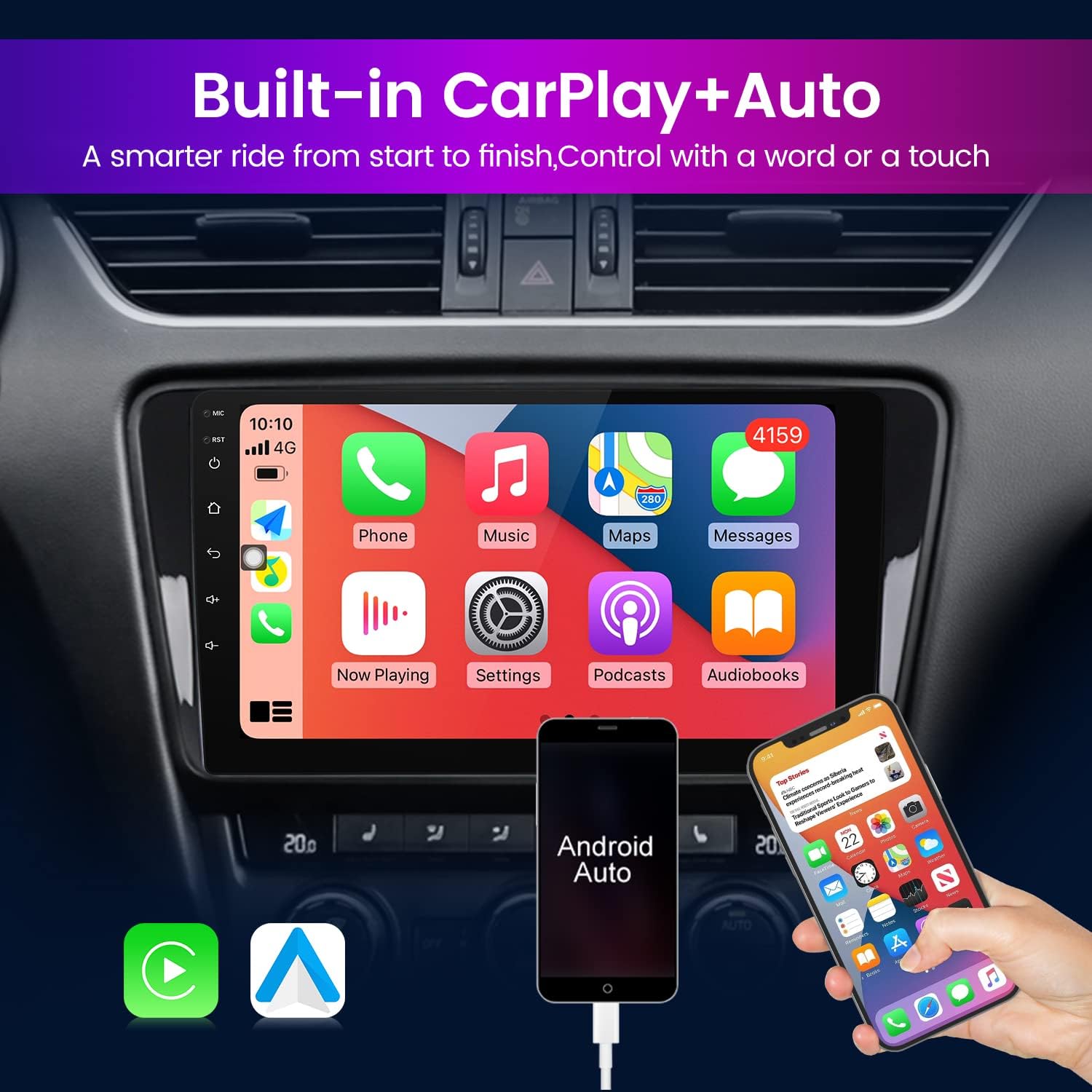
Image: The FELLOSTAR car radio stereo showcasing its built-in Apple CarPlay and Android Auto functionality. The screen displays the CarPlay interface, while a smartphone connected via USB demonstrates Android Auto. Icons for both systems are visible below the screen.
3. GPS Navigation
The head unit comes with integrated GPS functionality. Access the navigation application from the main menu. Ensure the GPS antenna is properly installed for accurate positioning.
- Map Updates: Refer to the system settings for information on map updates or connecting to online map services.
4. Bluetooth Connectivity
Pair your smartphone or other Bluetooth-enabled devices to the head unit for hands-free calling and audio streaming.
- Pairing: Go to the Bluetooth settings on the head unit and your device. Search for available devices and select the head unit's name to pair.
- Calls: Once paired, you can make and receive calls directly through the head unit's microphone and speakers.
- Audio Streaming: Play music or other audio from your paired device through the car's speakers.
5. DSP Audio Processor
The built-in Digital Sound Processor (DSP) allows for advanced audio customization to enhance your listening experience.
- Equalizer: Access the equalizer settings to adjust frequency bands, bass, treble, and other audio parameters.
- Sound Field: Adjust the sound field and surround settings to optimize audio for different seating positions within the vehicle.

Image: The FELLOSTAR car radio stereo displaying the DSP Processor interface. The screen shows detailed equalizer settings, sound field adjustments, and bass enhancement options for customized audio output.
6. Split Screen Functionality
The split-screen feature allows you to run two applications simultaneously on the 9-inch display.
- Activation: Typically, this can be activated by long-pressing an app icon or using a dedicated split-screen button in the system interface.
- Usage: For example, you can have navigation running on one side of the screen while controlling music or making a call on the other.

Image: The FELLOSTAR car radio stereo demonstrating its split-screen functionality. The screen is divided, showing a navigation map on the left and a phone dialer on the right, with icons for other applications like radio and video at the bottom.
Maintenance
- Cleaning: Use a soft, dry cloth to clean the screen and exterior. For stubborn smudges, a slightly damp cloth with a mild, non-abrasive cleaner can be used, ensuring no liquid enters the unit.
- Software Updates: Periodically check for software updates through the system settings to ensure optimal performance and access to new features.
- Avoid Extreme Conditions: Do not expose the unit to direct sunlight for extended periods or to extreme temperatures, as this can affect its lifespan and performance.
Troubleshooting
If you encounter issues with your FELLOSTAR car radio stereo, refer to the following common solutions:
- No Power: Check all power connections and ensure the vehicle's battery is properly connected and charged. Verify fuses.
- No Audio: Check speaker connections, volume levels, and audio source selection. Ensure the unit is not muted.
- Touch Screen Unresponsive: Try restarting the unit. If the issue persists, a factory reset might be necessary (note: this will erase all custom settings).
- GPS Signal Loss: Ensure the GPS antenna is correctly installed and has a clear view of the sky.
- Bluetooth Pairing Issues: Ensure Bluetooth is enabled on both the head unit and your device. Try unpairing and re-pairing the devices.
- Installation Difficulties: If you experience significant challenges during installation, it is strongly recommended to consult with a professional car audio installer.
For further assistance, please contact FELLOSTAR customer support.
Specifications
| Brand | FELLOSTAR |
| Operating System | Android 12 |
| Screen Size | 9 Inches |
| Display Resolution | 1280 x 720 (IPS) |
| Connectivity Technology | Bluetooth, USB, Wi-Fi (for wireless CarPlay/Android Auto) |
| Special Features | Bluetooth, Touchscreen, Apple CarPlay, Android Auto, DSP, GPS Navigation, Split Screen |
| Mounting Type | Dashboard Mount |
| Audio Output Mode | Stereo |
| Vehicle Service Type | Car (Volvo XC60 2008-2017) |
Warranty and Support
Your FELLOSTAR car radio stereo comes with a 1-year manufacturer's warranty from the date of purchase, covering defects in materials and workmanship.
For any technical support, installation queries, or operational issues, FELLOSTAR provides 7*24 hours after-sales technical support. Please contact us via the Amazon messaging system, and we will endeavor to provide a solution within 24 hours.


