1. Introduction
Thank you for choosing the TNTOR Thin USB-C Portable Charger, Model WT-H230. This ultra-slim power bank is designed for convenient on-the-go charging of your USB-C compatible devices. Its compact size, similar to a credit card, and built-in cable make it an ideal companion for daily use and travel.

Image 1.1: The TNTOR Thin USB-C Portable Charger (WT-H230) next to a credit card, highlighting its compact and lightweight design (approximately 71g).
2. Key Features
- Ultra-Slim Design: Measures 3.54 x 2.52 x 0.16 inches, weighing only 2.58oz, making it credit card-sized for easy portability in wallets, pockets, or pouches.
- Built-in USB-C Cable: Eliminates the need to carry extra charging cables for your devices.
- Universal Compatibility: Supports iPhone 15/16/17 Series, Samsung, Google Pixel, Moto, LG USB-C Port phones, and other USB-C devices like Android tablets and headphones.
- 2500mAh Capacity: Provides emergency power, capable of charging a typical smartphone approximately 0.5 times.
- Advanced Safety Features: Equipped with an Intelligent Control Circuit to protect against over-charging, over-current, over-voltage, and short circuits.
- LED Indicator Lights: Clearly displays the remaining battery level.
- Airline Carry-on Approved: Safe for travel in carry-on luggage.

Image 2.1: Overview of the power bank's components, including the built-in output cable, LED battery indicators, and USB-C input/output port.
3. Package Contents
- 1 x TNTOR Thin USB-C Portable Charger (Model WT-H230)
- 1 x USB-C to USB-A Charging Cable (for recharging the power bank)
- 1 x User Manual
4. Setup
Before first use, it is recommended to fully charge your TNTOR Portable Charger.
- Connect the provided USB-C to USB-A charging cable to the USB-C input port on the side of the power bank.
- Connect the USB-A end of the cable to a compatible USB wall adapter (not included) or a computer's USB port.
- The LED indicator lights will illuminate and blink to show charging progress. All four lights will be solid when fully charged.
5. Operating Instructions
5.1 Charging Your Device
- Locate the built-in USB-C cable on the top edge of the power bank.
- Gently pull out the built-in USB-C connector.
- Plug the built-in USB-C connector directly into the charging port of your compatible device.
- The power bank will automatically begin charging your device. The LED indicators will show the remaining power.
- When charging is complete or you wish to stop, simply unplug the cable from your device and push the built-in cable back into its slot until it clicks securely.
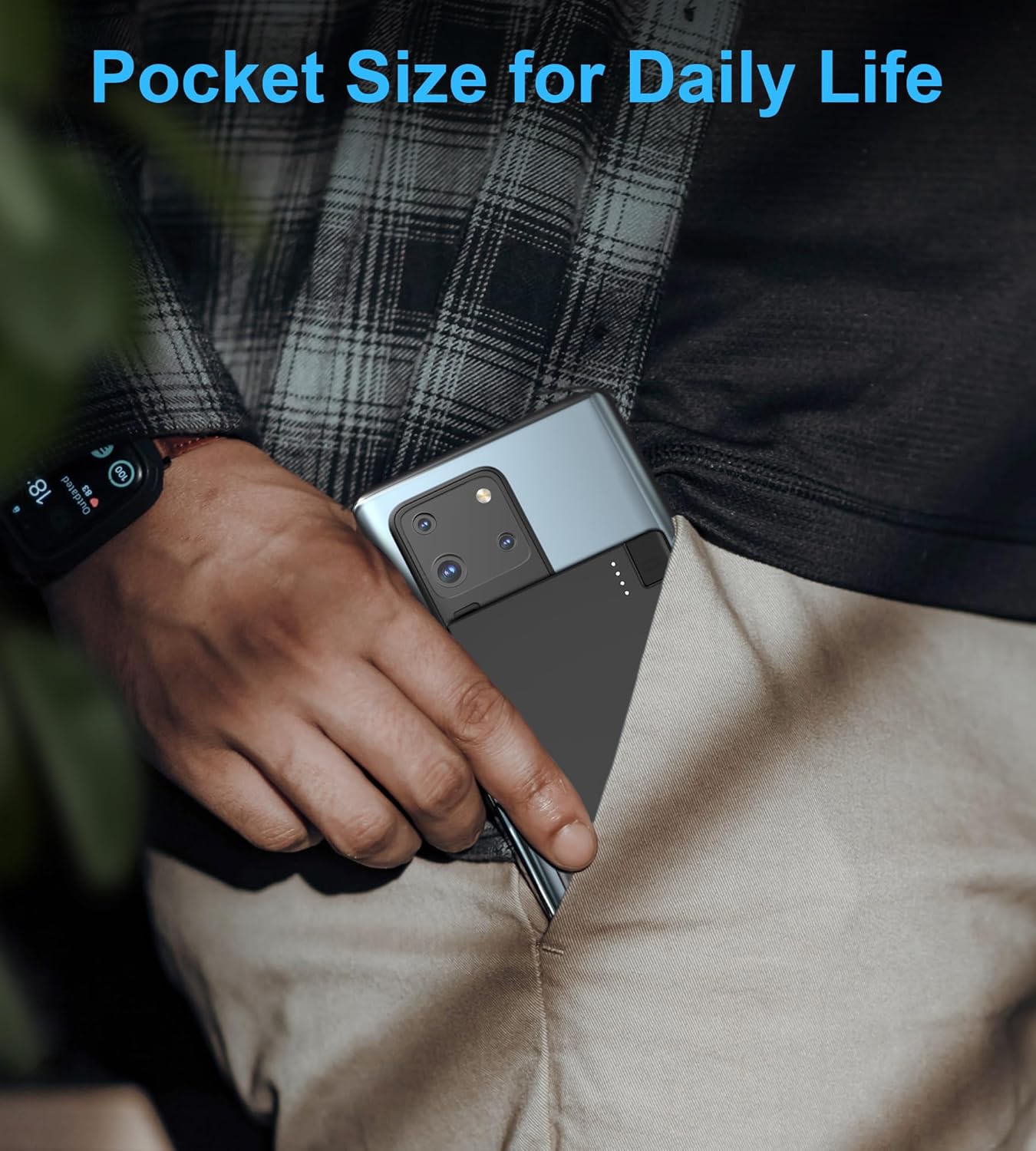
Image 5.1: The power bank connected to a smartphone via its integrated USB-C cable.
5.2 Recharging the Power Bank
To recharge the power bank, follow the steps outlined in the "4. Setup" section.
6. LED Indicator Lights
The TNTOR Portable Charger features four LED lights that indicate the remaining battery capacity:
- 4 Lights Solid: 75% - 100% charged
- 3 Lights Solid: 50% - 75% charged
- 2 Lights Solid: 25% - 50% charged
- 1 Light Solid: 0% - 25% charged (recharge soon)
During charging, the active LED light will blink, and all lights will become solid when fully charged.
7. Maintenance
- Keep the power bank dry and away from moisture.
- Avoid exposing the device to extreme temperatures (hot or cold).
- Clean the device with a soft, dry cloth. Do not use harsh chemicals or abrasive materials.
- Store in a cool, dry place when not in use.
8. Troubleshooting
- Device not charging: Ensure the built-in cable is fully inserted into your device. Check if the power bank has sufficient charge (refer to LED indicators).
- Power bank not recharging: Ensure the USB-C to USB-A cable is securely connected to both the power bank's input port and a working power source. Try a different wall adapter or USB port.
- Slow charging: Ensure you are using a compatible power adapter for recharging the power bank. For device charging, ensure your device supports the power bank's output specifications.
9. Specifications
| Feature | Detail |
|---|---|
| Model Number | WT-H230 |
| Product Dimensions | 3.53 x 2.52 x 0.16 inches |
| Item Weight | 2.35 ounces |
| Battery Capacity | 2500 Milliamp Hours |
| Connector Type | USB Type C (Built-in cable for output, USB-C port for input/output) |
| Special Features | Auto Shut-Off, Built In Cable, LED Indicator Lights, Lightweight, Pocket Size |
| Manufacturer | Shenzhen LDTEK Technology Co. Ltd |
10. Safety Information
- Do not disassemble, open, crush, bend, deform, puncture, or shred the device.
- Do not modify or remanufacture the device, attempt to insert foreign objects into the battery, or immerse or expose it to water or other liquids.
- Avoid exposing the device to fire, explosion, or other hazards.
- This device is equipped with an Intelligent Control Circuit that protects against over-charging, over-current, over-voltage, and short circuits.
- The 2500mAh capacity is approved for carry-on luggage on airplanes.

Image 10.1: Internal safety features of the power bank, including overcharge, over-discharge, and short circuit protection.
11. Warranty and Support
TNTOR offers a 1-Year Warranty for any issues related to the charger. For product support, warranty claims, or any questions, please contact us:
Email: service@tntor.com
12. Official Product Video
Video 12.1: An official video from TNTOR-US demonstrating the 'Credit Card Charger' in use, highlighting its compact size and built-in charging cable.


