
1. Introduction
Thank you for choosing the uwant V100 Cordless Vacuum Cleaner. This manual provides essential information for the safe and efficient operation, maintenance, and troubleshooting of your new appliance. Please read it thoroughly before first use and keep it for future reference.
Important Safety Instructions
When using an electrical appliance, basic precautions should always be followed, including the following:
- Read all instructions before using this appliance.
- Do not use outdoors or on wet surfaces.
- Do not allow to be used as a toy. Close attention is necessary when used by or near children.
- Use only as described in this manual. Use only manufacturer's recommended attachments.
- Do not use with damaged cord or plug. If appliance is not working as it should, has been dropped, damaged, left outdoors, or dropped into water, return it to a service center.
- Do not pull or carry by cord, use cord as a handle, close a door on cord, or pull cord around sharp edges or corners. Do not run appliance over cord. Keep cord away from heated surfaces.
- Do not unplug by pulling on cord. To unplug, grasp the plug, not the cord.
- Do not handle plug or appliance with wet hands.
- Do not put any object into openings. Do not use with any opening blocked; keep free of dust, lint, hair, and anything that may reduce air flow.
- Keep hair, loose clothing, fingers, and all parts of body away from openings and moving parts.
- Do not pick up anything that is burning or smoking, such as cigarettes, matches, or hot ashes.
- Do not use to pick up flammable or combustible liquids, such as gasoline, or use in areas where they may be present.
- Do not pick up toxic material (e.g., chlorine bleach, ammonia, drain cleaner).
- Do not use without dust bag and/or filters in place.
- Turn off all controls before unplugging.
- Use extra care when cleaning on stairs.
- Do not use to pick up large objects or sharp objects like glass.
2. Package Contents
Carefully unpack your uwant V100 Cordless Vacuum Cleaner and check that all items are present and in good condition. If any items are missing or damaged, please contact customer support.
- 1x Cordless Vacuum Cleaner
- 1x Disposable Dust Collector Bag
- 2x Metal Extension Wands
- 1x Crevice Nozzle
- 1x Battery Pack
- 1x Base Station Bracket
- 1x Brush Base
- 1x 2-in-1 Dusting Brush
- 1x User Manual

Image: All components included in the uwant V100 cleaning kit, including the vacuum, various attachments, battery, and base station.
3. Setup and Assembly
3.1 Assembling the Vacuum Cleaner
- Insert the metal extension wand into the main vacuum body until it clicks into place.
- Attach the desired cleaning head (e.g., brush base) to the other end of the metal extension wand.
- Ensure all connections are secure before use.
3.2 Charging the Battery
The uwant V100 features a detachable battery and an integrated cleaning station that also serves as a charging dock.
- Place the vacuum cleaner onto the integrated cleaning station.
- Ensure the battery pack is properly seated in the vacuum or directly in the charging slot on the base station.
- Connect the power adapter to the base station and plug it into a wall outlet.
- The LED display on the vacuum will indicate the charging status. A full charge ensures up to 72 minutes of runtime.

Image: A user detaching or attaching the battery pack to the uwant V100 vacuum cleaner, highlighting its long-lasting battery life.
4. Operating Instructions
4.1 Power On/Off
To power on the vacuum cleaner, press the one-touch start button. Press it again to power off.

Image: Close-up of the uwant V100's LED display and the one-touch start button, showing battery percentage and current cleaning mode.
4.2 Suction Modes
The uwant V100 offers four cleaning modes for versatile cleaning on various surfaces, including carpets, floors, and tiles. The smart LED display allows easy switching between modes and provides battery level checks and maintenance reminders.
- Standard Mode: For everyday light cleaning.
- Strong Mode: For more stubborn dirt and debris.
- Smart Mode: Automatically adjusts suction power based on dust content for optimal cleaning performance and extended battery life.
- Super Mode: Delivers unparalleled 200 AW suction power for deep cleaning. To activate, press and hold the switch for 3 seconds.

Image: The uwant V100's LED display illustrating the four distinct suction modes and how to unlock Super Mode.
4.3 Using the Vacuum
The integrated headlight illuminates dark corners and under furniture, ensuring no dirt or debris is missed. The powerful 200 AW suction is effective on all floor types.
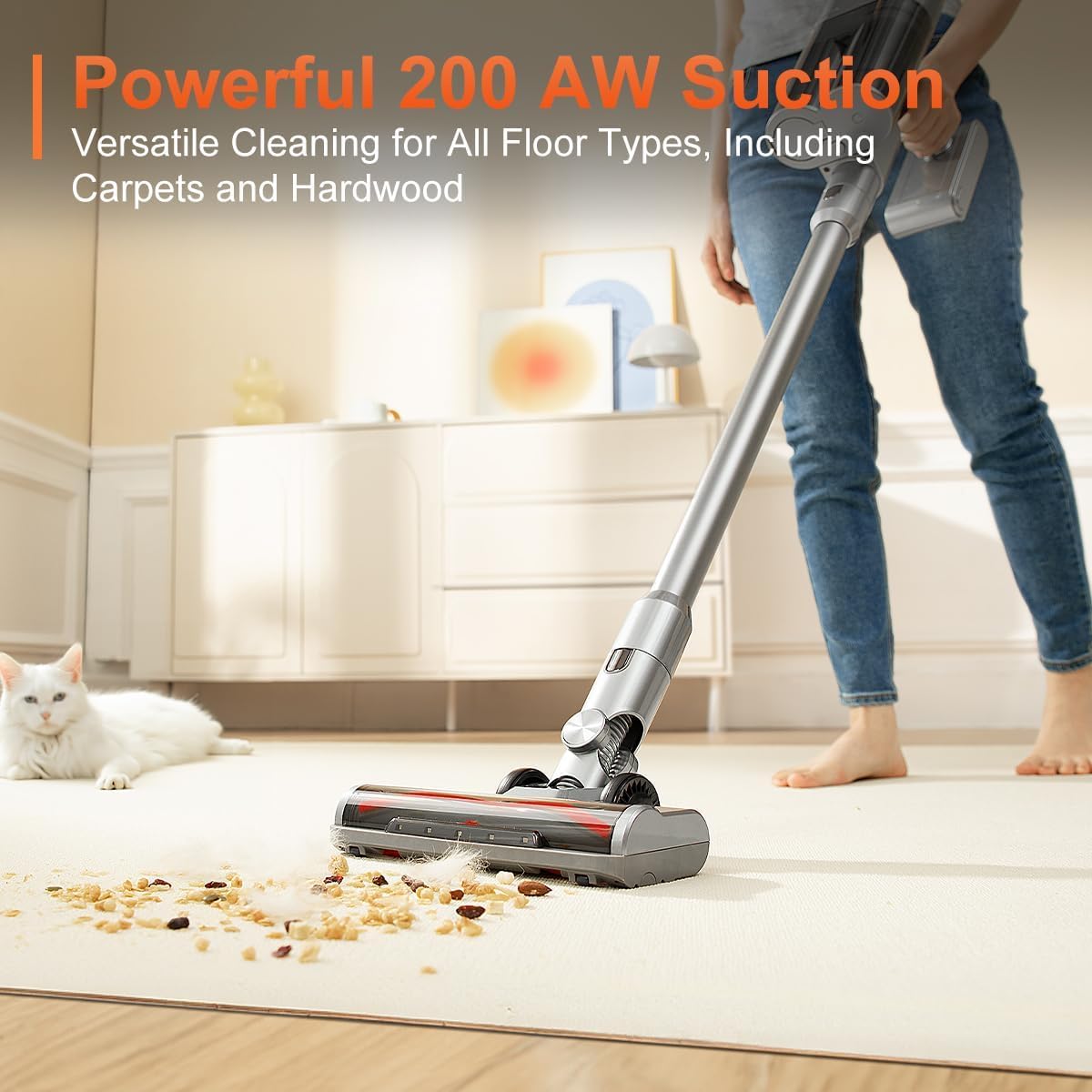
Image: A person using the uwant V100 cordless vacuum cleaner on a carpet, demonstrating its powerful 200 AW suction on various floor types.
5. Maintenance
5.1 Automatic Emptying Station
The all-in-one base station efficiently removes absorbed dirt and debris into a spacious 0.66-gallon disposable dust bag, reducing the need for frequent manual emptying. This hands-free operation can last for up to 60 days.
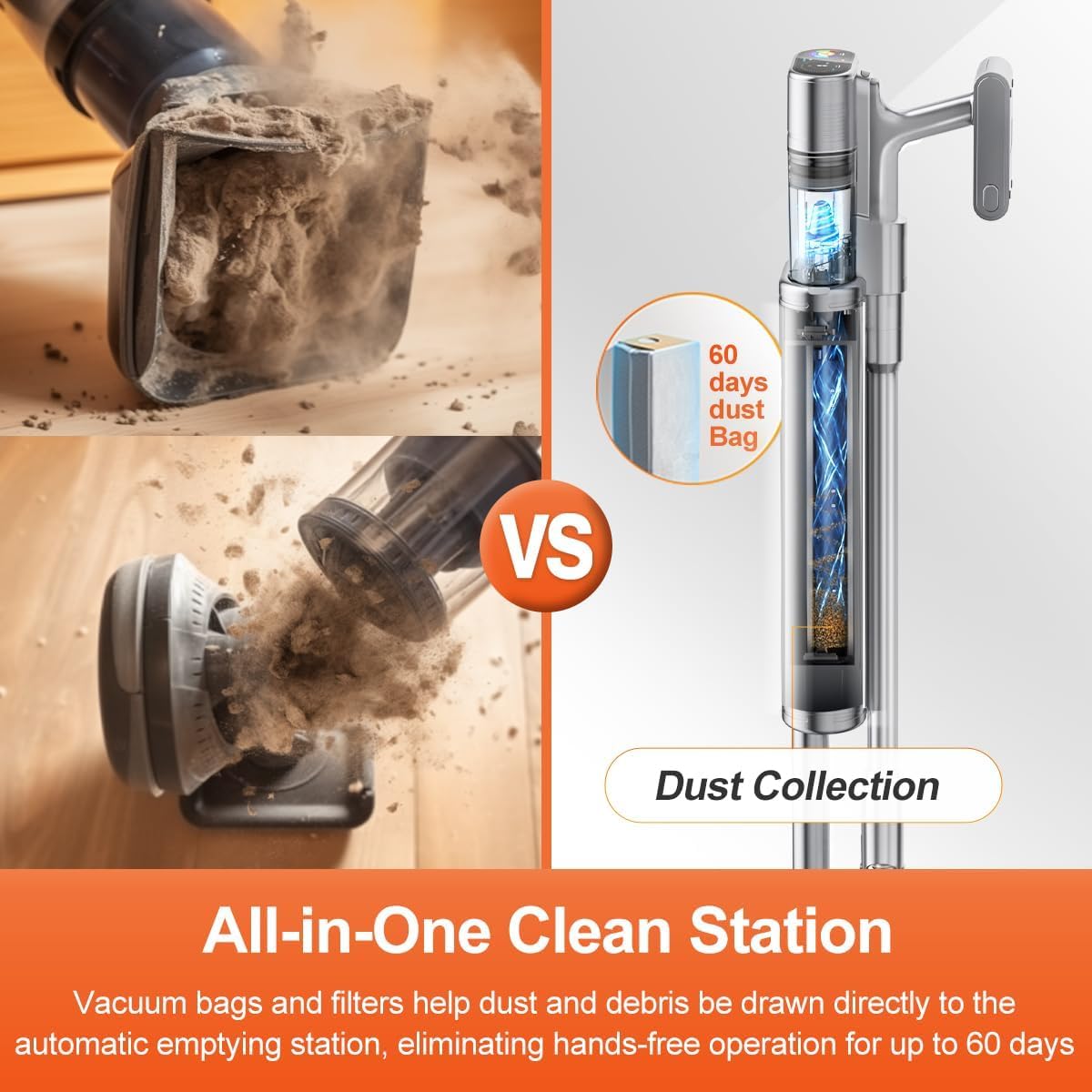
Image: A visual comparison highlighting the convenience of the uwant V100's automatic dust collection system compared to traditional manual emptying.
5.2 6-Layer Filtration System
The advanced 6-layer filtration system, including a highly effective HEPA filter, traps 99.999% of dust, particles, and pet hair, while actively reducing unpleasant odors. Regular cleaning of the washable filter components is recommended to maintain optimal performance and air quality.

Image: An exploded view diagram detailing the six stages of the uwant V100's advanced filtration system, including the anti-twist cyclone filter and HEPA filter.
5.3 Cleaning the Brush Head
Periodically check the brush head for tangled hair or debris. Use scissors to cut away any tangled hair and remove any obstructions to ensure efficient cleaning.
6. Troubleshooting
If you encounter any issues with your uwant V100, please refer to the following common problems and solutions:
| Problem | Possible Cause | Solution |
|---|---|---|
| Vacuum does not turn on | Battery is not charged or not properly installed. | Ensure the battery is fully charged and correctly inserted. |
| Low suction power | Dust bag is full, filter is clogged, or brush head is obstructed. | Replace the disposable dust bag, clean or replace filters, clear any obstructions from the brush head. |
| Short runtime | Battery not fully charged or operating in Super mode continuously. | Fully charge the battery. Use Smart mode for optimized battery life. |
| Automatic emptying not working | Dust bag in base station is full or connection between vacuum and base station is not secure. | Replace the disposable dust bag. Ensure the vacuum is correctly docked on the base station. |
If the problem persists after trying these solutions, please contact uwant customer support.
7. Specifications
| Feature | Detail |
|---|---|
| Brand | uwant |
| Model Number | V100 |
| Product Dimensions | 25.02 x 27.94 x 114.3 cm |
| Number of Speeds | 4 (Standard, Strong, Smart, Super) |
| Runtime | Up to 72 minutes |
| Suction Power | 200 AW (Max) |
| Special Features | Washable filter, HEPA filtration, Cordless, Automatic Emptying Station, LED Display, Integrated Headlight |
| Filter Type | 6-Layer HEPA Filter System |
| Surface Recommendation | Carpet, Hard Floors, Tiles |
| Power Source | Battery |
| Voltage | 120 Volts |
| Included Components | All-in-one base station, 2-in-1 dusting brush, Crevice nozzle, Metal extension wands, Battery pack, Disposable dust bag |
| Form Factor | Stick |
8. Warranty and Support
The uwant V100 Cordless Vacuum Cleaner comes with a standard manufacturer's warranty. For specific warranty details, including coverage period and terms, please refer to the warranty card included in your package or visit the official uwant website.
For technical support, troubleshooting assistance, or to inquire about replacement parts, please contact uwant customer service through their official channels. Contact information can typically be found on the uwant website or in the product packaging.


