
1. Introduction
This manual provides essential information for the safe and effective installation, operation, and maintenance of the ZIPCOM GB160C Single Phase Automatic Voltage Regulator (AVR). The GB160C is designed to maintain a stable output voltage for brush generators, ensuring consistent power delivery. Please read this manual thoroughly before installation and use.
2. Safety Information
WARNING: Electrical equipment can be dangerous. Improper installation or use can result in serious injury or death. Always follow safety precautions.
- Ensure all power sources are disconnected before attempting any installation, maintenance, or repair.
- Only qualified personnel should perform installation and wiring.
- Wear appropriate personal protective equipment (PPE), including insulated gloves and eye protection.
- Verify correct wiring connections to prevent damage to the AVR or generator.
- Do not operate the AVR in wet or damp conditions.
3. Product Overview
The ZIPCOM GB160C AVR is a compact and robust unit designed for reliable voltage regulation in brush generators. It integrates an engine voltage regulator and rectifier for stable power output.
Key Features:
- Integrated engine voltage regulator and rectifier for stable power output.
- High-quality capacitors for smooth, efficient, and reliable operation with consistent performance.
- High-precision resistors designed for stable operation across a wide temperature range.
- Durable potentiometer for smooth and precise voltage adjustments.
Component Identification:
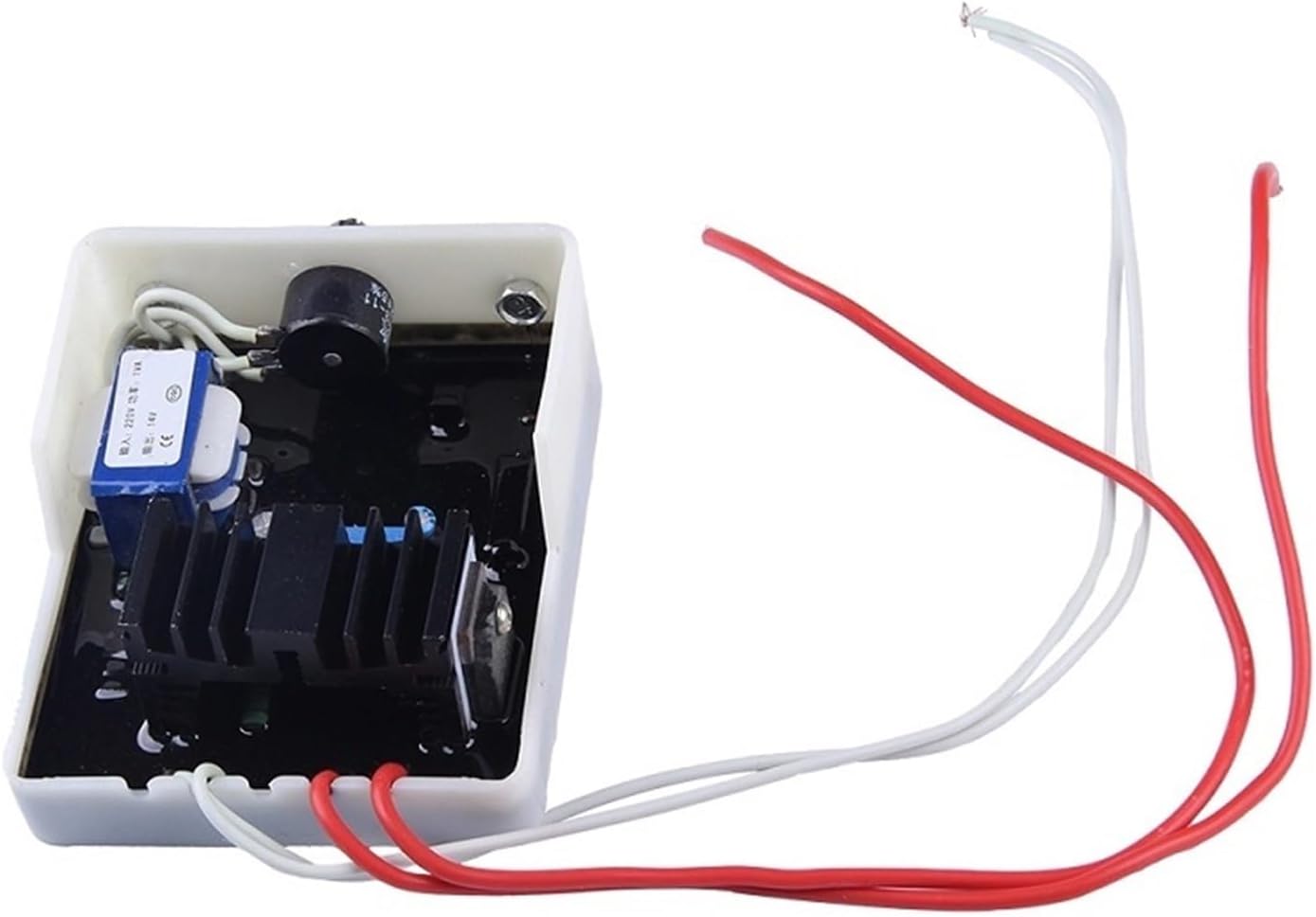


4. Specifications
| Parameter | Value |
|---|---|
| Model | GB160C (Single Phase) |
| Frequency | 50/60 Hz |
| Excitation Voltage | 20-130 VDC |
| Adjustment Current | 10 A |
| Voltage Regulation | <1% (engine speed changes within 4%) |
| Compatible Generator Power | 2KW - 50KW ST/STC Generators |
| Package Dimensions | 1.18 x 0.79 x 0.39 inches |
| Item Weight | 3.53 ounces |
| Manufacturer | ZIPCOM |
5. Setup and Installation
Proper installation is crucial for the correct functioning and longevity of the AVR. It is highly recommended that installation be performed by a qualified electrician or technician.
- Power Disconnection: Ensure the generator is completely shut down and all power sources are disconnected before beginning installation.
- Mounting: Mount the GB160C AVR in a secure location, away from excessive heat, moisture, and vibration. Ensure adequate ventilation.
- Wiring Connections: Refer to the wiring diagram provided on the AVR casing (see Figure 5) or the generator's specific manual for correct connections. Typically, this involves connecting the AVR to the generator's excitation winding, sensing voltage input, and auxiliary power supply.
- Verify Connections: Double-check all wiring for correct polarity and secure connections. Loose connections can cause erratic operation or damage.
- Initial Voltage Adjustment: Before starting the generator, ensure the voltage adjustment potentiometer (Figure 4) is set to its minimum position.
6. Operating Instructions
Once the GB160C AVR is correctly installed, follow these steps for operation:
- Start Generator: Start the generator according to its manufacturer's instructions.
- Voltage Adjustment: Slowly turn the voltage adjustment potentiometer clockwise until the desired output voltage is achieved. Use a reliable voltmeter to monitor the output.
- Load Application: Once the voltage is stable, you can apply the load to the generator. The AVR will automatically maintain the output voltage within specified limits.
- Monitoring: Periodically monitor the generator's output voltage and current to ensure stable operation.
7. Maintenance
The ZIPCOM GB160C AVR is designed for minimal maintenance. However, regular checks can help ensure its longevity and reliable performance.
- Visual Inspection: Periodically inspect the AVR for any signs of physical damage, loose connections, or overheating (discoloration).
- Cleaning: Keep the AVR clean and free from dust, dirt, and debris. Use a soft, dry cloth for cleaning. Do not use solvents or abrasive cleaners.
- Connection Checks: Ensure all electrical connections remain tight and secure.
- Environmental Conditions: Ensure the operating environment remains within the specified temperature and humidity ranges.
8. Troubleshooting
If you encounter issues with your GB160C AVR, consider the following common troubleshooting steps:
- No Output Voltage:
- Check all wiring connections for correctness and tightness.
- Verify the generator's excitation winding is functioning correctly.
- Ensure the AVR is receiving proper auxiliary power.
- Unstable Output Voltage:
- Check for loose connections.
- Ensure the generator's engine speed is stable.
- Verify the load is not exceeding the generator's capacity.
- Overheating:
- Ensure adequate ventilation around the AVR.
- Check if the generator is overloaded.
If these steps do not resolve the issue, contact customer support or a qualified technician.
9. Warranty Information
For specific warranty terms and conditions, please refer to the documentation provided at the time of purchase or contact your seller directly. Warranty coverage typically includes defects in materials and workmanship under normal use.
10. Support
If you require technical assistance, have questions about installation, or need to report a problem, please contact the seller or manufacturer. Have your product model number (GB160C) and purchase details ready when contacting support.