
1. Introduction
This manual provides detailed instructions for the assembly, operation, and maintenance of your HOMCOM TV Cabinet Stand, Model 839-704V80GY. This entertainment center is designed to accommodate TVs up to 58 inches and features adjustable shelves, four glass doors, and integrated cable management holes.

Image 1.1: The HOMCOM TV Cabinet Stand, Model 839-704V80GY, in Grey.

Image 1.2: The TV cabinet stand integrated into a living room environment, showcasing its functionality with a television.
2. Important Safety Information
California Proposition 65 Warning: This product may contain chemicals known to the State of California to cause cancer, birth defects, or other reproductive harm.
To ensure safe use and prevent potential hazards:
- Always install the provided anti-tipping strap to securely attach the TV stand to the wall. This prevents accidental tipping, especially in households with children or pets.
- Do not exceed the maximum weight capacity: 110 lbs (Total), 66 lbs (Tabletop), 11 lbs (Shelf).
- Ensure the TV stand is placed on a flat, stable surface.
- Keep small parts and assembly hardware away from children.

Image 2.1: Detailed view of the anti-tipping design, cushioned hinges, and tempered glass doors, highlighting key safety and quality features.
3. Package Contents
Before beginning assembly, verify that all components and hardware are present and undamaged. Refer to the included parts list in your packaging. If any parts are missing or damaged, contact HOMCOM customer support immediately.
4. Assembly Instructions
Assembly is required for this TV cabinet stand. While some users find assembly straightforward, others report it can be time-consuming. We recommend setting aside ample time and carefully following the step-by-step graphical instructions provided in the separate assembly guide included with your product.
Key Assembly Tips:
- Organize Parts: Lay out all parts and hardware, matching them to the labels in the assembly guide.
- Follow Steps Sequentially: Do not skip steps. Each step builds upon the previous one.
- Do Not Overtighten: Tighten screws firmly but avoid overtightening, which can damage the engineered wood.
- Door Alignment: Pay close attention to door hinge installation and adjustment to ensure proper alignment.
- Anti-Tipping Strap: Install the anti-tipping strap as instructed to secure the unit to the wall.
5. Operation and Features
5.1 Storage Space
The TV cabinet stand features two enclosed cupboards with four glass doors, providing ample storage for media devices, movies, games, and other items. The cushioned hinges ensure the doors close slowly and quietly, protecting your fingers and the cabinet itself.

Image 5.1: The TV cabinet stand highlighting its large storage capacity within the two cupboards.
5.2 Adjustable Shelves
The inner shelves within the cupboards are adjustable. You can easily move them up or down to accommodate items of various heights, allowing for flexible storage solutions tailored to your needs.

Image 5.2: Illustration demonstrating the adjustable shelf feature, allowing customization of storage space.
5.3 Cable Management
The TV stand is equipped with four cable holes located on the back panel of each compartment. These holes are designed to help organize and conceal the cords from your audio, video, and gaming components, maintaining a tidy and clutter-free appearance.

Image 5.3: Diagram illustrating the placement of cable management holes for organized wiring.
6. Care and Maintenance
To maintain the appearance and longevity of your HOMCOM TV Cabinet Stand:
- Cleaning: Wipe surfaces with a soft, damp cloth. Avoid abrasive cleaners or harsh chemicals, as these can damage the painted MDF finish.
- Spills: Promptly clean up any spills to prevent staining or damage to the surface.
- Glass Care: Clean glass doors with a standard glass cleaner and a soft cloth.
- Hardware: Periodically check all screws and fasteners to ensure they remain tight. Retighten if necessary.
- Sunlight: Avoid prolonged exposure to direct sunlight to prevent fading of the finish.
7. Troubleshooting
7.1 Doors Do Not Align Properly
If the cabinet doors appear misaligned after assembly:
- Check Hinge Installation: Ensure that all hinges are installed correctly and securely.
- Adjust Hinges: Most cabinet hinges allow for minor adjustments (up/down, left/right, in/out) using a screwdriver. Refer to the hinge manufacturer's instructions or a general guide on cabinet hinge adjustment.
- Re-evaluate Assembly: If adjustments do not resolve the issue, carefully review the assembly steps for the doors and frame to ensure no parts were installed incorrectly.
7.2 Screws Do Not Hold or Fit
If you encounter issues with screws not holding or fitting during assembly:
- Verify Screw Type: Double-check that you are using the correct type and size of screw for each specific hole as indicated in the assembly guide.
- Pilot Holes: Ensure that pilot holes are clear and free of debris.
- Do Not Force: If a screw does not easily thread, do not force it, as this can strip the hole. Remove the screw, check for alignment, and try again.
- Contact Support: If issues persist, contact HOMCOM customer support for assistance.
8. Product Specifications
| Feature | Detail |
|---|---|
| Model Name | TV Stand |
| Model Number | 839-704V80GY |
| Color | Grey |
| Overall Dimensions (W x D x H) | 51.25" x 13.75" x 23.5" |
| Maximum TV Size Supported | Up to 58 inches |
| Total Weight Capacity | 110 lbs |
| Tabletop Weight Capacity | 66 lbs |
| Shelf Weight Capacity | 11 lbs |
| Material | Engineered Wood (MDF), Tempered Glass |
| Number of Shelves | 2 (adjustable) |
| Number of Doors | 4 (framed glass) |
| Cable Holes | 4 |
| Special Features | Adjustable Shelf, Anti-Tipping Strap, Cable Holes, Cushioned Hinges |
| Assembly Required | Yes |
| Item Weight | 65.45 lbs |
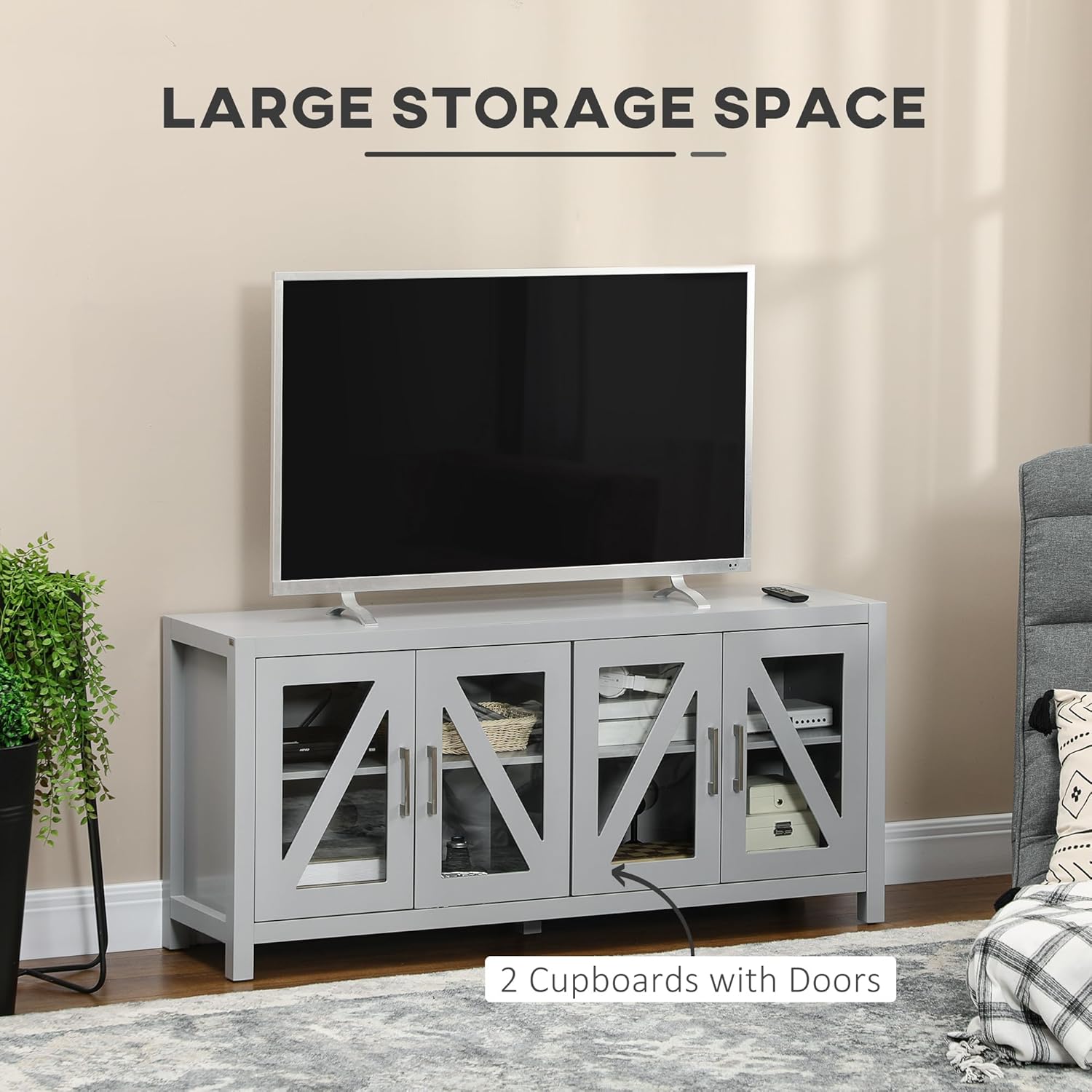
Image 8.1: Dimensional overview of the TV cabinet stand (51.25" W x 13.75" D x 23.5" H).
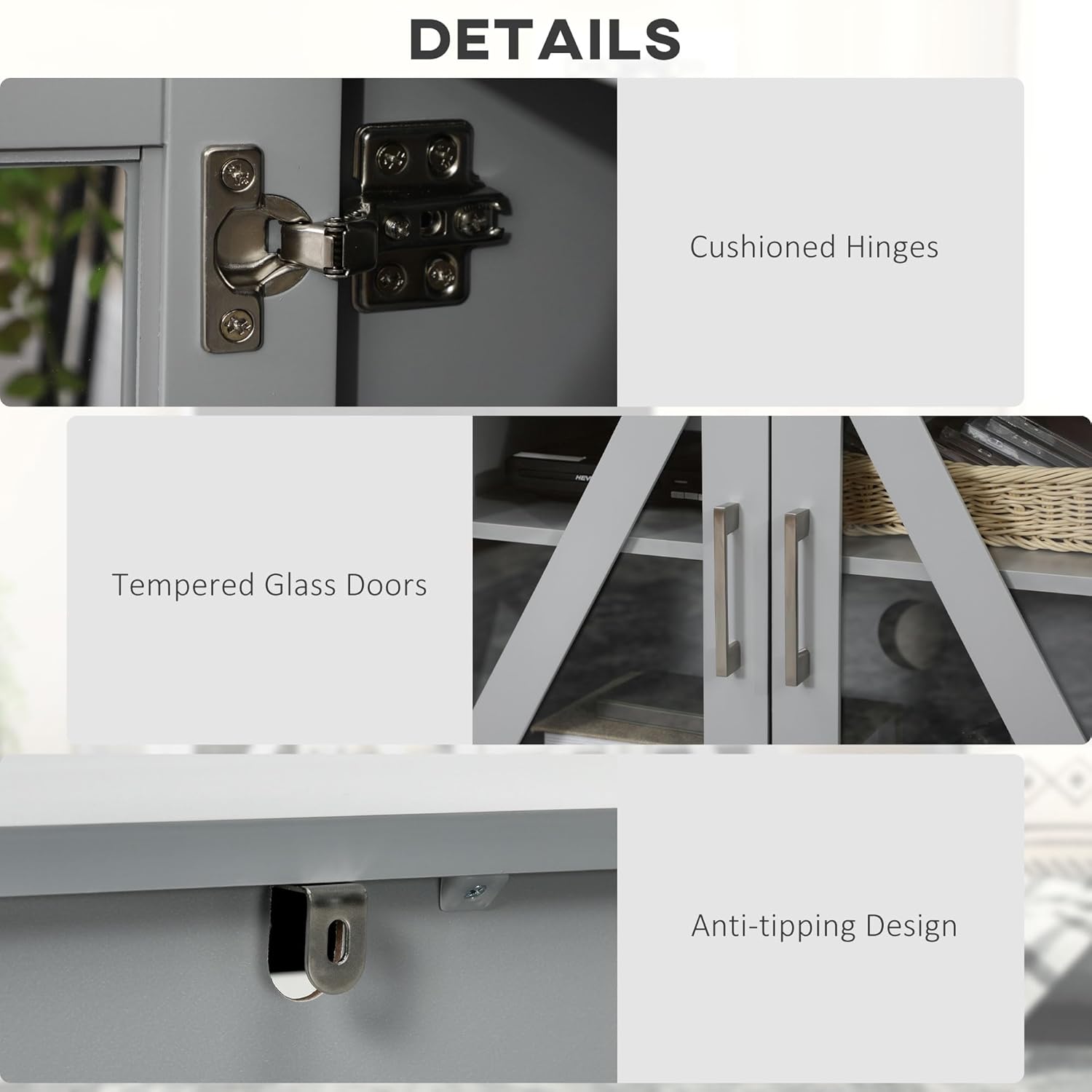
Image 8.2: Visual representation of the TV stand's compatibility with various TV sizes, up to 58 inches.
9. Warranty and Support
9.1 Returns Policy
This product is eligible for a 30-day easy return policy. Please refer to your purchase documentation for specific terms and conditions.
9.2 Protection Plans
Extended protection plans may be available for purchase. Options typically include 2-Year and 3-Year Protection Plans. Consult your retailer for details on available plans and coverage.
9.3 Customer Support
For any questions, missing parts, or assistance with assembly or product issues, please contact HOMCOM customer support. You can find contact information and additional resources by visiting the official HOMCOM store or website: HOMCOM Store