
Introduction
This manual provides comprehensive instructions for the assembly, operation, and maintenance of your AIMEI 23 Inch Wig Head and Stand set. Designed for wig making, styling, and display, this kit includes a canvas mannequin head, an adjustable tripod stand, a table clamp, and various accessories. Please read this manual thoroughly before use to ensure proper handling and longevity of your product.
Product Components
Your AIMEI Wig Head and Stand set includes the following items:
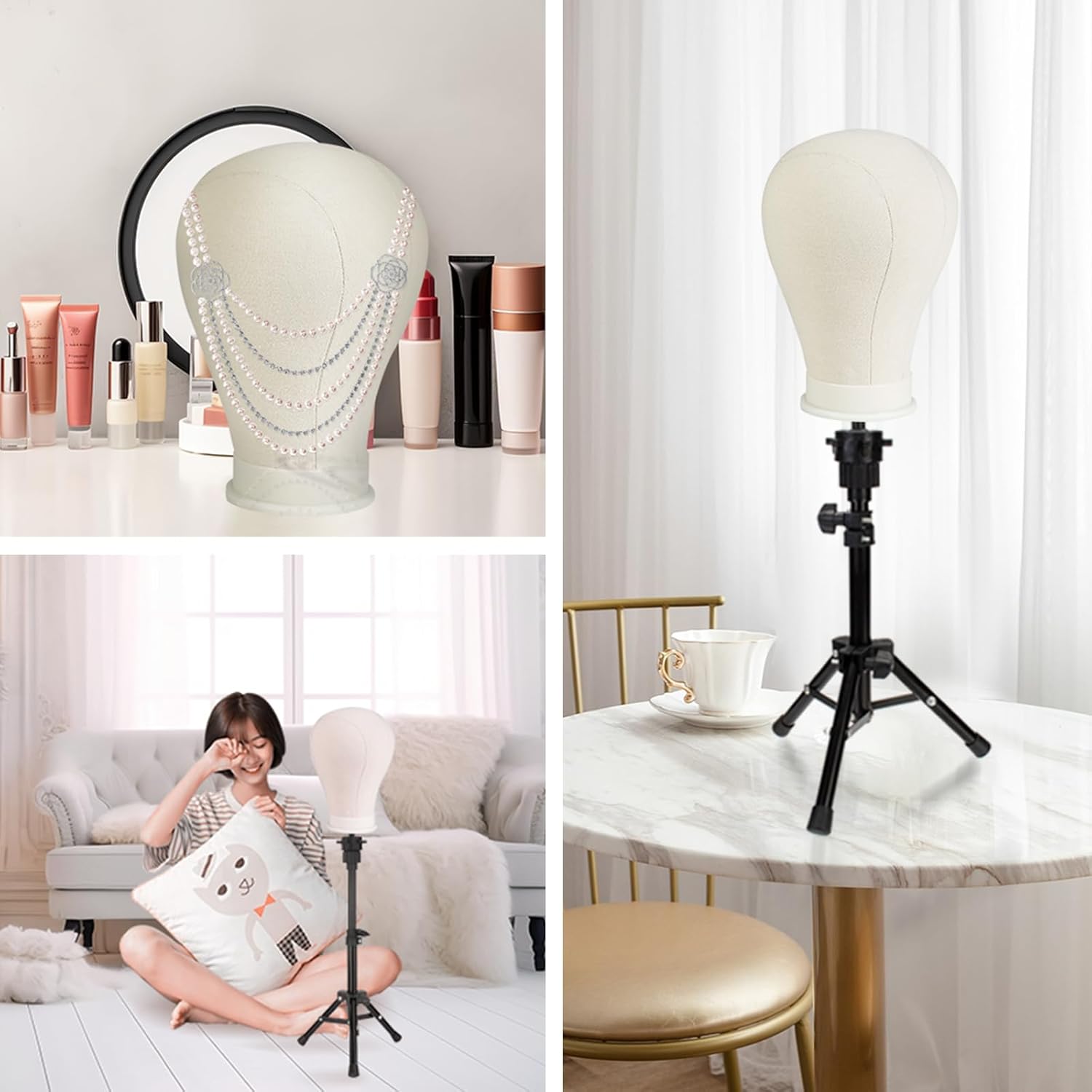
Figure 1: All components included in the AIMEI 23 Inch Wig Head and Stand set. This image displays the canvas wig head, the adjustable tripod stand, a table clamp, a wig cap, a set of T-pins, a hair comb, hair clips, and a pin and thread set for wig crafting.
- 1 x 23-Inch Canvas Wig Head
- 1 x Adjustable Tripod Stand
- 1 x Table Clamp Holder
- 1 x Wig Cap
- 1 x Set of T-Pins (various colors)
- 1 x Hair Comb
- 2 x Hair Clips
- 1 x Pin & Thread Set
Setup Instructions
1. Assembling the Wig Head with Stand or Clamp
The wig head can be mounted on either the adjustable tripod stand or the table clamp. Both methods provide a stable base for your wig work.

Figure 2: Installation steps for attaching the wig head to the table clamp. This diagram illustrates how to separate the clamp components, insert the wig head's base into the clamp's receiver, and then reassemble and tighten the clamp onto a table surface.
- For Table Clamp:
- Unscrew the clamp holder to separate the top and bottom parts.
- Insert the bottom of the wig head into the circular opening of the clamp's top piece.
- Reattach the bottom part of the clamp and tighten it securely onto a table or workbench edge. Ensure the clamp is firm and stable.
- The clamp allows for 360-degree rotation and height adjustment.
- For Tripod Stand:
- Extend the legs of the tripod stand to a stable position.
- Loosen the height adjustable knob on the stand, extend the central pole to your desired height, and then tighten the knob firmly.
- Place the wig head onto the top post of the tripod stand. Ensure it sits securely.
- The tripod stand also features a 360-degree rotation capability and non-slip feet for stability.

Figure 3: Features and dimensions of the adjustable tripod stand. This image highlights the stand's 360-degree rotation, height adjustment knob, leg adjustment knob, and non-slip feet, along with its extended and collapsed dimensions.
Operating Instructions
1. Wig Making and Styling
The canvas wig head is designed to facilitate various wig-related tasks.
- Securing Wigs: Place your wig onto the canvas head. Use the included T-pins to secure the wig firmly in place. The canvas material allows for easy insertion and removal of pins without leaving significant pinholes.
- Styling: Utilize the wig head for cutting, styling, coloring, or drying wigs. The stable base provided by the stand or clamp ensures the wig remains steady during intricate work.
- Hair Accessories: The included hair comb and clips can be used to manage and section hair during styling processes.

Figure 4: Multi-functional uses of the AIMEI wig head. This image demonstrates the wig head's versatility for tasks such as wig making, hairstyling, and serving as a display for jewelry or hats.
2. Displaying Wigs and Accessories
Beyond practical wig work, the mannequin head serves as an excellent display tool.
- Wig Display: Showcase finished wigs in a realistic manner.
- Hat and Jewelry Display: The head's realistic dimensions make it suitable for displaying hats, scarves, necklaces, and other accessories.

Figure 5: Examples of the wig head in use for display and practical applications. This collage shows the wig head displaying a necklace, positioned on its tripod stand in a living room setting, and secured with the table clamp on a desk.
Maintenance
Proper maintenance ensures the longevity and hygiene of your wig head and stand.
- Canvas Wig Head: The canvas block head can be gently washed with water and mild soap if necessary. Allow it to air dry completely before reuse or storage to prevent mildew. Avoid harsh chemicals or abrasive cleaners.
- Tripod Stand and Table Clamp: Wipe down the metal parts with a damp cloth to remove dust or debris. Ensure all adjustable knobs and screws are kept clean and free of hair or product residue to maintain smooth operation.
- Storage: When not in use, store the wig head and stand in a clean, dry place away from direct sunlight or extreme temperatures.

Figure 6: Close-up details of the 23-inch canvas wig head. This image emphasizes its compatibility with most stands, the ease with which T-pins can be inserted without leaving permanent marks, and the washable nature of the canvas material.
Troubleshooting
If you encounter any issues, refer to the following common solutions:
| Problem | Possible Cause | Solution |
|---|---|---|
| Wig head feels unstable on the stand/clamp. | Not securely tightened; stand legs not fully extended; uneven surface. | Ensure all knobs (height, leg, clamp) are tightened. Place the stand on a flat, stable surface. For the clamp, ensure it's firmly attached to a sturdy table edge. |
| T-pins are difficult to insert or do not hold. | Incorrect pin usage; wig material too thick. | Use T-pins specifically designed for wig heads. Ensure the wig is positioned correctly on the head. The canvas material is designed for easy pin insertion. |
| Tripod stand height adjustment is stiff. | Dust or debris in the mechanism; knob overtightened. | Loosen the height adjustment knob completely. Clean the central pole and mechanism with a dry cloth. Apply a small amount of silicone lubricant if necessary (avoid oil-based lubricants). |
Specifications
| Feature | Detail |
|---|---|
| Brand | AIMEI |
| Model Number | B35-13-12-ZU18 |
| Wig Head Circumference | 23 inches |
| Wig Head Material | Canvas outer layer, Polyurethane foam inner layer |
| Stand Type | Adjustable Tripod Stand & Table Clamp |
| Special Feature | Portable, adjustable, 360-degree rotation |
| Color | White (Wig Head), Black (Stand/Clamp) |
| Item Weight | 2.35 pounds (1.07 Kilograms) |
| Package Dimensions | 11.06 x 9.02 x 7.76 inches |
| Assembly Required | No (minor assembly for stand/clamp attachment) |
Warranty and Support
For warranty information or technical support, please refer to the product packaging or contact AIMEI customer service directly. Keep your purchase receipt as proof of purchase.
Contact information for AIMEI can typically be found on their official website or through the retailer where the product was purchased.