Model: 12EVCHARGEH | Brand: Generic
This manual provides essential information for the safe and efficient operation of your Level 1+2 EV Charger. This portable electric vehicle charging station is designed for both home and office use, offering flexible charging solutions. It supports up to 3 kW charging and features a 25-foot cable for extended reach.
READ ALL INSTRUCTIONS BEFORE USING THIS PRODUCT.

Image: The complete Level 1+2 EV Charger kit, showing the main charging unit with its 25-foot cable and J1772 connector, alongside the included NEMA 5-15P to 6-20R adapter for Level 1 charging.
| Attribute | Value |
|---|---|
| Brand | Generic |
| Model Name | Charge+ |
| Item Model Number | 12EVCHARGEH |
| Connector Type | J1772 |
| Cable Type | J1772 |
| Compatible Devices | Electric Vehicles (J1772 standard) |
| Recommended Uses | Charging Electric Vehicles |
| Connector Gender | Male-to-Male |
| Data Transfer Rate (Current) | 16 Amps |
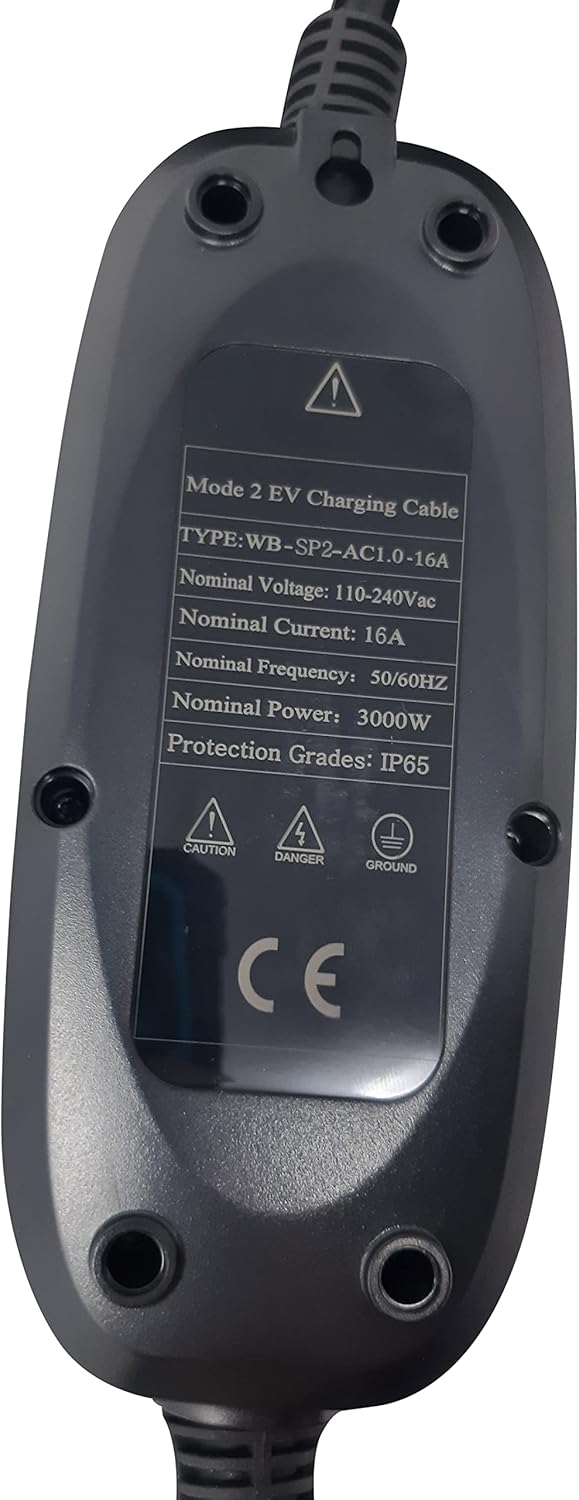
| Nominal Voltage | 110-240Vac |
| Nominal Frequency | 50/60Hz |
| Nominal Power | 3000W (3 kW) |
| Protection Grade | IP65 |
| Indoor/Outdoor Usage | Outdoor, Indoor |
| Cable Length | 25 feet |
| Item Weight | 6 pounds |
| Package Dimensions | 16 x 16 x 3 inches |

Image: Rear view of the charging control box, displaying the technical specification label with details such as nominal voltage, current, frequency, power, and IP protection grade.
Your EV charger supports both Level 1 (120V) and Level 2 (240V) charging. The type of outlet you use will determine the charging speed.

Image: A close-up view of the NEMA 6-20P plug, which is the standard connector for 240V Level 2 charging with this unit.

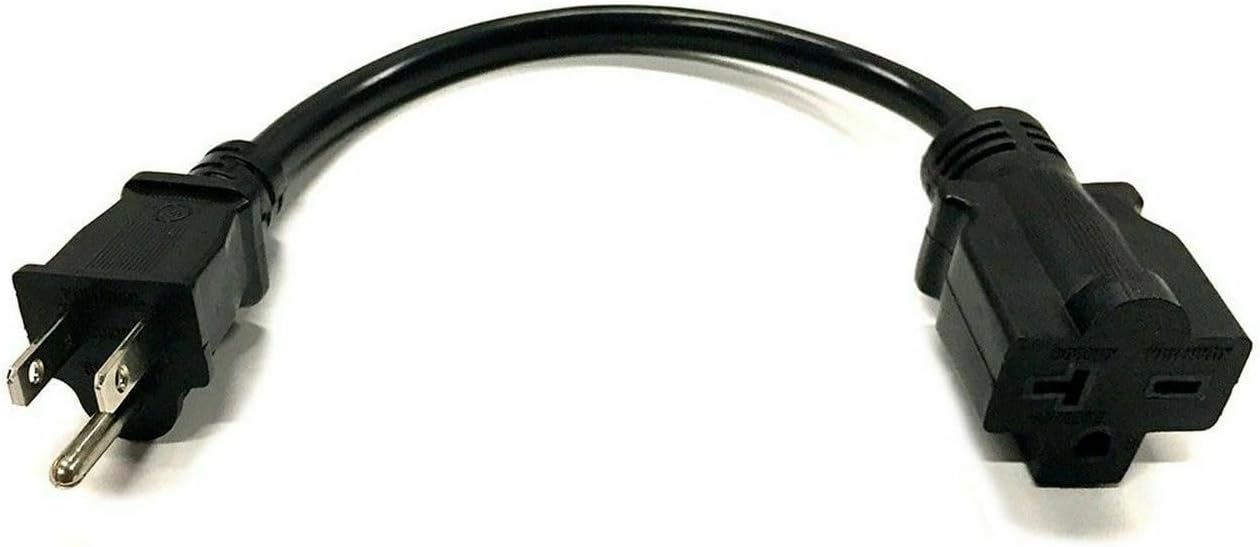
Image: The NEMA 5-15P to 6-20R adapter cable, used to connect the charger to a standard 120V household outlet for Level 1 charging.
Ensure the connection is secure. The control box will illuminate, indicating it is powered on and ready.
The control box features LED indicators to communicate the charger's status:

Image: A detailed view of the charger's control box, highlighting the LED indicators and control buttons that display the charging status.

Image: A close-up of the J1772 connector, the standard plug for connecting the charger to most electric vehicles.
Proper maintenance ensures the longevity and safe operation of your EV charger.
| Problem | Possible Cause | Solution |
|---|---|---|
| Charger not powering on (No LED lights) | No power from outlet; Loose connection; Faulty outlet. | Ensure the charger is securely plugged into a live outlet. Test the outlet with another device. Check circuit breaker. |
| Charging not starting (Solid Green LED, but vehicle not charging) | J1772 connector not fully inserted; Vehicle charging port issue; Vehicle not ready to charge. | Ensure the J1772 connector is fully seated and locked into the vehicle's port. Check vehicle's charging settings. Try re-plugging the connector. |
| Red LED indicator (Error) | Overcurrent; Overvoltage/Undervoltage; Over-temperature; Ground fault; Internal fault. | Immediately unplug the charger from both the vehicle and the power outlet. Wait 5 minutes, then plug it back in. If the error persists, contact customer support. Do not attempt to repair. |
| Slow charging speed | Using Level 1 (120V) outlet; Vehicle charging settings; Shared circuit. | Ensure you are connected to a 240V NEMA 6-20R outlet for optimal speed. Check your vehicle's charging settings. Avoid using the charger on a circuit with other high-power appliances. |
| Cable or connector feels hot | Normal operation (slight warmth); Overload; Poor connection. | A slight warmth is normal. If it feels excessively hot or smells burnt, immediately disconnect. This could indicate an overload or poor connection. Contact an electrician to inspect your outlet and wiring. |
This Level 1+2 EV Charger comes with a 2-Year Warranty from the date of purchase. This warranty covers defects in materials and workmanship under normal use.
The warranty does not cover:
For warranty claims or technical support, please contact your retailer or the manufacturer directly. Please have your purchase receipt and product model number ready when contacting support.
no relevant documents