
AKORD Oliwia S80
AKORD Oliwia S80 Under-Sink Kitchen Cabinet Instruction Manual
Model: Oliwia S80 (KS0POLIBIABIAPOL001)
1. Introduction
This manual provides detailed instructions for the assembly, installation, operation, and maintenance of your AKORD Oliwia S80 Under-Sink Kitchen Cabinet. Please read all instructions carefully before beginning assembly and retain this manual for future reference.
The AKORD Oliwia S80 is a functional base cabinet designed for placement under a kitchen sink. It features two doors and an internal space suitable for plumbing and storage. Its design allows for integration into various kitchen styles.
2. Safety Instructions
- Always assemble the cabinet on a clean, flat, and soft surface to prevent scratches.
- Ensure all components are securely fastened before use. Loose parts can cause instability.
- Do not overload the cabinet. Distribute weight evenly to maintain stability.
- Keep small parts and hardware away from children during assembly to prevent choking hazards.
- Use appropriate tools as specified in the assembly instructions.
- If any parts are missing or damaged, do not proceed with assembly. Contact customer support.
3. Package Contents
Before beginning assembly, verify that all components are present and undamaged. The package includes all necessary parts for assembly.
Typical components include:
- Cabinet panels (side panels, back panel, bottom panel, top support beams)
- 2 Doors
- Hinges and mounting screws
- Handles and mounting screws
- Shelf (if applicable) and shelf pins
- Assembly hardware (dowels, cam locks, screws, etc.)
- Instruction manual
4. Assembly Instructions
Follow these steps carefully to assemble your AKORD Oliwia S80 cabinet. It is recommended to have two people for assembly.
4.1. Identify Components
Unpack all components and lay them out. Refer to the parts list (usually found on the first page of the included paper manual) to identify each piece.
4.2. Assemble the Cabinet Frame
- Attach the side panels to the bottom panel using dowels and cam locks/screws. Ensure the pre-drilled holes for hinges and shelf pins are facing the correct direction.
- Secure the back panel to the assembled frame.
- Attach the top support beams to complete the main frame structure.
4.3. Install Doors and Handles
- Attach the hinges to the cabinet doors using the provided screws.
- Mount the doors to the cabinet frame by attaching the hinges to the pre-drilled holes on the side panels.
- Attach the handles to the front of each door using the provided screws.
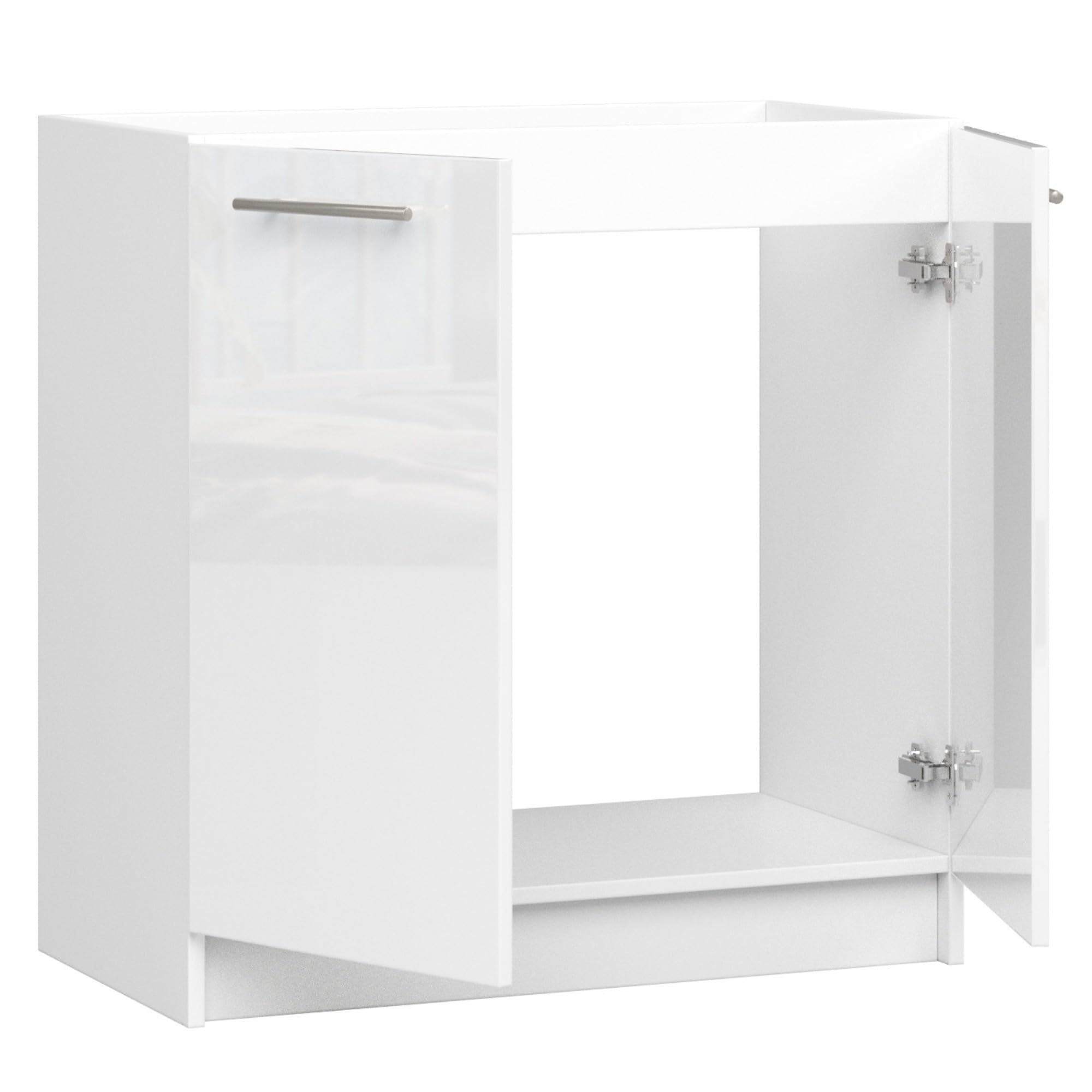
Figure 1: Cabinet interior with doors open, illustrating hinge placement and internal structure.
4.4. Insert Shelf
If your model includes an internal shelf, insert the shelf pins into the desired height holes on the cabinet sides, then place the shelf on top of the pins.
4.5. Final Checks
Ensure all screws are tightened and the cabinet is stable. The cabinet is designed to accommodate a built-in sink of approximately 80 x 60 cm. Any necessary plumbing cutouts in the top or back panels should be made carefully by a qualified professional if not pre-drilled.
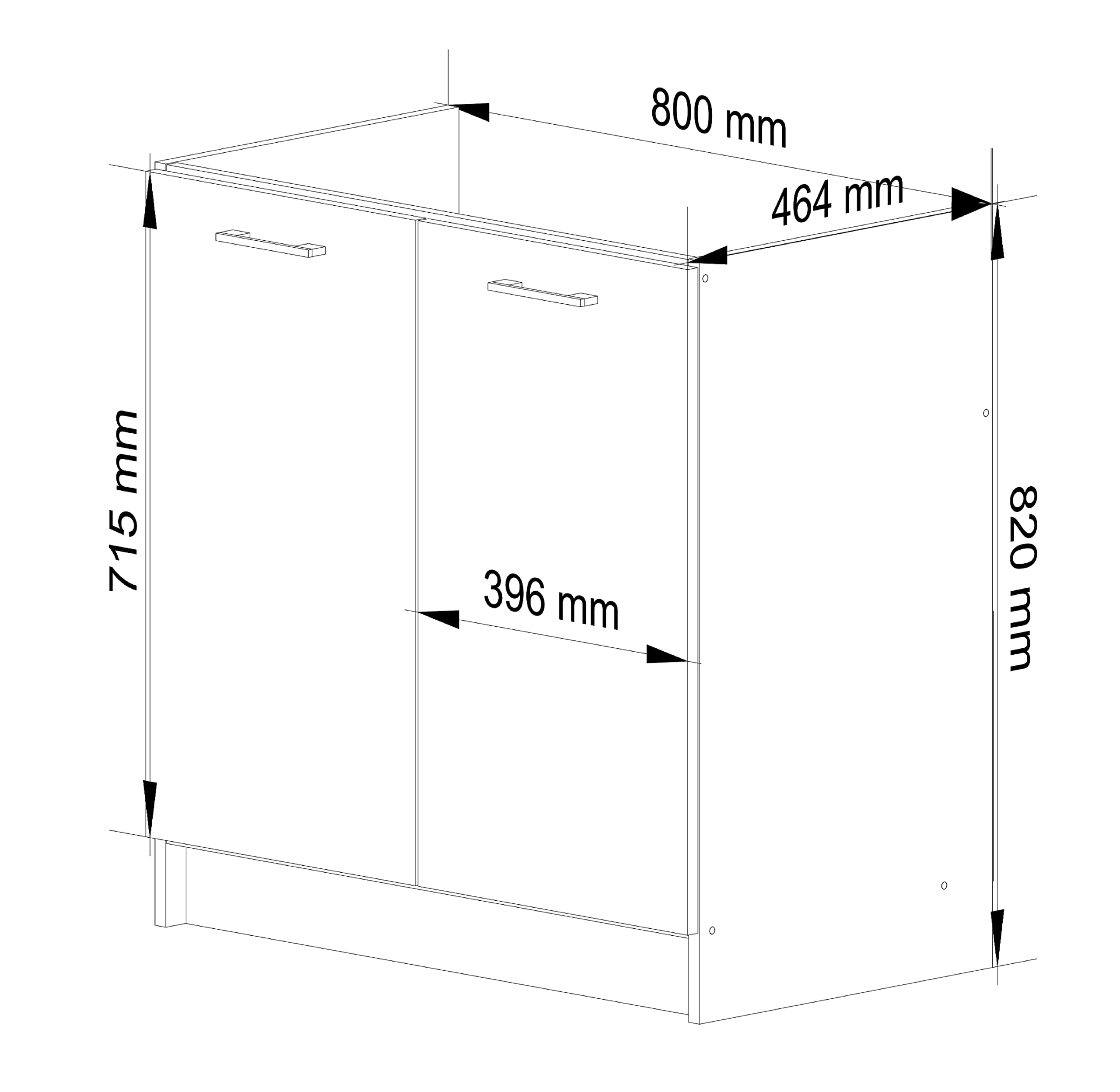
Figure 2: Dimensional diagram of the Oliwia S80 cabinet.
5. Installation
The AKORD Oliwia S80 cabinet is designed for floor mounting and placement under a kitchen sink.
- Choose a level and stable location in your kitchen for the cabinet.
- Carefully position the cabinet under the sink, ensuring proper alignment with existing plumbing.
- If necessary, make precise cutouts in the back panel for water pipes and drains. This should be done before placing the cabinet permanently.
- Ensure the cabinet is stable and does not wobble. Adjust if needed.
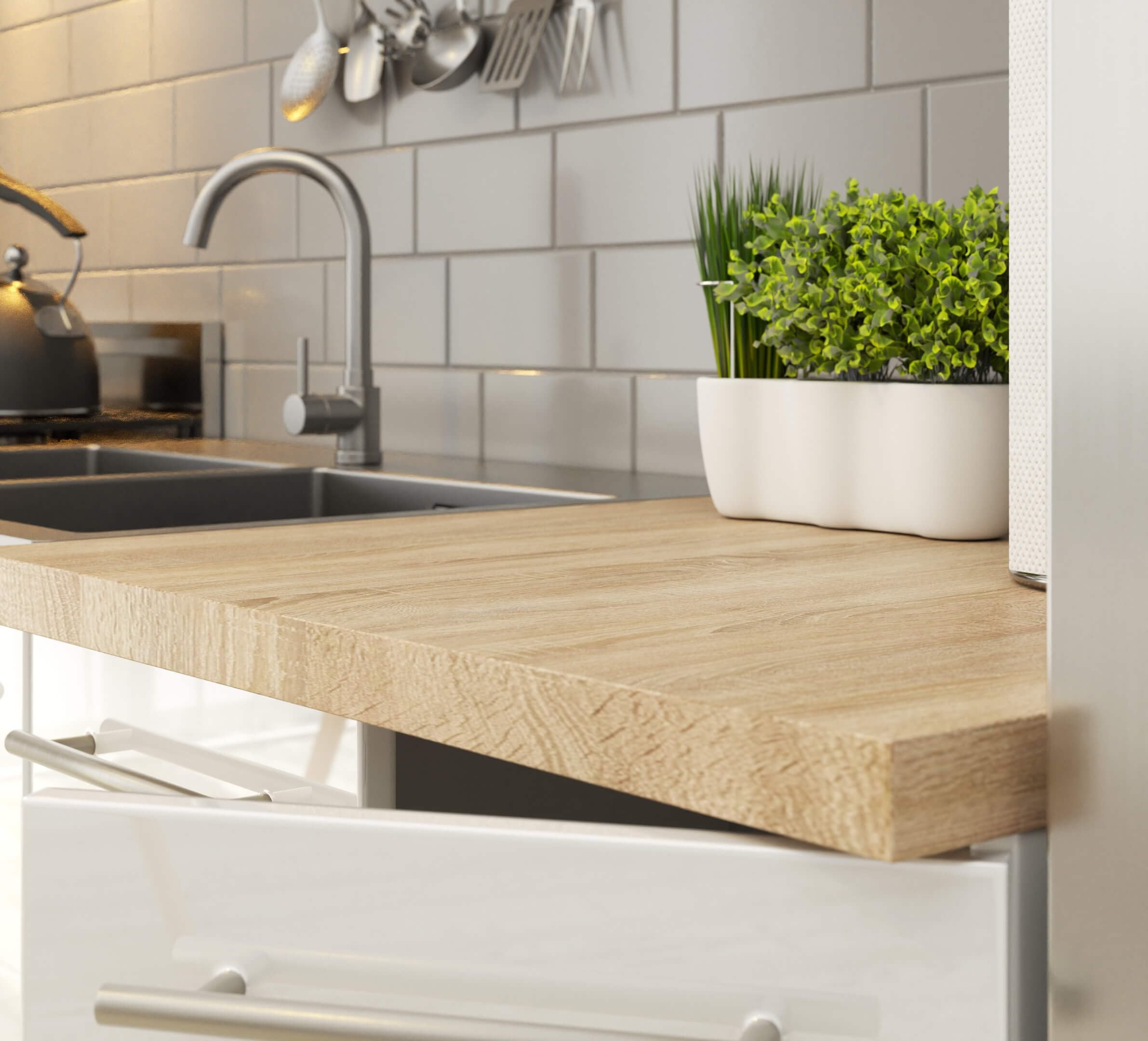
Figure 3: Example installation of the Oliwia S80 cabinet with a countertop and sink.
6. Operating Instructions
The AKORD Oliwia S80 cabinet is straightforward to operate.
- Opening/Closing Doors: Use the handles to gently open and close the two cabinet doors. Avoid forcing the doors.
- Storage: Utilize the internal space for storing kitchen essentials, cleaning supplies, or other items. Ensure items are placed securely and do not obstruct the door closure.
7. Maintenance and Care
Proper care will extend the life and appearance of your cabinet.
- Cleaning: Wipe the cabinet surfaces (facades and body) with a soft cloth dampened with water and a mild detergent. Dry immediately with a clean, soft cloth.
- Avoid Harsh Chemicals: Do not use abrasive cleaners, solvents, or harsh chemicals, as these can damage the finish and ABS edges.
- Spills: Clean up spills immediately to prevent moisture damage, especially around the ABS edges which provide enhanced resistance.
- Handles: The matte handles are designed to be stain-resistant. Clean them with a damp cloth as needed.
8. Troubleshooting
8.1. Doors Not Aligning Properly
If the cabinet doors do not align or close smoothly, the hinges may need adjustment. Most hinges have adjustment screws that allow for horizontal, vertical, and depth adjustments. Refer to the hinge manufacturer's instructions or consult a professional.
8.2. Cabinet Wobbles
Ensure the cabinet is placed on a completely level surface. Check all assembly screws to confirm they are tightened securely. If the floor is uneven, shims can be placed under the cabinet base to stabilize it.
9. Specifications
| Feature | Detail |
|---|---|
| Brand | AKORD |
| Model Name | Oliwia S80 |
| Model Number | KS0POLIBIABIAPOL001 |
| Dimensions (L x W x H) | 46 cm x 80 cm x 82 cm |
| Material | Engineered Wood |
| Color | Glossy White |
| Door Style | Slab |
| Number of Doors | 2 |
| Sink Compatibility | Designed for 80 x 60 cm built-in sink |
| Special Features | Abrasion-resistant, scratch-resistant, humidity-resistant (ABS edges) |
10. Warranty and Support
10.1. Warranty Information
The AKORD Oliwia S80 Under-Sink Kitchen Cabinet is covered by a 24-month warranty from the date of purchase. This warranty covers manufacturing defects and material flaws under normal use. It does not cover damage resulting from improper assembly, misuse, accidents, or normal wear and tear.
10.2. Customer Support
For any questions regarding assembly, missing parts, or warranty claims, please contact AKORD customer support through your retailer or the official AKORD website. Please have your model number (KS0POLIBIABIAPOL001) and proof of purchase ready when contacting support.