
1. Introduction
This manual provides detailed instructions for the installation, operation, and maintenance of your Generic Bluetooth Audio Module CA-6928. This module is designed to add Bluetooth audio receiving capabilities to compatible amplifier boards, allowing for wireless audio streaming from your devices.
2. Safety Information
- Power Supply: Ensure the power supply voltage and current match the module's requirements. Incorrect power can damage the module or connected devices.
- Polarity: Always observe correct polarity when connecting power. Reverse polarity can cause irreversible damage.
- Environment: Do not expose the module to moisture, extreme temperatures, or direct sunlight. Operate in a dry, well-ventilated area.
- Handling: Handle the module with care to avoid damage to components or solder joints. Avoid touching exposed circuitry while powered.
- Professional Installation: If you are unsure about any connection, consult a qualified technician.
3. Package Contents
Please check the package for the following items:
- Generic Bluetooth Audio Module CA-6928
- (Optional, may vary by seller) Connecting cables (e.g., power, audio output)
If any items are missing or damaged, please contact your retailer.
4. Product Overview
The CA-6928 is a compact Bluetooth audio receiver module designed for integration into existing audio systems, particularly amplifier boards. It provides a convenient way to stream audio wirelessly from Bluetooth-enabled devices such as smartphones, tablets, and computers.
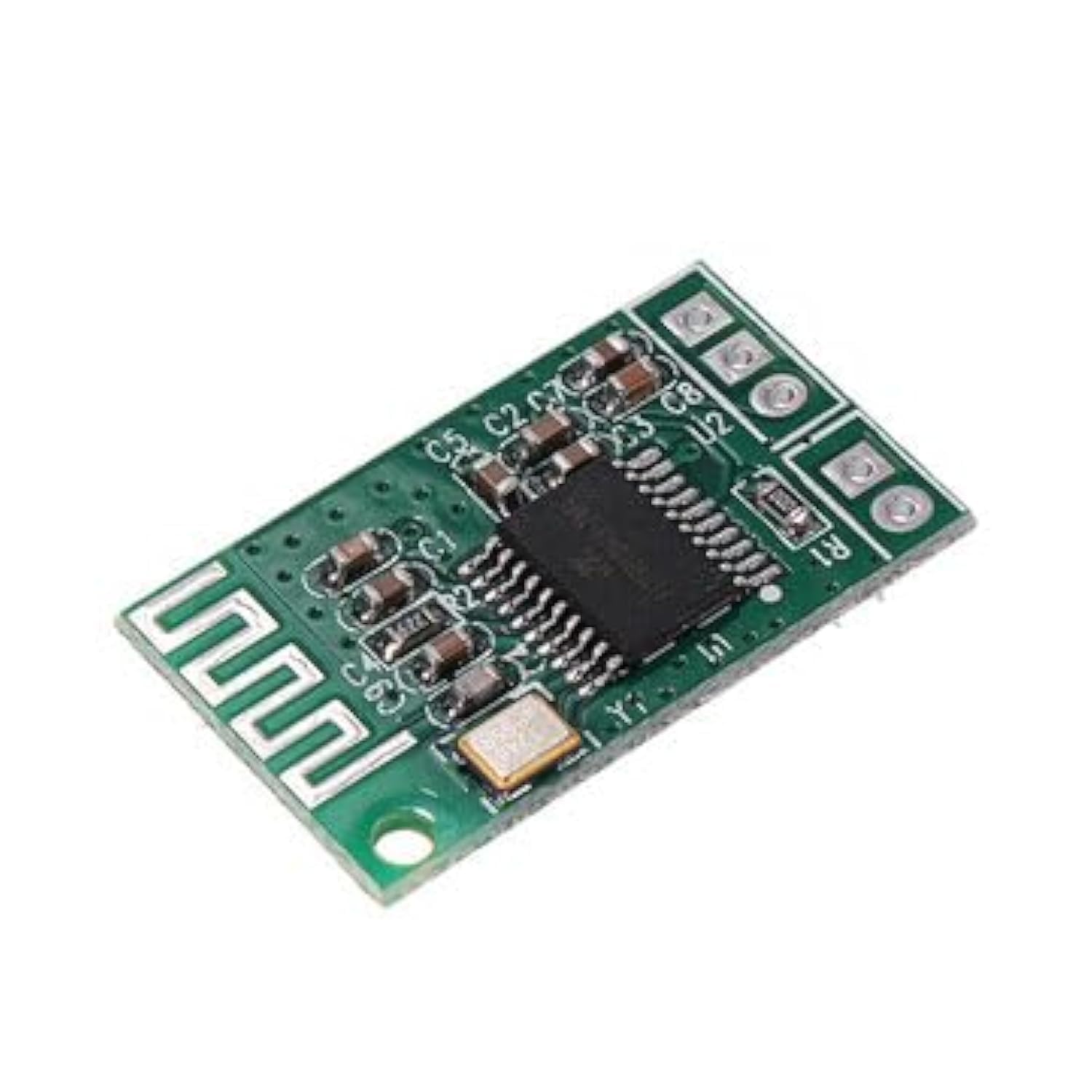
Image 1: Front view of the Generic Bluetooth Audio Module CA-6928. This image displays the compact design of the module, highlighting its various connection points for power input and audio output, which are essential for integrating it into an amplifier system.
Key Features:
- Bluetooth connectivity for wireless audio streaming.
- Compact design for easy integration.
- Standard audio output for connection to amplifier inputs.
5. Setup
Follow these steps to set up your Bluetooth Audio Module:
- Identify Connections: Locate the power input terminals (typically marked VCC/GND or +/–) and audio output terminals (typically marked L/R/GND or OUT_L/OUT_R/GND) on the CA-6928 module.
- Power Connection: Connect a compatible DC power supply (refer to specifications for voltage range) to the module's power input terminals. Ensure correct polarity.
- Audio Output Connection: Connect the audio output terminals of the CA-6928 module to the audio input of your amplifier board. Use appropriate shielded audio cables to minimize interference.
- Initial Power On: Once all connections are secure, apply power to the module. An indicator light (if present) should illuminate, and the module will enter pairing mode.
6. Operating Instructions
Bluetooth Pairing:
- Activate Module: Ensure the CA-6928 module is powered on and in pairing mode (usually indicated by a blinking LED).
- Enable Bluetooth on Device: On your smartphone, tablet, or computer, go to the Bluetooth settings and enable Bluetooth.
- Search for Devices: Your device will scan for available Bluetooth devices. Look for a device named similar to "BT-AUDIO" or "CA-6928".
- Connect: Select the module's name from the list to initiate pairing. Once connected, the indicator light on the module may change to a solid state or blink slower.
- Play Audio: You can now play audio from your device, and it will be transmitted wirelessly to the CA-6928 module and through your connected amplifier.
Disconnecting:
To disconnect, simply turn off Bluetooth on your source device or select "Disconnect" from the Bluetooth settings. The module will automatically re-enter pairing mode, ready for a new connection.
7. Maintenance
- Cleaning: Use a soft, dry cloth to clean the module. Do not use liquid cleaners or solvents.
- Storage: When not in use for extended periods, store the module in a cool, dry place, away from dust and direct sunlight.
- Inspection: Periodically check all connections for looseness or corrosion.
8. Troubleshooting
| Problem | Possible Cause | Solution |
|---|---|---|
| No power indicator light | Incorrect power connection; Faulty power supply; Module damaged | Check power supply voltage and polarity; Test power supply; Inspect module for visible damage. |
| Cannot find module in Bluetooth device list | Module not in pairing mode; Bluetooth off on source device; Module too far from source device | Ensure module is powered on and blinking; Enable Bluetooth on your device; Move device closer to the module. |
| No sound after connecting | Incorrect audio output connection; Amplifier input not selected; Volume too low; Source device volume too low | Verify audio connections to amplifier; Select correct input on amplifier; Increase volume on amplifier and source device. |
| Sound quality is poor or intermittent | Interference; Source device too far; Faulty audio cable | Move module away from other electronic devices; Reduce distance to source device; Try a different audio cable. |
9. Specifications
- Model: CA-6928
- Brand: Generic
- ASIN: B0CJCG8Z9T
- Connectivity: Bluetooth
- Manufacturer: Generic
- Warranty: No Warranty
- (Additional specifications such as power input voltage, audio output type, and Bluetooth version may vary and should be confirmed with the seller or product listing.)
10. Warranty and Support
This product is sold without an explicit warranty. For any issues or support inquiries, please contact the retailer or seller from whom you purchased the product. They can provide assistance with troubleshooting or returns according to their policies.