1. Introduction
Thank you for choosing the COOAU Wireless Security Camera. This manual provides detailed instructions for setting up, operating, and maintaining your camera. Please read this manual thoroughly before use to ensure proper functionality and safety.
2. Product Overview
The COOAU Wireless Security Camera is a versatile surveillance device designed for both indoor and outdoor use. It features high-resolution video, advanced motion detection, two-way audio communication, and robust weather resistance.
Package Contents:
- COOAU Wireless Security Camera
- Mounting Bracket
- Power Adapter
- Mounting Screws and Wall Plugs
- User Manual
Camera Components:
Familiarize yourself with the camera's physical components:
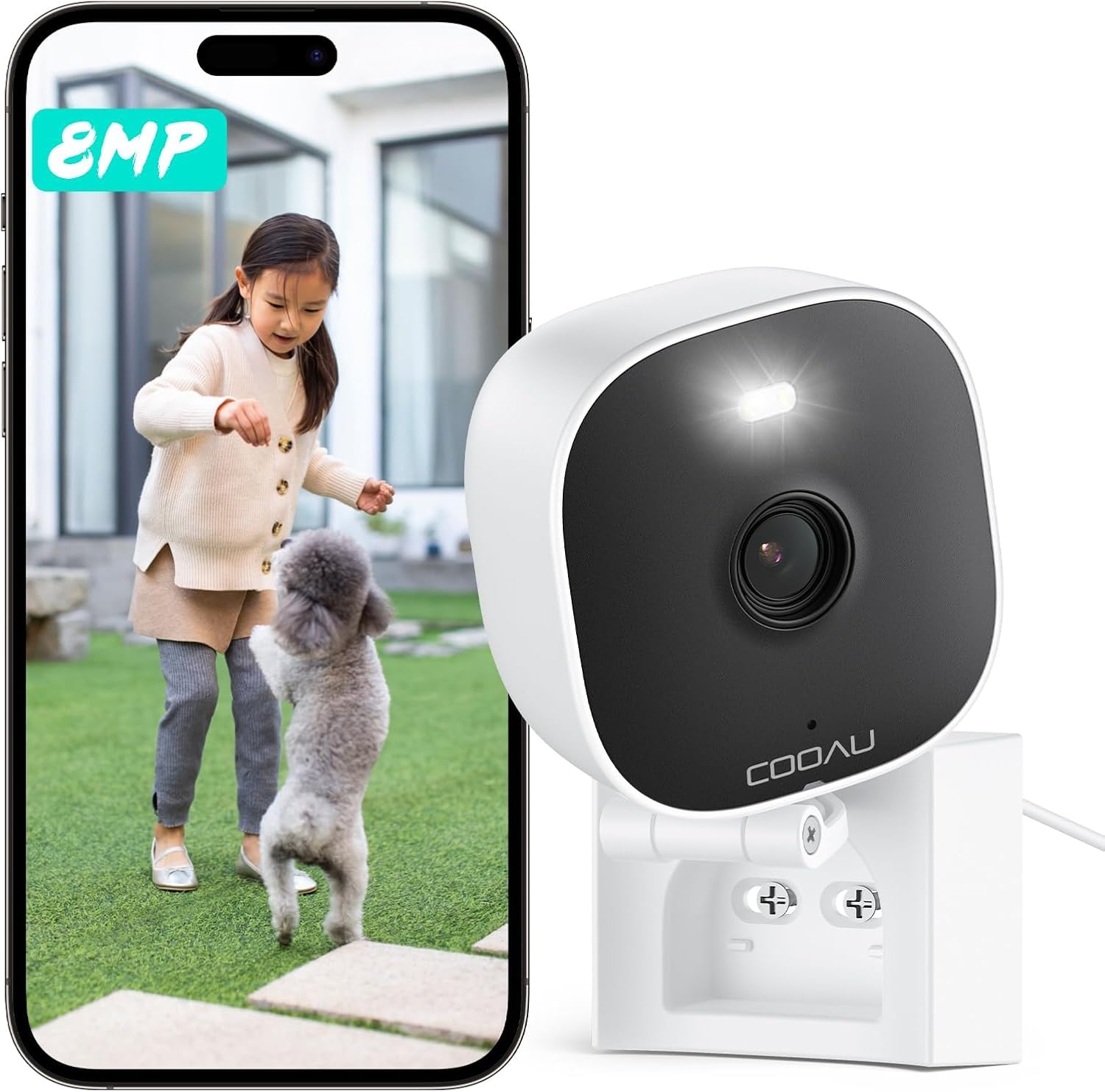
Image: The COOAU Wireless Security Camera, shown next to a smartphone displaying its live feed. The camera is compact and white, with a black lens area and a mounting bracket.
- Lens: Captures video footage.
- Infrared LEDs: For night vision.
- Microphone: For audio input and two-way communication.
- Speaker: For audio output and two-way communication.
- Status Indicator Light: Indicates camera status (e.g., power, connection).
- Power Port: Connects to the power adapter.
- Reset Button: Used to reset the camera to factory settings.
- SD Card Slot: For local storage of recordings (supports up to 512GB).
3. Features
- 8MP High Resolution: Captures clear and detailed video footage.

Image: An illustration demonstrating the clarity of the 8MP resolution, showing a wide outdoor scene with children and a magnified view of a child's face.
- Dual-Band WiFi Support (2.4GHz & 5GHz): Provides stable and fast wireless connectivity.
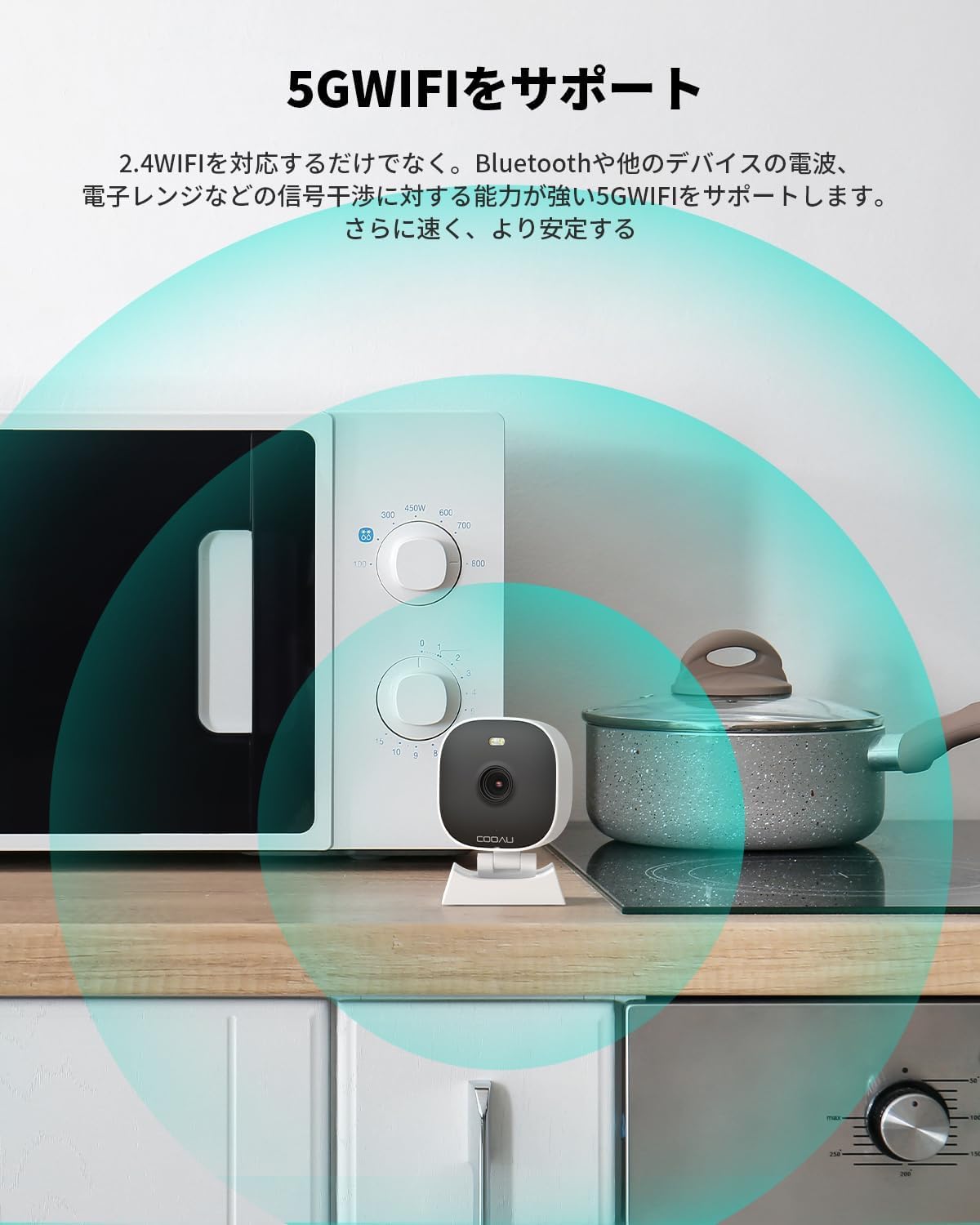
Image: A diagram illustrating the strong 5G WiFi signal coverage around the camera, positioned near a microwave and stove, indicating robust connectivity.
- 25m Ultra-Long Distance Night Vision: Equipped with infrared LEDs and white LEDs for clear night monitoring up to 25 meters. Supports both black & white and color night vision.

Image: An illustration depicting the camera's night vision capability, showing a car and a person clearly visible at a distance of 20 meters in a dark driveway.
- AI Human Detection & Alarm Notification: Intelligently detects human shapes, reducing false alarms. Sends instant alerts to your smartphone.

Image: A visual representation of the AI detection feature, highlighting the recognition of a child and a puppy within the camera's view.
- Two-Way Audio: Built-in microphone and speaker allow for real-time communication.

Image: A scene demonstrating the two-way audio feature, where a person at the door is communicating with someone through the camera.
- IP66 Waterproof & Dustproof: Designed to withstand various weather conditions, operating from -20°C to 50°C.
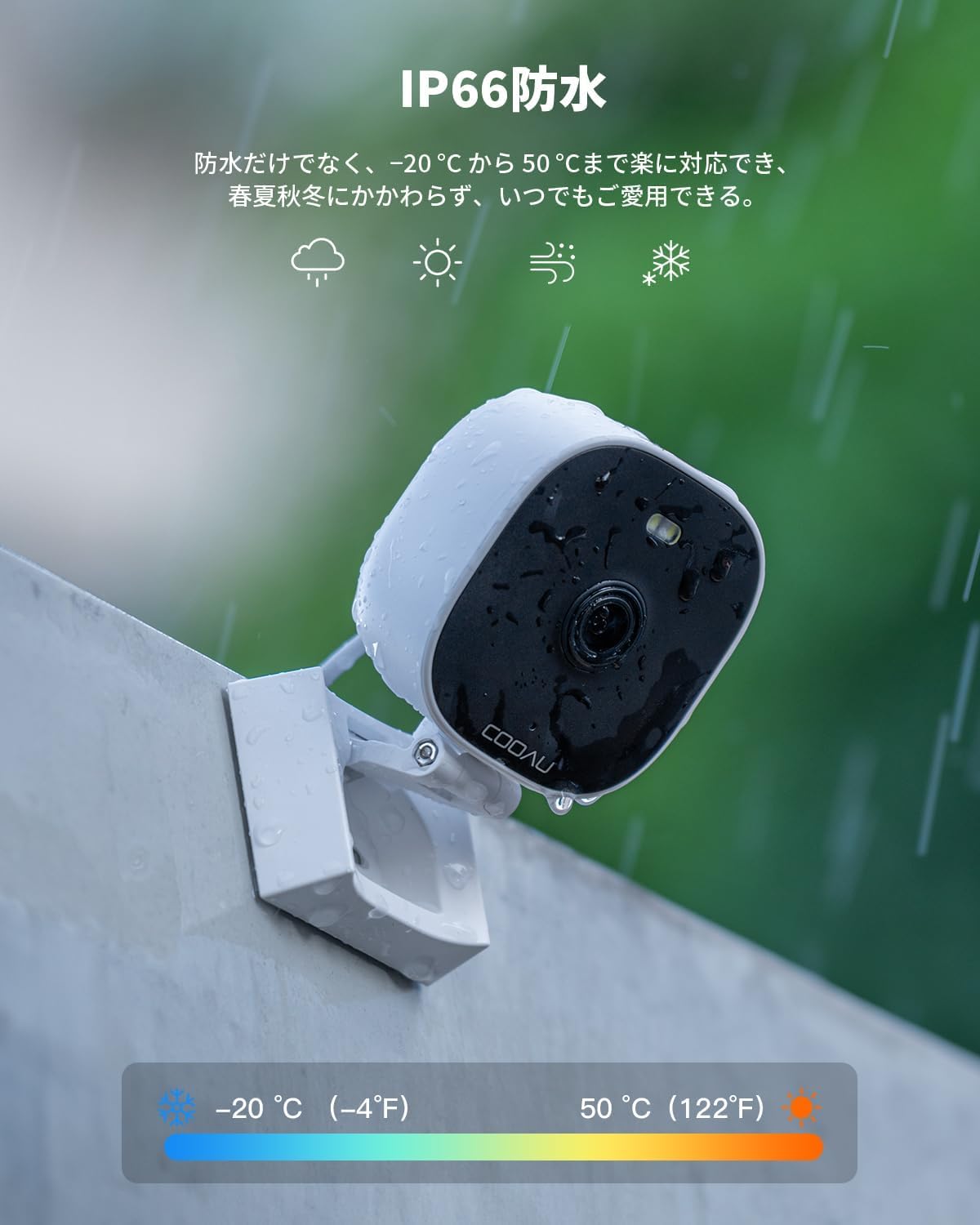
Image: The camera is shown mounted outdoors in the rain, illustrating its IP66 waterproof and dustproof capabilities, with a temperature range indicator.
- Flexible Storage Options: Supports local storage via SD card (up to 512GB) and cloud storage.

Image: A circular diagram illustrating various monitoring scenarios (home, pet, car) and the camera's continuous recording capabilities, along with icons for SD card and cloud storage.
- Lightweight and Compact Design: Weighing only 210g, it is easy to install and position.

Image: Two images showing the camera's lightweight and compact design: one of a person installing it on a wall, and another of a hand easily holding it on a desk, comparing its weight to two eggs.
4. Setup Guide
4.1 Before You Begin:
- Ensure your Wi-Fi network is stable and within range.
- Download the "MIPC" app from your smartphone's app store (iOS/Android).
- Plug in the camera to a power source.
4.2 App Installation and Account Creation:
- Search for "MIPC" in the App Store or Google Play Store.
- Install the app on your smartphone.
- Open the app and follow the on-screen instructions to create a new account or log in if you already have one.
4.3 Adding Your Camera:
- In the MIPC app, tap the "+" icon to add a new device.
- Select "Camera" and choose your camera model if prompted.
- Follow the app's instructions to connect the camera to your Wi-Fi network. This typically involves scanning a QR code displayed on your phone with the camera's lens or using sound pairing.

Image: Two smartphone screens demonstrating camera connection methods: one showing sound connection and the other showing QR code scanning for setup.
- Once connected, the camera's status indicator light will change (refer to app for specific indications).
- Name your camera for easy identification (e.g., "Front Door," "Living Room").
4.4 Mounting the Camera:
The camera can be placed on a flat surface or mounted to a wall or ceiling. The mounting bracket allows for flexible positioning.
- Choose a suitable location that provides the desired viewing angle and is within Wi-Fi range.
- Use the provided screws and wall plugs to secure the mounting bracket to the surface.
- Attach the camera to the mounting bracket.
- Adjust the camera's angle as needed. The stand supports 360-degree horizontal rotation and 180-degree vertical rotation.

Image: A series of images showing the camera's flexible mounting options and its ability to rotate horizontally 360 degrees and vertically 180 degrees.
5. Operating Instructions
5.1 Live View:
Open the MIPC app and select your camera to view the live feed. You can pinch to zoom and pan across the image.
5.2 Two-Way Audio:
Tap the microphone icon in the live view to speak through the camera's speaker. Tap again to end. Tap the speaker icon to listen to audio from the camera's microphone.
5.3 Recording and Playback:
- Manual Recording: Tap the record icon in the live view to start/stop manual recording.
- Event Recording: The camera automatically records when motion or sound is detected.
- Continuous Recording: If an SD card is inserted or cloud storage is active, the camera can record continuously 24/7.
- Playback: Access recorded footage through the "Playback" or "History" section in the app. You can filter by date and event type.

Image: A smartphone screen displaying various recorded video playback options, including scheduled recording, motion detection recording, and continuous recording, with icons for SD card and cloud storage.
5.4 Motion Detection and Alerts:
- Enable/Disable: Go to camera settings in the app to enable or disable motion detection.
- Sensitivity: Adjust the detection sensitivity to minimize false alarms.

Image: A diagram illustrating the adjustable motion detection sensitivity levels (low, medium, high, highest) and the camera's detection range, showing recognition of a car, person, and pet.
- Alerts: Receive push notifications on your smartphone when an event is detected.
- Sound and Light Alarm: The camera can emit a sound and flash a light to deter intruders. This feature can be configured in the app.

Image: An illustration showing the camera's sound and light alarm feature actively deterring an intruder at night, with light beams and alarm symbols.
5.5 Sharing Access:
You can share camera access with family members or trusted individuals through the MIPC app.

Image: A baby looking towards the camera, with bubbles showing different family members (parents, grandparents) who can also monitor the camera feed, indicating multi-user access.
6. Maintenance
- Cleaning: Use a soft, dry cloth to clean the camera lens and body. Do not use harsh chemicals or abrasive cleaners.
- Firmware Updates: Regularly check for firmware updates through the MIPC app to ensure optimal performance and security.
- SD Card Management: If using an SD card, periodically check its status and format it if necessary to maintain recording quality.
- Power Cycle: If the camera experiences issues, try unplugging it from the power source for a few seconds and then plugging it back in.
7. Troubleshooting
| Problem | Possible Cause | Solution |
|---|---|---|
| Camera offline | No power, Wi-Fi disconnected, poor Wi-Fi signal. | Check power connection. Restart router. Move camera closer to router. Reconnect camera in app. |
| Cannot connect to Wi-Fi | Incorrect Wi-Fi password, unsupported Wi-Fi band (only 2.4GHz/5GHz supported), too far from router. | Verify password. Ensure router is broadcasting 2.4GHz or 5GHz. Move camera closer. Reset camera and try again. |
| Poor video quality | Dirty lens, poor network bandwidth, low light conditions. | Clean the lens. Check internet speed. Ensure sufficient lighting or enable night vision. |
| Frequent false alarms | Motion detection sensitivity too high, environmental factors (e.g., moving branches, shadows). | Adjust motion detection sensitivity in the app. Define detection zones to exclude irrelevant areas. |
| No audio / Poor audio | Microphone/speaker blocked, app volume too low, network issues. | Ensure nothing is blocking the microphone/speaker. Adjust app volume. Check network stability. |
8. Specifications
| Feature | Detail |
|---|---|
| Model Number | 8311-736 |
| Resolution | 8 Megapixels |
| Connectivity | Wireless (2.4GHz & 5GHz Wi-Fi) |
| Night Vision Range | Up to 25 meters |
| Audio | Two-Way Audio |
| Detection | AI Human Detection, Motion Sensor |
| Weather Resistance | IP66 Waterproof & Dustproof |
| Operating Temperature | -20°C to 50°C (-4°F to 122°F) |
| Storage Options | SD Card (up to 512GB), Cloud Storage |
| Compatible Devices | Smartphones (iOS/Android), Tablets |
| Dimensions | 12.5 x 8.9 x 8.6 cm |
| Weight | 210 g |
9. Warranty and Support
9.1 Warranty Information:
COOAU products typically come with a standard manufacturer's warranty. Please refer to the warranty card included in your package or visit the official COOAU website for specific warranty terms and conditions. Keep your purchase receipt as proof of purchase for warranty claims.
9.2 Customer Support:
For technical assistance, troubleshooting, or any questions regarding your COOAU Wireless Security Camera, please contact COOAU customer support. You can usually find contact information (email, phone, or support portal) on the official COOAU website or within the MIPC app's help section.
Online Resources:
- COOAU Official Store on Amazon
- MIPC App Help Section


