Introduction
The Fanxoo ED4 Battery Base is designed to provide portable power and enhanced functionality for your Echo Dot 4th Generation smart speaker. With its integrated 10000mAh rechargeable battery, it allows your Echo Dot to operate wirelessly, freeing it from fixed power outlets. Additionally, the ED4 features a built-in music rhythm light that synchronizes with your speaker's audio, enriching your listening experience.

Image: The Fanxoo ED4 Battery Base in white, with an Echo Dot 4th Generation speaker securely placed on top, showcasing its integrated design.
Package Contents
- Fanxoo ED4 Battery Base (10000mAh)
- User Manual (this document)
- Note: Echo Dot 4th Generation speaker and charging adapter are not included.
Product Features
- Mobile Power: 10000mAh rechargeable battery provides extended wireless operation for your Echo Dot 4th Generation.
- Music Rhythm Light: Built-in high-sensitivity microphone allows the light to move and change color with music rhythm. Customizable light colors and modes are available.
- Fast Charging: Supports fast charging, allowing the battery base to be fully charged in approximately 4 hours.
- Quick Setup: Features a magnetic base for easy and secure installation of the Echo Dot.
- Portability: Enables the Echo Dot to be used in various locations without being tethered to a power outlet.
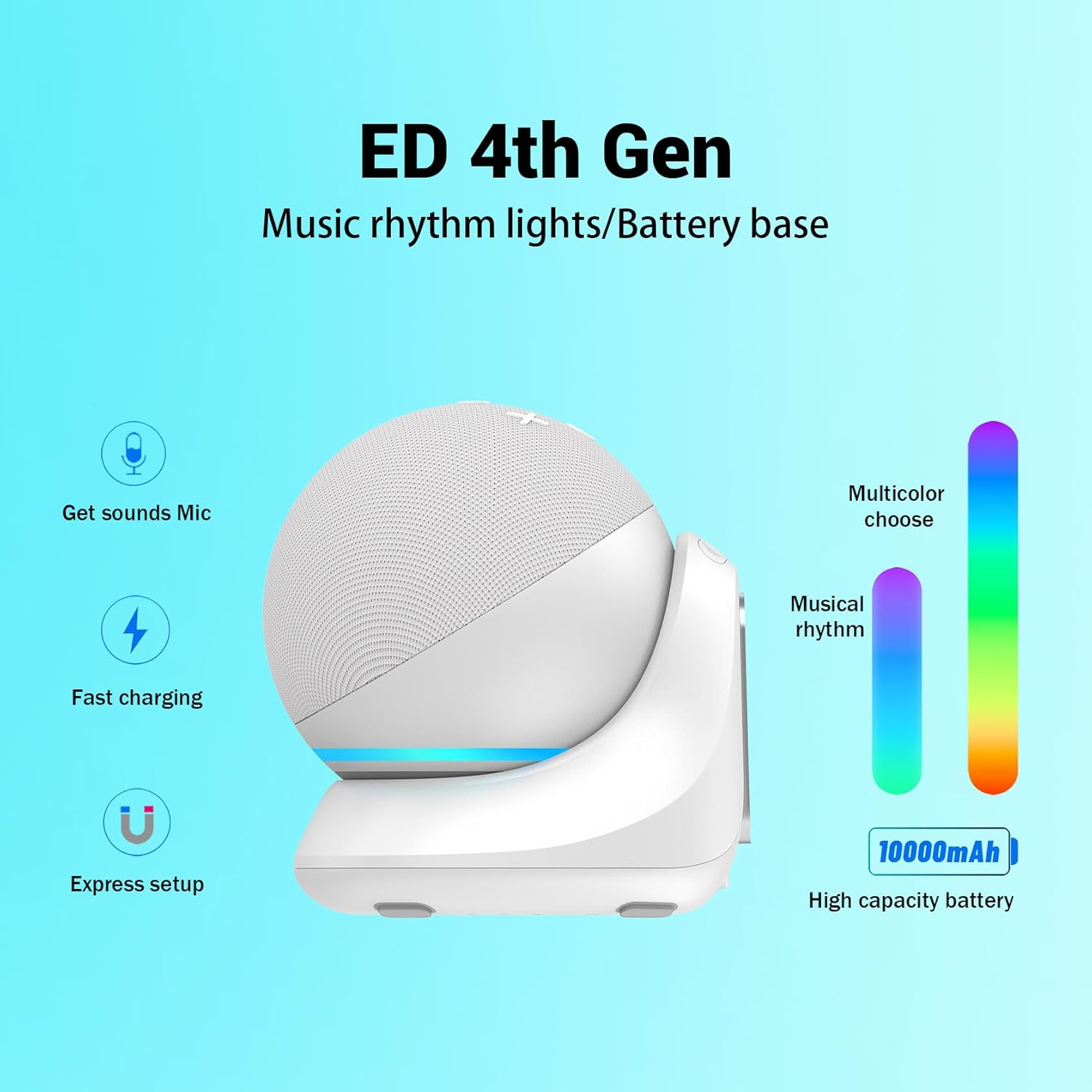
Image: A diagram illustrating the key features of the Fanxoo ED4 Battery Base, including sound detection, fast charging, express setup, music rhythm lights, and 10000mAh high capacity battery.
Setup Instructions
- Prepare the Echo Dot: Ensure your Echo Dot 4th Generation is powered off and disconnected from its original power adapter.
- Insert Echo Dot: Carefully place your Echo Dot 4th Generation onto the Fanxoo ED4 Battery Base. The magnetic design will help secure it in place. Ensure the DC plug from the battery base is correctly inserted into the Echo Dot's power port.
- Power On: Press the power button on the battery base to turn it on. Your Echo Dot should now power up.

Image: A three-step visual guide demonstrating how to plug the Echo Dot into the battery base, install it, and then set the light color or turn off the lights.

Image: A detailed view of the Fanxoo ED4 Battery Base, highlighting the DC jack connection point for the Echo Dot 4th Generation.
Operating Instructions
Music Rhythm Light Function
The ED4 Battery Base features a dynamic music rhythm light. When music is played through your Echo Dot, the built-in high-sensitivity microphone detects the audio and the light will move and change colors in sync with the rhythm.
- Changing Light Colors/Modes: The light can be customized to various colors and modes. Refer to the buttons on the base for light control.
- Turning Off the Light: To turn off the music rhythm light, long press the dedicated light mode button on the battery base.
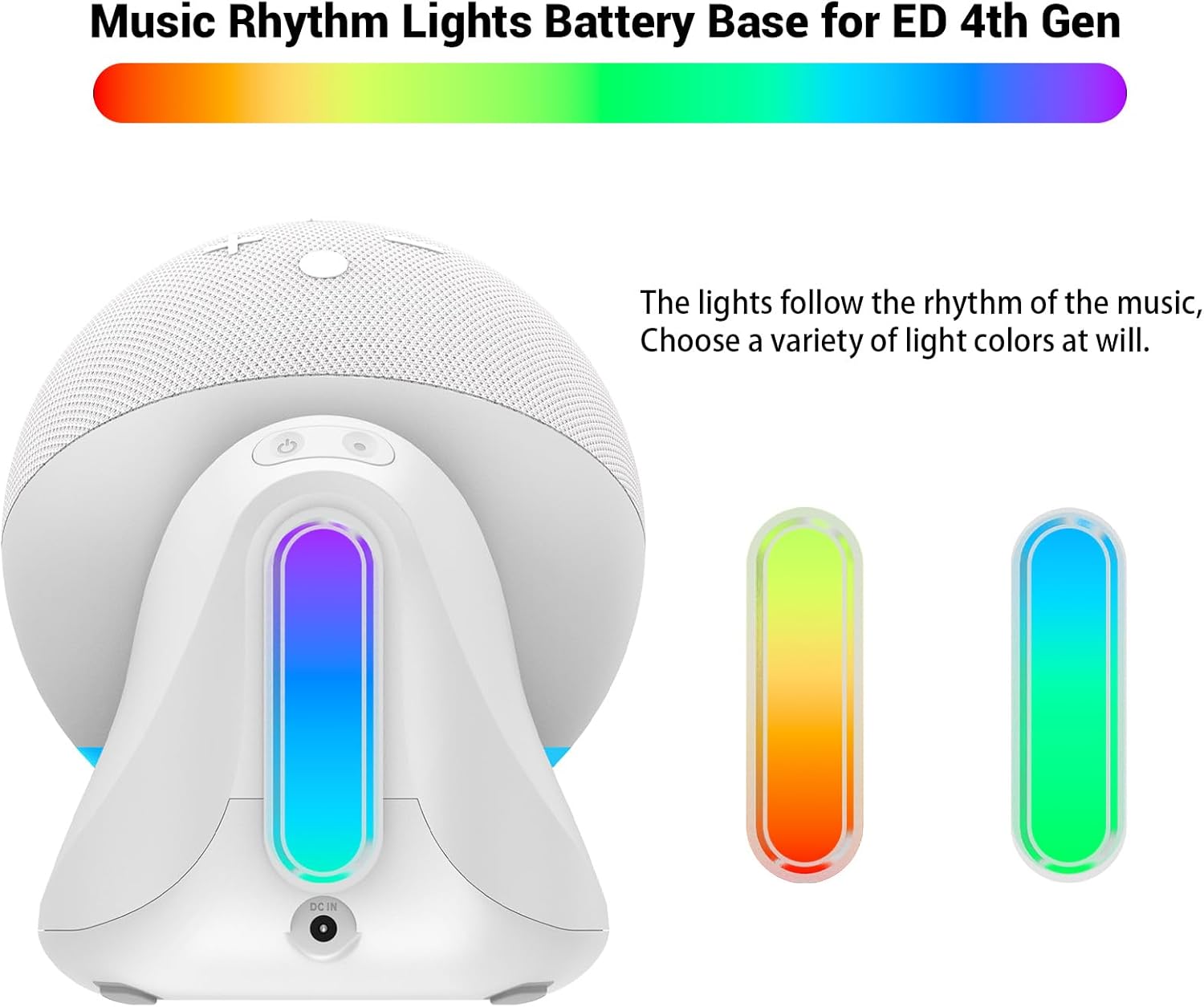
Image: The Fanxoo ED4 Battery Base with an Echo Dot, showing the integrated light strip displaying multiple colors, indicating its music rhythm light capability.

Image: A visual instruction showing how to long press the light mode button to turn off the integrated rhythm light on the Fanxoo ED4 Battery Base.
Product Video: Music Rhythm Light Demonstration
Video: A demonstration of the Fanxoo ED4 Battery Base's music rhythm light feature, showing how the lights change colors and patterns in response to music.
Charging the Battery Base
To charge the Fanxoo ED4 Battery Base, connect the original Echo Dot 4th Generation power adapter to the DC charging socket on the battery base. The charging light will indicate the charging status.
- A full charge typically takes about 4 hours.
- The charging light is asleep by default. Short press the power button to check the charging progress.

Image: A visual guide showing the charging light status: asleep by default when charging, and how to short press the power button to check the charging progress indicated by a light bar.
Maintenance
- Keep the device clean by wiping it with a soft, dry cloth.
- Avoid exposing the device to extreme temperatures, direct sunlight, or moisture.
- Do not attempt to disassemble or repair the device yourself. Contact customer support if service is required.
Troubleshooting
| Problem | Possible Cause | Solution |
|---|---|---|
| Echo Dot does not power on when placed on the base. | Battery base is not charged or not turned on. DC plug not fully inserted. | Ensure the battery base is fully charged. Press the power button on the base. Verify the DC plug is securely connected to the Echo Dot's power port. |
| Music rhythm light is not working. | Light function is turned off. No music playing or microphone is obstructed. | Short press the light mode button to activate the light. Ensure music is playing and the Echo Dot's microphone is not covered. |
| Battery life is shorter than expected. | High volume usage, continuous light usage, or battery degradation over time. | Reduce Echo Dot volume. Turn off the rhythm light when not needed. Ensure the base is fully charged before use. |
| Echo Dot disconnects from the base easily. | Improper placement or movement. | Ensure the Echo Dot is firmly seated on the magnetic base and the DC plug is fully engaged. Avoid sudden movements. |
Specifications
| Feature | Detail |
|---|---|
| Model Number | ED4 |
| Battery Capacity | 10000mAh |
| Product Dimensions | 4.33"D x 3.46"W x 3.54"H (11 x 8.8 x 9 cm) |
| Item Weight | 10.6 ounces (300 Grams) |
| Power Source | Battery Powered (DC 12V input) |
| Charging Time | Approximately 4 hours |
| Light Source Type | LED |
| Material | Plastic |
| Connectivity Technology | USB (for charging input) |

Image: A technical diagram of the Fanxoo ED4 Battery Base, showing its dimensions, the ED 4th Gen DC plug, magnetic chuck, rhythmic light, power display light, DC charging socket, light control button, and power button.
Warranty and Support
For warranty information and customer support, please refer to the product packaging or contact Fanxoo directly through their official website or the retailer where the product was purchased. Keep your purchase receipt for warranty claims.


