
Introduction
This manual provides detailed instructions for the setup, operation, and maintenance of your infactory FWS-100 Radio-Controlled Weather Station. Please read this manual thoroughly before using the device to ensure proper function and longevity.
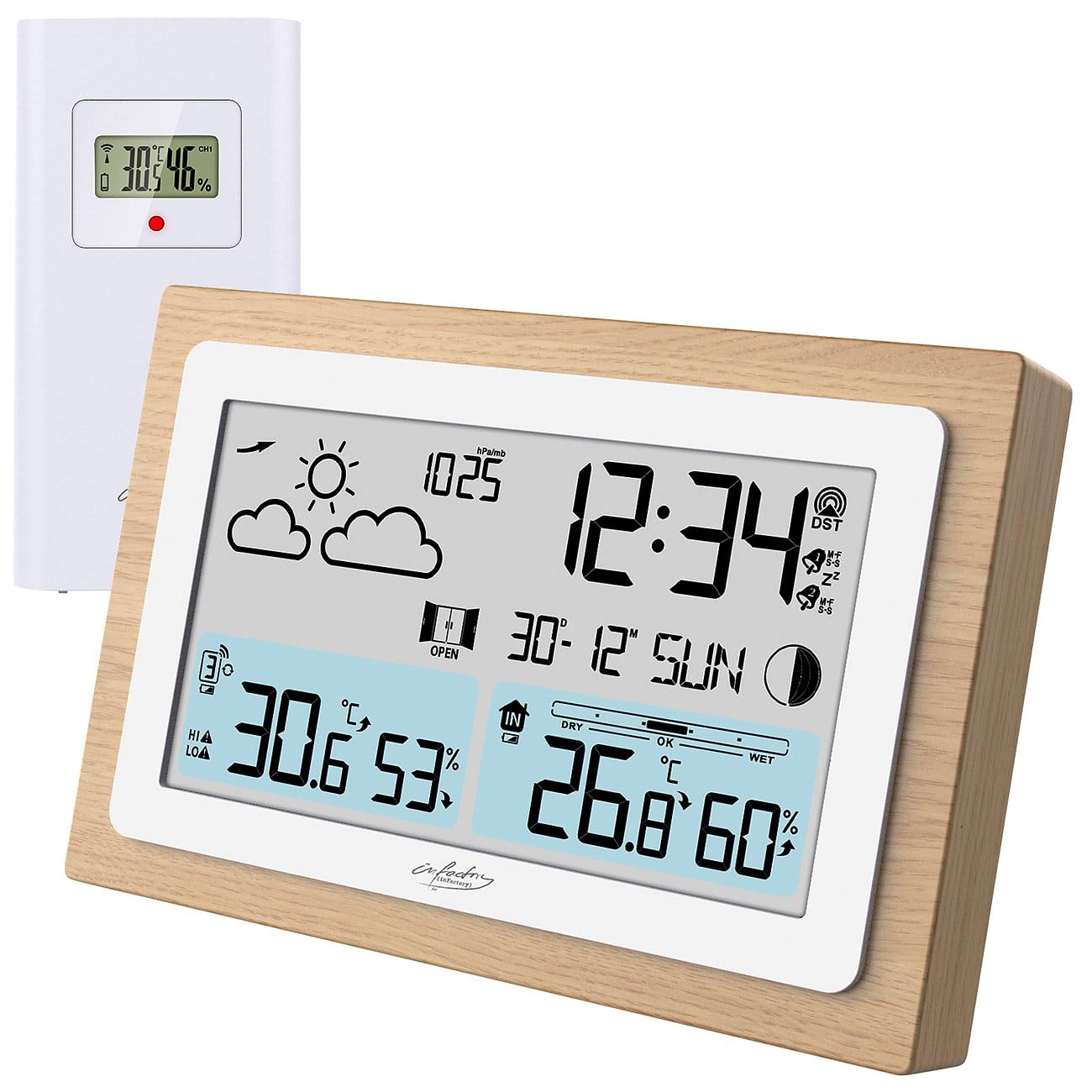
Image: The infactory FWS-100 weather station with its main unit featuring a wooden frame and a separate white outdoor sensor.
Package Contents
- 1x infactory FWS-100 Radio-Controlled Weather Station (main unit)
- 1x Wireless Outdoor Sensor (IP44 splash-proof)
- 1x User Manual (refer to this translated version for English)
Note: Batteries (2x AAA for main unit, 2x AAA for outdoor sensor) and a DC power adapter are not included and must be purchased separately.
Key Features
- LCD display (11.2 x 6.2 cm) with backlight
- Simultaneous display of indoor and outdoor temperature and humidity
- Weather trend forecast
- Radio-controlled time (DCF signal) with manual setting option
- 12/24 hour format selection
- Date and moon phase display
- Alarm clock with up to two adjustable alarms and snooze function
- Real wood frame design
- Wireless outdoor sensor with up to 60m transmission range (open area)
- Expandable with up to 2 additional outdoor sensors (sold separately)
- Temperature range: Indoor -9.9°C to 50°C; Outdoor -40°C to 70°C
- Power supply: 2x AAA batteries or DC power adapter (not included) for main unit; 2x AAA batteries (not included) for outdoor sensor.
Setup
1. Battery Installation
Main Unit:
- Open the battery compartment cover on the back of the main unit.
- Insert 2x AAA batteries, observing the correct polarity (+/-).
- Close the battery compartment cover.
- Alternatively, connect a DC 5V power adapter (not included) to the DC jack for continuous power and backlight.
Outdoor Sensor:
- Open the battery compartment cover on the back of the outdoor sensor.
- Insert 2x AAA batteries, observing the correct polarity (+/-).
- Close the battery compartment cover.

Image: Rear view of the main weather station unit, showing the battery compartment and control buttons.
2. Sensor Placement
Place the outdoor sensor in a shaded, dry location, protected from direct sunlight and rain. Ensure it is within the 60-meter transmission range of the main unit. Avoid placing it near large metal objects or electronic devices that may interfere with the wireless signal. The sensor is splash-proof (IP44) but not fully waterproof.
3. Initial Synchronization
After inserting batteries into both units, the main unit will automatically attempt to connect with the outdoor sensor and receive the DCF radio signal for time synchronization. This process may take several minutes. Ensure both units are close to each other during initial setup.
Video: This video demonstrates the general features and setup of a wireless weather station, including sensor placement and display functions.
Operating Instructions
1. Display Overview
The LCD display shows various information simultaneously:
- Top Left: Weather forecast icons (sunny, cloudy, rainy, etc.)
- Top Right: Time, DCF signal indicator, alarm indicators (Zz for snooze, bell for alarm)
- Middle: Date and day of the week, moon phase
- Bottom Left: Outdoor temperature and humidity, signal strength for outdoor sensor
- Bottom Right: Indoor temperature and humidity, comfort level indicator (DRY, OK, WET)

Image: A detailed view of the weather station's LCD display, showing indoor/outdoor temperatures, humidity, time, date, and weather forecast icons.
2. Time and Date Settings
The station automatically sets the time via the DCF radio signal. If the signal is not received or you wish to set it manually:
- Press and hold the "SET" button (or similar, refer to button layout on back) to enter time setting mode.
- Use the "+" and "-" buttons to adjust values.
- Press "SET" again to confirm and move to the next setting (e.g., 12/24 hour format, hour, minute, year, month, day).
3. Alarm Functions
The station supports up to two alarms.
- Press the "ALARM" button (or similar) to view alarm times.
- Press and hold "ALARM" to enter alarm setting mode.
- Use "+" and "-" to adjust the alarm time.
- Press "ALARM" to confirm and switch between Alarm 1 and Alarm 2 settings.
- To activate/deactivate an alarm, press the "ALARM" button repeatedly until the alarm icon appears/disappears.
- When an alarm sounds, press any button (except snooze) to stop it, or press the "SNOOZE" button for a temporary delay.
4. Temperature Unit Selection
To switch between Celsius (°C) and Fahrenheit (°F), press the "C/F" button (or similar, often combined with another button). This usually affects both indoor and outdoor temperature displays.
5. Adding Additional Sensors
The weather station can connect to up to two additional outdoor sensors (not included). To add a new sensor:
- Install batteries in the new sensor.
- On the main unit, press the "CH" (Channel) button to cycle through channels.
- Press and hold the "CH" button to initiate a search for new sensors. The main unit will display the new sensor's data once connected.
Maintenance
- Cleaning: Wipe the main unit and sensor with a soft, dry cloth. Do not use abrasive cleaners or solvents.
- Battery Replacement: Replace batteries in both units when the low battery indicator appears on the display. Ensure correct polarity.
- Storage: If storing the device for an extended period, remove all batteries to prevent leakage.
Troubleshooting
| Problem | Possible Cause | Solution |
|---|---|---|
| No display on main unit | Dead batteries or incorrect polarity. No power adapter connected. | Replace batteries or check polarity. Connect DC power adapter. |
| Outdoor temperature/humidity not displayed | Sensor out of range, dead sensor batteries, or interference. | Move sensor closer to main unit. Replace sensor batteries. Re-synchronize sensor (see Setup). Avoid interference sources. |
| Incorrect time display | Weak DCF signal or manual setting required. | Move unit to a location with better signal reception. Manually set the time (see Operating Instructions). |
| Inaccurate outdoor temperature | Sensor exposed to direct sunlight or heat source. | Relocate the outdoor sensor to a shaded area, away from heat sources. |
Specifications
- Brand: infactory
- Model: FWS-100 (ZX7450)
- Display Type: LCD
- LCD Screen Size: 11.2 x 6.2 cm
- Indoor Temperature Range: -9.9°C to 50°C (14.2°F to 122°F)
- Outdoor Temperature Range: -40°C to 70°C (-40°F to 158°F)
- Temperature Accuracy: ±0.1°C
- Wireless Transmission Range: Up to 60 meters (open area)
- Outdoor Sensor Protection: IP44 (splash-proof)
- Power Supply (Main Unit): 2x AAA batteries (not included) or DC 5V power adapter (not included)
- Power Supply (Outdoor Sensor): 2x AAA batteries (not included)
- Dimensions (Main Unit): 14.8 x 9.8 x 2.6 cm
- Dimensions (Outdoor Sensor): 9.7 x 5 x 3.2 cm
- Weight (Main Unit): 256 g
- Connectivity: Wireless
- Special Features: Radio-controlled clock, dual alarms, snooze, moon phase, weather forecast, comfort indicator.
Warranty and Support
Warranty information is typically provided with your purchase. Please refer to the documentation included in your product packaging or contact your retailer for details regarding warranty coverage and customer support. For technical assistance, please contact infactory customer service.