Introduction
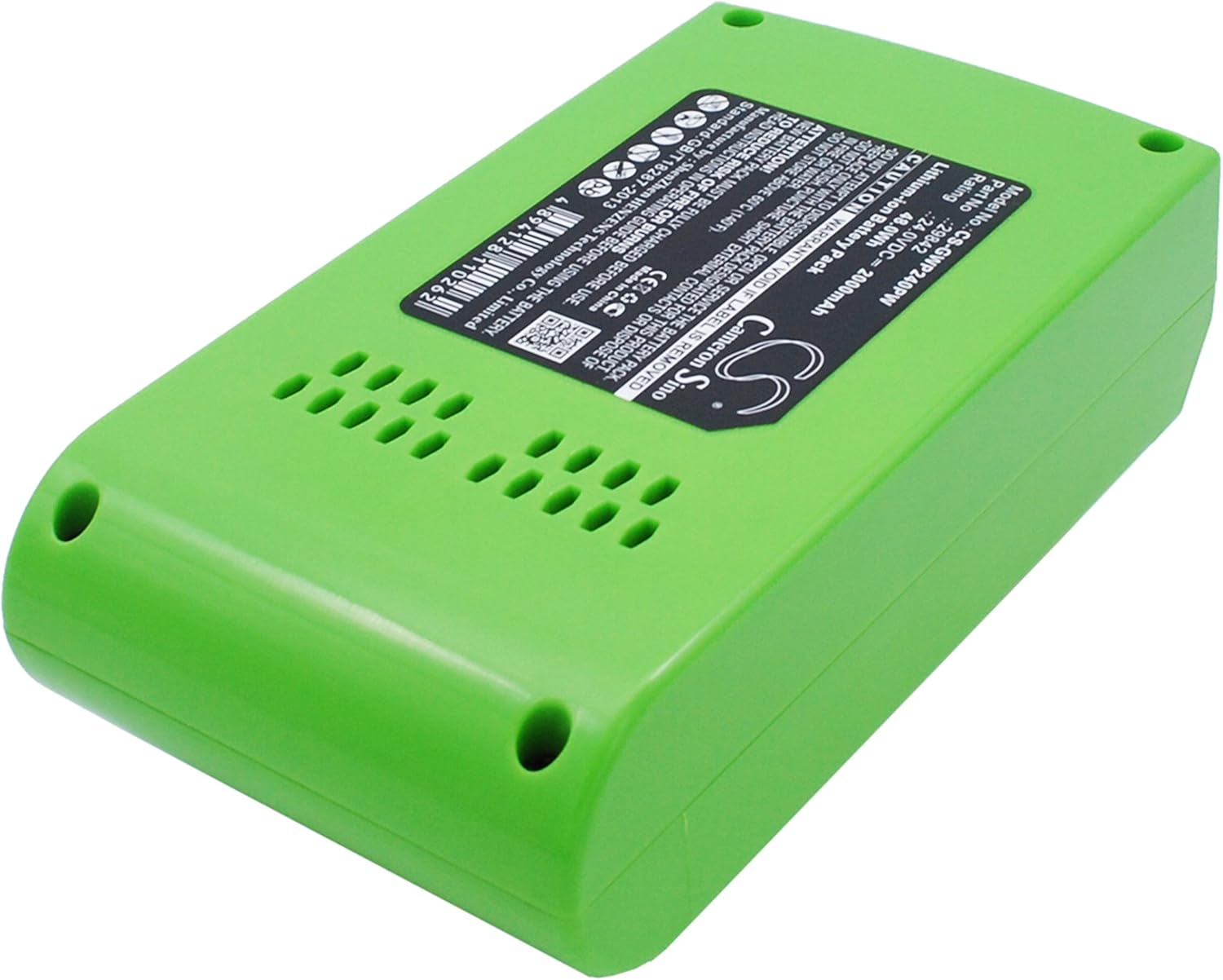
This manual provides essential instructions for the safe and effective use of your SPANN CS-GWP240PW replacement lithium-ion battery. This battery is designed for compatibility with various GreenWorks 24V cordless tools. Please read this manual thoroughly before first use and retain it for future reference.
Safety Information
Your safety is paramount. Observe all warnings and instructions provided in this manual and with your GreenWorks tool.
- CAUTION: Do not attempt to disassemble, open, or service the battery pack.
- CAUTION: Replace only with the battery pack designated for this product.
- CAUTION: Do not crush, puncture, short external contacts, or dispose of in fire or water.
- CAUTION: Do not store above 60°C (140°F).
- ATTENTION: New battery pack must be fully charged before use.
- TO REDUCE RISK OF FIRE OR BURNS: Read instructions in operating guide before using the battery.
Product Specifications
| Property | Value |
|---|---|
| Brand | SPANN |
| Model Number | CS-GWP240PW |
| Battery Type | Lithium-ion |
| Voltage | 24.0V |
| Capacity | 2000mAh / 48.00Wh |
| Dimensions | 136.95 x 77.70 x 53.10mm (approx. 3.06 x 2.09 x 5.39 inches) |
| Weight | 619.0g (approx. 1.36 pounds) |
| Manufacturer | SPANN |
Compatibility
This SPANN replacement battery is compatible with the following GreenWorks 24V tool models and battery part numbers:
- GreenWorks G24LT28 28cm Deluxe 24V Cordless Trimmer
- GreenWorks G24PH51 24V Long Reach Cordless Hedge Trimmer
- GreenWorks G24B2 24.0V Battery
- Part Numbers: 29322, 29807, 29837, 29842, 29852
Setup and First Use
Initial Charging
Before first use, the new battery pack must be fully charged. Use only a GreenWorks 24V compatible charger.
- Insert the battery pack into the compatible GreenWorks 24V charger. Ensure it clicks securely into place.
- Connect the charger to a standard power outlet.
- Allow the battery to charge completely. Refer to your charger's manual for specific charging indicators (e.g., LED lights).
- Once fully charged, disconnect the charger from the power outlet and remove the battery.
Installing the Battery
To install the battery into your GreenWorks 24V tool:
- Align the battery pack with the battery port on your tool.
- Slide the battery into the port until it locks securely into place. You should hear a click.
- Gently pull on the battery to ensure it is firmly seated before operating the tool.


Operating Instructions
Battery Usage
Once the battery is installed and fully charged, your GreenWorks 24V tool is ready for operation. Refer to your specific tool's instruction manual for detailed operating procedures.
Battery Charge Indicator
Some GreenWorks tools or the battery itself may feature a charge indicator. Consult your tool or battery for details on how to check the remaining charge.
Removing the Battery
To remove the battery from your tool:
- Locate the battery release button, typically found on the battery itself or the tool's battery port.
- Press and hold the release button.
- Slide the battery out of the tool.

Maintenance
Cleaning
Keep the battery terminals clean and free of debris. Use a clean, dry cloth to wipe the battery exterior. Do not use liquids or solvents.
Storage
For optimal battery life, store the battery in a cool, dry place away from direct sunlight and extreme temperatures. If storing for extended periods, ensure the battery is partially charged (around 50%) and recharge it every 3-6 months.
Disposal
Lithium-ion batteries must be recycled or disposed of properly. Do not dispose of in household waste. Contact your local waste management authority for information on battery recycling programs.
Troubleshooting
Battery Not Charging
- Ensure the charger is properly plugged into a working outlet.
- Verify the battery is securely seated in the charger.
- Check for any visible damage to the battery or charger.
- If the issue persists, try another compatible battery or charger if available to isolate the problem.
Tool Not Operating
- Ensure the battery is fully charged.
- Verify the battery is securely installed in the tool.
- Check for any obstructions or issues with the tool itself (refer to your tool's manual).
If you experience persistent issues, please contact SPANN customer support.
Warranty and Support
This SPANN replacement battery comes with a 365-day warranty from the date of purchase. This warranty covers defects in materials and workmanship under normal use.
For warranty claims, technical support, or any questions regarding your SPANN battery, please contact your retailer or the manufacturer directly.
Manufacturer: SPANN