
BaseWish CZE-05B
BaseWish CZE-05B FM Transmitter User Manual
Model: CZE-05B
1. Introduction
Thank you for choosing the BaseWish CZE-05B FM Transmitter. This device is designed to broadcast audio wirelessly over an FM frequency, allowing you to transmit sound from various sources to any standard FM radio receiver. This manual provides detailed instructions for proper setup, operation, and maintenance to ensure optimal performance and longevity of your transmitter.
2. Safety Information
WARNING:
- This product operates on 12V DC. Always follow electrical safety precautions when handling power connections.
- This device is an FM transmitter and may interfere with other wireless devices. Ensure proper frequency selection to avoid interference.
- Do not operate the device in high heat or excessively humid conditions.
- Keep the device away from water and other liquids.
- Do not attempt to open or repair the device yourself. Refer all servicing to qualified personnel.
3. Package Contents
Please verify that all items are present in your package:
- 1x BaseWish CZE-05B FM Transmitter
- 1x Power Supply (DC 12V)
- 1x 3.5mm Audio Cable
- 1x Antenna
- 1x English Manual (This document)
4. Product Overview
The BaseWish CZE-05B FM Transmitter is a compact and efficient device designed for reliable audio broadcasting. It features an LCD display for easy frequency adjustment and offers two power output levels for versatile use.
4.1. Key Features
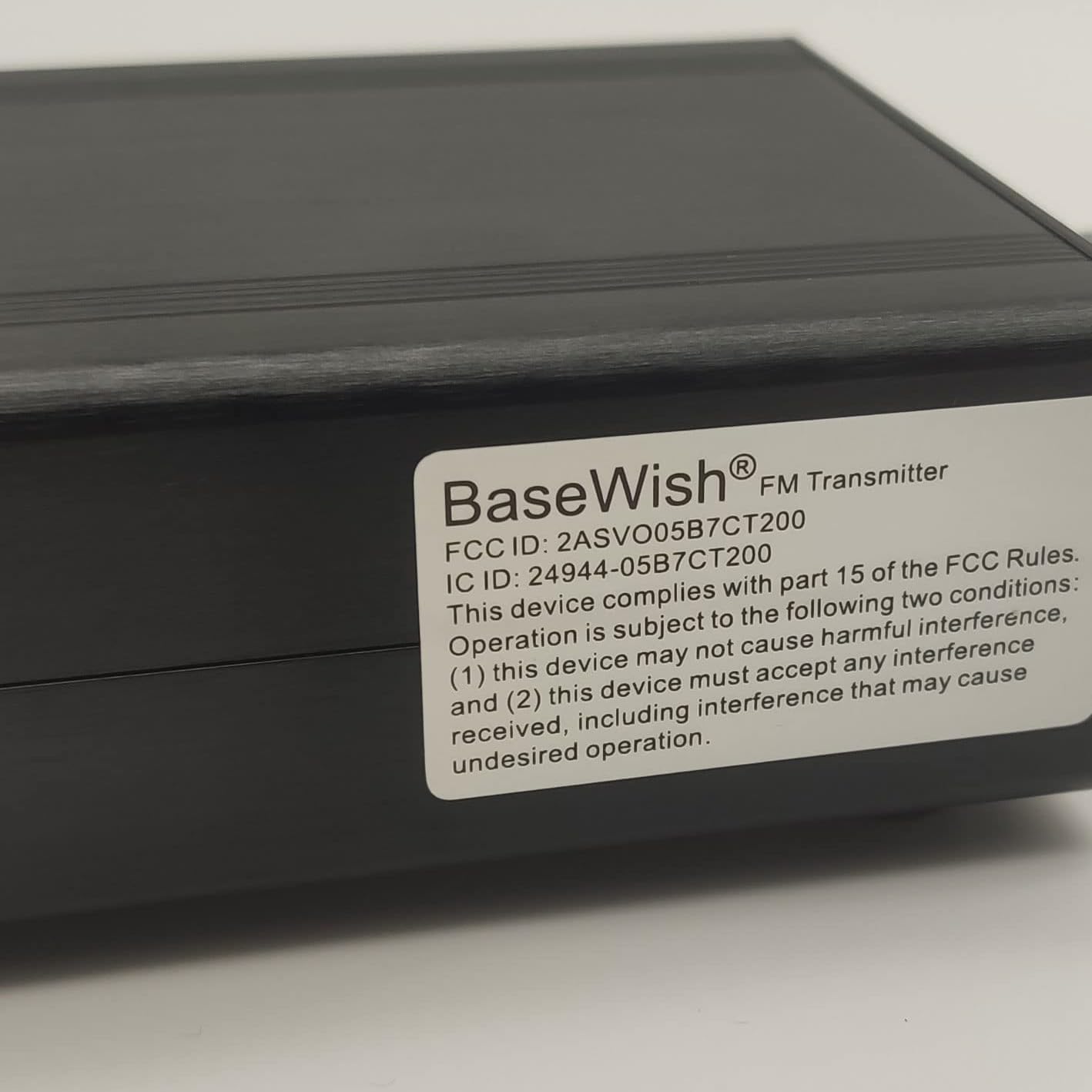
- FCC Certified: (FCC ID: 2ASVO05B7CT200) ensuring compliance with regulatory standards.
- Dual Power Modes: Selectable 0.5W or 0.1W output for varied transmission range requirements.
- High Stability: Utilizes a next-generation integrated NC FM stereo radio transmitter chip (BH1415) with built-in PLL advanced modulation system, audio pre-emphasis, limiter, and low pass filter circuit for consistent performance.
- Clear Stereo Sound: Equipped with AT89C2051 and AT24C02 control panel, and three power amplifiers (two 2SC3355 and one 2SC2053) for high-quality audio output.
- Excellent Heat Dissipation: Constructed with high-quality aluminum alloy material for lightweight design and efficient heat management.
- Easy to Use: LCD display clearly shows the transmission frequency, making adjustments intuitive.
4.2. Device Components
Refer to the images below for a visual guide to the transmitter's components and dimensions.


5. Setup Instructions
Follow these steps to set up your FM transmitter:
- Connect the Antenna: Screw the provided antenna securely into the antenna port on the back of the transmitter. Ensure it is fully tightened for optimal signal transmission.
- Connect the Power Supply: Plug the DC 12V power adapter into the power input port on the transmitter. Then, plug the power adapter into a standard electrical outlet. The LCD screen should illuminate.
- Connect the Audio Source: Use the supplied 3.5mm audio cable to connect your audio source (e.g., smartphone, tablet, laptop, MP3 player) to the 'Audio In' port on the front of the transmitter.
- (Optional) Connect a Microphone: If you intend to use a microphone, plug it into the 'MIC.' input port on the front of the transmitter.
6. Operating Instructions
6.1. Powering On/Off
Press and hold the Power button (usually marked with a circle and vertical line symbol) on the front panel to turn the transmitter on or off.
6.2. Setting the Transmission Frequency
- Once powered on, the LCD will display the current transmission frequency.
- Use the Up (▲) and Down (▼) buttons to adjust the frequency. The frequency step is 100 KHz.
- Select a clear FM frequency that is not currently in use by a local radio station to avoid interference and ensure optimal sound quality.
- Tune your FM radio receiver to the same frequency displayed on the transmitter's LCD.
6.3. Adjusting Audio Input Volume
Rotate the Audio -VOL+ knob to adjust the input volume level from your audio source. Adjust this to prevent distortion (too high) or weak signal (too low). Aim for a strong, clear signal without clipping.
6.4. Adjusting Microphone Volume
If a microphone is connected, rotate the MIC. -VOL+ knob to adjust the microphone input volume.
6.5. Selecting Power Level (0.5W / 0.1W)
The transmitter supports two power output levels: 0.5W and 0.1W. The method to switch between these modes is typically indicated in the device's specific firmware or through a dedicated button. Consult the device's on-screen menu or a specific button combination if available. Higher power (0.5W) provides a longer transmission range, while lower power (0.1W) is suitable for shorter distances and may reduce interference in crowded RF environments.
7. Specifications
| Feature | Specification |
|---|---|
| Operating Voltage | DC 12V |
| Operating Current | Less than 0.5A |
| Power Levels | 0.5W or 0.1W |
| Frequency Stability | ±10PPM |
| Frequency Step | 100KHZ |
| Operating Temperature | -10℃ to 45℃ |
| Frequency Deviation | Less than ±75kHz (100%) |
| Clutter and Harmonic | Less than 60dB |
| Frequency Response | 50Hz-15000Hz |
| Material | Aluminum Alloy |
| Connectivity Technology | AUX |
| Dimensions (Approx.) | 10.04 x 9.69 x 2.68 inches (Package) |
| Item Weight | 1.41 pounds |
| FCC ID | 2ASVO05B7CT200 |
8. Maintenance
- Cleaning: Use a soft, dry cloth to clean the exterior of the transmitter. Do not use liquid cleaners or abrasive materials.
- Storage: When not in use for extended periods, store the transmitter in a cool, dry place away from direct sunlight and extreme temperatures.
- Antenna Care: Ensure the antenna is not bent or damaged. A damaged antenna can significantly reduce transmission range and quality.
9. Troubleshooting
If you encounter issues with your BaseWish CZE-05B FM Transmitter, refer to the following common problems and solutions:
| Problem | Possible Cause | Solution |
|---|---|---|
| No power/LCD not lighting up | Power adapter not connected or faulty; power outlet issue. | Ensure the power adapter is securely connected to both the transmitter and a working electrical outlet. Try a different outlet. |
| No audio output from radio | Incorrect frequency; audio cable not connected; audio source volume too low; radio not tuned correctly. | Verify the transmitter and radio are on the exact same, clear frequency. Check that the 3.5mm audio cable is securely connected. Increase the volume on your audio source and the transmitter's 'Audio -VOL+' knob. |
| Static or poor sound quality | Interference from other stations; weak signal; antenna issue; audio input level too high/low. | Change to a different, unused FM frequency. Ensure the antenna is fully extended and securely connected. Adjust the 'Audio -VOL+' knob to an optimal level (avoiding distortion). Ensure the antenna has good grounding if experiencing persistent static. |
| Limited transmission range | Transmitter set to 0.1W power; environmental obstructions; antenna not optimal. | Ensure the transmitter is set to 0.5W power mode for maximum range. Position the transmitter and antenna in an open area, away from large metal objects or walls. |
| Microphone not working | Microphone not connected; MIC volume too low; faulty microphone. | Ensure the microphone is securely plugged into the 'MIC.' port. Increase the 'MIC. -VOL+' knob. Test with another microphone if possible. |
10. Warranty and Support
BaseWish products are designed for reliability and performance. For warranty information or technical support, please refer to the contact details provided with your purchase or visit the official BaseWish website. Please have your product model (CZE-05B) and purchase date available when contacting support.
Related Documents - CZE-05B
 |
CZERF CZE-05B Portable FM Transmitter User Manual User manual for the CZERF CZE-05B portable FM transmitter manufactured by Guangzhou Chuanzhou Electronic Technology Co., Ltd. Details features, specifications, circuit principle, operation, power and frequency settings, troubleshooting, and FCC compliance. |
 |
CZE-15A 15W FM Stereo Transmitter User Manual and Specifications Comprehensive user manual and technical specifications for the CZE-15A 15W FM Stereo PLL Transmitter, covering precautions, features, product configuration, operation instructions, and troubleshooting. |
 |
RS-N01-2D-LCD Industrial Wall-mounted Temperature and Humidity Transmitter User Manual | Renatta User manual for the Renatta RS-N01-2D-LCD industrial wall-mounted LCD temperature and humidity transmitter. Covers product description, technical parameters, installation, wiring, software configuration, communication protocols, and troubleshooting. |
 |
Airplane Bluetooth Transmitter AF-001 User Manual User manual for the AF-001 Airplane Bluetooth Transmitter, detailing its specifications, operation, charging, and troubleshooting for wireless audio transmission from in-flight entertainment systems and home devices. |
 |
TV Ears Long Range Headset System: Products, Accessories, and Installation Guide Explore TV Ears products including the Voice Clarifying TV Speaker, Long Range Digital Headphone System, and Long Range Headset. Learn about the 5-year limited warranty, installation steps for digital and analog audio, charging instructions, and FCC compliance. |
 |
Novus RHT-WM-485-LCD, RHT-DM-485-LCD, RHT-P10-485-LCD Temperature and Humidity Transmitter - Instructions Manual V2.0x User manual for Novus RHT-WM-485-LCD, RHT-DM-485-LCD, and RHT-P10-485-LCD temperature and humidity transmitters. This document provides comprehensive details on product specifications, mechanical and electrical installation procedures, configuration options via Modbus RTU and the DigiConfig software, serial communication protocols, and warranty information. It is designed for industrial and commercial applications requiring accurate environmental monitoring. |
Ask a question about this manual
Ask about setup, troubleshooting, compatibility, parts, safety, or missing instructions. Manuals+ will review the question and use this page’s manual context to help answer it.