1. Introduction
This manual provides essential information for the proper setup, operation, and maintenance of your new Generic replacement remote control. This remote is designed to be compatible with various Majority K2 series soundbar audio speaker systems, including models K2, K2-BAR-BLK, Ben-BAR-BLK-2, and BEN-BAR-BLK-2P.
Please read this manual thoroughly before using the remote control to ensure optimal performance and longevity.
2. Safety Information
- Battery Safety: Always insert batteries with the correct polarity (+/-). Do not mix old and new batteries, or different types of batteries. Remove batteries if the remote will not be used for an extended period to prevent leakage.
- Disposal: Dispose of used batteries and the remote control according to local regulations. Do not dispose of batteries in fire.
- Handling: Avoid dropping the remote control or exposing it to extreme temperatures, humidity, or direct sunlight.
- Cleaning: Use a soft, dry cloth to clean the remote. Do not use liquid cleaners or abrasive materials.
- Compatibility: This remote is an infrared (IR) replacement. Ensure your original remote or soundbar system is compatible with IR signals. Full functionality may vary slightly compared to the original remote.
3. Product Overview
The remote control features a compact design with clearly labeled buttons for easy operation of your compatible soundbar system.

Figure 3.1: Front view of the remote control, showing all buttons.
Button Functions:
| Button | Function |
|---|---|
| Power (Orange) | Turns the soundbar system On or Off. |
| Volume Up (▲ on circle) | Increases the volume level. |
| Volume Down (▼ on circle) | Decreases the volume level. |
| Previous Track (⏮) | Skips to the previous track/chapter. |
| Next Track (⏭) | Skips to the next track/chapter. |
| Play/Pause / Mute (⏸ / 🔇) | Plays or pauses media playback. May also function as Mute/Unmute. |
| MODE | Cycles through input modes (e.g., Bluetooth, AUX, Optical). |
| EQ | Activates or cycles through Equalizer (EQ) presets. |
| EQ Adjustment/Navigation Buttons (▲, ▼, ◄, ► below EQ) | Used for navigating menus or fine-tuning EQ settings, depending on the soundbar model. |
4. Setup
4.1 Battery Installation
The remote control requires two (2) AAA batteries (not included).
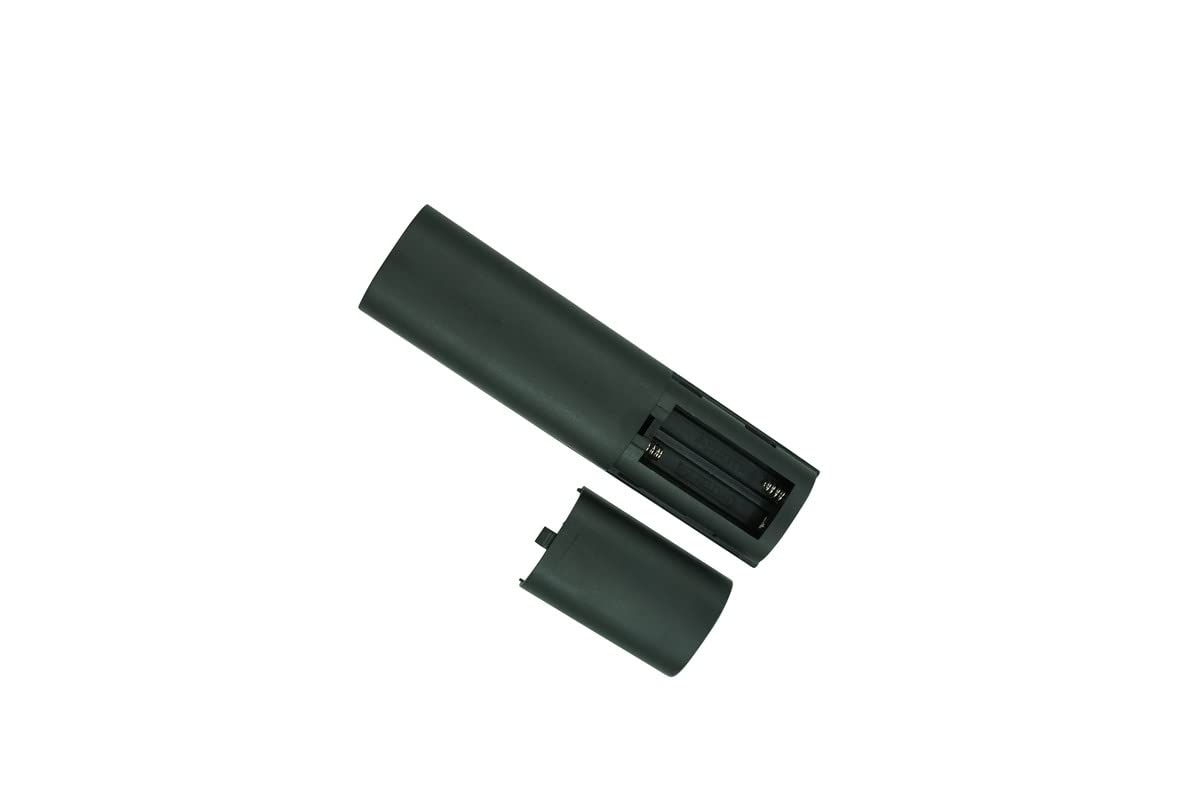
Figure 4.1: Back view of the remote control, showing the open battery compartment.
- Locate the battery compartment on the back of the remote control.
- Press down on the tab and slide the battery cover downwards to open it.
- Insert two (2) AAA batteries, ensuring the positive (+) and negative (-) terminals align correctly with the markings inside the compartment.
- Slide the battery cover back into place until it clicks securely.
Note: If the remote control does not respond, check the battery polarity or replace the batteries with new ones.
5. Operating Instructions
5.1 Basic Operation
Point the remote control directly towards the infrared receiver on your Majority soundbar system. Ensure there are no obstructions between the remote and the soundbar.
- Power On/Off: Press the Power button to turn the soundbar on or off.
- Adjust Volume: Use the Volume Up (▲) and Volume Down (▼) buttons to control the audio level.
- Change Input Mode: Press the MODE button repeatedly to cycle through available input sources (e.g., Bluetooth, AUX, Optical, USB).
- Media Playback: Use the Play/Pause (⏸), Previous Track (⏮), and Next Track (⏭) buttons for media control when connected via Bluetooth or USB (if supported by your soundbar).
- Equalizer Settings: Press the EQ button to activate or change sound equalizer presets. The specific presets and their effects depend on your soundbar model.
6. Maintenance
- Cleaning: Wipe the remote control with a soft, dry, lint-free cloth. Do not use abrasive cleaners, waxes, or solvents.
- Storage: Store the remote in a cool, dry place away from direct sunlight and extreme temperatures.
- Battery Replacement: Replace batteries when the remote's range decreases or it becomes unresponsive. Always replace both batteries at the same time.
7. Troubleshooting
| Problem | Possible Solution |
|---|---|
| Remote is not working. |
|
| Limited functionality. |
|
| Soundbar does not respond to specific buttons. |
|
8. Specifications
- Brand: Generic
- Compatible Devices: Majority K2, K2-BAR-BLK, Ben-BAR-BLK-2, BEN-BAR-BLK-2P Bluetooth Soundbar Audio Speaker Systems, Stereo System, DVD/Blu-ray Player, Home Theater
- Power Source: 2 x AAA Batteries (not included)
- Color: Black
- Max Number of Supported Devices: 1
- Special Feature: Infrared (IR) Replacement, Ergonomic, Bass Boost (functionality depends on soundbar model)
- Manufacturer: SZHKHXD
9. Warranty and Support
As a generic replacement product, specific warranty terms may vary. Please refer to the seller's return policy or contact the point of purchase for details regarding warranty coverage and returns.
For technical support or further inquiries, please contact the seller or manufacturer through the platform where the product was purchased. Always provide your order number and product details when seeking assistance.
This manual is for informational purposes only. Product specifications and appearance are subject to change without notice.


