
1. Introduction
Thank you for choosing the HANLIM Portable CD Player HL-108. This device offers versatile audio playback options including CD, Bluetooth, FM radio, USB, and AUX input, along with a microphone jack for added functionality. This manual provides essential information for safe operation, setup, and maintenance of your new device. Please read it thoroughly before use and retain it for future reference.
2. Safety Instructions
- Do not expose the device to rain, moisture, or extreme temperatures.
- Avoid placing the device near heat sources or in direct sunlight.
- Use only the provided power adapter or a compatible replacement.
- Do not open the device casing. Refer all servicing to qualified personnel.
- Keep the device away from strong magnetic fields.
- Clean the device with a soft, dry cloth. Do not use liquid cleaners.
3. Package Contents
Please check the package for the following items:
- HANLIM Portable CD Player HL-108
- Remote Control
- Power Cord (1.2m / 47.2 inches)
- User Manual (this document)

Image: The HANLIM Portable CD Player shown with its included accessories: a remote control and a power cord. The image also indicates the product dimensions.
4. Product Overview
4.1 Front Panel Controls
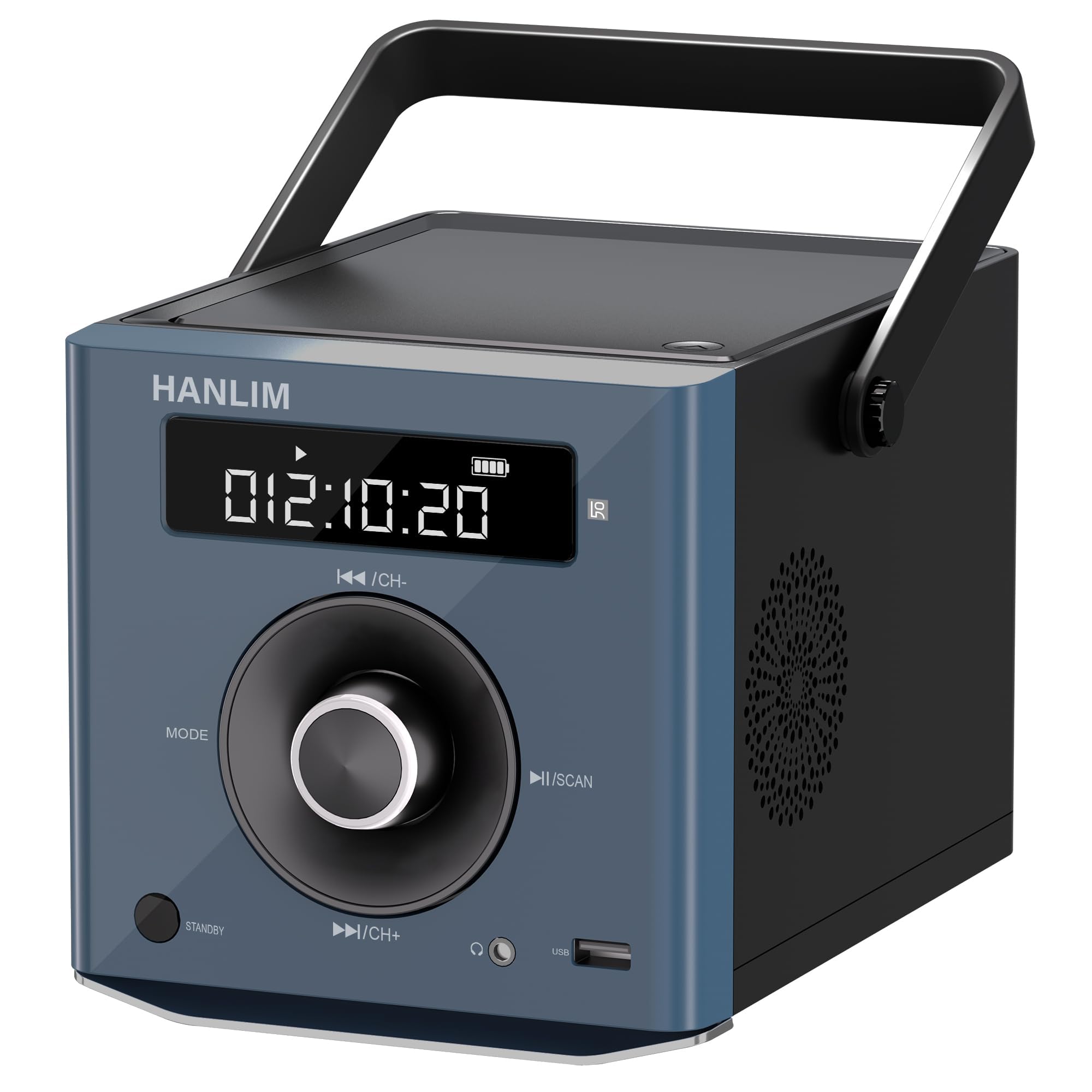
Image: Front view of the HANLIM Portable CD Player, highlighting the digital display, central control knob, and various buttons such as MODE, STANDBY, Play/Pause, and Skip/Channel controls.
- Display Screen: Shows current mode, track number, time, FM frequency, and battery status.
- MODE Button: Cycles through available input modes (CD, Bluetooth, FM, USB, AUX).
- STANDBY Button: Powers the unit on or off.
- ◄◄ / CH- Button: Skips to the previous track/station or navigates backward.
- ►► / CH+ Button: Skips to the next track/station or navigates forward.
- ►II / SCAN Button: Plays/pauses playback or initiates FM radio auto-scan.
- Volume Knob: Adjusts the audio output level.
4.2 Side and Rear Ports
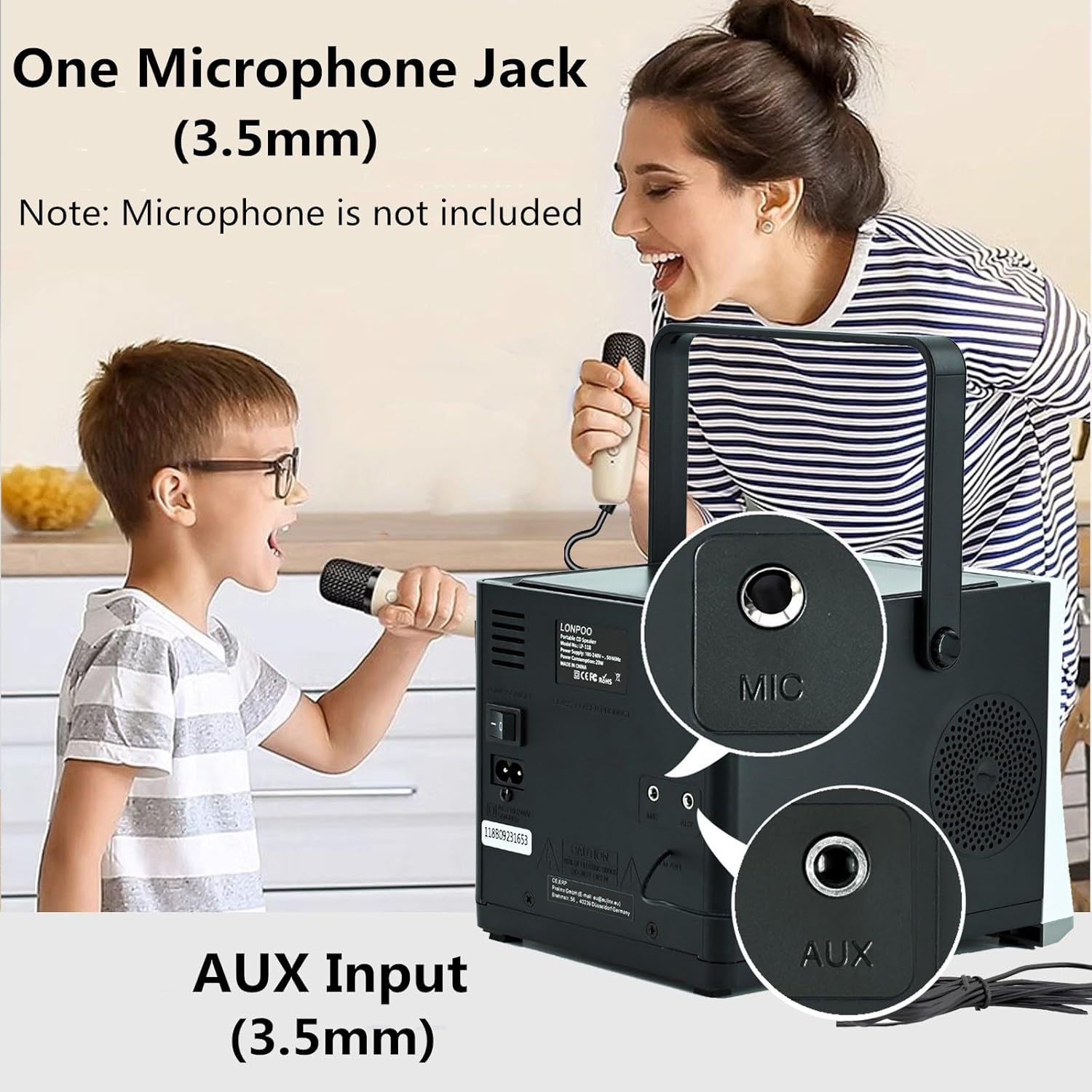
Image: Rear view of the HANLIM Portable CD Player, clearly showing the 3.5mm Microphone (MIC) input and the 3.5mm Auxiliary (AUX) input jacks.
- USB Port: For playing audio files from a USB flash drive.
- Earphone Jack (3.5mm): For private listening with headphones.
- MIC Input (3.5mm): For connecting an external microphone (microphone not included).
- AUX Input (3.5mm): For connecting external audio devices.
- DC IN Port: For connecting the power adapter.
5. Setup
5.1 Power Connection
The HANLIM HL-108 can be powered by the included AC power cord or its internal rechargeable battery.
- AC Power: Connect the power cord to the DC IN port on the back of the unit and plug the other end into a standard wall outlet.
- Battery Power: The unit includes a built-in 2000mAh Lithium Polymer rechargeable battery. Ensure the battery is charged before portable use.
5.2 Charging the Battery

Image: The HANLIM Portable CD Player's display showing a full battery indicator. Text overlays indicate a '2000 mHA Rechargeable Battery' and a continuous playback time of '4.5~5 Hours' at maximum volume.
When connected to AC power, the internal battery will automatically charge. The battery indicator on the display will show the charging status. A full charge provides approximately 4.5 to 5 hours of continuous playback at maximum volume.
6. Operating Instructions
6.1 Power On/Off
Press the STANDBY button to turn the unit on or off.
6.2 Mode Selection
Press the MODE button repeatedly to cycle through the available input sources: CD, Bluetooth, FM Radio, USB, and AUX.
6.3 CD Playback
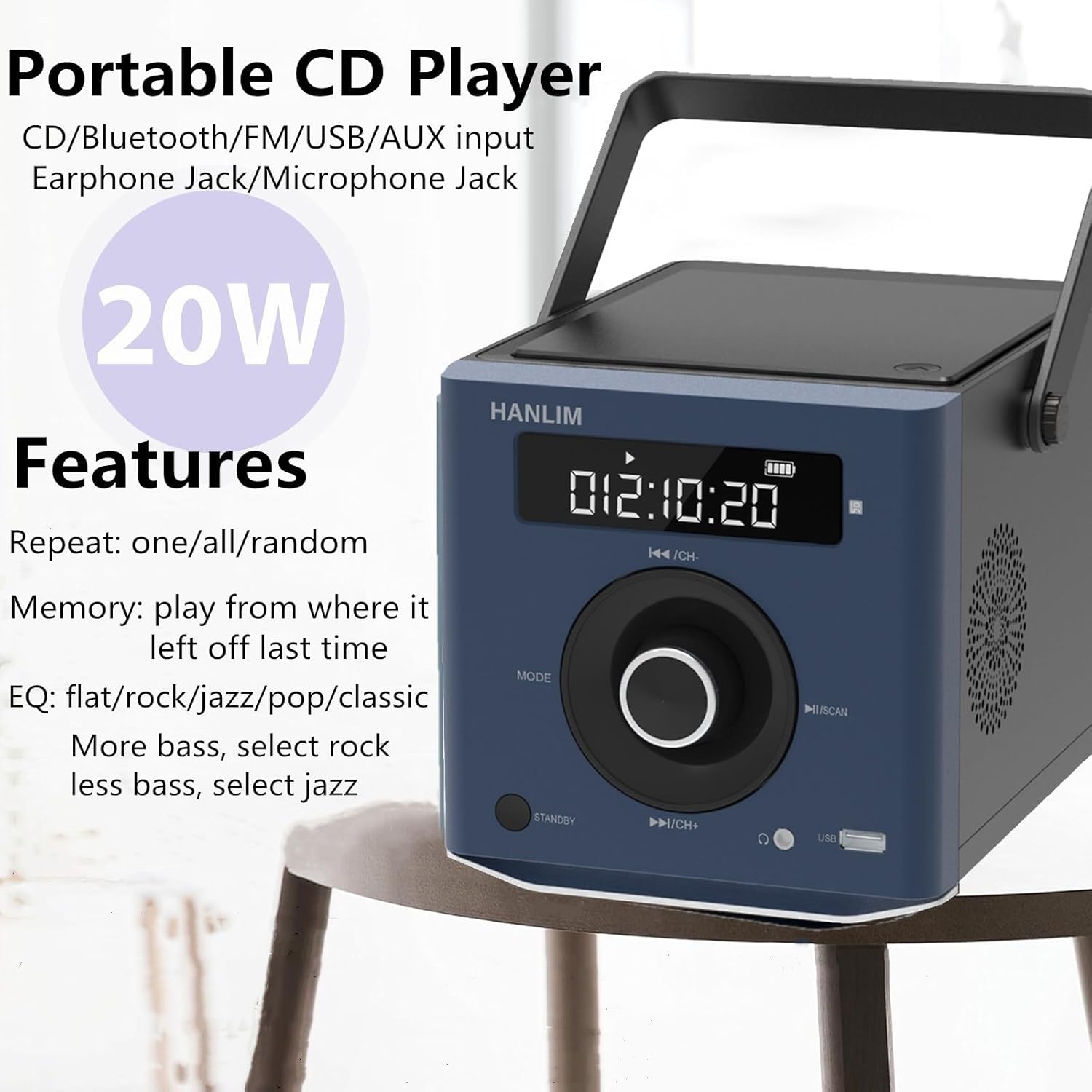
Image: The HANLIM Portable CD Player with text indicating its various features including CD, Bluetooth, FM, USB, AUX input, Earphone Jack, Microphone Jack, 20W power, repeat modes (one/all/random), memory function, and EQ settings (flat/rock/jazz/pop/classic).
- Open the CD compartment lid and carefully place a CD with the label side facing up. Close the lid.
- Press the MODE button until 'CD' appears on the display.
- The CD will begin playing automatically. If not, press the ►II button.
- Use the ◄◄ and ►► buttons to skip tracks.
- Press the ►II button to pause or resume playback.
- Repeat Function: Press the repeat button (if available on remote or unit) to cycle through repeat one, repeat all, or random playback.
- EQ Settings: The unit supports various equalizer presets such as flat, rock, jazz, pop, and classic. Adjust these via the remote control or dedicated button (if available) to customize sound output.
6.4 Bluetooth Connection
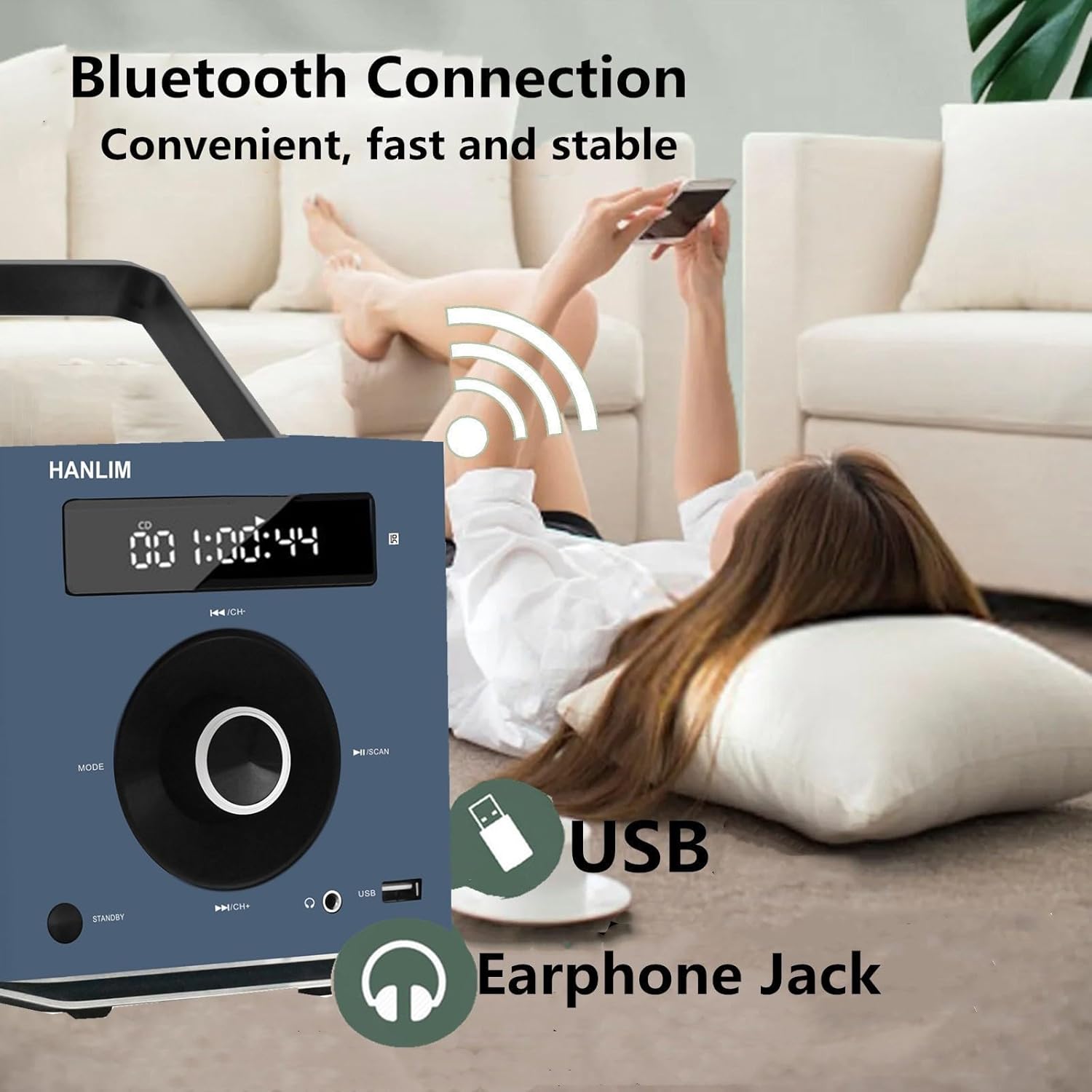
Image: The HANLIM Portable CD Player in a home setting, with a person wirelessly connecting a smartphone via Bluetooth. The image highlights the Bluetooth connection, USB port, and Earphone Jack.
- Press the MODE button until 'BT' or 'Bluetooth' appears on the display. The unit will enter pairing mode.
- On your Bluetooth-enabled device (e.g., smartphone, tablet), search for available Bluetooth devices.
- Select 'HANLIM HL-108' (or similar name) from the list to pair.
- Once paired, you can play audio from your device through the CD player.
6.5 FM Radio Operation

Image: The HANLIM Portable CD Player displaying an FM radio frequency (93.90 MHz). The background shows people listening, illustrating the FM radio functionality for news, music, and programs.
- Press the MODE button until 'FM' appears on the display.
- Auto Scan: Press and hold the ►II / SCAN button to automatically scan and save available FM stations (frequency range: 87.5 to 108 MHz).
- Manual Tuning: Briefly press the ◄◄ / CH- or ►► / CH+ buttons to manually tune to the next/previous saved station or frequency.
6.6 USB Playback
- Insert a USB flash drive into the USB port.
- Press the MODE button until 'USB' appears on the display.
- The unit will automatically detect and play audio files from the USB drive.
- Use the ◄◄ and ►► buttons to navigate tracks.
6.7 AUX Input
- Connect an external audio device (e.g., MP3 player, smartphone) to the AUX Input jack using a 3.5mm audio cable (not included).
- Press the MODE button until 'AUX' appears on the display.
- Audio from the connected device will now play through the CD player. Control playback from the external device.
6.8 Microphone Use
Connect a 3.5mm microphone (not included) to the MIC Input jack. The microphone audio will be mixed with the current playback source.
6.9 Volume Control
Rotate the Volume Knob to increase or decrease the audio output level.
6.10 Remote Control
The included remote control provides convenient access to all functions from a distance. Refer to the remote's button layout for specific controls.
7. Maintenance
- Cleaning: Wipe the exterior of the unit with a soft, dry, lint-free cloth. Do not use abrasive cleaners or solvents.
- CD Lens Care: If CD playback issues occur, use a commercially available CD lens cleaner disc.
- Storage: When not in use for extended periods, disconnect the power cord and store the unit in a cool, dry place.
8. Troubleshooting
| Problem | Possible Cause | Solution |
|---|---|---|
| No power | Power cord not connected; Battery depleted | Ensure power cord is securely connected; Charge the battery. |
| No sound | Volume too low; Incorrect mode selected; Headphones connected | Increase volume; Select correct input mode; Disconnect headphones if using speakers. |
| CD not playing | CD inserted incorrectly; CD dirty/scratched; CD compartment not closed | Insert CD label side up; Clean or replace CD; Ensure lid is fully closed. |
| Bluetooth not connecting | Device not in pairing mode; Bluetooth disabled on external device | Ensure unit is in Bluetooth pairing mode; Enable Bluetooth on your device and re-scan. |
| Poor FM radio reception | Weak signal; Antenna not extended | Adjust the unit's position; Extend the wire antenna fully for better reception. |
9. Specifications
| Brand | HANLIM |
| Model | HL-108 |
| Power Output | 20 Watts |
| Battery | 2000mAh Lithium Polymer (Rechargeable) |
| Battery Playtime | Approx. 4.5 - 5 hours (at max volume) |
| Dimensions (L x W x H) | 20.32 x 15.24 x 15.24 cm (8 x 6 x 6 inches) |
| Weight | 1.72 kg (3.7 lbs) |
| Connectivity | CD, Bluetooth, FM Radio, USB, AUX Input, Microphone Jack, Earphone Jack |
| FM Frequency Range | 87.5 - 108 MHz |
10. Warranty and Support
HANLIM products are designed for reliability and performance. For warranty information or technical support, please refer to the warranty card included with your purchase or contact HANLIM customer service through the retailer where the product was purchased. Please have your model number (HL-108) and purchase details ready when contacting support.