
Introduction
This manual provides detailed instructions for the assembly, operation, and maintenance of your Lufeiya 40-inch Computer Desk. Please read this manual thoroughly before assembly and use to ensure proper function and safety.

Safety Information
To ensure safe use and prevent damage, please observe the following safety guidelines:
- Follow assembly instructions carefully.
- Ensure the desk is level before placing items on it.
- Do not exceed the maximum weight limit of 50 pounds (22.7 kg).
- Keep small parts away from children during assembly.
- Avoid exposing the desk to excessive moisture or direct sunlight.
- Use caution when moving the desk to prevent injury or damage.
Package Contents
Verify that all components are present before beginning assembly. If any parts are missing or damaged, please contact customer service.
| Part | Quantity |
|---|---|
| Desktop Panel | 1 |
| Metal Frame Components | Set |
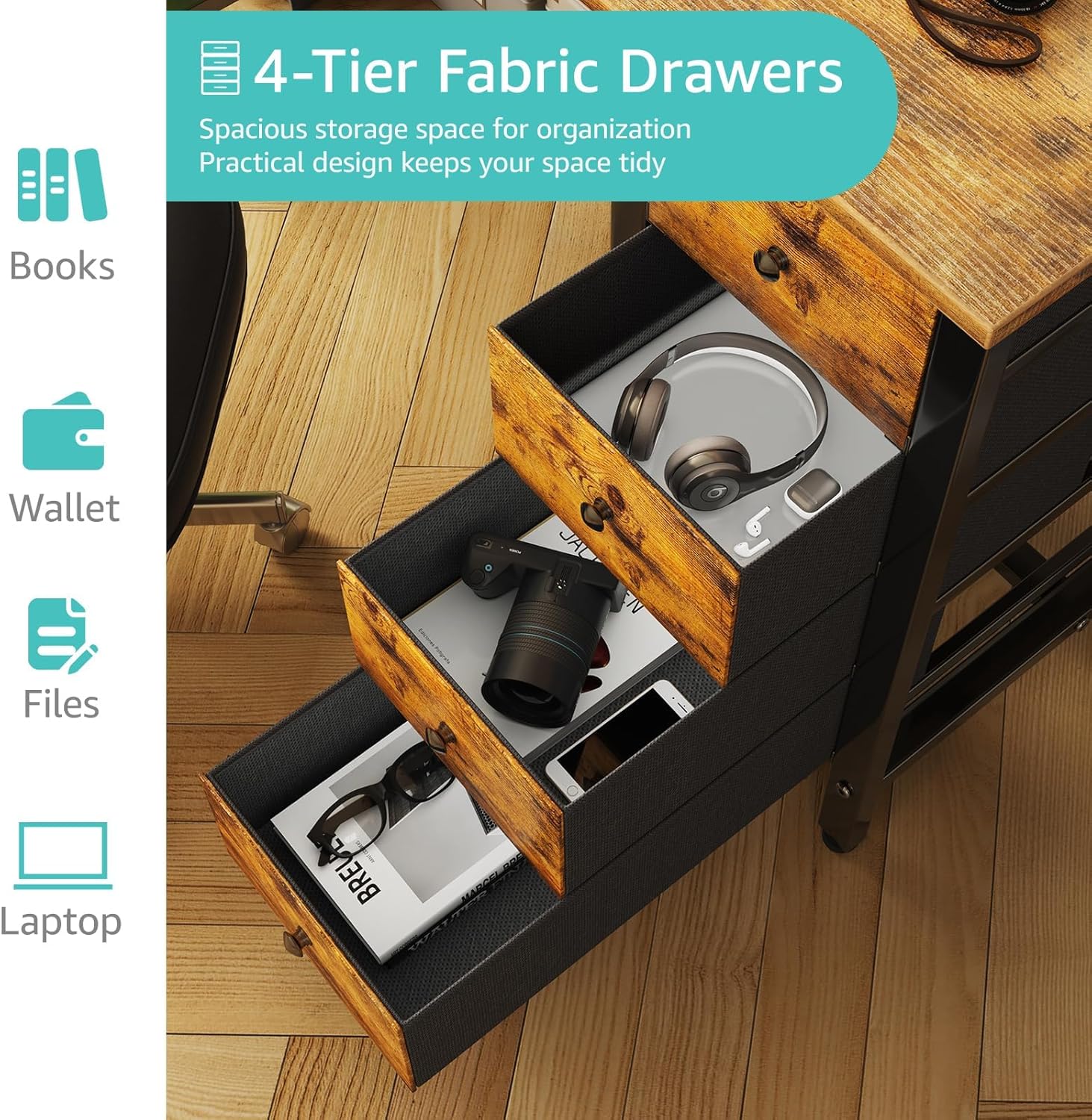
| Fabric Drawers | 4 |
| Assembly Hardware (Screws, Bolts, Allen Wrench) | Set |
| Headphone Hook | 2 |
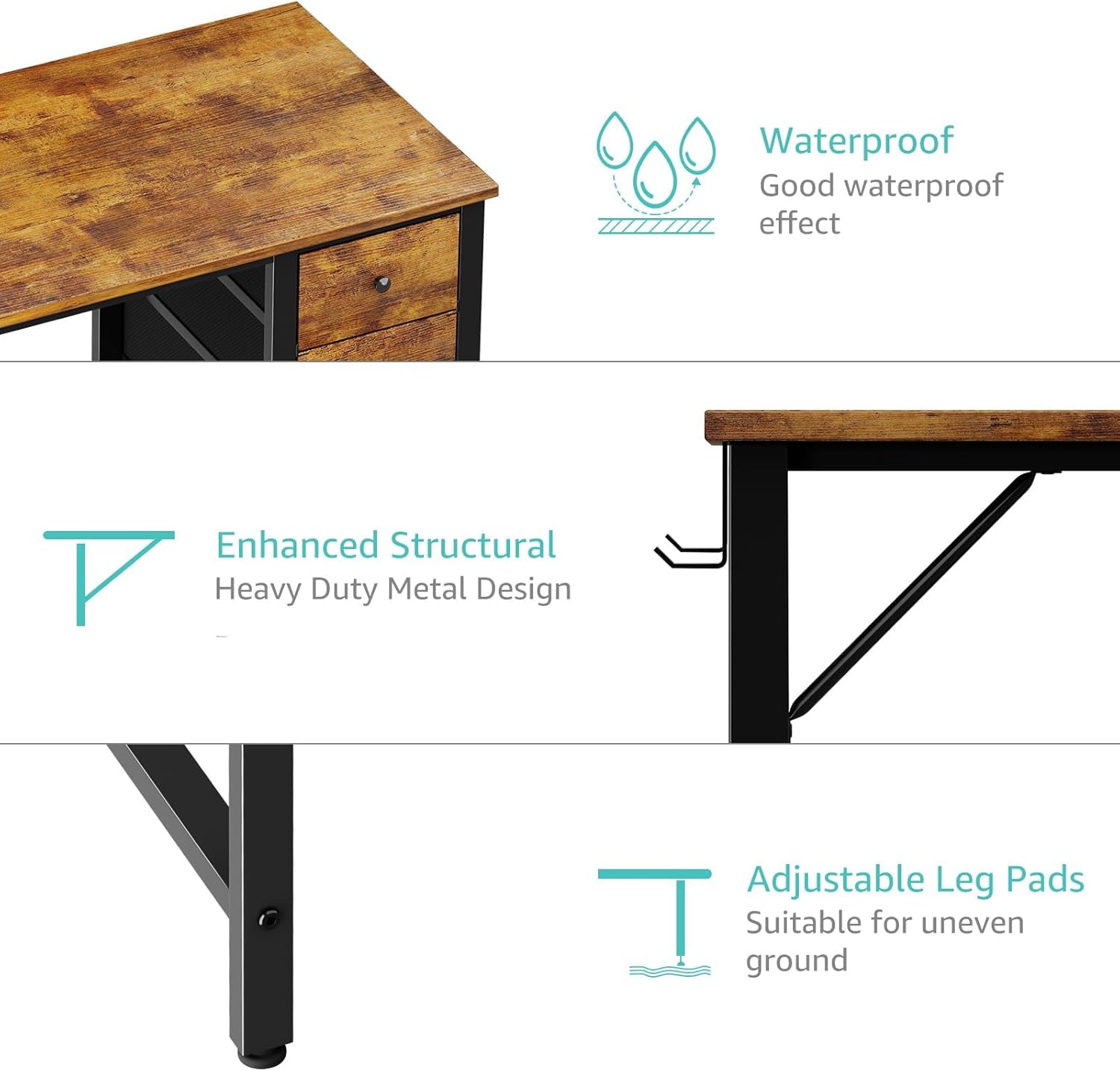
| Adjustable Leg Pads | 4 |
| Instruction Manual | 1 |

Specifications
| Product Specifications | |
|---|---|
| Brand | Lufeiya |
| Model Number | LFY-JC4D40-Brown |
| Dimensions (L x W x H) | 39.4" x 19.7" x 29.5" (100 cm x 50 cm x 75 cm) |
| Weight | 23.7 Pounds (10.75 kg) |
| Desktop Material | P2 Particle Wood Board |
| Frame Material | Metal |
| Number of Drawers | 4 (Fabric) |
| Maximum Weight Capacity | 50 Pounds (22.7 kg) |
| Assembly Required | Yes |
| Recommended Assembly Persons | 1 |
| Special Features | Reversible design, Compact, Headphone Hook, Adjustable Leg Pads, Waterproof desktop |
Setup and Assembly
The Lufeiya Computer Desk is designed for straightforward assembly. Please follow these steps carefully.
Before You Begin
- Clear a spacious area for assembly.
- Lay out all parts and hardware, verifying against the package contents list.
- Keep the included instruction manual and tools handy.
Assembly Steps
Refer to the detailed diagrams in the included instruction manual for visual guidance.
- Attach the metal frame components to the desktop panel using the provided screws. Ensure all connections are secure but do not overtighten initially.
- Install the support bars for the fabric drawers. Note that the drawer unit can be installed on either the left or right side of the desk to suit your preference.
- Insert the four fabric drawers into their designated slots.
- Attach the headphone hook to either side of the desk frame as desired.
- Adjust the leg pads at the bottom of the desk to ensure stability and levelness on uneven surfaces.
- Once fully assembled, tighten all screws securely.

Operating Instructions
Your Lufeiya Computer Desk is designed for versatile use in various settings.
General Use
- Place your computer, monitor, and other office equipment on the desktop.
- Utilize the four fabric drawers for organizing stationery, documents, and personal items.
- Hang headphones, bags, or other accessories on the removable iron hook.
Reversible Design
The desk's reversible design allows the drawer unit to be positioned on either the left or right side, adapting to your workspace needs. This configuration is set during assembly.

Maintenance
Regular care will help maintain the appearance and longevity of your desk.
- Cleaning: Wipe the desktop and metal frame with a soft, damp cloth. Avoid harsh chemicals or abrasive cleaners.
- Spills: Promptly wipe up any spills to prevent water damage, especially on the desktop. The desktop is designed to be waterproof.
- Drawer Care: The fabric drawers can be spot cleaned with a mild detergent if necessary. Ensure they are completely dry before reinserting.
- Hardware Check: Periodically check all screws and bolts to ensure they remain tight. Retighten if necessary.
- Leg Pads: Ensure the adjustable leg pads are clean and free of debris to prevent scratching your floor.
Troubleshooting
Refer to the table below for common issues and their solutions.
| Problem | Solution |
|---|---|
| Desk wobbles or is unstable. | Check that all assembly screws are tightened. Adjust the leg pads on the bottom of the desk to level it on uneven floors. |
| Drawers do not slide smoothly. | Ensure the drawer support bars are correctly installed and not bent. Check that the fabric drawers are not overloaded. |
| Missing parts during assembly. | Double-check all packaging materials. If parts are still missing, contact Lufeiya customer service with your model number and a description of the missing part. |
| Desktop surface scratches easily. | While the desktop is scratch-resistant, avoid dragging sharp or heavy objects across the surface. Use coasters for drinks and mouse pads for computer mice. |
Warranty and Support
Lufeiya provides professional customer service and guarantees easy and fast replacement for quality problems.
For any quality issues or assistance with your Lufeiya Computer Desk, please contact our customer service team.
Refer to the contact information provided with your purchase or visit the official Lufeiya website for support.