
1. Introduction
The Tyrry MD220 Professional Stud Finder Wall Scanner is an advanced detection device designed to accurately locate various objects within walls. Utilizing an intelligent microchip and nine high-precision sensors, it provides reliable detection of electrical wires, rebar, wooden beams, pipes, and metal conduit. This manual provides essential information for the safe and effective operation of your device.

Image 1.1: The Tyrry MD220 Professional Stud Finder, shown with its rechargeable battery and USB-C charging cable. This image displays the device's main body, LCD screen, control buttons, and accessories.
2. Package Contents
Please verify that all items are present in the package:
- 1 x Tyrry MD220 5-in-1 Stud Finder
- 1 x 970mAh Rechargeable Battery (pre-installed or separate)
- 1 x USB Type-C Charging Cable
- 1 x User Manual (this document)
3. Product Overview
Familiarize yourself with the components of your Tyrry MD220 Stud Finder:

Image 3.1: A detailed diagram illustrating the various external components of the Tyrry MD220 Stud Finder, including its display, buttons, and sensor area.
- Illuminated Ring: Provides visual alerts.
- Display: Color graphical LCD screen showing detection information.
- Display-Illumination Button: Controls backlight and display settings.
- Buzzer Indication: Audio alert for detected objects.
- On-Off Button: Powers the device on or off.
- Multi-function Wall Detector Model Button: Selects the general detection mode.
- Metal Model Button: Selects the metal detection mode.
- Live AC Wire Model Button: Selects the live AC wire detection mode.
- Charging Interface: USB Type-C port for charging.
- Contact Pads: Surfaces that make contact with the wall during scanning.
- Sensor Area: Location of the internal detection sensors.
- Battery Compartment Lid: Access for battery.
- Fixture of Hand Strap: Attachment point for the hand strap.
- Hand Strap: For secure handling.
4. Setup
4.1. Battery Installation and Charging
The Tyrry MD220 includes a 970mAh rechargeable Lithium-Ion battery. Ensure the battery is charged before first use.
- Battery Installation: If the battery is not pre-installed, open the battery compartment lid (12) and insert the 970mAh rechargeable battery, ensuring correct polarity. Close the lid securely.
- Charging: Connect the provided USB Type-C charging cable to the charging interface (9) on the device and to a standard USB power adapter (not included). The display will indicate charging status. A full charge provides approximately 2.5 hours of uninterrupted operation.

Image 4.1: This image highlights the high-definition backlit LCD display of the stud finder and demonstrates the Type-C charging port, along with the included 500mAh rechargeable battery.
4.2. Initial Calibration
For accurate results, calibrate the device before each use or when switching detection modes.
- Press the On-Off button (5) to power on the device.
- Place the stud finder flat against the wall surface where you intend to scan, ensuring no objects are present directly behind the device.
- Press the desired mode button (e.g., Multi-function Wall Detector Model button (6)) to select the scanning mode.
- Hold the device steady until the calibration process is complete, indicated by a series of beeps and a stable display.
5. Operating Instructions
5.1. General Scanning Procedure
- Ensure the device is calibrated as described in Section 4.2.
- Place the stud finder flat against the wall surface.
- Slowly slide the device horizontally across the wall. Maintain firm, even pressure. Avoid lifting or tilting the device during scanning.
- Observe the LCD display (2) and listen for audio alerts (4).
- When an object is detected, the illuminated ring (1) will change color (e.g., orange, then red), and the display will show indicators such as 'center' and depth.
- Mark the location of the detected object, especially the center, for accurate work.

Image 5.1: This image illustrates the intuitive display of the stud finder, showing how it indicates when the scanner is to the left of a stud and then precisely centered, along with depth measurements and visual/audio alarm cues.
5.2. Detection Modes
The Tyrry MD220 offers versatile detection modes:
- Multi-function Wall Detector Mode (6): This general mode detects various materials and is suitable for initial scans.
- Metal Mode (7): Specifically designed for detecting magnetic and non-magnetic metals.
- Live AC Wire Mode (8): Prioritizes the detection of live alternating current wires for safety.
The device prioritizes the detection of live AC wires in all modes, ensuring safety before drilling.
6. Detection Capabilities
The Tyrry MD220 provides accurate detection for a range of materials:
- Magnetic Metals (e.g., Rebars, Iron Pipes, Steel Pipes): Up to 120mm (4.72 inches) depth.
- Non-magnetic Metals (e.g., Copper, Aluminum, other non-iron metals pipes): Up to 100mm (3.94 inches) depth.
- Live AC Wires: Up to 50mm (1.97 inches) depth.
- Wooden Beams: Up to 38mm (1.5 inches) depth.
- Water Pipes: Up to 38mm (1.5 inches) depth.

Image 6.1: A visual representation of the Tyrry MD220's 5-in-1 detection capabilities, detailing the maximum detectable depths for water pipes, wooden beams, AC wires, non-magnetic metals, and magnetic metals.
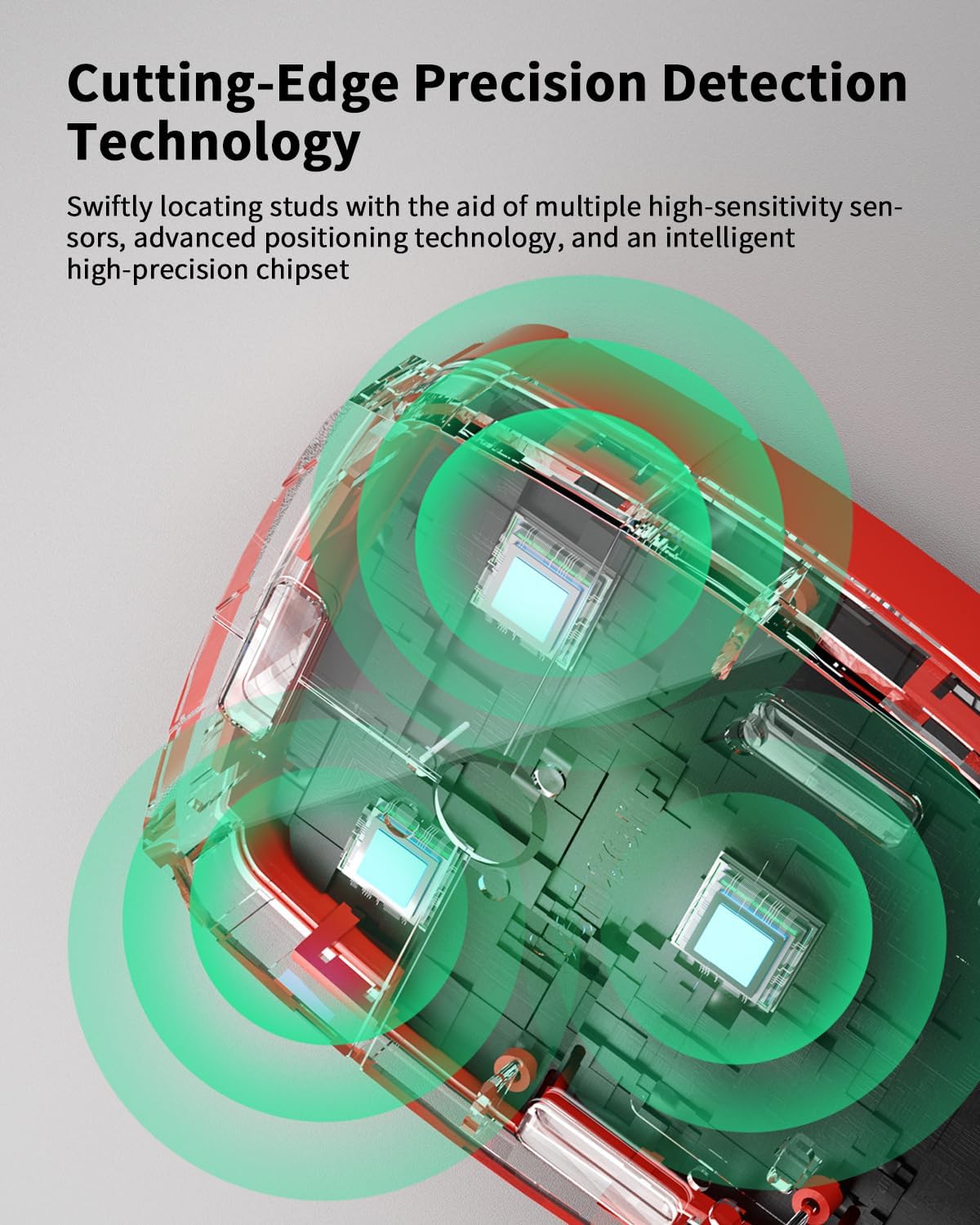
Image 6.2: An X-ray style view of the stud finder, showcasing its cutting-edge precision detection technology with multiple high-sensitivity sensors and an advanced intelligent chipset.
7. Safety Information
Always prioritize safety when using the stud finder, especially before drilling or cutting into walls.
- Live AC Wire Detection: The device is designed to detect live AC wires in all modes. Always exercise extreme caution when live AC wires are indicated. Disconnect power to the area if possible before proceeding with any work.
- Wall Surface: The device works best on smooth, dry wall surfaces. Rough or uneven surfaces may affect accuracy.
- Environmental Factors: High humidity, metallic wallpaper, or recently painted walls may interfere with detection.
- Verification: Always perform multiple scans in different directions to confirm the location of objects.

Image 7.1: This image demonstrates the stud finder actively detecting an AC wire within a wall, providing a visual warning before a drill is used, thereby enhancing drilling safety.
8. Maintenance
- Cleaning: Wipe the device with a soft, dry cloth. Do not use abrasive cleaners or solvents.
- Contact Pads: Inspect the felt pads on the contact side of the unit regularly. If they show signs of wear or detachment, replace them to ensure smooth scanning and prevent damage to the wall surface.
- Storage: Store the device in a cool, dry place away from direct sunlight and extreme temperatures.
- Battery Care: For long-term storage, charge the battery to approximately 50% and recharge every 3-6 months to maintain battery health.
9. Troubleshooting
| Problem | Possible Cause | Solution |
|---|---|---|
| Inaccurate or inconsistent readings |
|
|
| Device does not power on |
|
|
| Fuzzy or unclear display |
|
|
| Cannot detect electrical wires |
|
|
10. Specifications
| Feature | Specification |
|---|---|
| Model Number | MD220-US |
| Manufacturer | Tyrry |
| Detection Modes | Multi-function, Metal, Live AC Wire |
| Max Detection Depth (Magnetic Metal) | 120mm (4.72 inches) |
| Max Detection Depth (Non-magnetic Metal) | 100mm (3.94 inches) |
| Max Detection Depth (Live AC Wire) | 50mm (1.97 inches) |
| Max Detection Depth (Wooden Beams/Water Pipes) | 38mm (1.5 inches) |
| Battery Type | 970mAh Rechargeable Lithium Ion |
| Charging Port | USB Type-C |
| Display | Color Graphical LCD with Backlight |
| Alerts | Auditory Beep, Visual Illuminated Ring |
| Product Dimensions | 7.87 x 3.35 x 1.26 inches |
| Item Weight | 15.2 ounces |
11. Warranty and Support
Tyrry is committed to providing high-quality products and customer satisfaction.
- Warranty: The Tyrry MD220 Stud Finder comes with a 24-month warranty from the date of purchase.
- Replacement Policy: A 12-month replacement policy is offered for eligible issues.
- Return Policy: A 30-day return policy is available.
- Technical Support: Lifetime free technical support is provided.
- Customer Service: For operational challenges or any inquiries, please contact Tyrry customer service. A satisfactory solution is pledged within 24 hours.