
Introduction
Thank you for choosing the Mosonnytee YYK-580 Pro Wireless Earbuds. These earbuds are designed to provide a comfortable and secure audio experience, particularly for active lifestyles. Featuring advanced sound technology and robust battery life, they are suitable for various activities including workouts, running, and daily commutes.
- Ultra Comfort & Fit: Designed with 15° micro-tilt and ergonomic TPU flexible earhooks for a secure and comfortable fit during exercise.
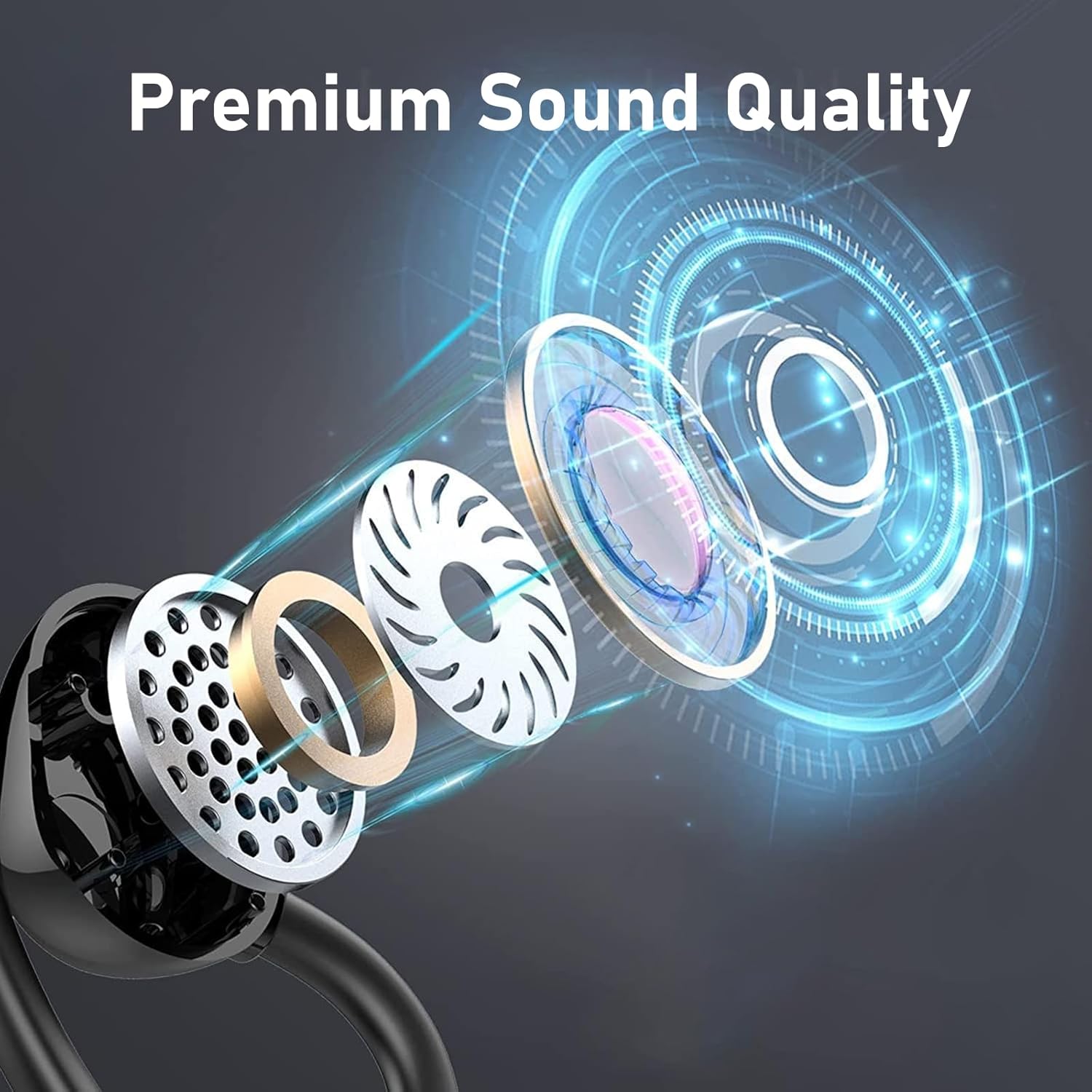
- Premium Bass Sound Quality: Equipped with a built-in 13MM dynamic drive coil unit, enhanced by a high-performance algorithm and special echo chamber structure for rich bass and clear mid-range/treble.
- Extended Playtime & Fast Charging: Offers up to 8 hours of single usage playtime, with the wireless charging case providing an additional 60 hours of power. Features USB-C fast charging, fully charging in 2 hours.
- IPX7 Waterproof & Sweatproof: Provides protection against sweat and rain, ensuring durability during intense physical activity.
- Multi-scenario Use: Ergonomic design with anti-slip structure ensures stable fitting for activities like running, gym training, cycling, and boxing.
What's in the Box
Please check the contents of your package to ensure all items are present:
- Mosonnytee YYK-580 Pro Wireless Earbuds (Left and Right)
- Charging Case
- USB-C Charging Cable
- Multiple Sizes of Ear Tips
- Instruction Manual
Video: Unboxing the Mosonnytee YYK-580 Pro Wireless Earbuds, showing the earbuds, charging case, USB-C cable, and ear tips.
Product Overview



Setup
1. Charging the Earbuds and Case
Before first use, fully charge the earbuds and charging case.
- Place the earbuds into the charging case. Ensure they are correctly seated.
- Connect the USB-C charging cable to the charging port on the case and plug the other end into a USB power adapter (not included) or a computer's USB port.
- The LED display on the charging case will indicate the charging status. A full charge typically takes about 2 hours.
2. Pairing with Your Device
The earbuds will automatically enter pairing mode when removed from the charging case.
- Open the charging case and remove both earbuds. They will automatically power on and attempt to pair with each other.
- On your device (smartphone, tablet, etc.), go to Bluetooth settings and turn on Bluetooth.
- Look for "YYK-580 Pro" in the list of available devices and select it to connect.
- Once connected, you will hear a confirmation tone, and the earbuds will be ready for use.
3. Wearing the Earbuds
For optimal sound quality and secure fit, ensure the earbuds are worn correctly.
- Identify the Left (L) and Right (R) earbuds.
- Gently place the earbud into your ear canal and rotate it slightly to ensure a snug fit.
- Adjust the flexible earhook over your ear to secure the earbud in place.
- Experiment with different ear tip sizes to find the most comfortable and secure fit.
Video: Demonstrates the lightweight design and secure fit of the earbuds with earhooks, ideal for running and workouts.
Operating Instructions
Power On/Off
- Power On: Open the charging case, and the earbuds will automatically power on. Alternatively, press and hold the touch control area on both earbuds for 3 seconds.
- Power Off: Place the earbuds back into the charging case and close the lid. They will automatically power off. Alternatively, press and hold the touch control area on both earbuds for 5 seconds.
Music Playback
- Play/Pause: Single tap the touch control area on either earbud.
- Next Track: Double tap the touch control area on the Right earbud.
- Previous Track: Double tap the touch control area on the Left earbud.
Call Management
- Answer/End Call: Single tap the touch control area on either earbud.
- Reject Call: Press and hold the touch control area on either earbud for 2 seconds.
Volume Control
- Volume Up: Triple tap the touch control area on the Right earbud.
- Volume Down: Triple tap the touch control area on the Left earbud.
Voice Assistant
- Activate Voice Assistant: Press and hold the touch control area on either earbud for 2 seconds (when not on a call).
Maintenance
Cleaning
- Regularly clean the earbuds and charging case with a soft, dry, lint-free cloth.
- Do not use abrasive cleaners, alcohol, or chemical sprays.
- For ear tips, remove them from the earbuds and wash with mild soap and water if necessary. Ensure they are completely dry before reattaching.
Storage
- When not in use, store the earbuds in their charging case to protect them and keep them charged.
- Store in a cool, dry place away from extreme temperatures and direct sunlight.
Battery Care
- Avoid fully discharging the battery frequently.
- Charge the earbuds and case regularly, even if not used for extended periods, to maintain battery health.
Troubleshooting
| Problem | Possible Solution |
|---|---|
| Earbuds not pairing with device |
|
| No sound from one or both earbuds |
|
| Charging case not charging |
|
| Earbuds fall out during activity |
|
Specifications
| Feature | Detail |
|---|---|
| Model Name | YYK-580 Pro |
| Brand | Mosonnytee |
| Connectivity Technology | Bluetooth 5.0 |
| Ear Placement | Over Ear |
| Audio Driver Type | 13MM Dynamic Driver |
| Battery Life (Earbuds) | Up to 8 hours (single usage) |
| Total Playtime (with Charging Case) | Up to 60 hours |
| Charging Time | Approx. 2 hours |
| Charging Interface | USB-C |
| Water Resistance Level | IPX7 |
| Control Type | Touch, Media Control |
| Noise Control | Active Noise Cancellation |
| Material | Plastic |
| Item Weight | 10.4 ounces |
Warranty Information
For detailed warranty information, please refer to the product packaging or visit the official Mosonnytee brand store on Amazon. Warranty terms and conditions may vary.
Support
Should you encounter any issues or have questions regarding your Mosonnytee YYK-580 Pro Wireless Earbuds, please contact customer support through the Amazon platform or visit the Mosonnytee Store on Amazon for further assistance.