
1. Overview
The Varghesyla TV Legs are designed as a direct replacement for the original stand legs of specific Samsung 65-inch 2020 TV models. These legs provide a stable and sturdy base for your television, featuring a screwless installation process and anti-slip pads for enhanced safety. They also include cable ties to help manage wires for a neat setup.
2. Compatibility
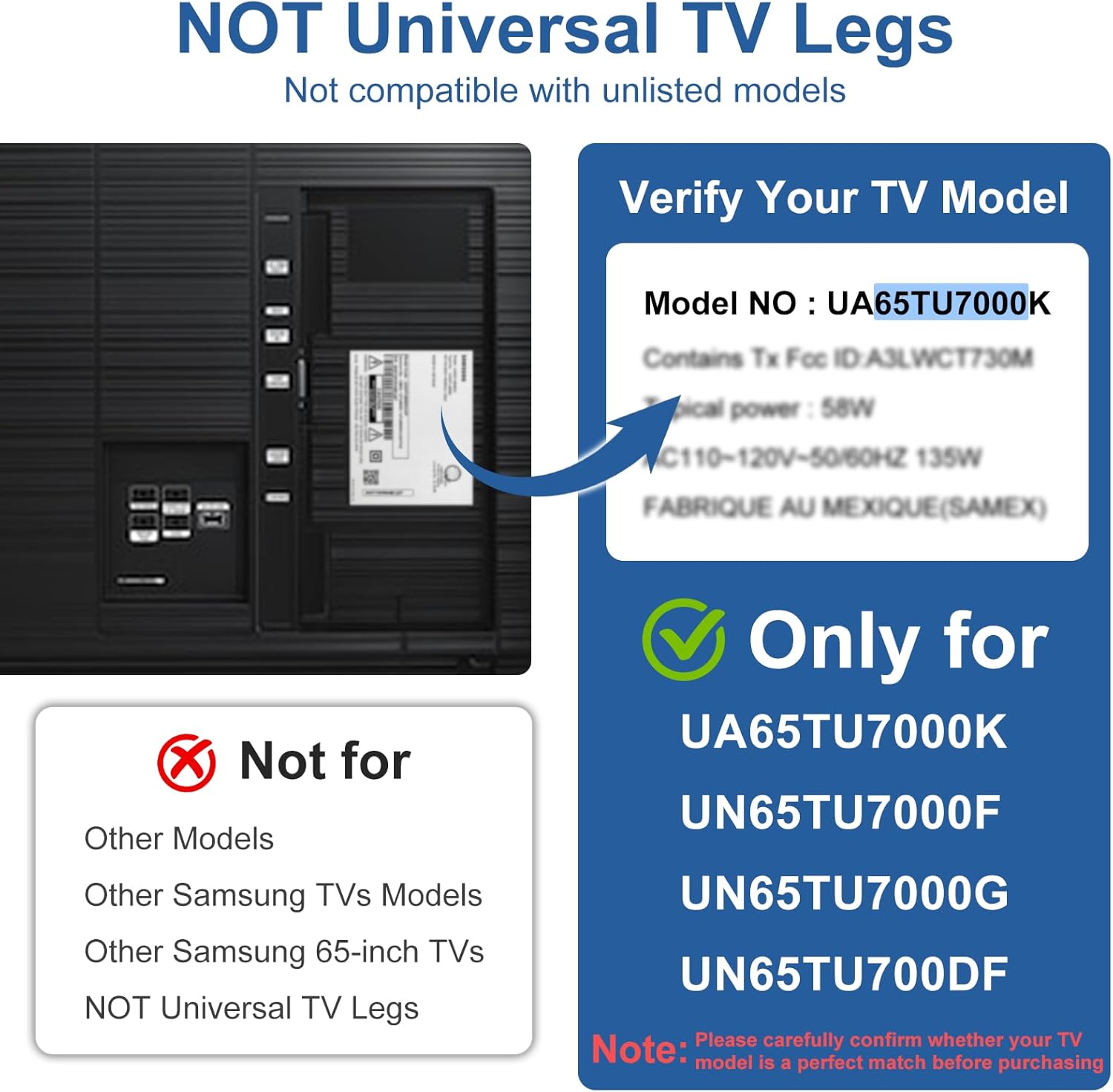
IMPORTANT: These TV legs are NOT universal. They are exclusively compatible with the following Samsung 65-inch 2020 TV models and part number BN6318873A. Please verify your TV model before purchase.
- UA65TU7000K
- UN65TU7000F
- UN65TU7000G
- UN65TU700DF
3. Package Contents
Please ensure all items are present in the package:
- 1 x "R" TV stand leg (Right)
- 1 x "L" TV stand leg (Left)
- 2 x Cable ties
Note: Screws are not included as they are not required for installation.
4. Product Dimensions
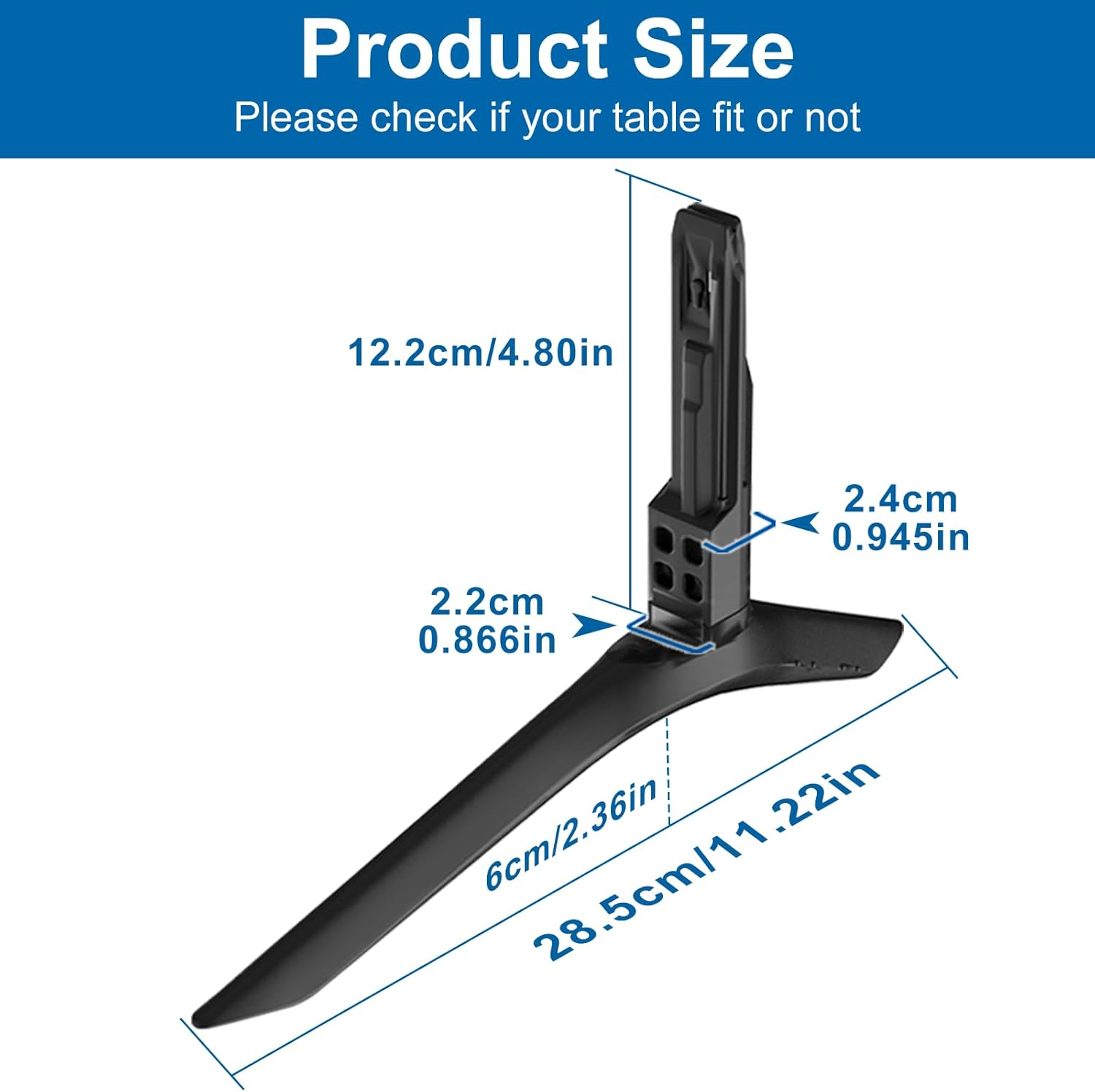
The TV legs are designed with specific dimensions to fit the compatible Samsung TV models. Each leg measures approximately 28.5 cm (11.22 inches) in length at the base, with a height of 12.2 cm (4.80 inches) from the table surface to the top of the stand. The insertion part measures 2.2 cm (0.866 inches) by 2.4 cm (0.945 inches).

5. Setup and Installation
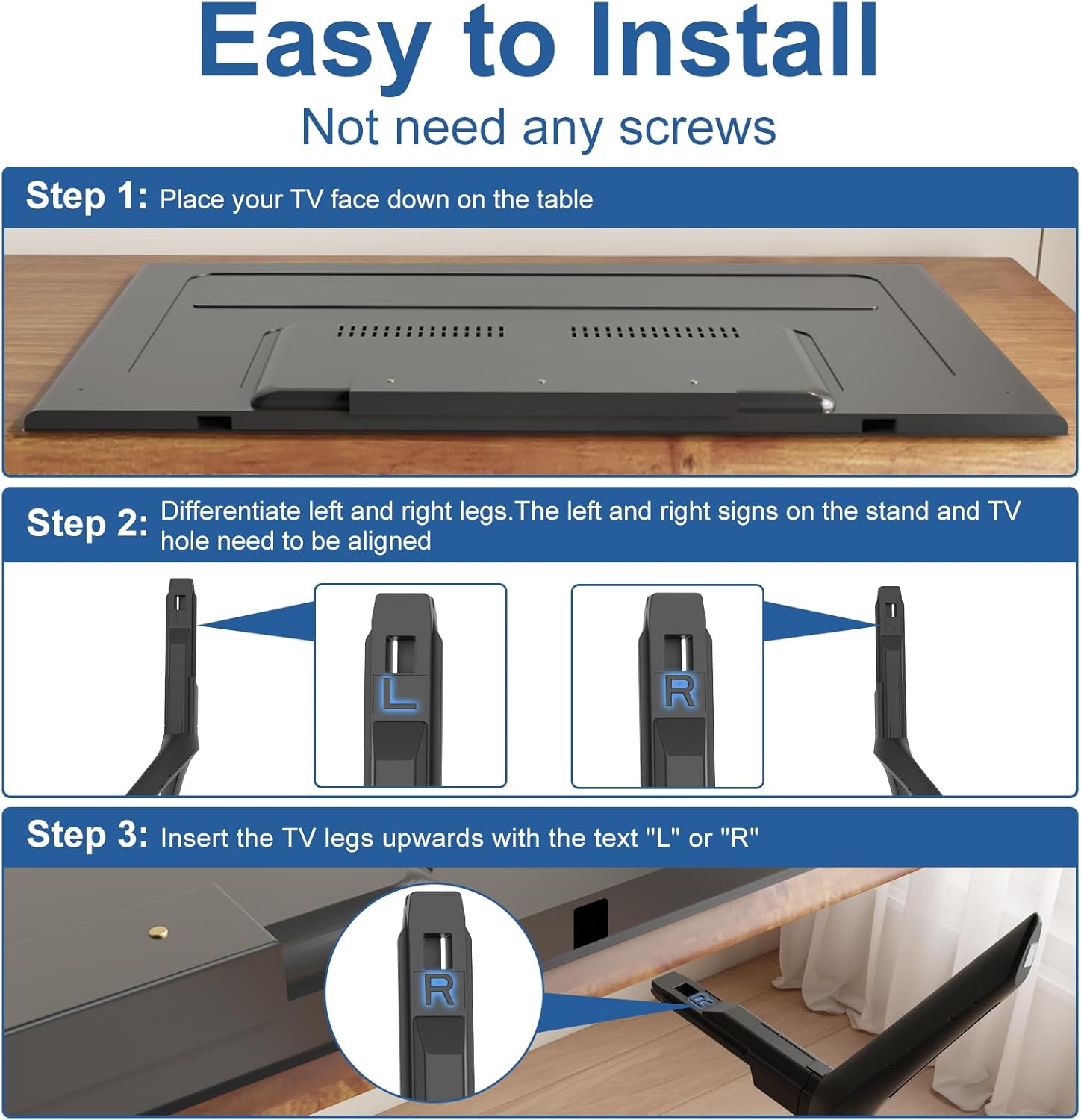
Installation is quick and requires no screws. Follow these steps:
- Step 1: Prepare the TV. Carefully lay your TV face down on a soft, clean surface to prevent screen damage.
- Step 2: Identify Left and Right Legs. Locate the 'L' and 'R' markings on each TV leg. These correspond to the left and right slots on the bottom of your TV.
- Step 3: Insert the Legs. Align the 'L' leg with the left slot and the 'R' leg with the right slot on the TV's bottom. Gently push the TV legs upwards into the corresponding holes until they click securely into place. No screws are needed.
6. Key Features
6.1. Quality and Stability
Our TV stand legs are constructed from durable PP GF4 material, ensuring a strong and stable support for your television. This reinforced plastic is designed to withstand the weight of compatible TVs without bending or wobbling.
6.2. Anti-scratch & Non-slip Design
Each leg is equipped with high-quality 4mm anti-slip foot pads. These pads prevent the TV from sliding and protect your furniture surfaces (wood, glass, marble, metal) from scratches, ensuring a secure placement.

6.3. Cable Management Solution
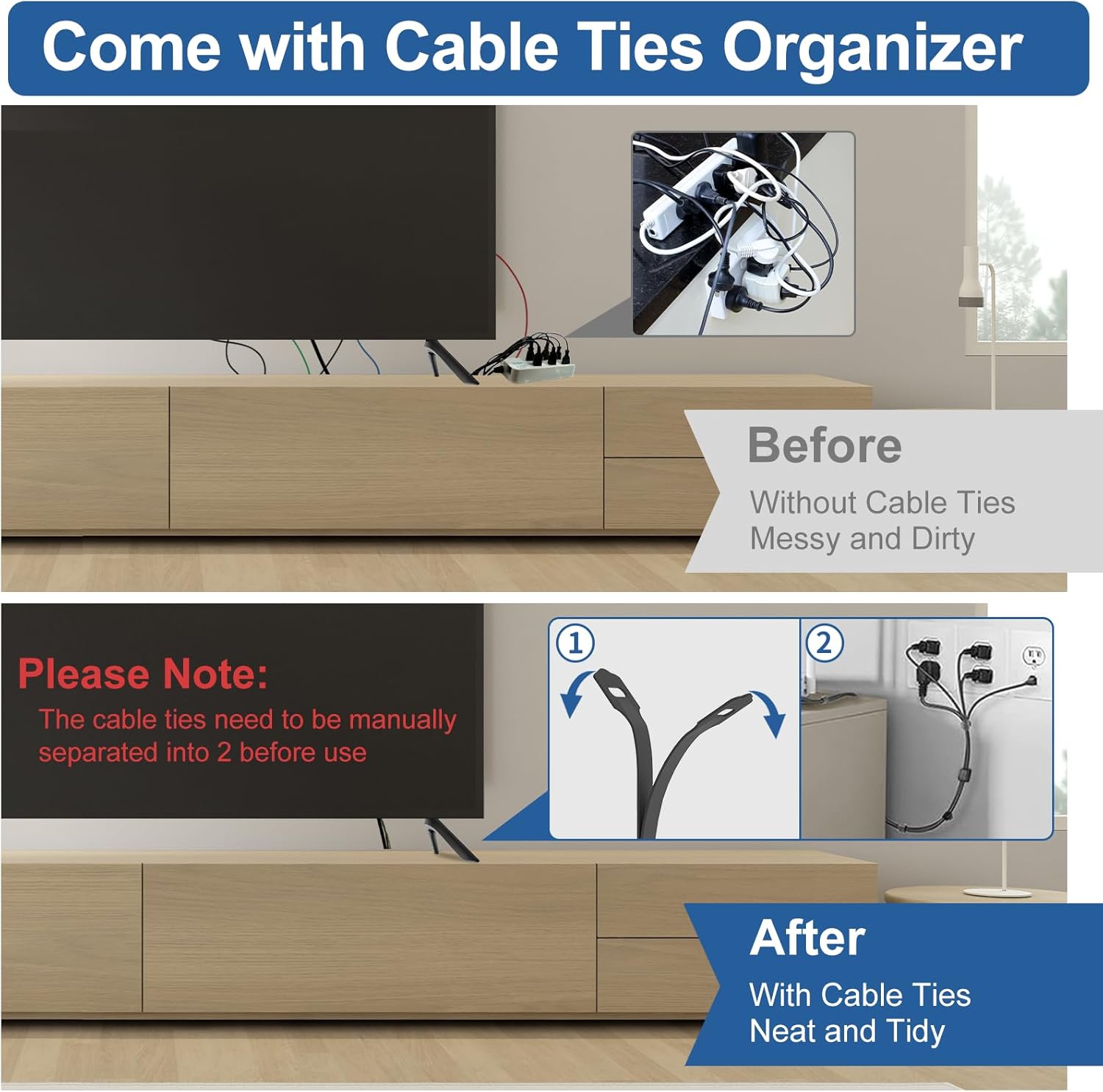
Included with your TV legs are two cable ties. These ties help organize and bundle your TV's wires, contributing to a cleaner and more organized entertainment area. Remember to manually separate the stacked cable ties before use.
7. Usage Scenarios
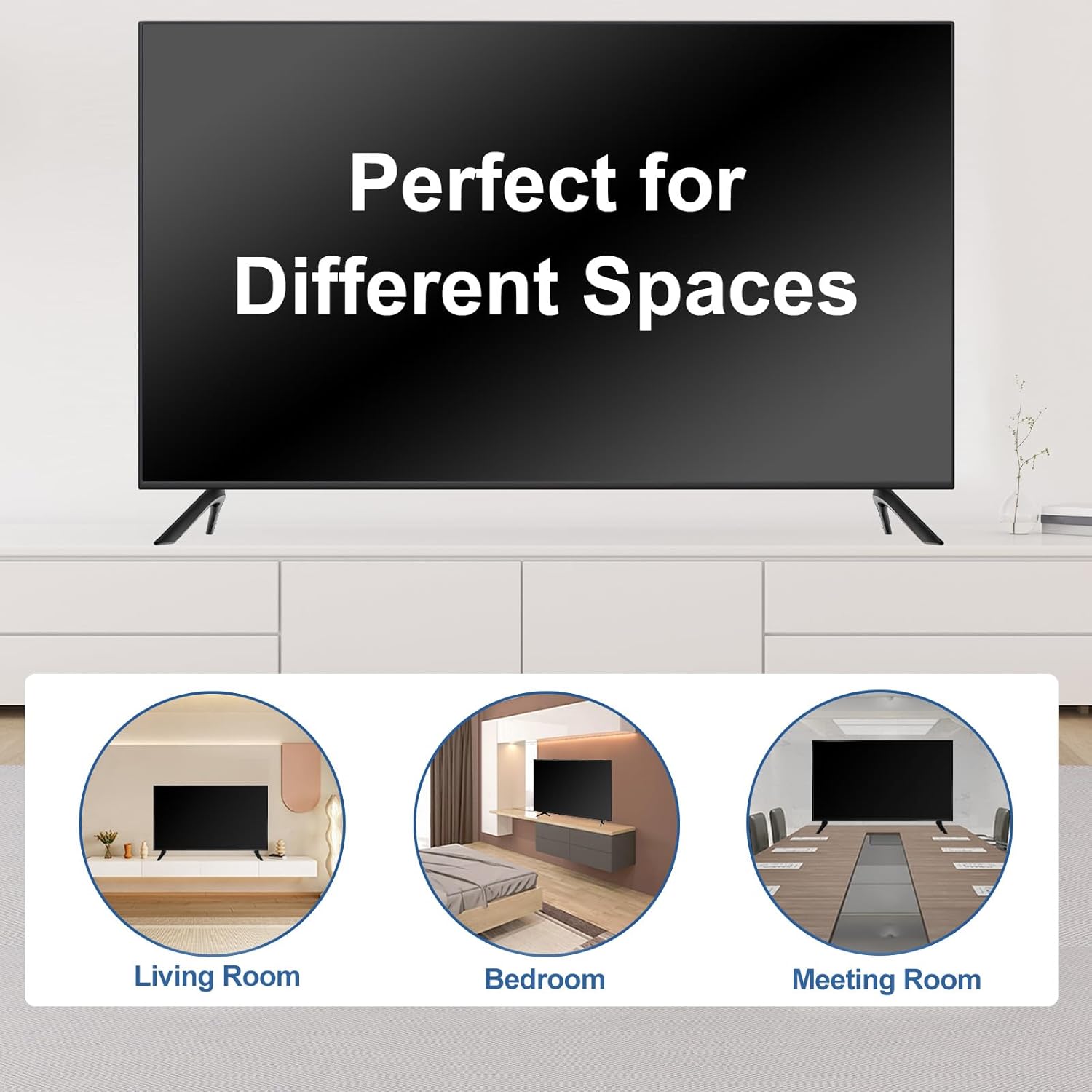
These TV legs allow for versatile placement of your television on various table sizes and in different rooms, providing a stable base without the need for wall mounting.

8. Technical Specifications
| Specification | Detail |
|---|---|
| Brand | Varghesyla |
| Model Compatibility | Samsung UA65TU7000K, UN65TU7000F, UN65TU7000G, UN65TU700DF |
| Part Number | BN6318873A |
| Material | Reinforced Plastic (PP GF4) |
| Color | Black |
| Mounting Type | TV Base Stand Mount |
| Movement Type | Fixed |
| Item Weight | 10.8 ounces |
| Package Dimensions | 11.73 x 10.39 x 3.54 inches |
9. Troubleshooting
9.1. Legs do not fit the TV slots
Ensure your TV model is one of the explicitly listed compatible models (UA65TU7000K, UN65TU7000F, UN65TU7000G, UN65TU700DF). These legs are not universal and will not fit other models. Double-check the 'L' and 'R' markings on the legs and the TV slots to ensure correct orientation during insertion.
9.2. TV feels wobbly after installation
Confirm that both TV legs are fully inserted and securely clicked into their respective slots. The anti-slip pads should be making full contact with the surface. Ensure the TV is placed on a flat, stable surface. If the issue persists, re-check the installation steps.
10. Warranty and Support
For any questions, concerns, or support regarding your Varghesyla TV legs, please refer to the seller's contact information on the product's purchase page. Keep your proof of purchase for any warranty claims, if applicable.