
1. Introduction
This manual provides essential information for the safe and effective use of your eeTao AC/DC Adapter Charger. This power supply is designed for specific Voyager Sprinter electric scooter models. Please read this manual thoroughly before use and retain it for future reference.
2. What's Included
Upon unpacking, please ensure all items are present and in good condition:
- 1 x eeTao AC/DC Adapter Charger

Image: The eeTao AC/DC Adapter Charger, featuring its compact black design, integrated power cord, and barrel connector.
3. Compatibility
This AC/DC Adapter Charger is specifically designed for use with the following Voyager Sprinter Kids Electric Scooter models:
- Voyager Sprinter SCOT1080S-GRN
- Voyager Sprinter SCOT1080S-BLU
- Voyager Sprinter SCOT1080S-BLK
- Voyager Sprinter SCOT1080S-PUR
It is compatible with 19.2V 2Ah Li-ion Battery Packs (19.2VDC 2.0Ah Lithium ion). Please verify your scooter's model number and battery specifications to ensure compatibility.

Image: The eeTao AC Adapter Power Supply shown alongside several Voyager Sprinter electric scooters in different colors, illustrating its compatibility.
4. Setup and Connection
- Inspect the Charger: Before connecting, visually inspect the charger and its cable for any signs of damage. Do not use if damaged.
- Connect to Scooter: Locate the charging port on your Voyager Sprinter electric scooter. Carefully insert the barrel connector of the charger into the scooter's charging port. Ensure a snug fit.
- Connect to Power Outlet: Plug the AC adapter into a standard 100-240VAC 50/60Hz wall outlet. The charger is designed for worldwide input voltage.
- Charging Indicator: Observe the charging indicator on your scooter (if available) to confirm that charging has begun.
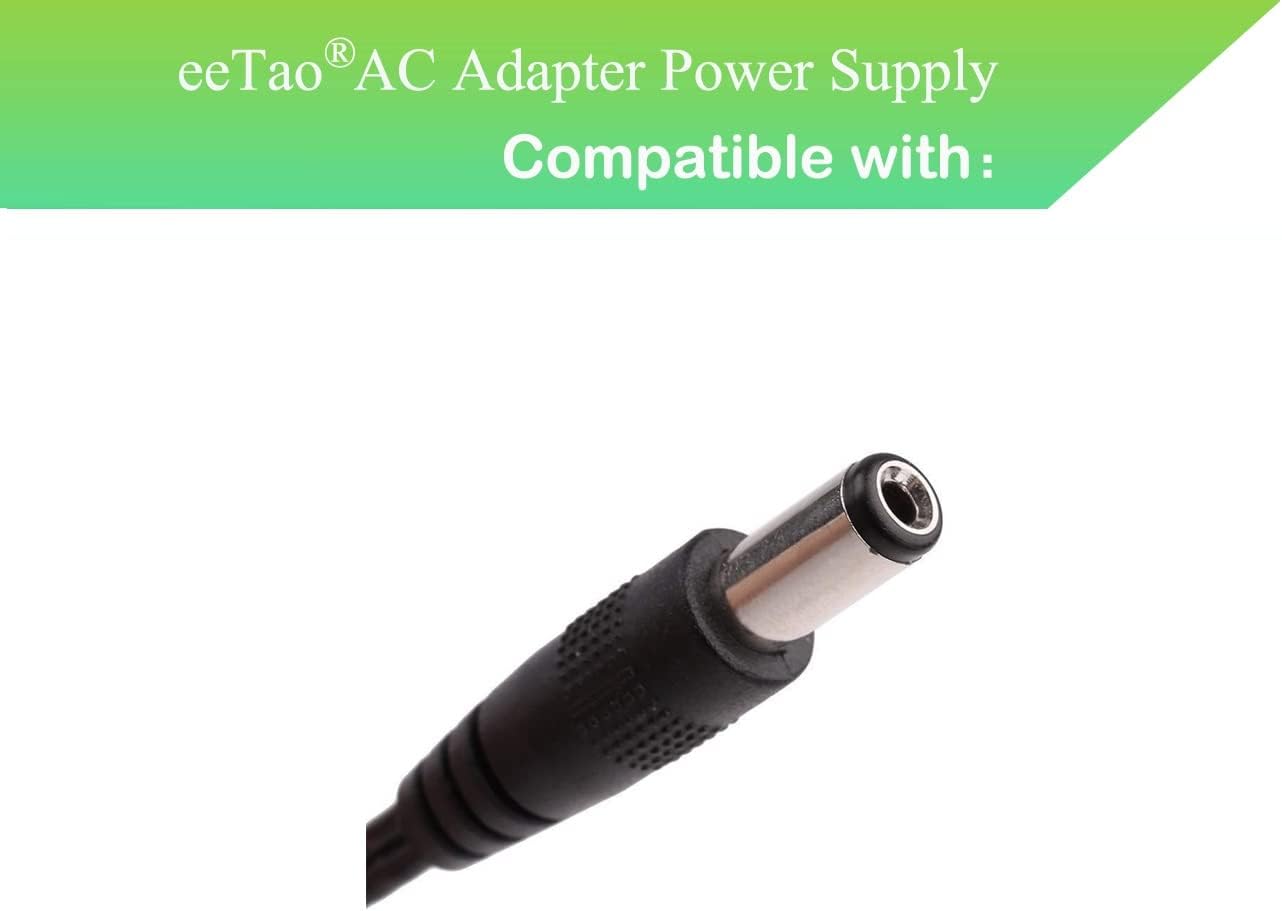
Image: A detailed view of the barrel connector, which connects the charger to the electric scooter's charging port.
Important Note: The 19.2V specification refers to the battery's voltage, not the charger's output voltage. Always ensure the charger's output matches the device's input requirements.
5. Operating Instructions
Once connected, the charger will automatically begin charging the scooter's battery. The charger incorporates several safety features:
- OVP (Over Voltage output Protection): Prevents damage from excessive voltage output.
- OCP (Over Current output Protection): Protects against damage from excessive current output.
- SCP (Short Circuit output Protection): Safeguards against short circuits.
Allow the scooter to charge until its battery indicator shows a full charge. Disconnect the charger from the wall outlet and then from the scooter once charging is complete.
6. Maintenance
To ensure the longevity and proper functioning of your eeTao AC/DC Adapter Charger, follow these maintenance guidelines:
- Storage: Store the charger in a cool, dry place away from direct sunlight and moisture when not in use.
- Cleaning: Use a soft, dry cloth to clean the exterior of the charger. Do not use liquid cleaners or solvents.
- Cable Care: Avoid bending or kinking the power cable excessively. Do not place heavy objects on the cable.
- Inspection: Periodically inspect the charger, cable, and connector for any signs of wear or damage.
7. Troubleshooting
If you encounter issues with your charger, consider the following:
- No Charge Indication:
- Ensure the charger is securely plugged into both the wall outlet and the scooter.
- Try plugging the charger into a different wall outlet to rule out a faulty power source.
- Inspect the charger cable and connector for any visible damage.
- Battery Not Charging:
- Rechargeable batteries have a limited lifespan, typically 1 to 3 years. An old or dead battery may not accept a charge, even if the charger is functioning correctly.
- If you suspect the battery is the issue, it may need replacement.
- To verify if the charger is working, a voltmeter can be used to check its output voltage.
- Overheating: If the charger feels excessively hot during operation, disconnect it immediately and contact support.
8. Specifications
| Feature | Specification |
|---|---|
| Brand | eeTao |
| Model Number | Voyager Sprinter SCOT1080S Adapter |
| Input Voltage | 100-240VAC, 50/60Hz |
| Wattage | 60 watts |
| Compatible Battery Voltage | 19.2VDC |
| Compatible Battery Capacity | 2Ah (2.0Ah) Li-ion |
| Connector Type | Barrel |
| Product Dimensions | 3 x 3 x 1 inches |
| Item Weight | 4 ounces |
| Color | Black |
| Special Feature | Travel |
| Certifications | CE, CCC, ROHS (as per product description) |
9. Warranty and Support
eeTao provides the following warranty and support for this product:
- Refund Policy: 30 days refund from the date of purchase.
- Exchange Policy: 24 months exchange from the date of purchase.
For technical support or warranty claims, please contact eeTao customer service through the retailer where the product was purchased or visit the official eeTao store online.
eeTao Store: https://www.amazon.com/stores/eeTao/page/CD1B527C-FFCD-4C9F-AC87-7AFD1AE48CFF