
1. Important Safety Instructions
Please read all instructions carefully before using your BLACK+DECKER Digital Aero Fry AF4037-B5 Air Fryer. Failure to follow these safety guidelines may result in electric shock, fire, or serious injury.
- Electrical Safety: Ensure the voltage indicated on the appliance corresponds to your local mains voltage before connecting. Do not immerse the main unit, cord, or plug in water or any other liquid.
- Hot Surfaces: The appliance surfaces become hot during use. Always use oven mitts when handling hot components. Do not touch hot surfaces directly.
- Placement: Place the air fryer on a stable, heat-resistant surface, away from walls or other appliances to allow adequate ventilation (at least 10 cm clearance on all sides). Do not place on or near a hot gas or electric burner, or in a heated oven.
- Supervision: Close supervision is necessary when any appliance is used by or near children. Do not leave the appliance unattended during operation.
- Proper Use: This appliance is for household use only. Do not use it for commercial purposes. Do not overfill the basket. Do not block any ventilation openings.
- Maintenance: Unplug the appliance from the outlet when not in use and before cleaning. Allow it to cool completely before putting on or taking off parts, and before cleaning.
- Damaged Cord/Plug: Do not operate any appliance with a damaged cord or plug, or after the appliance malfunctions or has been damaged in any manner. Contact customer service for assistance.
2. Product Overview
The BLACK+DECKER Digital Aero Fry AF4037-B5 is a versatile air fryer designed for healthy cooking with minimal oil. It features a digital touch screen for easy operation and pre-programmed settings for various dishes.
Components:
- Main Unit with Digital Control Panel
- Detachable Frying Basket (3.7L capacity)
- Non-Stick Frying Pan (4L capacity)
- Handle with Basket Release Button

Figure 2.1: Front view of the BLACK+DECKER Digital Aero Fry AF4037-B5 Air Fryer, showing the digital display and handle.
3. Setup
Before using your air fryer for the first time, follow these steps:
- Unpack: Remove all packaging materials, stickers, and labels from the appliance.
- Clean: Wash the frying pan and detachable basket thoroughly with hot water, dish soap, and a non-abrasive sponge. Rinse and dry completely. Wipe the inside and outside of the main unit with a damp cloth.
- Placement: Place the air fryer on a stable, level, and heat-resistant surface. Ensure there is sufficient space (at least 10 cm) around the appliance for proper air circulation.
- Initial Run (Optional): For the first use, it is recommended to run the air fryer empty for about 10 minutes at 180°C to burn off any manufacturing residues. A slight odor may be present, which is normal and will dissipate.
4. Operating Instructions
The BLACK+DECKER Digital Aero Fry AF4037-B5 offers a digital touch screen for intuitive control over your cooking.
4.1 Basic Operation
- Prepare Food: Place your ingredients into the detachable frying basket. Do not exceed the MAX fill line or the recommended food capacity of 1.4 kg.
- Insert Basket: Slide the frying pan with the basket back into the main unit until it clicks securely into place. The appliance will not operate if the basket is not inserted correctly.
- Power On: Plug the power cord into a grounded electrical outlet. The digital display will illuminate.
- Set Temperature and Time:
- Use the temperature control buttons (usually '+' and '-') to set the desired cooking temperature between 80°C and 200°C.
- Use the timer control buttons (usually '+' and '-') to set the cooking time, up to 60 minutes.
- Start Cooking: Press the Start/Pause button to begin the cooking process. The fan and heating element will activate.
- Shake/Turn Food: For even cooking, especially with smaller items, pull out the basket halfway through the cooking time and shake or turn the food. Reinsert the basket to resume cooking.
- Completion: The air fryer will automatically shut off and emit an audible signal when the set cooking time has elapsed. Carefully pull out the basket and transfer the cooked food to a serving plate.
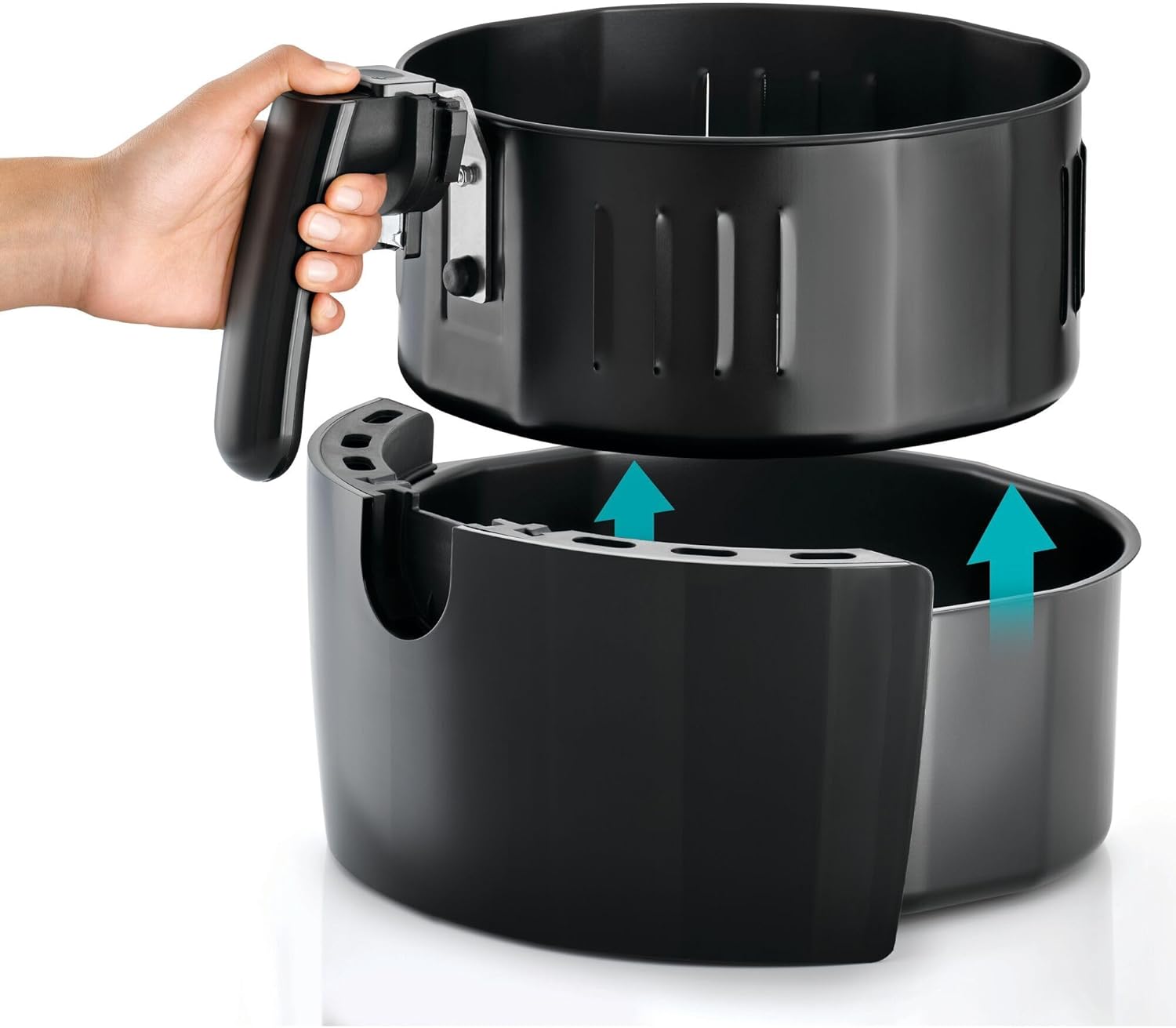
Figure 4.1: A hand selecting a pre-programmed setting on the digital touch screen.

Figure 4.2: The detachable basket pulled out, showing french fries ready for cooking.
4.2 Using Pre-programmed Settings
The air fryer includes 13 pre-programmed frying programs for common dishes. To use them:
- After powering on, press the Menu button (or cycle through the icons) to select the desired pre-set program.
- The display will show the default temperature and time for that program.
- You can adjust the temperature and time manually if needed, even after selecting a pre-set.
- Press the Start/Pause button to begin cooking.
5. Maintenance and Cleaning
Regular cleaning ensures optimal performance and extends the lifespan of your air fryer.
- Unplug and Cool: Always unplug the air fryer and allow it to cool completely before cleaning.
- Clean Basket and Pan: The non-stick frying pan and detachable basket are dishwasher safe. Alternatively, wash them with hot water, dish soap, and a non-abrasive sponge. For stubborn food residue, soak the pan and basket in hot water with dish soap for about 10 minutes.
- Clean Interior: Wipe the inside of the appliance with a damp cloth. If necessary, use a mild detergent. Avoid abrasive cleaners or metal scouring pads.
- Clean Exterior: Wipe the exterior of the air fryer with a damp cloth. Do not use harsh chemicals or abrasive materials.
- Storage: Ensure all parts are clean and dry before storing the appliance in a cool, dry place.
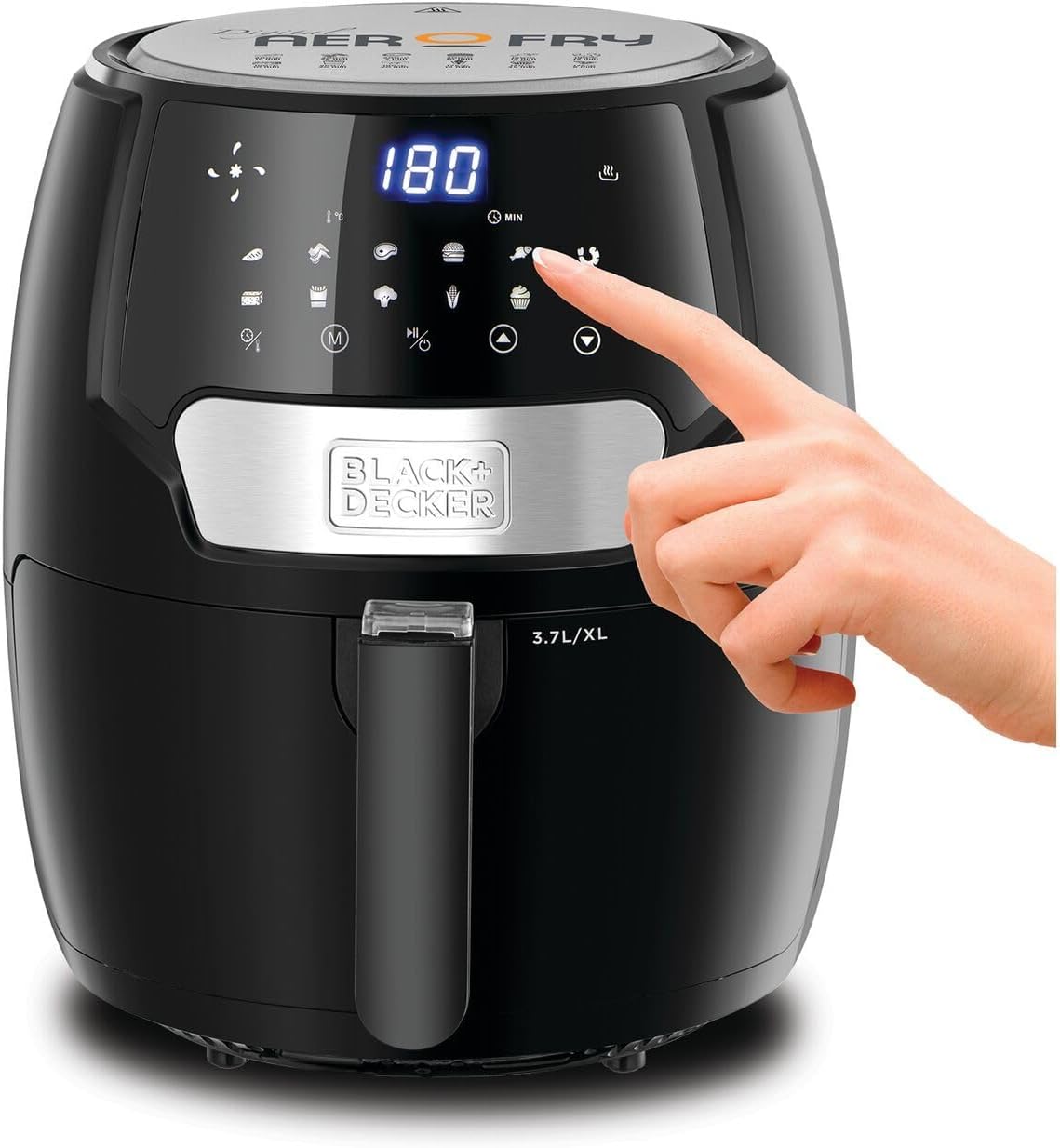
Figure 5.1: Illustration of detaching the frying basket from the pan for cleaning.
6. Troubleshooting
If you encounter issues with your air fryer, consult the following common problems and solutions:
| Problem | Possible Cause | Solution |
|---|---|---|
| Air fryer does not turn on. | Appliance not plugged in. Basket not inserted correctly. | Ensure the power cord is securely plugged into a working outlet. Push the frying pan with the basket firmly into the main unit until it clicks. |
| Food is not cooked evenly. | Too much food in the basket. Food not shaken/turned. | Cook food in smaller batches. Shake or turn food halfway through cooking time. |
| White smoke coming from the appliance. | Grease residue from previous use. High fat content food. | Clean the frying pan and basket thoroughly after each use. Remove excess oil from food before air frying. |
| Food is not crispy. | Not enough oil applied. Too much moisture in food. | Lightly brush or spray food with oil. Pat food dry before cooking. |
7. Specifications
- Model Number: AF4037-B5
- Power: 1500 Watts
- Voltage: 240 Volts
- Frying Pan Capacity: 4 Liters
- Detachable Basket Capacity: 3.7 Liters
- Temperature Range: 80°C - 200°C
- Timer: Up to 60 minutes
- Product Dimensions (D x W x H): 40 cm x 40 cm x 40 cm
- Item Weight: 2 Kilograms
- Material: Aluminum, Plastic
- Special Features: Digital Touch Screen, 13 Pre-programmed settings, Auto Shutoff
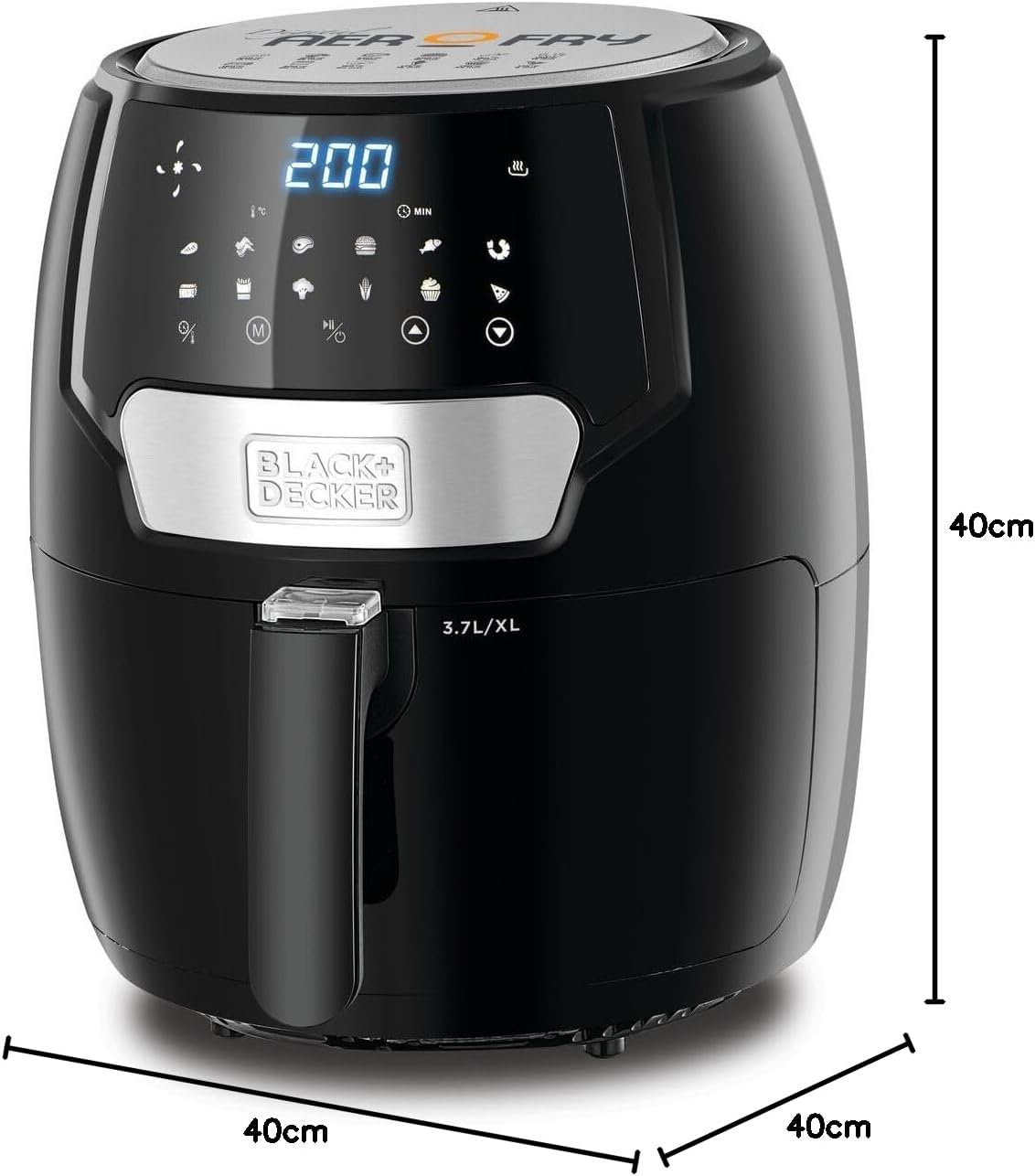
Figure 7.1: Diagram illustrating the dimensions of the air fryer.
8. Warranty and Support
This BLACK+DECKER appliance is covered by a manufacturer's warranty. Please refer to the warranty card included with your purchase for specific terms, conditions, and duration. For technical support, service, or spare parts, please contact your local BLACK+DECKER authorized service center or visit the official BLACK+DECKER website for contact information.
Keep your purchase receipt and warranty card as proof of purchase.