1. Introduction
Thank you for choosing the BRAUN CareStyle 1 Pro IS1512BL Steam Generator Iron. This manual provides essential information for the safe and efficient use, maintenance, and troubleshooting of your appliance. Please read these instructions carefully before first use and keep them for future reference.
2. Important Safety Instructions
When using electrical appliances, basic safety precautions should always be followed to reduce the risk of fire, electric shock, and injury to persons, including the following:
- Read all instructions before using the steam generator iron.
- Do not immerse the iron or steam station in water or other liquids.
- Always turn the iron off and unplug it from the electrical outlet when filling with water, emptying, or when not in use.
- Do not operate the iron with a damaged cord or if the iron has been dropped or damaged. Contact an authorized service facility for examination and repair.
- Close supervision is necessary for any appliance used by or near children. Do not leave the iron unattended while connected or on an ironing board.
- Burns can occur from touching hot metal parts, hot water, or steam. Use caution when turning the iron upside down – there may be hot water in the reservoir.
- The iron must be used and rested on a stable surface.
- The safety lock system allows for safe transport and storage of the boiler.
- The appliance features an AUTO-OFF SYSTEM that activates after 10 minutes of inactivity.
3. Product Overview
The BRAUN CareStyle 1 Pro IS1512BL is a steam generator iron designed for efficient and effective garment care. It features a powerful steam output and a durable Super Ceramic soleplate.
3.1 Components
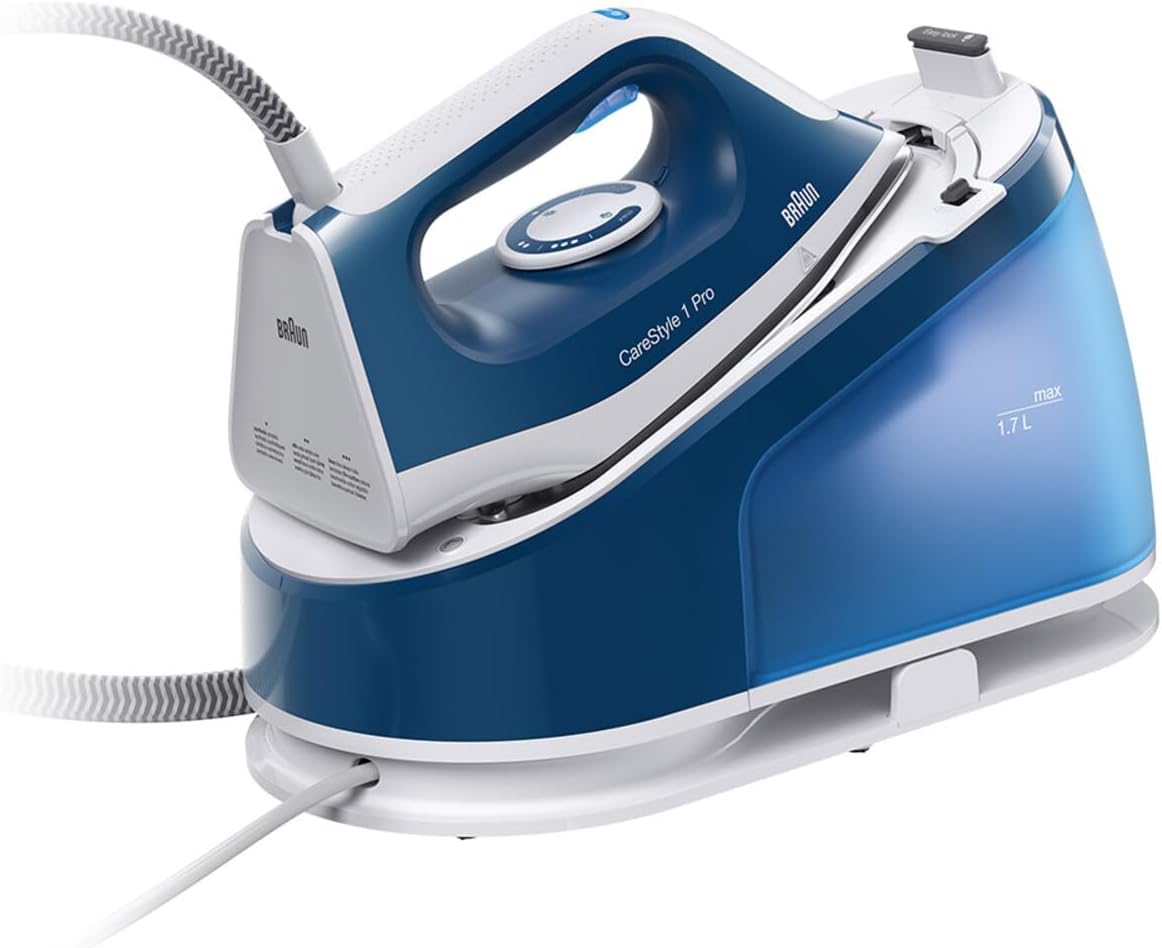
- Iron Unit: The handheld part with the soleplate and handle.
- Steam Station Base: Houses the water tank and steam generator.
- Water Tank: A 1.7L removable tank for easy refilling.
- Super Ceramic Soleplate: Designed for smooth gliding and even heat distribution.
- Steam Hose: Connects the iron unit to the steam station.
- Control Panel: Buttons and indicators for temperature and steam settings.
3.2 Key Features
- Powerful Steam Output: Continuous steam of 120 g/min and a steam shot of 380 g/min for effective wrinkle removal.
- 6 Bar Pressure: Ensures deep steam penetration into fabrics.
- FreeGlide 3D Technology: The rounded and beveled soleplate edges allow for effortless gliding over buttons and zippers in all directions.
- Super Ceramic Soleplate: Provides durability and smooth ironing performance.
- 1.7L Removable Water Tank: Large capacity for longer ironing sessions and easy refilling.
- 3 Temperature Settings: Adjustable thermostat for optimal ironing based on fabric type.
- Rapid Heating: Ready to use in approximately 2 minutes.
- Auto-Off System: Automatically shuts off after 10 minutes of inactivity for safety.
- Safety Lock System: Secures the iron to the base for safe transport and storage.
4. Setup Instructions
- Unpack the Appliance: Carefully remove all packaging materials and ensure all components are present.
- Position the Steam Station: Place the steam station on a stable, heat-resistant surface, preferably on an ironing board designed for steam generators.
- Fill the Water Tank:
- Remove the 1.7L water tank from the steam station.
- Fill the tank with tap water up to the 'max' level indicator. Distilled or demineralized water is recommended in areas with very hard water to prevent limescale buildup.
- Reinsert the water tank securely into the steam station.
- Connect Power: Plug the power cord into a suitable grounded electrical outlet.

5. Operating the Steam Generator Iron
5.1 Powering On and Heating
- Ensure the water tank is filled and the appliance is plugged in.
- Press the power button on the steam station. The indicator light will illuminate, signaling that the iron is heating up.
- Allow approximately 2 minutes for the iron to reach the desired temperature and for steam to be ready. The indicator light will change or stop flashing when ready.
5.2 Selecting Temperature Settings
The BRAUN CareStyle 1 Pro offers 3 temperature settings for various fabric types:
- Level 1: Suitable for synthetics.
- Level 2: Ideal for wool, silk, and polyester.
- Level 3: Recommended for cotton and linen.
Adjust the temperature dial on the iron unit to the appropriate setting for your fabric. Always check garment care labels.
5.3 Using Steam Functions
- Continuous Steam: Press and hold the steam trigger under the handle for a continuous steam flow of 120 g/min.
- Steam Shot (Boost): For stubborn wrinkles, press the steam shot button (if available, usually a separate button or a double-press of the trigger) to release a powerful 380 g/min steam burst.
- Vertical Steaming: The steam function can also be used for vertical steaming of hanging garments or drapes. Hold the iron a few centimeters away from the fabric and press the steam trigger.

5.4 FreeGlide 3D Technology
The unique FreeGlide 3D soleplate design, with its rounded and beveled edges, allows the iron to glide smoothly over any fabric, even backwards, without snagging on buttons, pockets, or zippers. This feature enhances maneuverability and efficiency during ironing.

5.5 Auto-Off System
For safety and energy saving, the iron will automatically switch off after 10 minutes of inactivity. To restart, simply move the iron or press any button.
6. Maintenance and Cleaning
Regular maintenance ensures optimal performance and extends the lifespan of your BRAUN CareStyle 1 Pro.
6.1 After Each Use
- Unplug the appliance from the power outlet.
- Allow the iron to cool down completely.
- Empty any remaining water from the removable tank.
- Wipe the soleplate with a damp cloth to remove any residue.
- Store the iron securely on its base, using the safety lock system.
6.2 Cleaning the Soleplate
If the Super Ceramic soleplate becomes dirty, clean it with a damp cloth and a non-abrasive liquid cleaner. Do not use metallic scouring pads or abrasive cleaners as they can scratch the soleplate.
6.3 Descaling (Anti-Calc System)
While the product description does not explicitly detail a descaling process, steam generator irons typically require periodic descaling to prevent mineral buildup. Refer to the full product manual or BRAUN's official website for specific descaling instructions for the CareStyle 1 Pro IS1512BL model. Using distilled or demineralized water can help reduce the frequency of descaling.
7. Troubleshooting
Before contacting customer service, please refer to the following table for common issues and their solutions.
| Problem | Possible Cause | Solution |
|---|---|---|
| No steam is produced. | Water tank is empty. Iron not heated sufficiently. Steam button not pressed. | Fill the water tank. Wait for the iron to reach operating temperature. Press the steam trigger. |
| Iron does not heat up. | Appliance not plugged in. Power button not pressed. Auto-off activated. | Ensure the power cord is securely plugged in. Press the power button. Move the iron or press a button to reactivate. |
| Water drips from the soleplate. | Temperature setting too low for steam. | Increase the temperature setting. Wait for the iron to heat up properly before using steam. |
| Limescale buildup on soleplate. | Hard water usage. | Clean the soleplate as described in Section 6.2. Consider using distilled or demineralized water. |
8. Technical Specifications
| Feature | Specification |
|---|---|
| Model Name | CareStyle 1 Pro |
| Model Number | IS1512BL |
| Brand | BRAUN |
| Continuous Steam | 120 g/min |
| Steam Shot | 380 g/min |
| Steam Pressure | 6 bar |
| Water Tank Capacity | 1.7 Liters (Removable) |
| Soleplate Type | Super Ceramic with FreeGlide 3D Technology |
| Wattage | 2200 watts |
| Heating Time | Approx. 2 minutes |
| Auto Shutoff | Yes, after 10 minutes of inactivity |
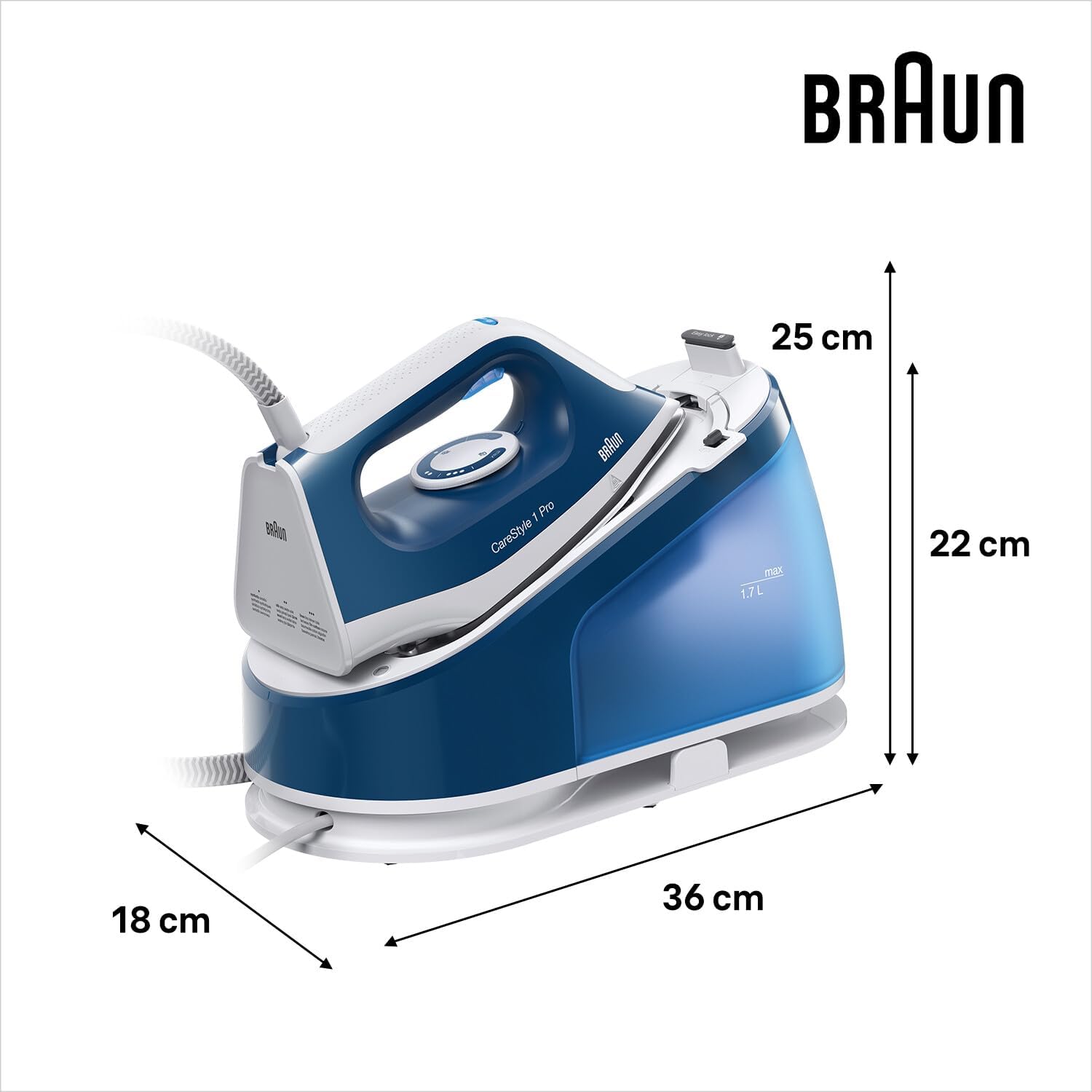
| Product Dimensions | 36L x 25W centimetres |
| Item Weight | 2.8 Kilograms |
| Color | Blue |
9. Warranty and Customer Support
The BRAUN CareStyle 1 Pro IS1512BL Steam Generator Iron comes with a 5-year service warranty, as indicated in the product description. For detailed warranty terms and conditions, please refer to the warranty card included with your product or visit the official BRAUN website.
For technical assistance, spare parts, or repair services, please contact BRAUN customer support. Contact information can typically be found on the BRAUN official website or in the packaging materials.


