
BTH-F9-5
Original TWS Air Pro 80 Wireless Bluetooth Headset User Manual
Model: BTH-F9-5
Introduction
Thank you for choosing the Original TWS Air Pro 80 Wireless Bluetooth Headset. This manual provides detailed instructions on how to set up, operate, and maintain your new earbuds. Please read this manual carefully before use to ensure optimal performance and longevity of your device.
Package Contents
- Original TWS Air Pro 80 Wireless Bluetooth Earbuds (Left and Right)
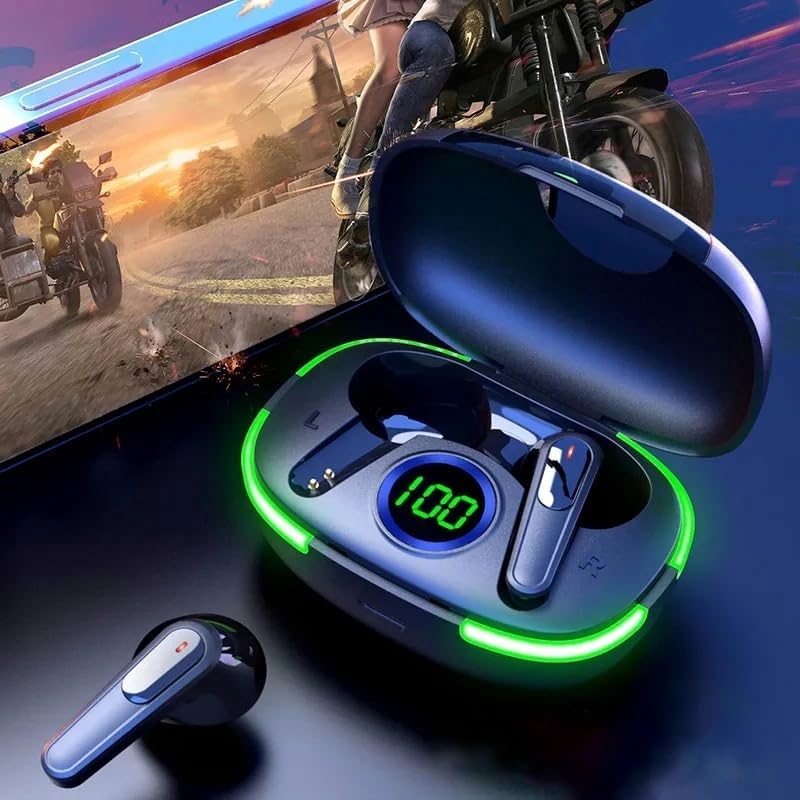
- Charging Case with LED Display
- USB Charging Cable
- User Manual
- (Note: The product specifications mention "Blu-ray" as an included component, which appears to be an error. This manual assumes standard earbud accessories.)
Product Overview


Setup
1. Initial Charging
Before first use, fully charge the earbuds and the charging case. Place the earbuds into the charging case and connect the USB charging cable to the case and a power source. The LED display on the case will show the charging progress. A full charge is indicated by '100' on the display.
2. Pairing with Your Device
- Open the charging case. The earbuds will automatically enter pairing mode.
- On your device (smartphone, tablet, etc.), enable Bluetooth.
- Search for available Bluetooth devices and select "TWS Air Pro 80" (or similar name) from the list.
- Once connected, you will hear a confirmation tone, and the earbuds will be ready for use.
The earbuds support Bluetooth 5.1 for stable and efficient connection.


Operating Instructions
Touch Controls
The TWS Air Pro 80 earbuds feature touch controls for various functions:
- Play/Pause: Single tap on either earbud.
- Next Track: Double tap on the right earbud.
- Previous Track: Double tap on the left earbud.
- Answer/End Call: Single tap on either earbud during an incoming call.
- Reject Call: Long press on either earbud during an incoming call.
- Activate Voice Assistant: Triple tap on either earbud.
Wearing the Earbuds
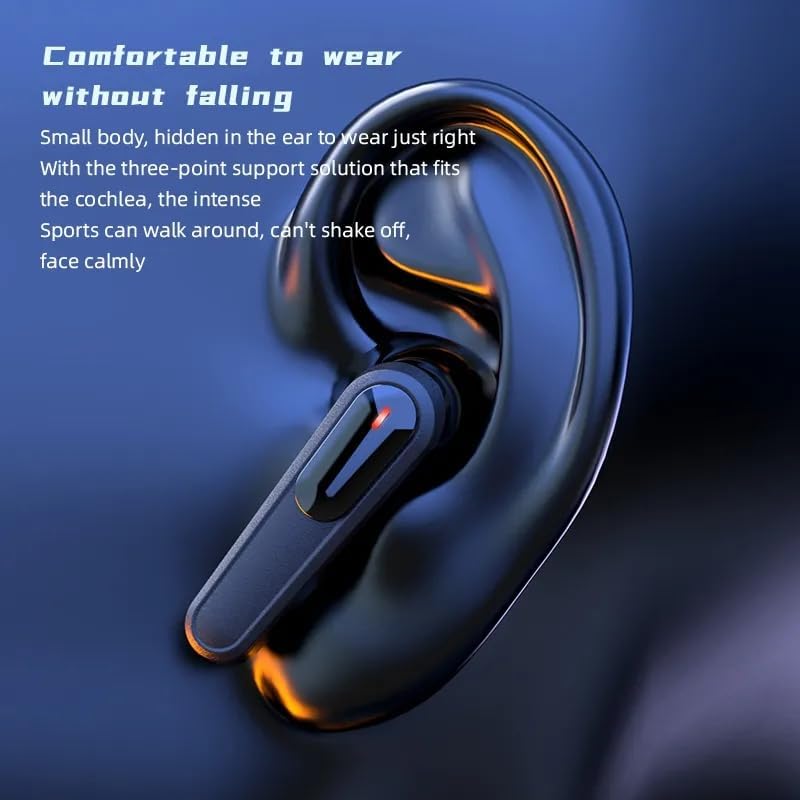
Insert the earbuds gently into your ears. Adjust them for a comfortable and secure fit. The design is optimized for comfort and to prevent falling during activity.
Single Earbud Mode
Either earbud can be used independently. Simply take one earbud out of the case, and it will automatically connect to your device if previously paired. The other earbud can remain in the case or be used by another person for shared audio.

Maintenance
Cleaning
Regularly clean the earbuds and charging case with a soft, dry, lint-free cloth. Do not use harsh chemicals or abrasive materials. Ensure charging contacts are clean and free of debris.
Storage
When not in use, store the earbuds in their charging case to protect them and keep them charged. Store in a cool, dry place away from extreme temperatures.
Water Resistance
The earbuds are rated IPX4 water resistant, meaning they are protected from splashing water from any direction. They are suitable for light rain and sweat during workouts. Do not submerge the earbuds in water or expose them to strong jets of water.

Troubleshooting
| Problem | Possible Cause | Solution |
|---|---|---|
| Earbuds not pairing | Low battery; Bluetooth off; Out of range; Already connected to another device. | Charge earbuds; Ensure Bluetooth is on; Move closer to device; Disconnect from other devices. |
| No sound from one earbud | Low battery; Not properly paired; Earbud not seated correctly in case. | Charge both earbuds; Re-pair both earbuds; Ensure proper seating in case. |
| Charging case not charging | Faulty cable; Power source issue; Dirty charging port. | Try a different USB cable; Use a different power adapter/port; Clean charging port gently. |
| Poor sound quality | Out of range; Obstructions; Low battery; Dirty earbud mesh. | Move closer to device; Remove obstructions; Charge earbuds; Clean earbud mesh. |
Specifications
- Model Name: TWS
- Model Number: BTH-F9-5
- Connectivity Technology: Wireless
- Wireless Communication Technology: Bluetooth 5.1
- Battery Capacity: 300mAh (Charging Case)
- Material: Plastic
- Control Type: Media Control, Touch
- Water Resistance Level: IPX4 (Water Resistant)
- Form Factor: In Ear
- Noise Control: Active Noise Cancellation
- Headphones Jack: USB (for charging case)
- Product Dimensions: 2 x 1 x 2 inches
- Manufacturer: Ivoltronics
Warranty and Support
For warranty information and technical support, please refer to the documentation provided at the time of purchase or contact your retailer. Keep your proof of purchase for any warranty claims.
For further assistance, please visit the manufacturer's website or contact their customer service department.
Ask a question about this manual
Ask about setup, troubleshooting, compatibility, parts, safety, or missing instructions. Manuals+ will review the question and use this page’s manual context to help answer it.