
Introduction
This manual provides detailed instructions for the safe and efficient use of your NUERPO LED Desk Lamp. This lamp is designed to provide versatile and comfortable illumination for various tasks, featuring an adjustable swing arm, multiple lighting modes, and eye-caring technology.
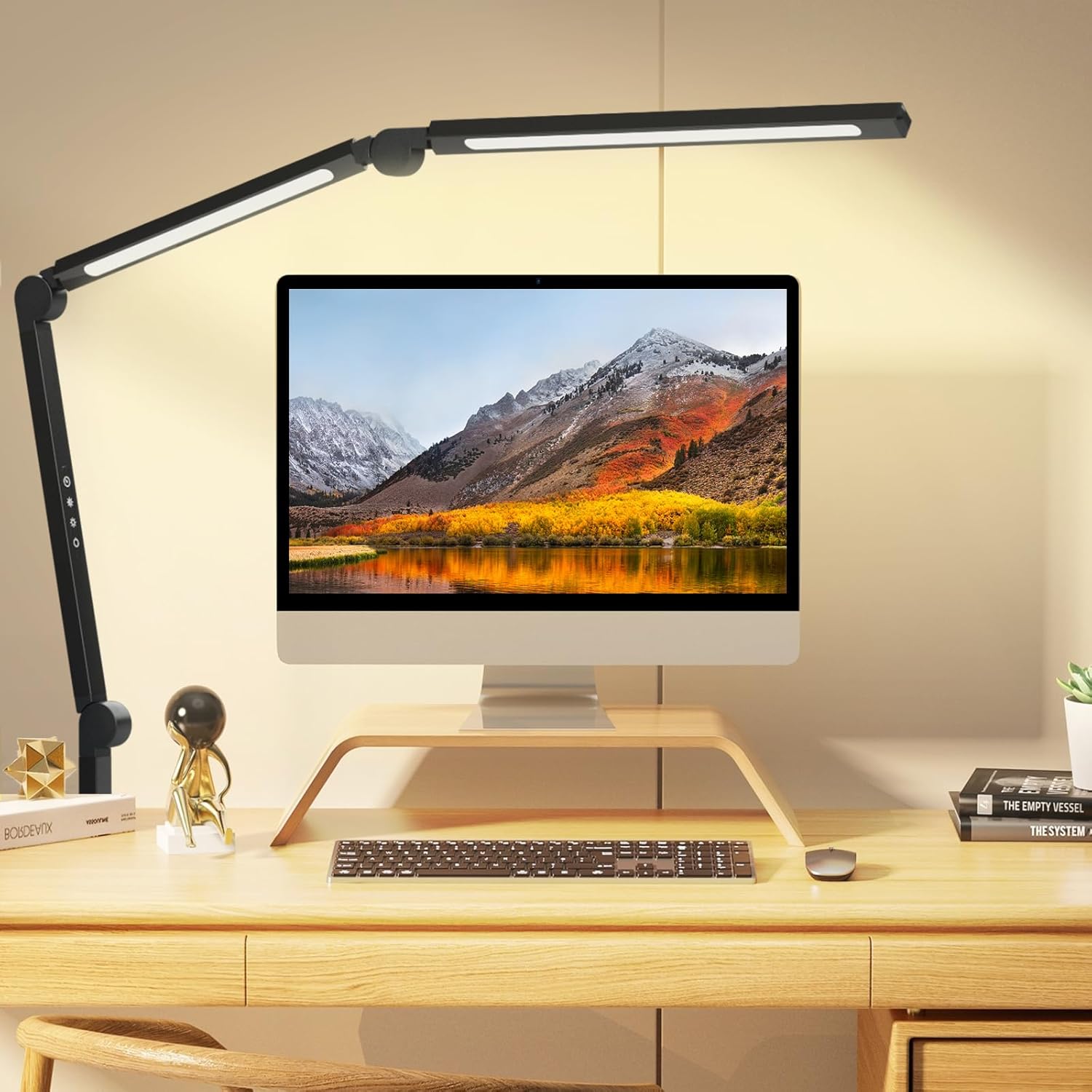
Figure 1: NUERPO LED Desk Lamp Overview
What's in the Box
Please check the package contents to ensure all items are present and undamaged:
- LED Desk Lamp (2 Section Swing Arm)
- Power Supply
- Instruction Manual
Setup Instructions
Follow these steps to set up your LED Desk Lamp:
- Attach the Clamp: Securely attach the lamp's clamp to the edge of your desk, shelf, or table. Ensure the surface thickness is compatible with the clamp's maximum opening (up to 2.3 inches). Tighten the screw until the clamp is firm and stable.
- Connect Power: Insert the power supply cable into the lamp's power input port. Then, plug the power adapter into a standard electrical outlet.
- Adjust Position: The lamp features a multi-angle flexible design. Adjust the arm and head to your desired position. The joints allow for 360-degree rotation at the base, 270-degree rotation at the first arm joint, and 290-degree rotation at the lamp head joint.
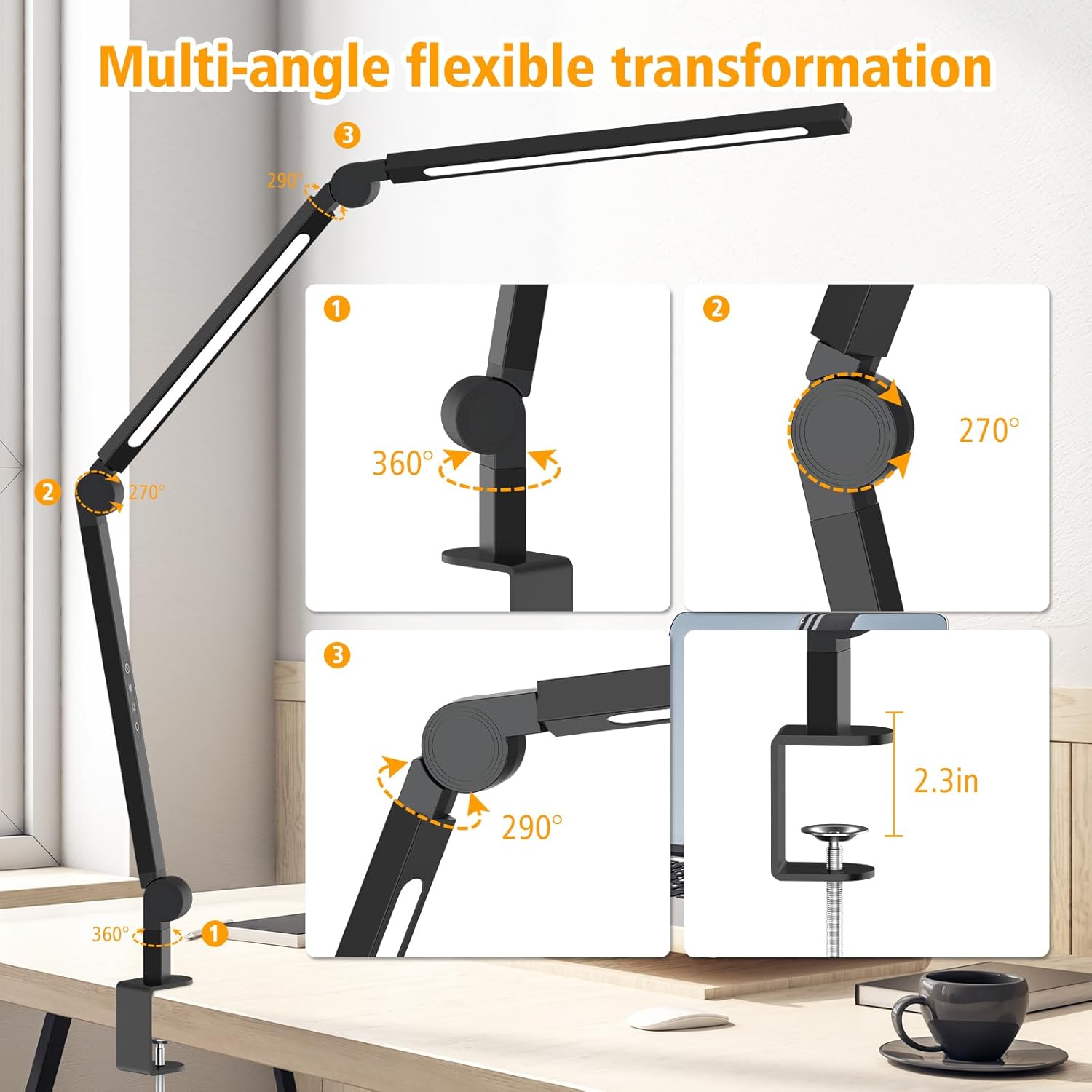
Figure 2: Clamp Attachment Detail
Figure 3: Multi-Angle Adjustment Points
Operating Instructions
The lamp is controlled via touch-sensitive buttons located on the arm. Refer to Figure 4 for button layout.
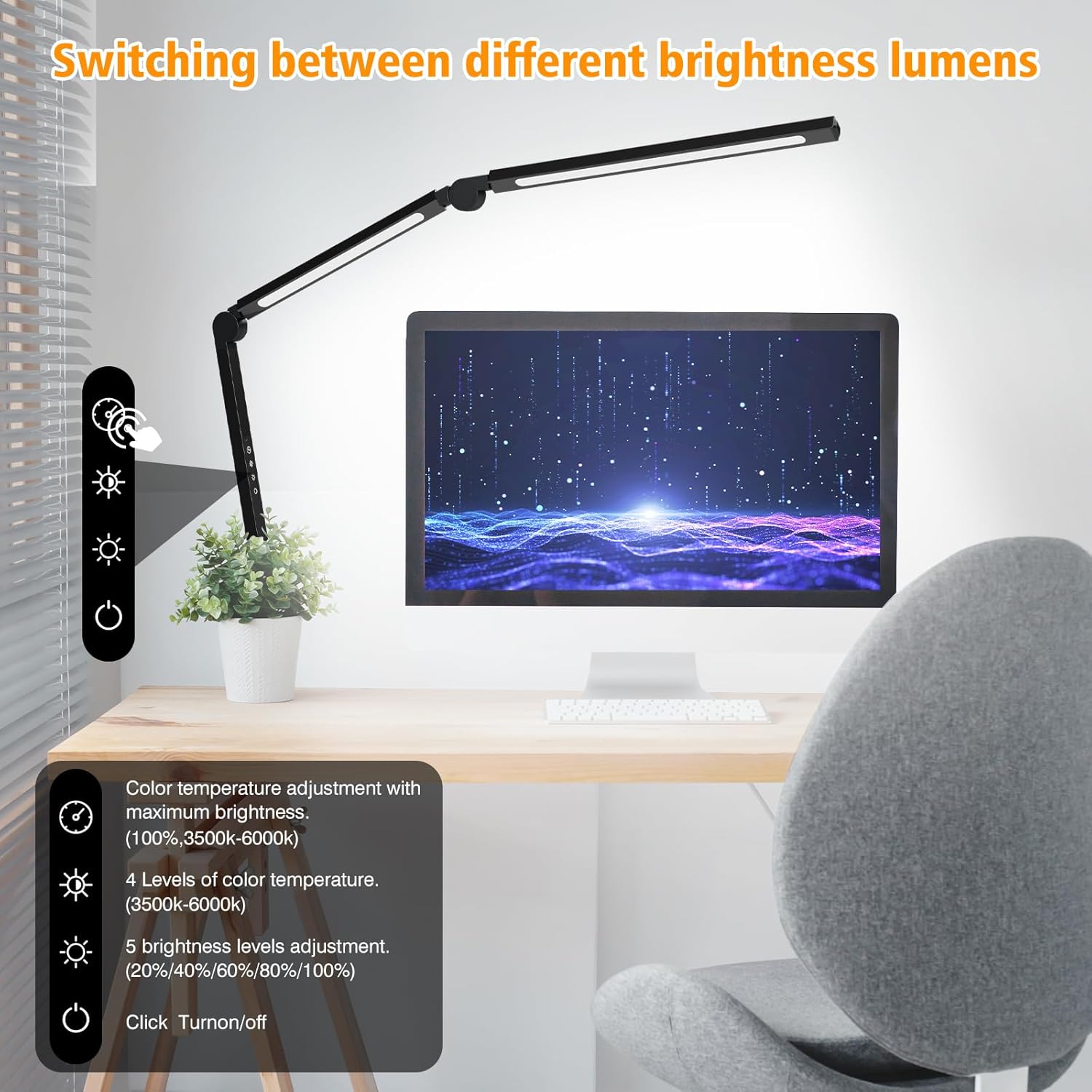
Figure 4: Control Panel
- Power On/Off: Press the Power button (usually indicated by a circle with a vertical line) to turn the lamp on or off.
- Adjust Brightness: Press the Brightness Up/Down buttons (indicated by sun icons) to cycle through 5 brightness levels (20%, 40%, 60%, 80%, 100%).
- Adjust Color Temperature: Press the Color Temperature button (usually indicated by a color palette or light bulb icon) to switch between 4 color temperature modes (e.g., 3500K warm light to 6000K cool light).
- Timer Function: If available, press the Timer button (usually indicated by a clock icon) to set an automatic shut-off timer.
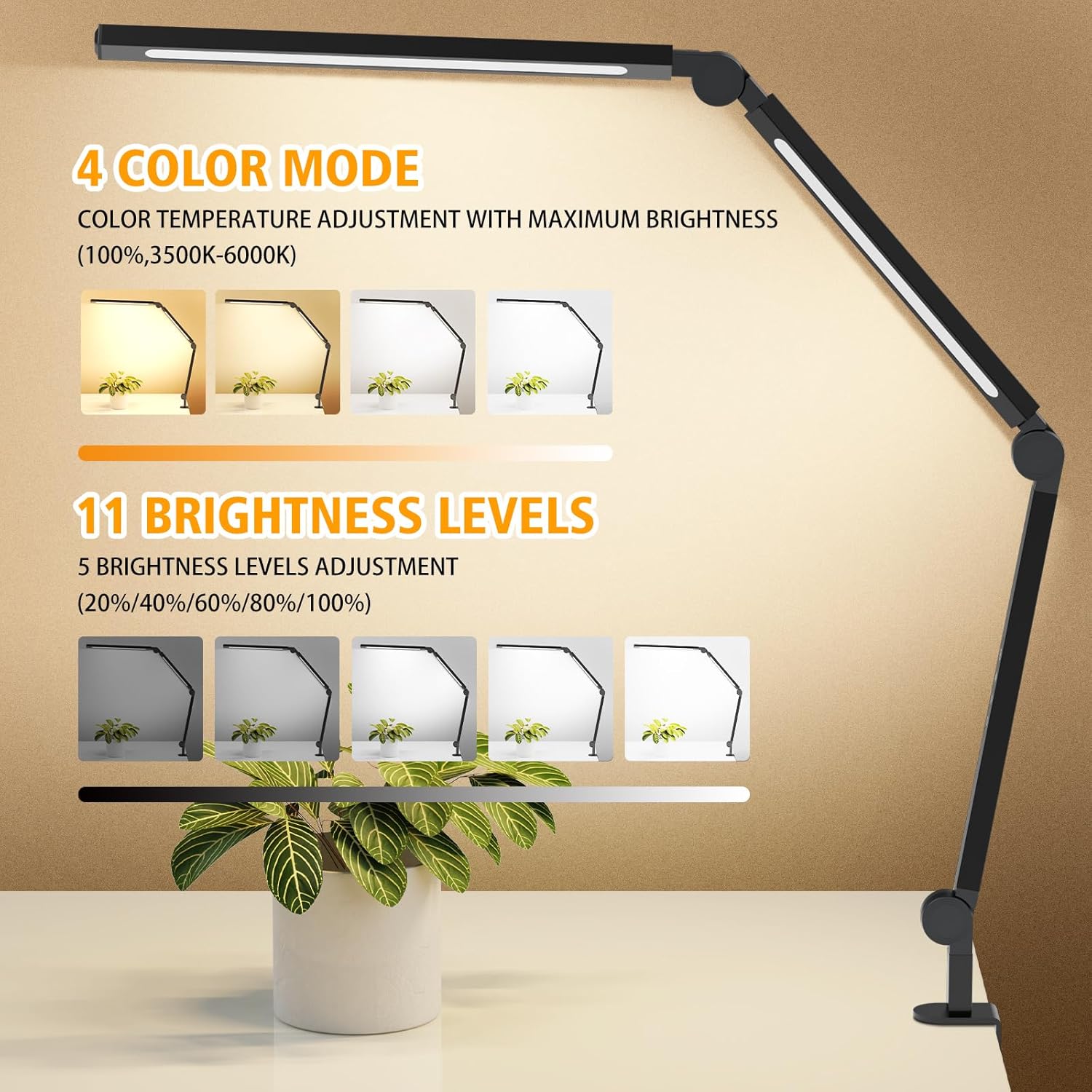
Figure 5: Brightness and Color Temperature Options
The lamp's flexible design allows for optimal positioning to reduce glare and provide soft, non-direct illumination across your workspace.
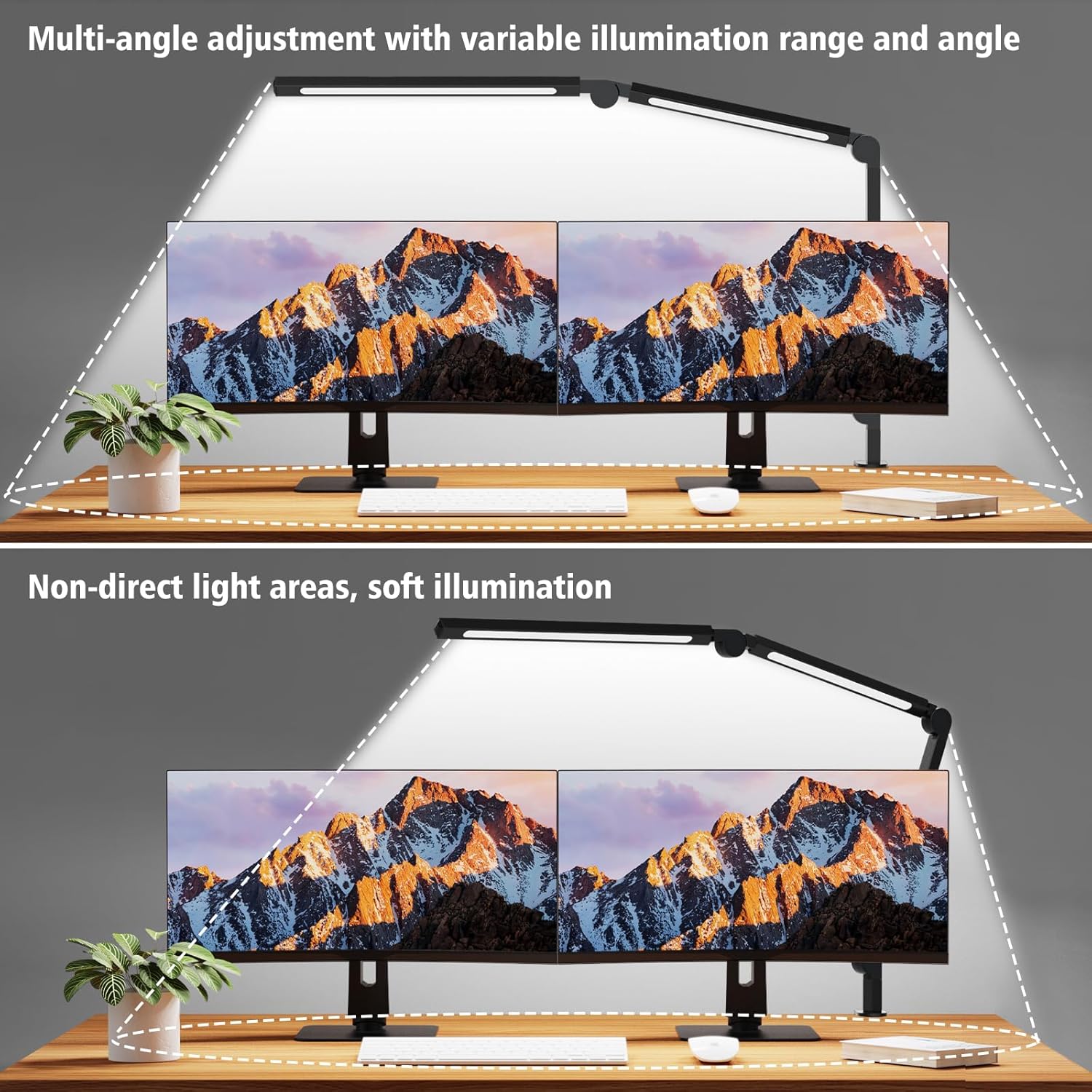
Figure 6: Optimal Illumination Coverage
Product Demonstration Video
Video 1: A demonstration of the NUERPO LED Desk Lamp's features, including its adjustable arm and lighting options.
Maintenance
To ensure the longevity and optimal performance of your LED Desk Lamp, follow these maintenance guidelines:
- Cleaning: Disconnect the power before cleaning. Use a soft, dry cloth to wipe the lamp's surface. Avoid abrasive cleaners, solvents, or harsh chemicals, as these can damage the finish or electronic components.
- Storage: If storing the lamp for an extended period, ensure it is clean and dry. Store it in a cool, dry place away from direct sunlight and extreme temperatures.
- Cable Care: Do not bend or crimp the power cable excessively. Avoid placing heavy objects on the cable.
Troubleshooting
If you encounter issues with your lamp, refer to the following common problems and solutions:
| Problem | Possible Cause | Solution |
|---|---|---|
| Lamp does not turn on | No power supply; Loose connection; Faulty outlet | Ensure power adapter is securely plugged in; Try a different outlet; Check power cable for damage. |
| Light flickers or is unstable | Unstable power supply; Loose connection | Ensure power connections are secure; Try a different power outlet. |
| Buttons are unresponsive | Temporary electronic glitch | Unplug the lamp for 30 seconds, then plug it back in to reset. |
If the problem persists after trying these solutions, please contact customer support.
Specifications
| Feature | Detail |
|---|---|
| Brand | NUERPO |
| Model | 2 Section Swing Arm |
| Light Source Type | LED |
| Wattage | 12 watts |
| Voltage | 24 Volts (AC) |
| Color Temperature | 3500K-6000K (Adjustable) |
| Brightness Levels | 5 levels (20%, 40%, 60%, 80%, 100%) |
| Control Method | Touch |
| Material | Aluminum |
| Product Dimensions | 1"D x 1"W x 1"H (Approximate, as provided) |
| Item Weight | 1.94 pounds |
| Mounting Type | Tabletop (Clamp) |
| Indoor/Outdoor Usage | Indoor |
Warranty Information
For detailed warranty information, please refer to the product packaging or contact the manufacturer directly. Keep your proof of purchase for warranty claims.
Customer Support
If you have any questions, require assistance, or need to report a problem, please contact NUERPO customer support through their official website or the retailer where the product was purchased.