
1. Introduction
This manual provides detailed instructions for the installation, operation, and maintenance of your ALUSSO LIGHTING 25W LED Dusk to Dawn Security Light. Please read this manual thoroughly before installation and retain it for future reference. This product is designed to provide efficient and reliable outdoor illumination with adjustable color temperature and automatic dusk-to-dawn functionality.
2. Safety Information
WARNING: Risk of electric shock. Disconnect power at the fuse or circuit breaker before installing or servicing.
- Ensure the power supply is turned off before installation or maintenance.
- Installation should be performed by a qualified electrician or a person familiar with the construction and operation of the product and the hazards involved.
- This fixture is designed for outdoor use and is IP65 waterproof rated.
- Do not attempt to modify the fixture. Any modifications may void the warranty and create safety hazards.
- The lamp heads are integrated units and are not replaceable.
- The base is suitable only for 3-3.5 inch US outdoor junction boxes.
3. Package Contents
Verify that all components are present before beginning installation:
- ALUSSO LIGHTING 25W LED Dusk to Dawn Security Light (1 unit)
- Instruction Manual (1 unit)
- Mounting hardware (screws, wire connectors)
4. Specifications
| Feature | Specification |
|---|---|
| Brand | ALUSSO LIGHTING |
| Model Name | 25W LED Dusk to Dawn Security Lights |
| Wattage | 25 Watts |
| Brightness | 1900 Lumens |
| Color Temperature | 3000K (Warm White), 4000K (Neutral White), 6000K (Cool White) - Selectable |
| Water Resistance Level | IP65 Waterproof |
| Material | Aluminum, Polycarbonate |
| Power Source | AC 120 Volts |
| Product Dimensions | 9.5"L x 6.9"W x 5.1"H |
| Item Weight | 1.43 pounds |
| Average Life | 30,000 Hours |
| Mounting Type | Wall Mount |
| Number of Light Sources | 2 (Adjustable Heads) |
5. Installation
Follow these steps for proper installation. Ensure power is disconnected before proceeding.
5.1 Mounting Location
This security light can be mounted on a wall or soffit. Choose a location that provides the desired illumination coverage and is compatible with a 3-3.5 inch US outdoor junction box.

Figure 5.1: Examples of Soffit Mounted and Wall Mounted installations.
5.2 Wiring and Mounting Steps
The ALUSSO LIGHTING security light features quick-connect fittings for simplified wiring. This fixture is a Safety Class II Luminaire, meaning it has insulated plastic housing and does not require an earth wire.
- Step 1: Prepare the Junction Box. Ensure the power is off. Connect the quick-connect fittings from the light fixture to the corresponding wires in your 3-3.5 inch US outdoor junction box. The quick-connect fittings eliminate the need for wire nuts and electrical tape.
- Step 2: Secure the Mounting Plate. Attach the light's mounting plate to the junction box using the provided screws.
- Step 3: Attach the Fixture. Align the light fixture with the mounting plate and secure it with the central screw.

Figure 5.2: Installation steps for the security light, highlighting quick-connect wiring and mounting to a junction box.

Figure 5.3: Safety Class II Luminaire design with quick-connect fittings.
6. Operation
6.1 Adjusting Color Temperature (CCT)
The light offers three selectable color temperatures: 3000K (Warm White), 4000K (Neutral White), and 6000K (Cool White). A switch located on the fixture allows you to select your preferred color temperature.
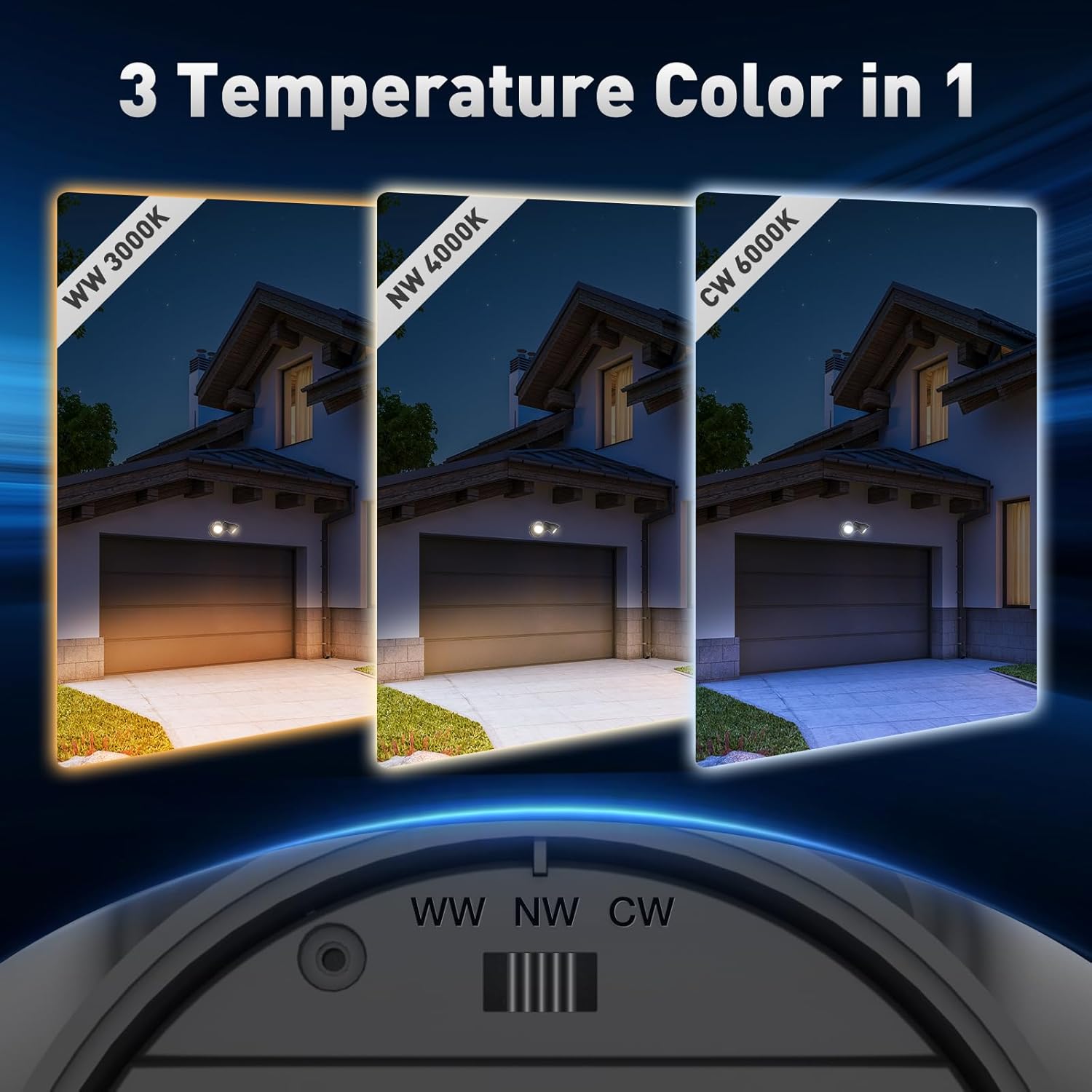
Figure 6.1: Color Temperature Selection (3000K, 4000K, 6000K).
6.2 Operating Modes
The security light supports two operating modes: Dusk to Dawn and Always On, controlled via your wall switch.
Dusk to Dawn Mode
In this mode, the built-in photocell sensor automatically turns the light on when ambient brightness is below 10 LUX (nighttime) and turns it off when brightness exceeds 50 LUX (daytime).
- To activate: Turn the wall switch ON. The light will automatically enter Dusk to Dawn mode.
- Note: This light is hardwired, not solar-powered, and does not include a motion sensor.

Figure 6.2: Dusk to Dawn Mode operation.
Always On Mode
This mode allows the light to remain on continuously, regardless of ambient light conditions.
- To activate: Flip the wall switch twice (ON-OFF-ON) within 3 seconds. The light will flash twice to confirm entry into Always On mode.
- To return to Dusk to Dawn Mode: Turn off the light and wait for 5 seconds, then turn it back on. It will revert to Dusk to Dawn mode by default.
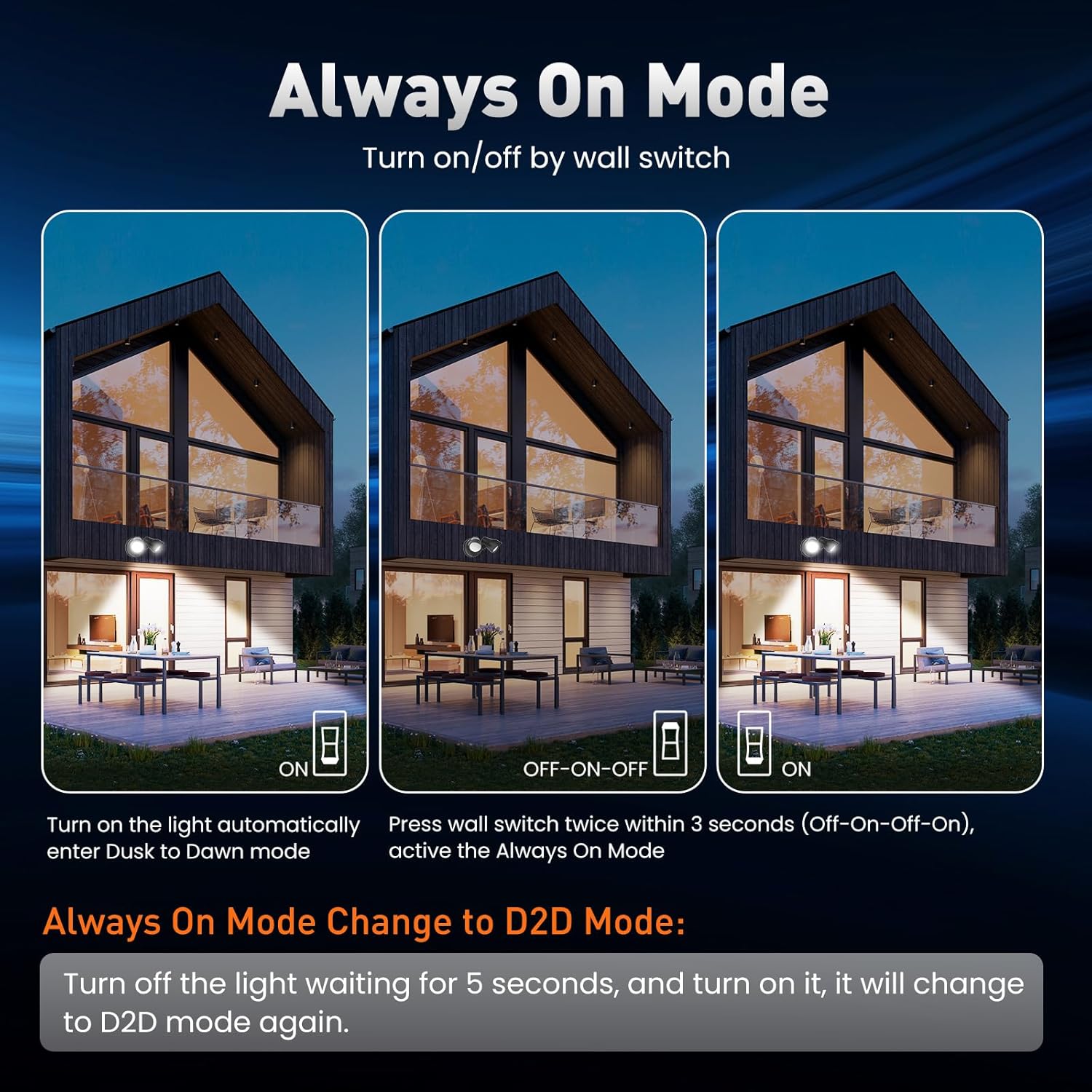
Figure 6.3: Switching between operating modes.
6.3 Adjustable Light Heads
The two light heads can be rotated independently to direct illumination precisely where needed. Each head can rotate up to 330 degrees horizontally and 120 degrees vertically.

Figure 6.4: Adjustable light head range of motion.
7. Maintenance
Regular maintenance ensures optimal performance and longevity of your security light.
- Cleaning: Periodically clean the fixture with a soft, damp cloth. Do not use abrasive cleaners or solvents, as these can damage the finish or electrical components.
- Inspection: Annually inspect the wiring and mounting for any signs of wear, damage, or loosening. Ensure all connections remain secure.
- Weather Resistance: The IP65 rating ensures protection against dust and water jets. While designed for all weather conditions (-20℃ to 40℃), avoid direct high-pressure water sprays.
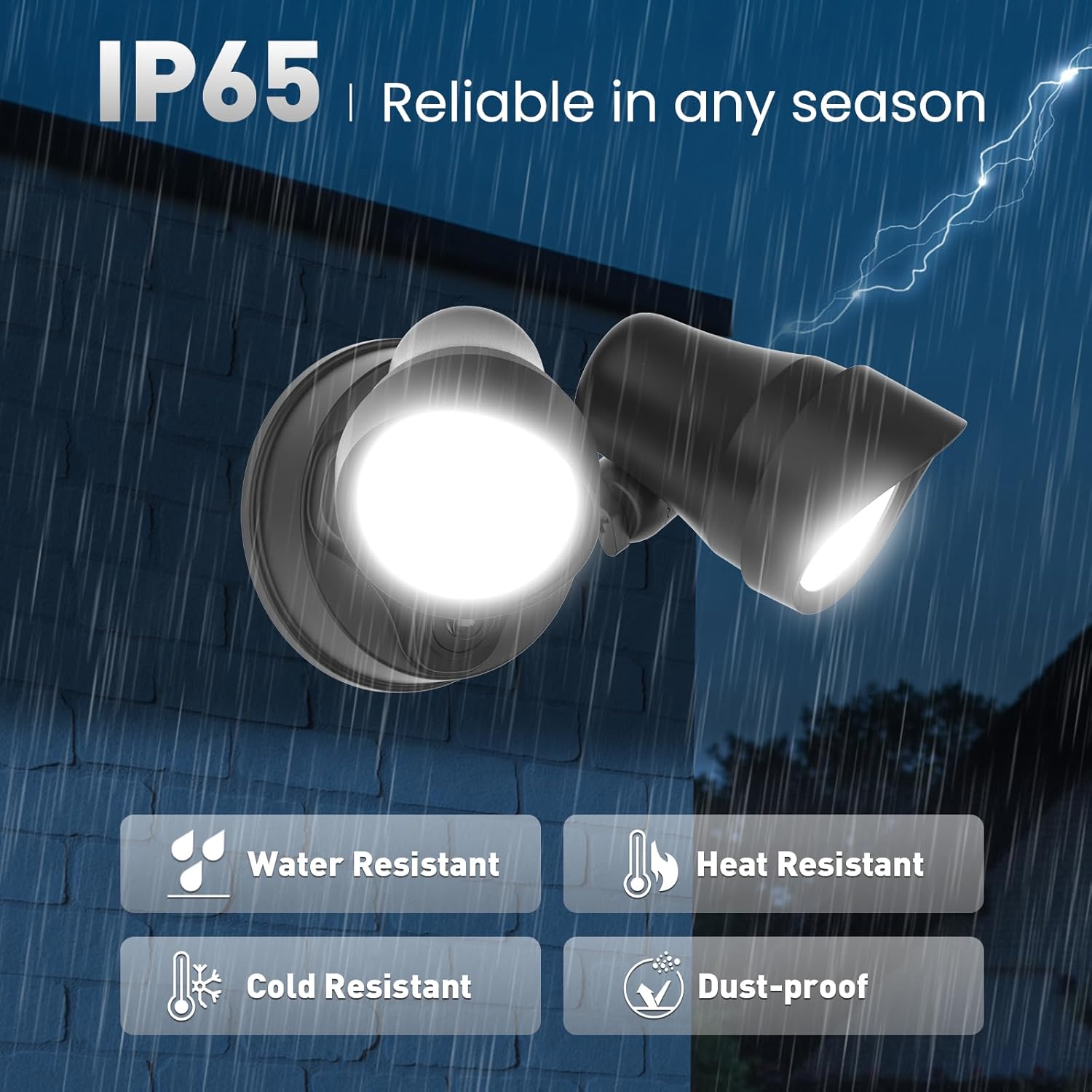
Figure 7.1: IP65 Waterproof and weather resistance features.
8. Troubleshooting
If you encounter issues with your security light, refer to the following common problems and solutions:
| Problem | Possible Cause | Solution |
|---|---|---|
| Light does not turn on at night. | 1. Power is off. 2. Photocell sensor is obstructed or receiving too much light. 3. Incorrect operating mode selected. | 1. Check circuit breaker and wall switch. 2. Ensure photocell is clean and not blocked by objects or other light sources. 3. Verify the light is in Dusk to Dawn mode (refer to Section 6.2). |
| Light stays on during the day. | 1. Photocell sensor is obstructed or faulty. 2. Incorrect operating mode selected. | 1. Clean the photocell sensor. If the issue persists, contact support. 2. Ensure the light is in Dusk to Dawn mode. If in Always On mode, cycle the power to reset (refer to Section 6.2). |
| Light flickers or is dim. | 1. Loose wiring connection. 2. Power supply issue. 3. Product defect. | 1. Disconnect power and check all wiring connections. Ensure quick-connect fittings are secure. 2. Consult an electrician to check the power supply. 3. If other solutions fail, contact customer support. |
9. Warranty and Support
This ALUSSO LIGHTING product comes with an Extended Warranty. For specific warranty terms and conditions, please refer to the warranty card included with your purchase or contact ALUSSO LIGHTING customer service.
For technical support, troubleshooting assistance, or warranty claims, please contact ALUSSO LIGHTING customer service through the retailer where the product was purchased or visit the official ALUSSO LIGHTING website.