1. Introduction
Thank you for choosing the NMY N300 Drone. This manual provides essential information for the safe operation, setup, and maintenance of your drone. Please read it thoroughly before your first flight to ensure proper usage and to maximize your flying experience. The NMY N300 is a lightweight, foldable drone equipped with a 4K camera, GPS, 5G WiFi FPV transmission, and powerful brushless motors, designed for both beginners and enthusiasts.
2. Safety Information
Operating a drone requires responsibility and adherence to safety guidelines. Failure to follow these instructions may result in injury, damage to property, or legal consequences.
- Pre-Flight Check: Always ensure the drone, remote control, and batteries are fully charged and in good working condition before each flight. Check propellers for damage.
- Environmental Conditions: Fly in open areas, away from people, animals, buildings, and obstacles. Avoid flying in strong winds, rain, fog, or extreme temperatures.
- Line of Sight: Always maintain visual line of sight with your drone during flight.
- Respect Privacy: Be mindful of privacy laws when using the camera.
- Battery Safety: Use only approved chargers and batteries. Do not overcharge or puncture batteries.
- Age Restriction: This product is intended for adults.
3. Package Contents
Verify that all items are present in your NMY N300 Drone package:
- NMY N300 Drone
- Remote Control
- 2 x Lithium-ion Batteries
- Customized Carrying Case
- Spare Propellers (multiple sets)
- USB Charging Cables
- Screwdriver
- User Manual (this document)
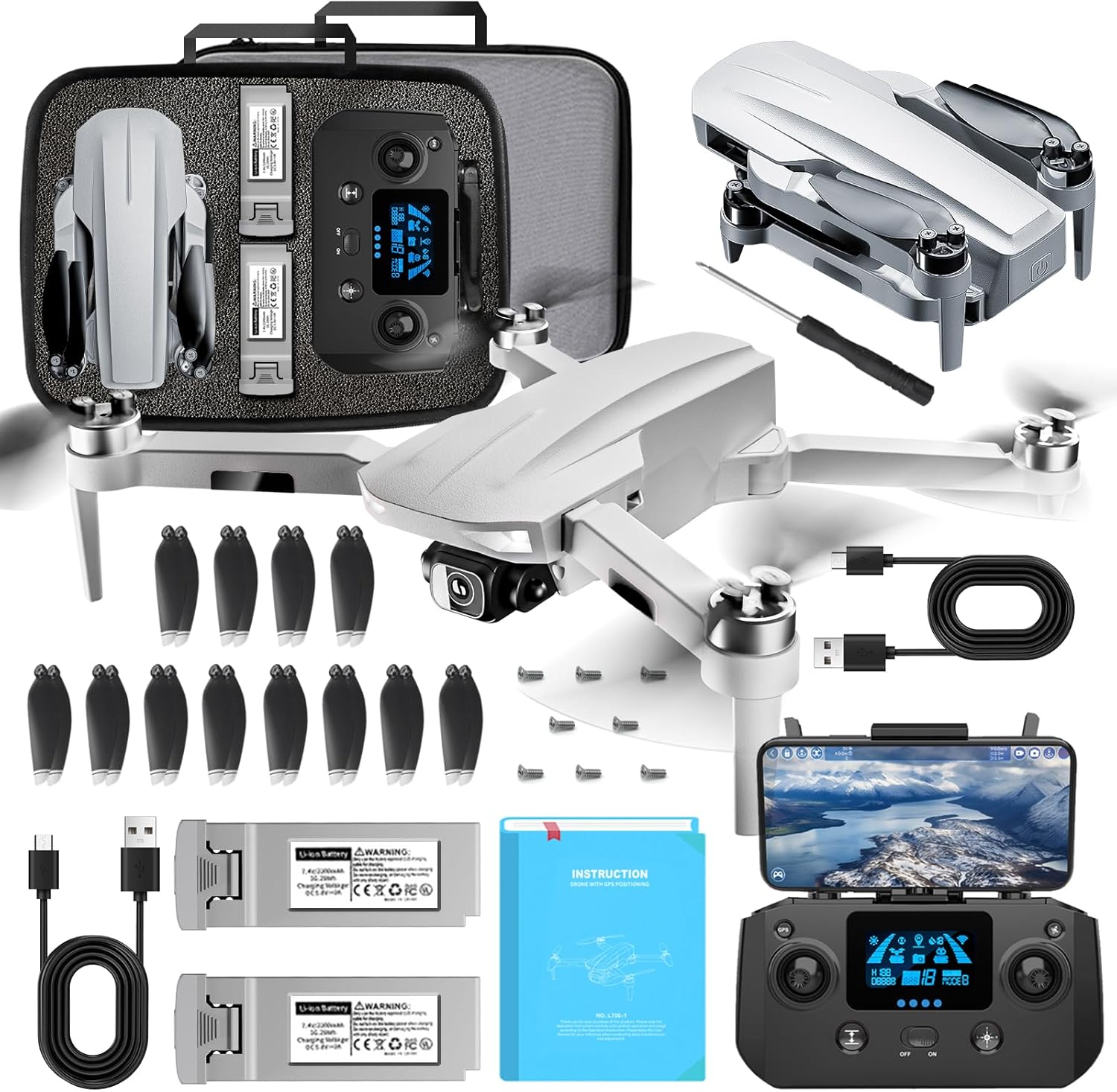
Image 3.1: All components included in the NMY N300 Drone package.
4. Product Overview
4.1. NMY N300 Drone
The NMY N300 features a foldable design for portability, powerful brushless motors for efficient flight, and a 4K camera with a 90° adjustable lens for high-quality aerial photography and videography. It also integrates GPS for stable flight and advanced functions.

Image 4.1: The NMY N300 Drone in its folded configuration.

Image 4.2: The NMY N300 Drone unfolded and prepared for flight.

Image 4.3: Illustration of the drone's brushless motor technology.
4.2. Remote Control
The remote control provides intuitive command over the drone's flight and camera functions. It includes a holder for your smartphone to display the 5G WiFi FPV live feed.
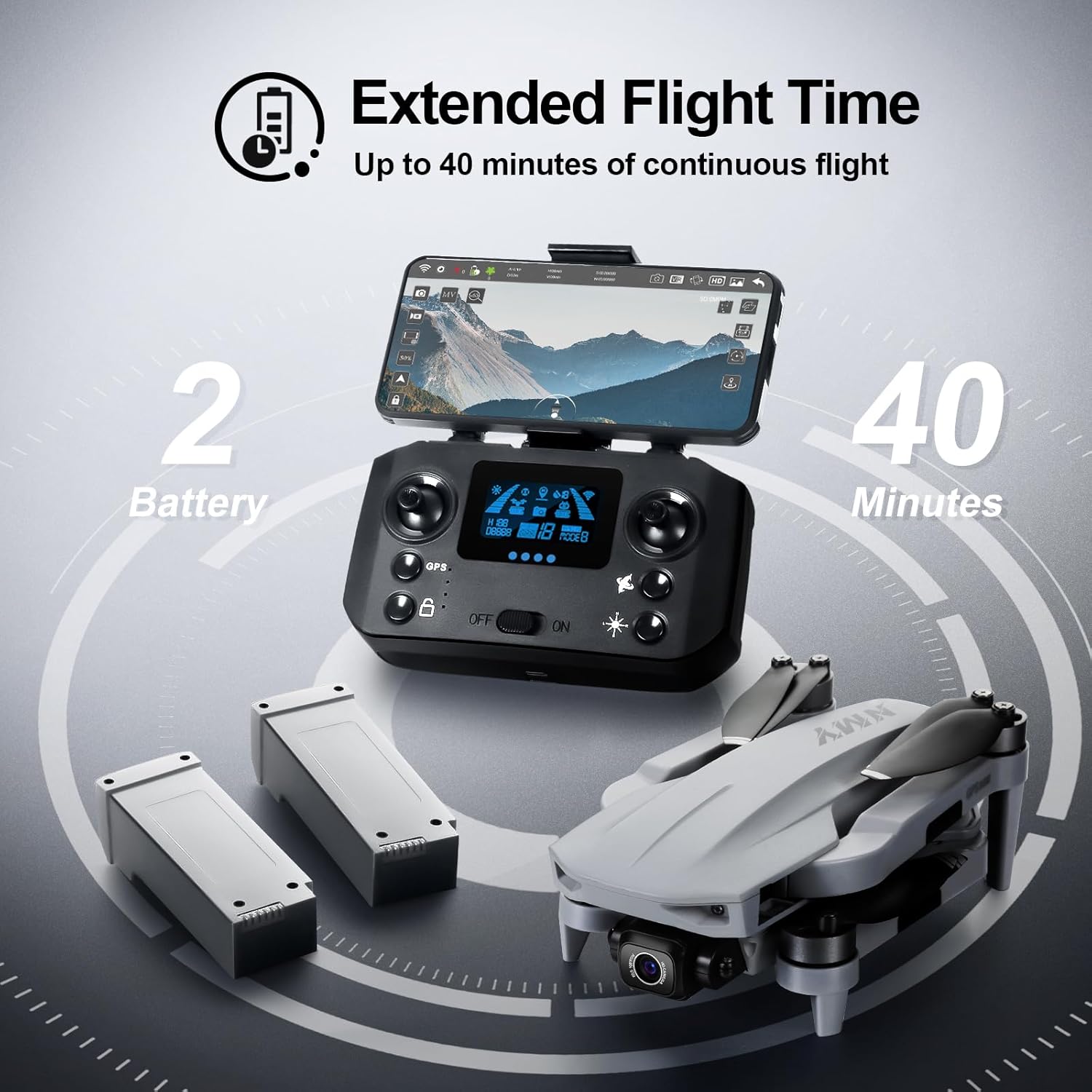
Image 4.4: The remote control with a smartphone for FPV viewing.
5. Setup
5.1. Battery Charging
Charge both the drone batteries and the remote control battery using the provided USB charging cables. Ensure the batteries are fully charged before each flight. Charging indicators will typically turn off or change color when charging is complete.
5.2. Propeller Installation
Attach the propellers according to the markings on the drone arms and propellers (e.g., A and B). Use the provided screwdriver to secure them firmly. Ensure no propellers are bent or damaged.
5.3. Pairing the Drone and Remote Control
- Place the drone on a flat, level surface.
- Turn on the drone.
- Turn on the remote control.
- Follow the on-screen prompts or indicator lights to complete the pairing process. Refer to the quick start guide for specific button sequences.
5.4. App Installation
Download and install the dedicated NMY drone application on your smartphone. This app is required for FPV viewing, accessing advanced flight modes, and camera controls. Connect your smartphone to the remote control via the provided cable or Wi-Fi as instructed by the app.
6. Operating Instructions
6.1. Pre-Flight Checklist
- Drone and remote control batteries are fully charged.
- Propellers are correctly installed and undamaged.
- Flight area is clear of obstacles, people, and animals.
- GPS signal is acquired (indicated on the remote control/app).
- Camera lens is clean.
6.2. Takeoff and Landing
The NMY N300 supports both automatic and manual takeoff/landing procedures. For automatic operations, press the designated one-key takeoff/landing button on the remote control or within the app.
6.3. Flight Modes
The NMY N300 offers several intelligent flight modes:
- GPS Mode: Provides stable hovering and precise positioning. Essential for most intelligent flight functions.
- Follow Me Mode: The drone will automatically follow the remote control or connected smartphone.
- Waypoint Flight: Plan a flight path on the app map, and the drone will fly along the specified route.
- Orbit Flight: The drone will circle around a designated point of interest.
6.4. Camera Operation
The drone is equipped with a 4K camera and a 90° motorized adjustable lens. Use the remote control or the app to adjust the camera angle, take photos, and record videos. Electronic Image Stabilization (EIS) helps ensure clearer, steadier shots.

Image 6.1: Comparison of video footage with EIS enabled and disabled.
6.5. GPS Functions
The integrated GPS system enables several safety and convenience features:
- Automatic Return to Home (RTH): The drone will automatically return to its takeoff point under conditions such as low battery, loss of control signal, or manual activation.
- Precise Positioning: GPS ensures stable hovering and accurate flight paths.

Image 6.2: Illustration of the drone's automatic return to home function via GPS.
7. Maintenance
7.1. Cleaning
- Wipe the drone body with a soft, dry cloth.
- Gently clean the camera lens with a microfiber cloth.
- Remove any debris from the motors and propellers.
7.2. Storage
When not in use, store the NMY N300 Drone in its customized carrying case in a cool, dry place, away from direct sunlight. Ensure batteries are partially charged (around 50-60%) for long-term storage to preserve battery health.
8. Troubleshooting
If you encounter issues with your NMY N300 Drone, refer to the following common problems and solutions:
- Drone does not power on: Ensure batteries are fully charged and correctly inserted. Check power buttons for proper engagement.
- Remote control does not respond: Verify remote control battery level. Re-pair the remote control with the drone.
- Unstable flight/Drifting: Calibrate the drone's gyroscope and compass as per the app instructions. Ensure flight is in an open area with strong GPS signal. Check for damaged propellers.
- No FPV feed: Ensure your smartphone is correctly connected to the remote control and the drone app is running. Check 5G WiFi connection.
- Motor not spinning: Check for any obstructions around the motor. If a motor is blocked or damaged, contact customer support.
9. Specifications
| Feature | Specification |
|---|---|
| Model Name | N300 |
| Brand | NMY |
| Weight | Under 249g (approx. 990g total package weight) |
| Dimensions (L x W x H) | 20 x 15 x 5 cm (folded) |
| Flight Time | Up to 40 minutes (with 2 batteries) |
| Camera Resolution | 4K |
| Camera Features | 90° Motorized Adjustable Lens, Electronic Image Stabilization (EIS) |
| Connectivity | 5G WiFi FPV |
| Motor Type | Brushless |
| GPS | Yes, with Automatic Return functions |
| Skill Level | Beginner |

Image 9.1: The NMY N300 Drone offers up to 40 minutes of flight time with two batteries.

Image 9.2: The NMY N300 Drone's lightweight design, weighing under 249 grams.
10. Customer Support
NMY is committed to providing personalized customer service to ensure your satisfaction and assist with any questions regarding the use of your drone. Our professional customer service team is available to guide you from novice to proficient drone operator.
If you are not satisfied with the product, NMY accepts unconditional returns, ensuring your purchase is guaranteed. Please refer to your purchase documentation for specific return policies and contact information.