
EdisonBright HA13
EdisonBright Nitecore HA13 Headlamp User Manual
Model: HA13
Introduction
The EdisonBright Nitecore HA13 is an ultra-lightweight headlamp designed for various outdoor activities such as camping, hiking, and jogging. It offers a maximum output of 350 lumens, features both white and red light illumination, and supports dual power sources (AAA batteries or a NITECORE HLB1300 Li-ion Battery Pack). This manual provides detailed instructions for the safe and effective use of your HA13 headlamp.

Image: The Nitecore HA13 headlamp with its adjustable headband, accompanied by an EdisonBright battery carrying case.
Safety Instructions
- Do not shine the light directly into eyes.
- Keep the device away from children.
- Ensure batteries are inserted with correct polarity to prevent damage.
- Do not mix old and new batteries, or different types of batteries.
- Remove batteries if the device will not be used for an extended period.
- Operate within specified temperature ranges.
Product Features
The HA13 headlamp is engineered with several key features for optimal performance and user convenience:
- Max output of 350 lumens for bright illumination.
- Red light illumination for preserving night vision and specialized tasks.
- Utilizes an optical lens system with various facets for efficient light distribution.
- Compatible with various AAA batteries (alkaline, Ni-MH, primary lithium) and NITECORE HLB1300 Li-ion Battery Pack.
- Designed with two distinct buttons for easy one-handed operation.
- Offers 3 brightness levels (white light), 2 light sources (white/red), and 3 special modes (SOS, Location Beacon).
- Constructed from special PC plastic for impact and low-temperature resistance.
- Compact and lightweight design (67g / 2.36 oz).
- Impact resistant to 1 meter.
- Waterproof rating in accordance with IPX6.

Image: Overview of the Nitecore HA13 headlamp's key features, including its 350 lumen output and dual beam capability.
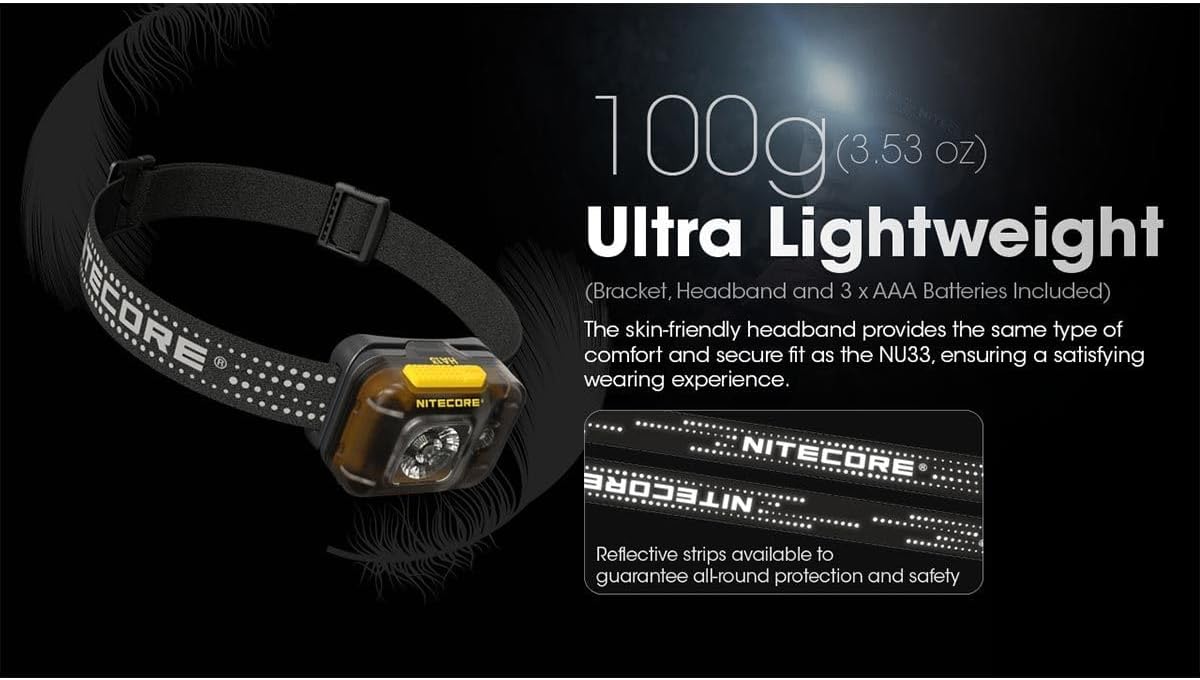
Image: The HA13 headlamp emphasizing its ultra-lightweight nature (100g with batteries) and reflective headband for safety.
Package Contents
- Nitecore HA13 Headlamp
- 3 x AAA Batteries (included)
- EdisonBright Battery Carrying Case
Setup
Battery Installation
The HA13 headlamp supports two types of power sources: 3 x AAA batteries or a NITECORE HLB1300 Li-ion Battery Pack (sold separately).
- Open the battery compartment cover located on the side of the headlamp.
- Insert three AAA batteries, ensuring correct polarity (+/-) as indicated inside the compartment. Alternatively, insert the NITECORE HLB1300 Li-ion Battery Pack.
- Close the battery compartment cover securely.
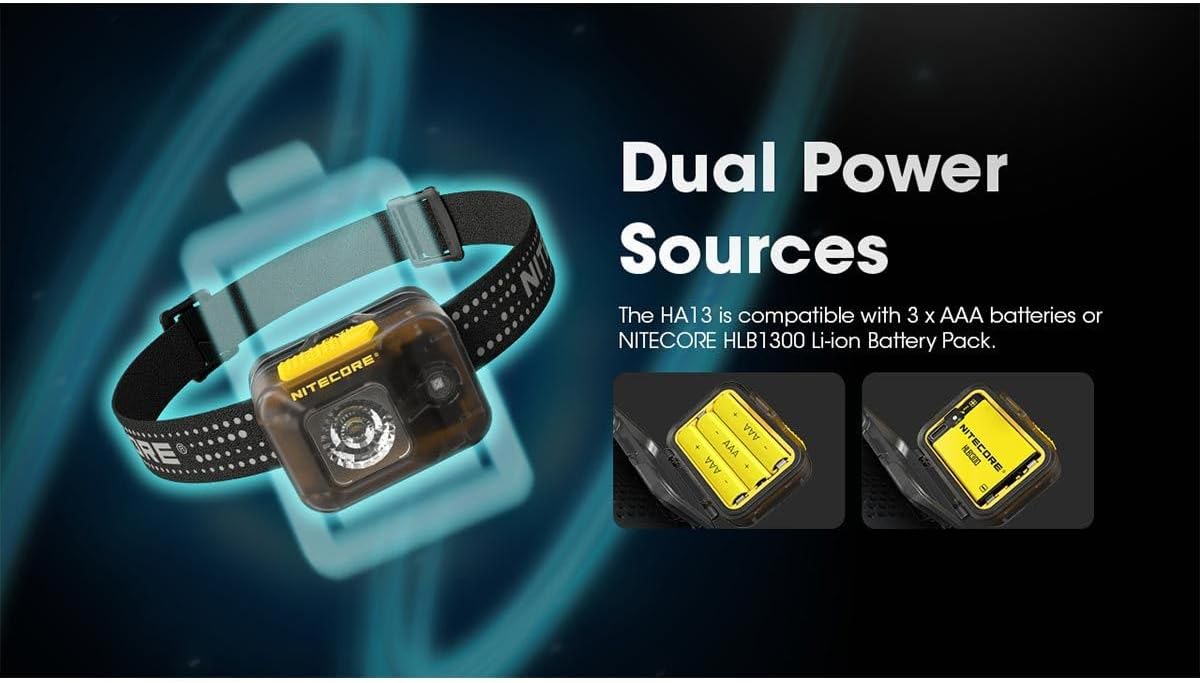
Image: The HA13 headlamp demonstrating its compatibility with both AAA batteries and the NITECORE HLB1300 Li-ion Battery Pack.
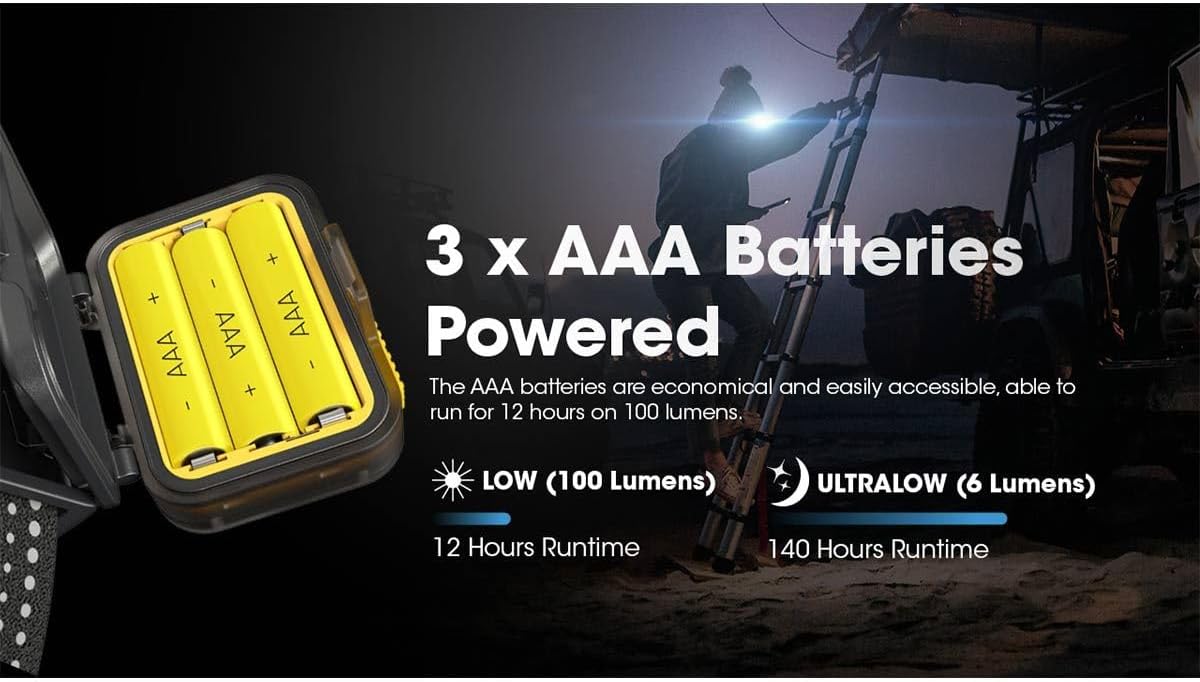
Image: A close-up of the HA13 headlamp's battery compartment with three AAA batteries, indicating runtimes for different brightness levels.
Headband Adjustment
Adjust the elastic headband to fit comfortably and securely around your head. The headband is designed to be skin-friendly and provides a secure fit.
Operating Instructions
The HA13 headlamp features two distinct buttons for intuitive control.
Power On/Off and White Light Modes
- To Turn On: Press and hold the Power Button (larger button) for 1 second to activate the white light.
- To Adjust Brightness: While the white light is on, short press the Power Button to cycle through brightness levels: ULTRALOW (6 Lumens) → LOW (100 Lumens) → HIGH (350 Lumens).
- To Turn Off: Press and hold the Power Button for 1 second.
Red Light Modes
- To Turn On: Press and hold the Mode Button (smaller button) for 1 second to activate the red constant-on light.
- To Switch to Red Flashing: While the red constant-on light is on, short press the Mode Button.
- To Turn Off: Press and hold the Mode Button for 1 second.

Image: The HA13 headlamp's red light feature, ideal for preserving night vision, and its 6-lumen ultralow white light mode for subtle illumination.
Special Modes (SOS, Location Beacon)
- To Activate SOS: From any state, triple-press the Power Button to activate SOS mode.
- To Activate Location Beacon: From any state, triple-press the Mode Button to activate Location Beacon mode.
- To Exit Special Modes: Short press either button to return to the previously used white or red light mode, or press and hold either button to turn off.
Maintenance
- Clean the headlamp with a soft, damp cloth. Avoid abrasive cleaners.
- Ensure the battery compartment is free of dust and moisture.
- Store the headlamp in a cool, dry place when not in use.
- Remove batteries during long periods of storage to prevent leakage.
Troubleshooting
- Light not turning on: Check battery installation and ensure batteries are charged or replaced.
- Dim light output: Batteries may be low. Replace or recharge batteries.
- Intermittent operation: Ensure battery contacts are clean and free from corrosion. Re-seat batteries.
Specifications
Detailed technical specifications for the EdisonBright Nitecore HA13 headlamp:
- Model: NC-HA13-BBX4
- Max Output: 350 Lumens
- Max Beam Distance: 120 meters
- Max Beam Intensity: 3500 cd
- Light Source: LED
- Beam Color: White Light, Red Light
- Battery Compatibility: 3 x AAA batteries (Alkaline, Ni-MH, Primary Lithium) or 1 x NITECORE HLB1300 Li-ion Battery Pack
- Dimensions: 59mm x 50mm x 36mm (2.32" x 1.97" x 1.42")
- Weight: 67 g / 2.36 oz (without batteries)
- Impact Resistance: 1 meter
- Waterproof Rating: IPX6
- Material: Polycarbonate
Runtime and Performance Data
The following tables detail the performance characteristics based on battery type:
Using 3 x 1.5V AAA Alkaline Batteries:
| WHITE LIGHT | RED LIGHT | ||||||
|---|---|---|---|---|---|---|---|
| HIGH | LOW | ULTRALOW | SOS | BEACON | CONSTANT-ON | SLOW FLASHING | |
| Brightness | 350 Lumens | 100 Lumens | 6 Lumens | 350 Lumens | 350 Lumens | 5 Lumens | 5 Lumens |
| Runtime | 3h | 12h | 140h | - | - | 40h | - |
| Beam Distance | 120m | 70m | 15m | - | - | 3m | - |
| Impact Resistance | 1m | ||||||
| Water Resistance | IPX6 | ||||||
Note: The stated data is measured using 3 x 1.5V alkaline AAA batteries under laboratory conditions. The data may vary in real-world use due to different battery usage or environmental conditions.
Using the HLB1300 Li-ion Battery Pack:
| WHITE LIGHT | RED LIGHT | ||||||
|---|---|---|---|---|---|---|---|
| HIGH | LOW | ULTRALOW | SOS | BEACON | CONSTANT-ON | SLOW FLASHING | |
| Brightness | 350 Lumens | 100 Lumens | 6 Lumens | 350 Lumens | 350 Lumens | 5 Lumens | 5 Lumens |
| Runtime | 4h 30min | 15h | 160h | - | - | 60h | - |
| Beam Distance | 120m | 70m | 15m | - | - | 3m | - |
| Impact Resistance | 1m | ||||||
| Water Resistance | IPX6 | ||||||
Note: The stated data is measured using the HLB1300 Li-ion Battery Pack (1,300mAh) under laboratory conditions. The data may vary in real-world use due to different battery usage or environmental conditions.

Image: A comprehensive table detailing the technical specifications and performance metrics of the HA13 headlamp with different battery types.

Image: The HA13 headlamp illuminating a long distance, showcasing its 120-meter beam coverage.
Warranty and Support
For warranty information or technical support, please refer to the warranty card included with your product or contact the manufacturer, NITECORE FLASHLIGHTS, or the seller, EdisonBright, directly. Contact details can typically be found on their official websites or through your purchase platform.
Ask a question about this manual
Ask about setup, troubleshooting, compatibility, parts, safety, or missing instructions. Manuals+ will review the question and use this page’s manual context to help answer it.