
1. Introduction
Thank you for purchasing the Trisar 7 Colors Flame Diffuser Humidifier. This device combines the benefits of an essential oil diffuser with the soothing visual effect of a simulated flame, enhancing your environment with pleasant aromas and a calming ambiance. This manual provides detailed instructions for safe and effective use, setup, operation, and maintenance.
2. Product Overview
The Trisar Flame Diffuser features a sleek, minimalist design with a black finish, designed to blend seamlessly into various home or office decors. It utilizes ultrasonic technology to produce a fine mist, which can be infused with essential oils. The unique flame simulation creates a warm and inviting atmosphere, with options for 7 different LED colors.

Figure 2.1: Front view of the Trisar Flame Diffuser, showcasing its sleek black oval design.

Figure 2.2: The diffuser placed in a modern living room, demonstrating its aesthetic integration.
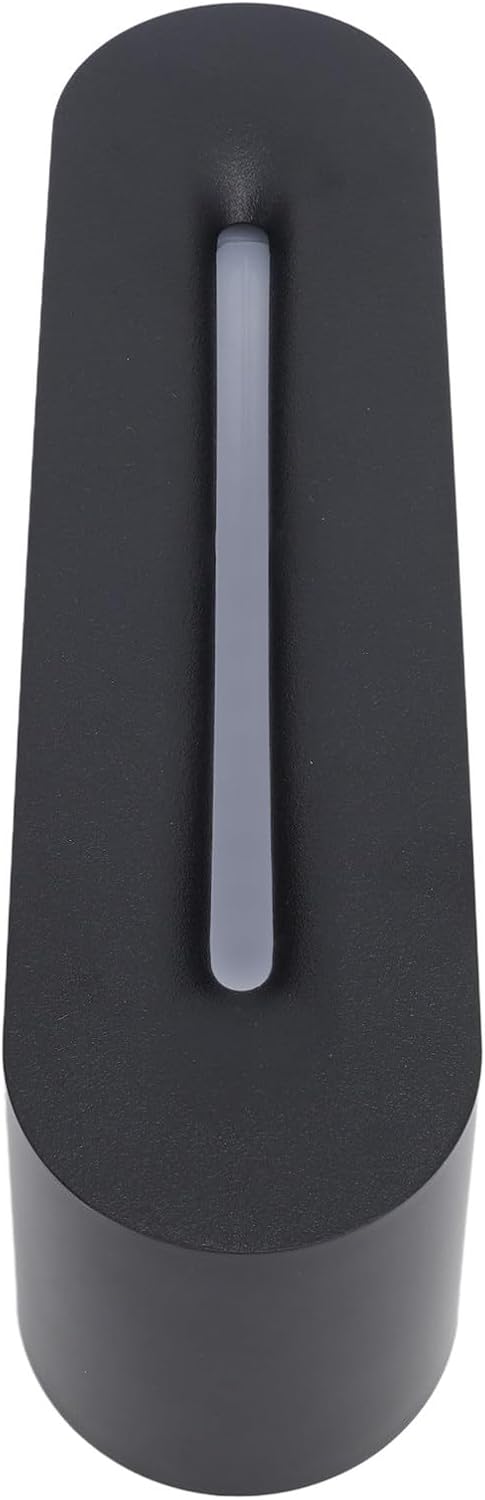
Figure 2.3: Top-down view highlighting the elongated mist outlet slot.
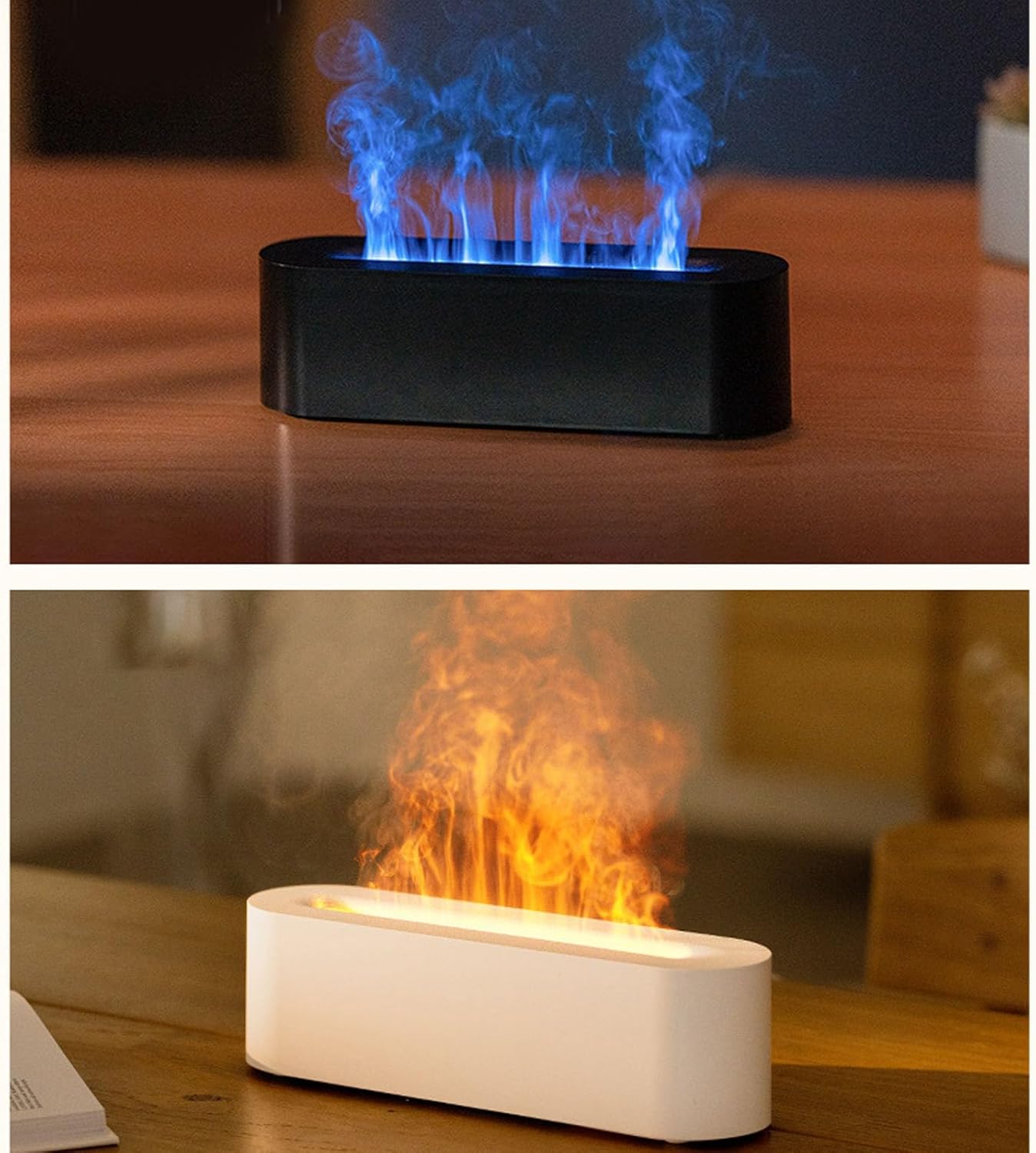
Figure 2.4: The diffuser in operation, illustrating both the blue and orange flame simulation effects.

Figure 2.5: A detailed view of the realistic orange flame effect produced by the diffuser's LED lights.
3. Package Contents
Please check the package contents upon unboxing. If any items are missing or damaged, please contact customer support.
- Trisar 7 Colors Flame Diffuser Humidifier (DQ709 Black)
- USB-A to USB-C Power Cable
- User Manual (this document)

Figure 3.1: The diffuser shown alongside its included USB-C power cable.

Figure 3.2: A close-up view of the USB-A to USB-C power cable.
4. Setup
- Placement: Place the diffuser on a flat, stable surface away from direct sunlight, heat sources, and electronic devices. Ensure there is adequate space around the unit for mist dispersal.
- Fill Water Tank: Carefully remove the top cover of the diffuser. Fill the water tank with clean tap water up to the MAX fill line. Do not overfill. For aromatherapy, add 2-3 drops of your preferred essential oil directly into the water.
- Close Cover: Replace the top cover securely, ensuring it is properly aligned.
- Connect Power: Insert the USB-C end of the power cable into the port on the back of the diffuser. Plug the USB-A end into a compatible USB power adapter (e.g., phone charger, computer USB port) or a power bank.
5. Operating Instructions
The Trisar Flame Diffuser is designed for simple operation.
- Power On/Off: Press the power button once to turn on the mist and the default flame light effect. Press again to turn off.
- Change Flame Color: While the diffuser is on, press the light button (if separate, or cycle through power button presses if combined) to cycle through the 7 available flame colors. Hold the button to fix a specific color, or let it cycle automatically.
- Auto Shut-Off: The diffuser is equipped with an automatic shut-off feature. It will automatically turn off when the water level is too low, ensuring safety and preventing damage to the unit.
6. Maintenance
Regular cleaning is essential to ensure optimal performance and longevity of your diffuser.
- Daily Cleaning: After each use, empty any remaining water from the tank. Wipe the inside of the water tank with a clean, soft cloth.
- Weekly Cleaning: For a more thorough cleaning, unplug the diffuser and empty the water. Add a small amount of white vinegar (about 10ml) to the water tank and let it sit for 5-10 minutes. Gently wipe the inside with a soft brush or cotton swab, paying attention to the ultrasonic plate. Rinse thoroughly with clean water, avoiding getting water into the air outlet.
- Storage: If not in use for an extended period, clean and dry the diffuser completely before storing it in a cool, dry place.
Note: Do not use corrosive detergents or harsh chemicals to clean the diffuser. Always unplug the device before cleaning.
7. Troubleshooting
| Problem | Possible Cause | Solution |
|---|---|---|
| No mist or weak mist | Low water level Ultrasonic plate dirty Blocked mist outlet | Add water to the MAX line Clean the ultrasonic plate as per maintenance instructions Ensure mist outlet is clear of obstructions |
| No power/light | Power cable not connected properly No power from USB source Unit malfunction | Check cable connection Try a different USB power adapter/port Contact customer support |
| Unusual noise | Insufficient water Unit not on a flat surface | Add water Place on a stable, flat surface |
8. Specifications
- Model Name: DQ709 Black
- Item Model Number: Trisaraxuq528vg0-11
- ASIN: B0CHXRKT1H
- Power Input: USB Powered (5V DC, current not specified)
- Light Features: 7 Colors Flame Effect
- Safety Features: Auto Shut-Off (low water level)
9. Safety Information
Please read and follow these safety precautions carefully to prevent injury or damage to the device:
- Use only clean tap water. Do not use distilled water or purified water as it may affect mist production.
- Do not overfill the water tank.
- Keep the diffuser out of reach of children and pets.
- Do not place the diffuser on carpets or unstable surfaces.
- Unplug the diffuser from the power source when not in use, when filling/emptying water, or during cleaning.
- Do not block the mist outlet.
- Do not immerse the unit in water or any other liquid.
- Use only recommended essential oils. Some oils may damage the plastic components.
- If the unit emits smoke or an unusual smell, unplug it immediately and discontinue use.
10. Warranty and Support
This product comes with a standard manufacturer's warranty. For specific warranty terms and conditions, please refer to the documentation provided at the time of purchase or contact the seller directly. For technical support, troubleshooting assistance, or inquiries regarding parts and service, please reach out to Trisar customer support through the retailer's platform or the contact information provided with your purchase.
Date First Available: August 15, 2024