
1. Product Overview
The BodyGuardz Apex Screen Protector is engineered to provide advanced protection for your iPhone 15 Pro Max and iPhone 15 Plus. It features Extreme Impact Technology for enhanced durability, an anti-dust easy installation process, and superior optical clarity with smudge resistance.
- Unrivaled Strength: Designed for extreme impact protection against drops and scratches.
- Superior Optical Clarity and Smudge Resistance: Maintains screen vibrancy and cleanliness.
- Compatibility & Case Friendly: Precision-cut for a seamless fit with most phone cases.
- Dust-Free Installation: Innovative anti-dust adhesion for a flawless application.
- Lifetime Customer Service: Easy replacement registration and dedicated support.
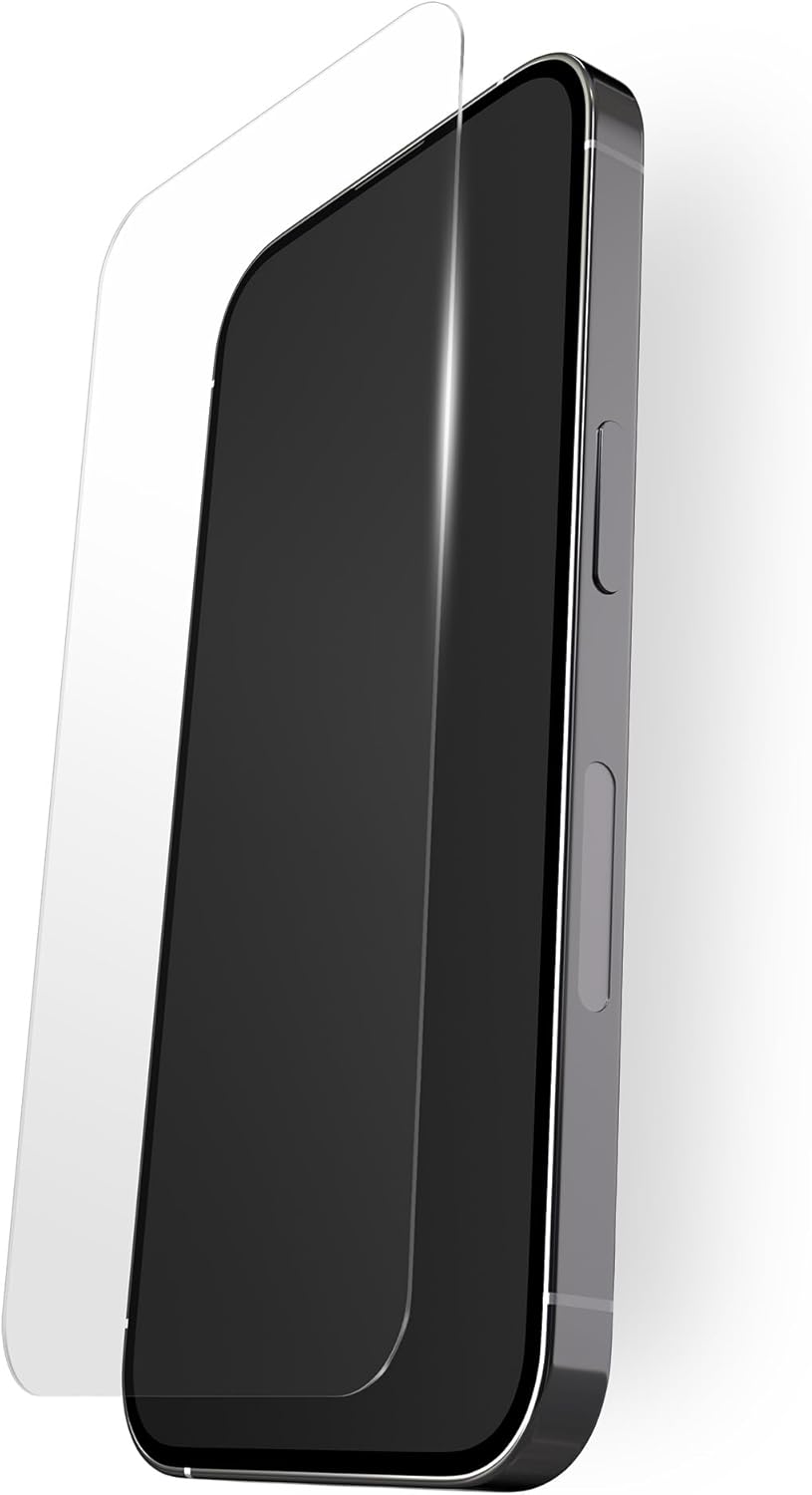
Image: The BodyGuardz Apex Screen Protector positioned above an iPhone, illustrating its precise fit.
2. Package Contents
Your BodyGuardz Apex Screen Protector package includes:
- BodyGuardz Apex Screen Protector (quantity as per packaging)
- Installation Tray
- Wet Wipe
- Microfiber Cloth
- Dust Removal Sticker
- Squeegee
- Quick Installation Guide
- Lifetime Warranty Registration Card
3. Installation Guide
Follow these steps for a seamless, dust-free installation:
- Prepare Your Device: Power off your iPhone. Use the included wet wipe to thoroughly clean your phone's screen, removing all smudges and fingerprints.
- Dry the Screen: Use the microfiber cloth to dry the screen completely. Ensure no moisture or streaks remain.
- Remove Dust: Use the dust removal sticker to gently pat the screen, lifting any remaining dust particles. Inspect the screen carefully for any specks.
- Position the Installation Tray: Place your iPhone into the provided installation tray. Ensure it is seated correctly and aligned.
- Apply the Screen Protector: Carefully peel off the protective film from the screen protector. Align the screen protector with the top edge of the installation tray and gently lower it onto your phone's screen. The tray will guide it into the correct position.
- Remove Air Bubbles: Once the screen protector is in place, use the squeegee to gently push any air bubbles towards the nearest edge of the screen. Small bubbles may disappear on their own within 24-48 hours.
- Final Inspection: Remove the installation tray and perform a final check for any remaining dust or bubbles.

Image: A person holding an iPhone with the screen protector perfectly applied, demonstrating clarity and edge-to-edge coverage.
4. Operating Instructions
The BodyGuardz Apex Screen Protector is designed to maintain the original touch sensitivity and display clarity of your iPhone. You should experience no noticeable difference in daily use.
- Touch Sensitivity: The ultra-thin design ensures full compatibility with your device's touch screen functions.
- Optical Clarity: Enjoy crisp and vibrant visuals without distortion.
- Case Compatibility: The screen protector is designed to be case-friendly, allowing you to use most phone cases without interference.
5. Maintenance
To keep your screen protector clean and maintain its optical clarity:
- Wipe regularly with a clean, soft microfiber cloth.
- For stubborn smudges, lightly dampen the microfiber cloth with water or a screen-safe cleaner.
- Avoid harsh chemicals or abrasive materials, as these can damage the oleophobic coating.
6. Troubleshooting
If you encounter any issues, refer to the following common solutions:
- Bubbles After Installation: Small bubbles often disappear naturally within 24-48 hours. For larger bubbles, gently push them towards the nearest edge using the squeegee.
- Dust Under Screen Protector: If dust is trapped, carefully lift the nearest corner of the screen protector using a piece of tape. Use another piece of tape to dab the dust off the screen and the adhesive side of the protector. Reapply slowly.
- Reduced Touch Sensitivity: Ensure the screen protector is correctly aligned and free of large air bubbles. If issues persist, try removing and reapplying the protector after thorough cleaning.
- Cracks or Damage: While highly durable, extreme impacts can still cause damage. Refer to the warranty section for replacement information.

Image: A detailed diagram highlighting the virtually unbreakable CrystalCore technology and thin design of the screen protector.
7. Specifications
| Brand | BodyGuardz |
| Model Number | B0063A0123A4M02 |
| Compatible Devices | iPhone 15 Pro Max, iPhone 15 Plus |
| Material | Tempered Glass |
| Item Hardness | 9H |
| Special Features | Unrivaled Strength, Extreme Impact Technology, Scratch Resistance, Anti-Dust Easy Installation |
| Finish Type | Glossy |
| Screen Size | 6.7 Inches |
| Item Weight | 4.2 ounces |
| Product Dimensions | 2.65 x 5.64 x 0.5 inches |
8. Warranty & Support
BodyGuardz offers a Lifetime Customer Service for your Apex Screen Protector. This ensures a seamless replacement process for the life of your device.
- Replacement Registration: A QR code is included on every package for easy replacement registration.
- Customer Support: Should you encounter any issues or have questions, our dedicated support team is available to assist you.
- For more information or to register your product, please visit the official BodyGuardz website or contact customer service.