Introduction
This manual provides detailed instructions for the assembly, operation, and maintenance of your YESHOMY Modern TV Stand, model YH-106GY2. Designed for televisions up to 65 inches, this entertainment center features two storage cabinets and a retro-inspired media console suitable for living rooms, bedrooms, or offices. Please read these instructions carefully before assembly and use to ensure safe and correct operation.

Image: The YESHOMY Modern TV Stand in Light Gray, showcasing its design and storage capabilities.
Safety Information
- Ensure the TV stand is placed on a flat, stable surface to prevent tipping.
- Do not exceed the maximum weight capacity of 150 pounds for the TV stand.
- Keep small parts away from children during assembly to avoid choking hazards.
- Always follow assembly instructions carefully. Improper assembly can lead to instability and injury.
- Avoid placing hot items directly on the surface without protection.
Package Contents
Before beginning assembly, verify that all components listed below are present and undamaged. If any parts are missing or damaged, please contact customer support.
- All wooden panels (top, bottom, side, back, shelves, doors)
- Four (4) solid feet
- Assembly hardware (screws, dowels, soft-close hinges, etc.)
- Instruction manual
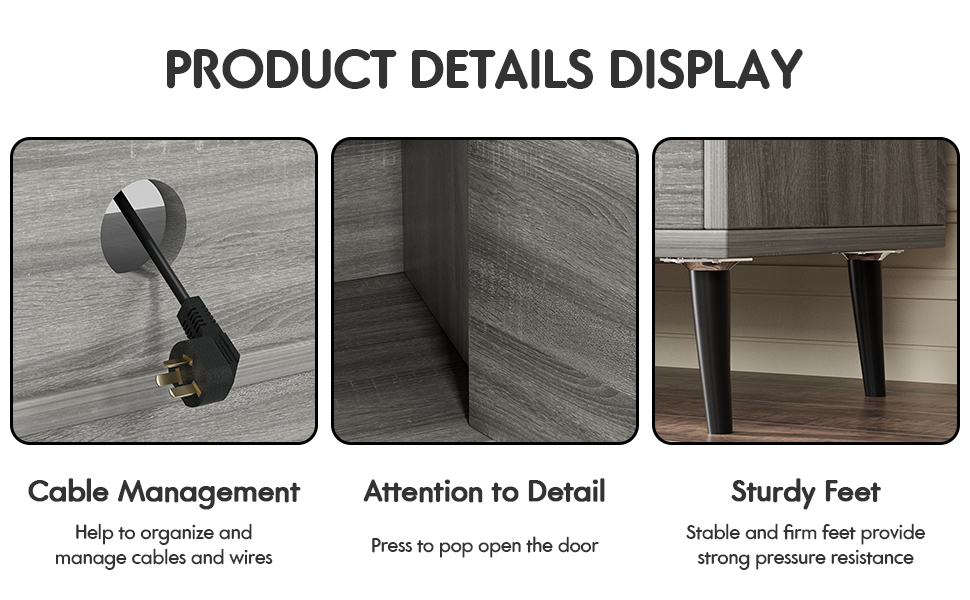
Image: Detailed view of key components including the strong frame, cable management hole, and sturdy feet.
Setup and Assembly Instructions
Assembly is designed to be straightforward. It is recommended to have a second person assist with certain steps. Please refer to the included assembly diagram for visual guidance.
- Unpack Components: Carefully remove all parts from the packaging and lay them out on a clean, soft surface to prevent scratches.
- Attach Side Panels: Secure the side panels to the bottom panel using the provided hardware.
- Install Shelves: Insert the adjustable shelves into the designated slots within the central compartment.
- Attach Back Panel: Fasten the back panel to the assembled structure. Ensure the cable management holes are correctly oriented.
- Install Top Panel: Secure the top panel to complete the main structure.
- Attach Feet: Screw the four solid feet securely to the bottom of the TV stand.
- Install Cabinet Doors: Attach the pop-up doors to the side cabinets using the soft-close hinges. Adjust as necessary for proper alignment and smooth operation.
- Final Check: Ensure all screws are tightened and the stand is stable before placing any items on it.
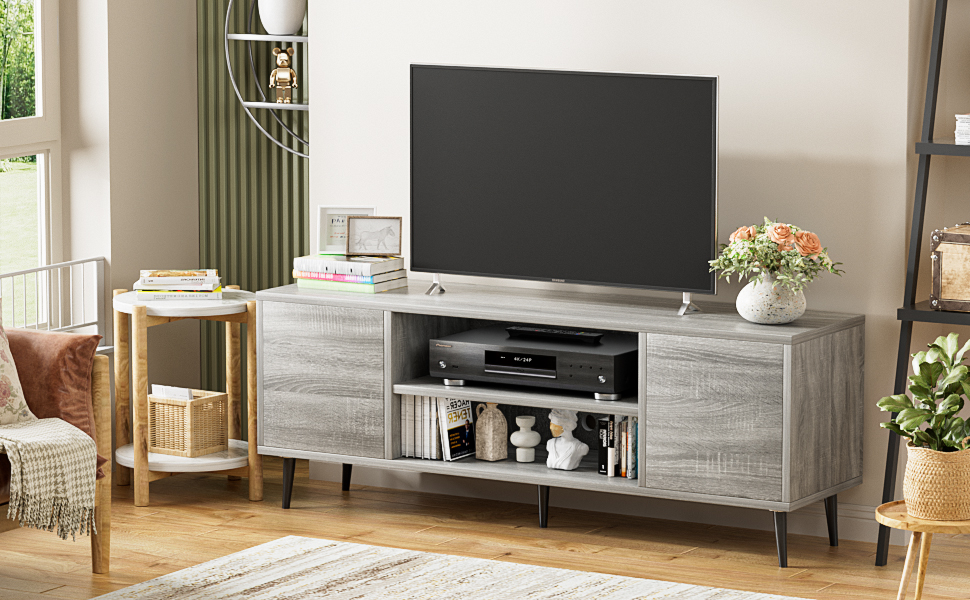
Image: Illustration of the pop-up door mechanism, showing how to lightly press to open the cabinet.

Image: Visual guide indicating the TV stand's compatibility with television sizes up to 65 inches.
Operating Instructions
- Using Storage Cabinets: The side cabinets feature pop-up doors. To open, gently press the door panel. The soft-close hinges will ensure a quiet and safe closing action.
- Cable Management: Utilize the pre-drilled cable holes on the back panel to route and organize power cords and media cables, maintaining a tidy appearance and preventing tangles.
- Placement: Position your television centrally on the top surface. Place media devices, game consoles, or decorative items on the open shelves or within the enclosed cabinets.
Maintenance
- Cleaning: Wipe the surfaces with a dry, soft cloth. Avoid abrasive cleaners or harsh chemicals that may damage the finish.
- Spills: Immediately wipe up any spills with a dry cloth to prevent moisture damage.
- Hardware Check: Periodically check all screws and fasteners to ensure they remain tight. Re-tighten if necessary.
- Avoid Direct Sunlight: Prolonged exposure to direct sunlight can cause fading or discoloration of the wood finish.
Troubleshooting
| Problem | Possible Cause | Solution |
|---|---|---|
| Stand is wobbly or unstable. | Loose fasteners; uneven floor. | Ensure all screws are securely tightened. Adjust the stand's position or use shims under the feet if the floor is uneven. |
| Cabinet door does not close smoothly. | Hinges are misaligned or loose. | Check and adjust the soft-close hinges. Refer to the assembly diagram for correct hinge placement. |
| Parts are missing or damaged upon arrival. | Shipping damage or packaging error. | Do not proceed with assembly. Contact YESHOMY customer support immediately for replacement parts. |
Specifications
- Model: YH-106GY2
- Brand: YESHOMY
- Material: Wood
- Color: Light Gray
- Product Dimensions (L x W x H): 58 x 14 x 19 inches
- Item Weight: 51 pounds
- Maximum Weight Capacity: 150 pounds
- Number of Shelves: 3 (1 open, 2 enclosed)
- Special Features: Pop-up doors, soft-close hinges, cable management holes, sturdy feet

Image: Detailed product dimensions, including overall length, width, height, and shelf spacing.
Warranty and Support
For any questions, missing parts, or concerns regarding your YESHOMY Modern TV Stand, please contact YESHOMY customer support. While specific warranty details are not provided in this manual, most products come with a manufacturer's warranty against defects in materials and workmanship.
Please retain your purchase receipt for warranty claims. For further assistance, visit the official YESHOMY store or contact their customer service department.
Online Support: Visit the YESHOMY Store on Amazon


