
Introduction
This manual provides comprehensive instructions for the DenGaWa R250 Portable Power Station and its accompanying 40W Foldable Solar Panel. Learn about setup, operation, maintenance, and safety to ensure optimal performance and longevity of your solar generator system.
Important Safety Information
Please read all safety warnings and instructions before using this product. Failure to follow these instructions may result in electric shock, fire, or serious injury. Keep this manual for future reference.
- Do not use electrical appliances over 250W with the power station. Devices prone to heat or with built-in air compressors (e.g., coffee makers, hair dryers) may damage the unit.
- Ensure the junction box of the solar panel is kept dry as it is not waterproof.
- The power station features a built-in Battery Management System (BMS) for protection against short circuits, over-current, over-voltage, overload, and overheating.
- A built-in cooling fan system will activate automatically based on the internal temperature of the portable battery pack during use.
- Do not disassemble, repair, or modify the unit.
- Keep away from fire, water, and extreme temperatures.
- Store in a cool, dry place.
Package Contents
Verify that all items are included in your package:
- 1x DenGaWa R250 Portable Power Station (250Wh)
- 1x DenGaWa 40W Foldable Solar Panel Kit
- 1x AC Power Adapter
- 1x Cigarette Lighter Adapter
- 1x 12V Car Charging Cable
- 1x DC to DC Cable
- 1x 10-in-1 Connector Set
- 2x User Manuals

Image Description: A flat lay of the DenGaWa R250 Portable Power Station, the 40W Foldable Solar Panel, and all accompanying accessories including various charging cables and adapters, neatly arranged on a dark background.
Product Overview
The DenGaWa R250 Portable Power Station is a compact and versatile power solution designed for various applications, including outdoor activities, home backup, and emergency situations. It features multiple output ports, an integrated LED flashlight, and advanced safety mechanisms.

Image Description: The DenGaWa R250 Portable Power Station (black and red) shown next to its unfolded 40W Foldable Solar Panel, highlighting its compact design and portability.

Image Description: A close-up view of the DenGaWa R250 Portable Power Station's front panel, clearly displaying its various output ports including AC outlets, USB ports, and DC input/output.

Image Description: The DenGaWa R250 Portable Power Station with its side-mounted LED flashlight illuminated, demonstrating its integrated lighting feature.
Key Features
- Portable Power Station: 250Wh lithium-ion battery, 250W (500W peak) output.
- Versatile Outputs: 2x 110V/250W Max AC outlets (pure sine wave), 1x DC port (9V-12.6V/10A max), 3x 5V/3A MAX USB ports, 1x Quick Charge USB port (5V/3A, 9V/2A Max).
- 40W Foldable Solar Panel: 23% high conversion efficiency, USB-A (5V/3A, 9V/2A, 12V/1.5A) and USB-C (5V/3A, 9V/3A, 12V/2.5A, 15V/3A Max) outputs, DC interface (18V/2.35A 40W Max).
- Integrated Lighting: 3-level brightness LED flashlight and 2-level brightness light panel with SOS mode.
- Advanced Protection: Built-in BMS for short circuit, over-current, over-voltage, overload, and overheating protection.
- Compact Design: Power station: 8.5 x 4.1 x 6.7 inches, 5.1 lbs. Solar panel (folded): 10.6 x 8.1 inches, 1.92 lbs.
Setup
Charging the Power Station
The DenGaWa R250 Portable Power Station can be charged using three methods:
- AC Wall Outlet: Connect the provided AC power adapter to the DC Input port on the power station and plug it into a standard wall outlet.
- Car Charger: Use the included 12V Car Charging Cable to connect the power station to your vehicle's cigarette lighter port.
- Solar Panel: Unfold the 40W solar panel and connect it to the DC Input port of the power station using the provided DC to DC cable. Position the solar panel in direct sunlight for optimal charging.

Image Description: An illustration showing the three charging methods for the DenGaWa R250 Portable Power Station: via a wall outlet, a car charger, and the foldable solar panel.
Operating Instructions
Using the Power Station
To turn on the power station, press and hold the main power button. The LCD screen will display the battery level and active output ports.
- AC Output: Press the "AC" button to activate the 110V AC outlets. Plug in your devices (up to 250W continuous, 500W peak).
- DC Output: The DC port (9V-12.6V/10A max) is suitable for compatible DC devices.
- USB Output: Use the USB-A and Quick Charge USB ports to charge smartphones, tablets, and other USB-powered devices.
- LED Flashlight: Press the flashlight button to cycle through 3 brightness levels and SOS mode. The light panel has 2 brightness levels.
Image Description: A close-up view of the DenGaWa R250 Portable Power Station's front panel, clearly displaying its various output ports including AC outlets, USB ports, and DC input/output.
Using the Foldable Solar Panel
The 40W foldable solar panel can charge the power station or directly charge small devices via its integrated USB-A and USB-C ports.
- Unfold the solar panel completely and place it in direct sunlight.
- For charging the power station, connect the solar panel's DC output to the power station's DC Input.
- For direct device charging, connect your device to the USB-A or USB-C ports on the solar panel's junction box.
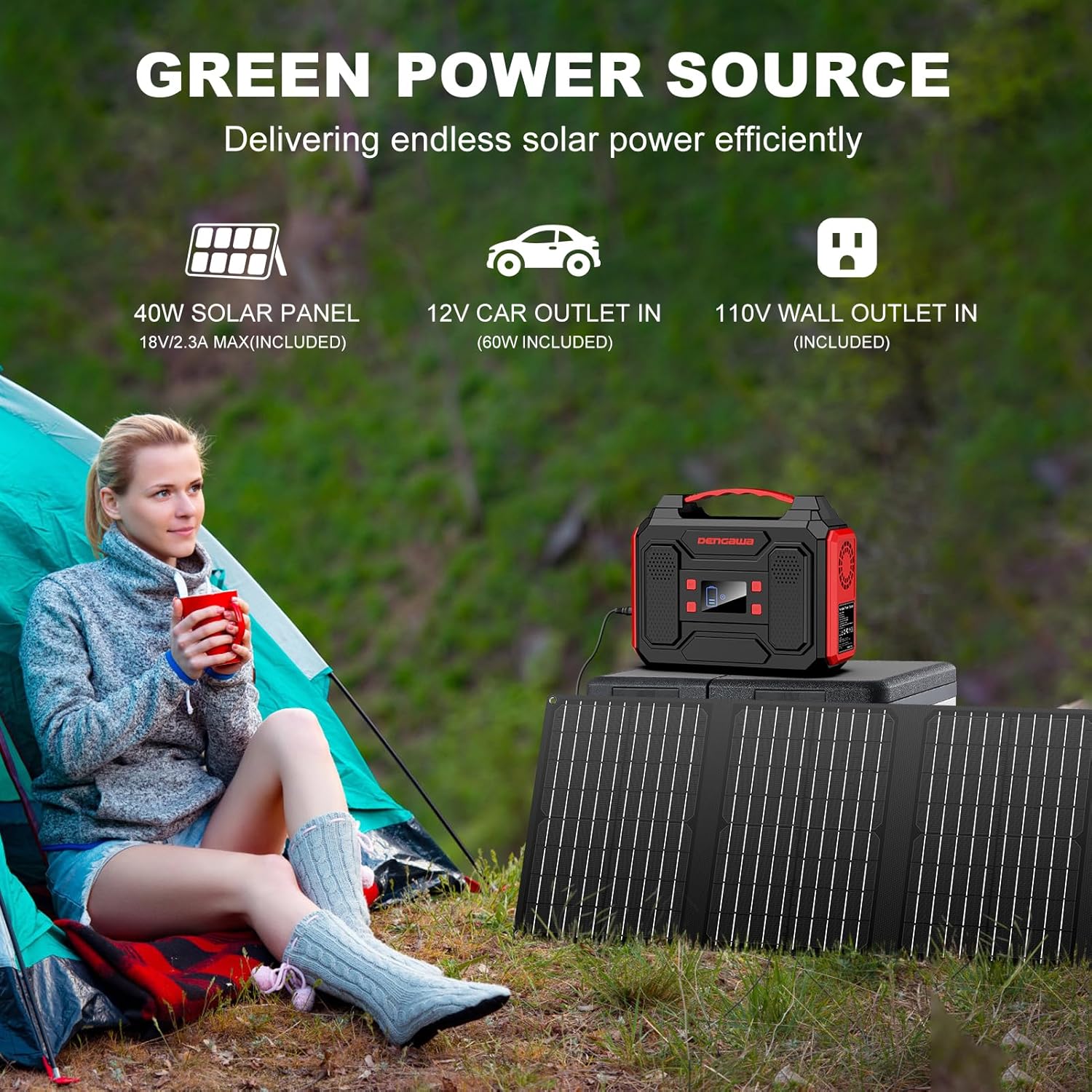
Image Description: The DenGaWa R250 Portable Power Station connected to its unfolded 40W Foldable Solar Panel, demonstrating the solar charging capability in an outdoor setting.
Video Description: This video demonstrates the DenGaWa Portable Power Station with Solar Panels. It shows the power station's various ports, the foldable solar panel, and how to connect them for charging. The presenter highlights the ease of use and portability of the system for outdoor power needs.
Video Description: This video showcases the DenGaWa Portable Solar Generator with included panels. It illustrates the compact design of both the power station and the solar panels, demonstrating their suitability for mobile use and providing power in various outdoor settings.
Maintenance
- Keep the power station and solar panel clean and dry.
- Avoid exposing the devices to extreme temperatures or direct sunlight for prolonged periods when not in use.
- Store the power station in a cool, dry place with a partial charge (around 50-80%) if not used for extended periods. Recharge every 3-6 months to maintain battery health.
- Regularly check cables and connectors for any signs of wear or damage.
Troubleshooting
- Device not charging: Ensure all cables are securely connected. Verify the power station is turned on and the correct output ports are activated. For solar charging, ensure the panel is in direct sunlight and not obstructed.
- Power station not turning on: Check the battery level. If completely depleted, connect to an AC wall outlet for initial charge.
- Overload protection activated: If the power station shuts off, it may be due to an overloaded device. Disconnect the high-power device and restart the power station. Ensure connected devices do not exceed 250W.
- Solar panel not charging: Ensure the solar panel is unfolded and positioned directly towards the sun. Cloudy conditions will significantly reduce charging efficiency.
Technical Specifications
| Feature | Detail |
|---|---|
| Brand | DenGaWa |
| Model | R250 |
| Battery Capacity | 250 Watt-hours |
| AC Output | 110V, 250W (500W Peak) |
| DC Output | 9V-12.6V/10A Max |
| USB-A Output | 3x 5V/3A MAX |
| Quick Charge USB | 1x (5V/3A, 9V/2A Max) |
| Solar Panel Wattage | 40W |
| Solar Panel Efficiency | 23% |
| Power Station Dimensions | 4.1"L x 6.5"W x 8.7"H |
| Power Station Weight | 5.1 lbs |
| Solar Panel Folded Dimensions | 10.6" x 8.1" |
| Solar Panel Weight | 1.92 lbs |
| Safety Features | BMS (Short Circuit, Over-current, Over-voltage, Overload, Overheating Protection) |
Warranty & Customer Support
DenGaWa offers professional customer assistance. The package includes a 24-month after-sales warranty and a 30-day worry-free return policy. For any inquiries or support, please contact our customer service team.
Customer Service: Available 7 days a week, 24 hours a day.

Image Description: A professional customer service representative wearing a headset, symbolizing available support for product inquiries.