
Introduction
This manual provides detailed instructions for the setup, operation, and maintenance of your Odsslgw Smart Watch. Please read this manual thoroughly to ensure proper use and to maximize the features of your device. This smartwatch is designed to assist with health monitoring, activity tracking, and communication, compatible with both Android and iOS devices.
Package Contents
Verify that all items are present in your package:
- 1 x Odsslgw Smart Watch
- 1 x Watch Band
- 1 x Charging Cable
- 1 x User Manual
Getting Started
1. Charging the Smart Watch
Before first use, fully charge your smartwatch. Connect the charging cable to the charging port on the back of the watch and plug the USB end into a power adapter (not included) or a computer's USB port. The watch display will indicate charging status.
2. App Download and Installation
To unlock all features, download the companion application on your smartphone. Scan the QR code provided in the quick start guide or search for the app name (usually mentioned in the packaging or quick start guide) in your phone's app store (Google Play Store for Android, Apple App Store for iOS).
3. Pairing with Your Smartphone
- Ensure Bluetooth is enabled on your smartphone.
- Open the installed companion app.
- Follow the in-app instructions to search for and connect to your Odsslgw Smart Watch. The watch's Bluetooth name typically includes the brand or model number.
- Confirm the pairing request on both your watch and smartphone.
Basic Operation
Screen Interaction
The smartwatch features a 1.7-inch high-definition full-touch screen. Swipe left, right, up, or down to navigate through menus and functions. Tap to select items.
Wrist Movement Activation
The screen automatically lights up when you raise your hand, allowing for quick time checks and notification viewing.
Health Monitoring
Your Odsslgw Smart Watch is equipped with sensors to monitor various health metrics. Data is synchronized to the companion app for detailed analysis and historical tracking.
Heart Rate Monitoring
The watch continuously monitors your heart rate throughout the day. Access the heart rate interface on the watch or in the app to view real-time data and trends.

Image: The smartwatch provides 24/7 heart rate monitoring, displaying current beats per minute, along with highest, average, and lowest readings. This feature helps users track their cardiovascular health during activities and rest.
Blood Oxygen Level Monitoring (SpO2)
Monitor your blood oxygen levels to understand your body's condition. This data is also available in the app for comprehensive health insights.
Sleep Monitoring
The watch automatically tracks your sleep patterns, including awake time, light sleep, and deep sleep. This helps you understand your sleep quality and make adjustments for better rest.
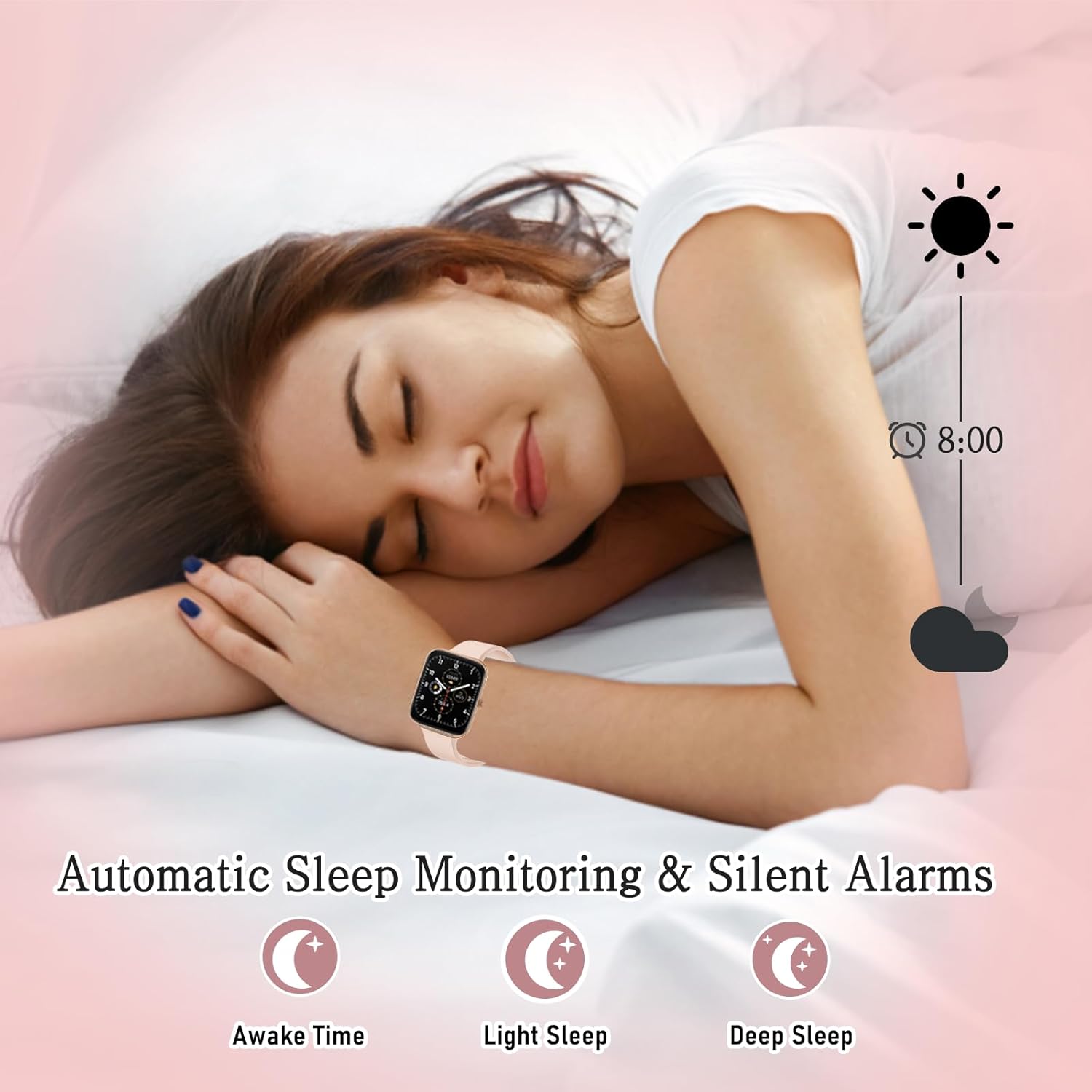
Image: The smartwatch automatically monitors sleep, distinguishing between awake time, light sleep, and deep sleep. It also supports silent alarms to wake you gently.
Activity Tracking
The smartwatch offers diverse sports modes and tracks daily activity to help you maintain a healthy lifestyle.
Sports Modes
Choose from over 100 different sports modes, including walking, running, climbing, cycling, yoga, and basketball. The watch records activity data for each mode, which can be reviewed in the app.
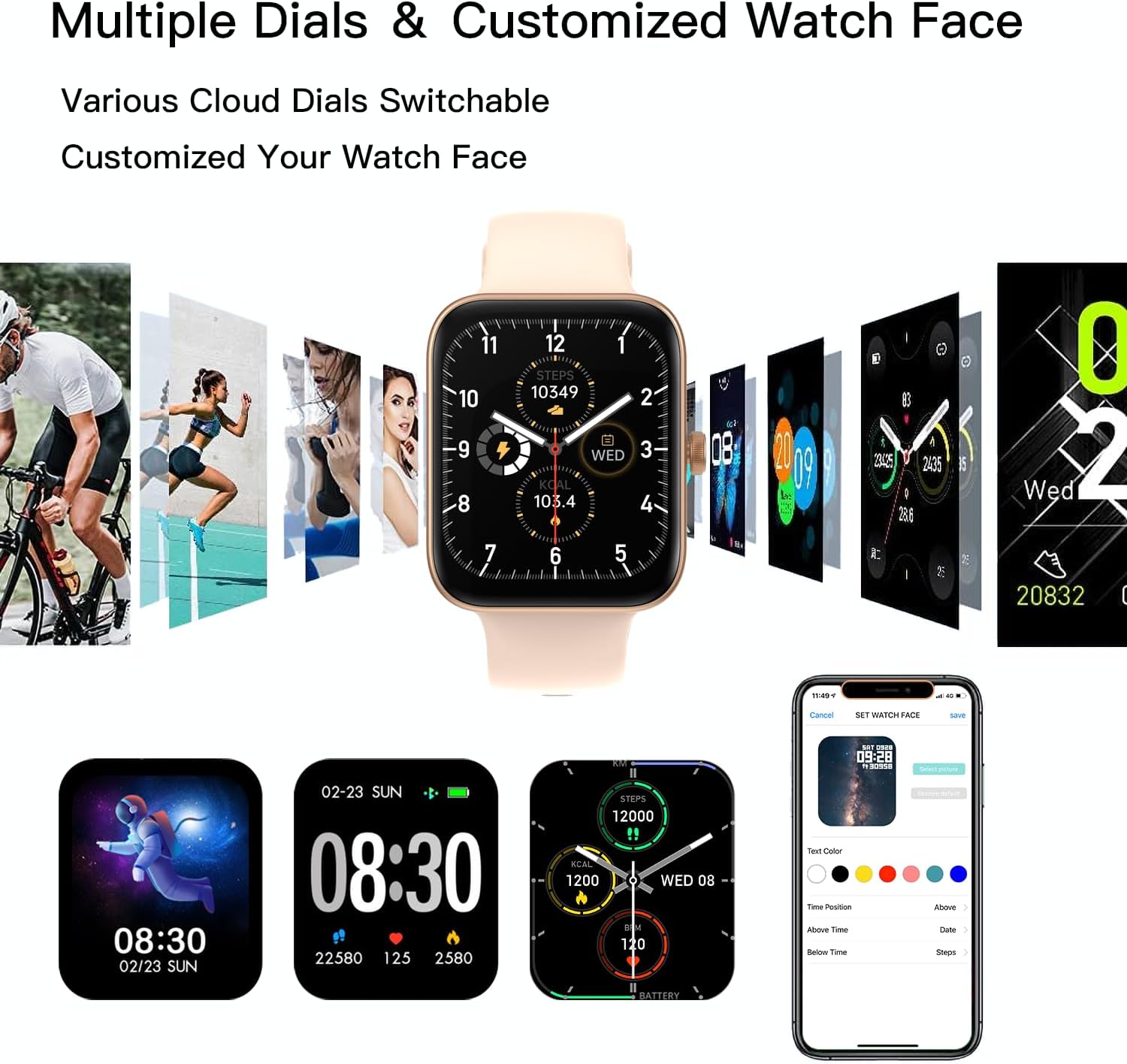
Image: The smartwatch supports a wide variety of sport modes, including walking, running, climbing, and cycling, allowing users to track their performance across different activities.
Daily Activity Metrics
The watch tracks your daily steps, distance covered, and calorie consumption. This data helps you monitor your progress towards fitness goals.
Health Reminders
Receive reminders to drink water and to move if you have been sedentary for too long, promoting healthier habits throughout your day.
Communication Features
Stay connected directly from your wrist with the smartwatch's communication capabilities.
Bluetooth Calling
Make and receive phone calls directly from your smartwatch via Bluetooth connection to your phone. The watch features a dial pad for outgoing calls.
Notifications
View text messages and social media notifications (e.g., Facebook, WhatsApp, Instagram, Twitter) directly on your watch screen, keeping you informed without needing to check your phone.

Image: The smartwatch allows users to receive and view text messages and social media notifications directly on their wrist, mirroring alerts from a connected smartphone.
Music and Camera Control
Control music playback on your smartphone and remotely trigger your phone's camera directly from your smartwatch.
Personalization
Customize your smartwatch to match your style and preferences.
Customizable Watch Faces
Choose from over 100 different dial styles available in the companion application. You can also customize the watch face with your favorite photos.

Image: The smartwatch offers a wide selection of cloud dials and allows users to customize their watch face with personal photos, providing diverse aesthetic options.
Battery Information
The smartwatch is designed for extended use:
- Standby Time: Up to 20 days
- Bluetooth Call Time: 3-5 days (with continuous use)
Water Resistance
The Odsslgw Smart Watch features an IP68 waterproof rating, making it resistant to dust and immersion in water up to 1.5 meters for 30 minutes. It is suitable for daily use, including hand washing and light rain, but not recommended for hot showers, saunas, or deep-water diving.
Product Specifications
| Feature | Specification |
|---|---|
| Item Model Number | 9960c3e1-a57d-48ba-acee-1c363657c397 |
| Screen Size | 1.81 Inches |
| Display Type | High-definition full-touch screen |
| Waterproof Rating | IP68 |
| Battery Capacity | 350 Milliamp Hours |
| Standby Time | Up to 20 days |
| Bluetooth Call Time | 3-5 days |
| Connectivity Technology | Bluetooth |
| Operating System Compatibility | iOS 9.0 and above, Android 4.4 and above |
| Special Features | Answer/Dial Call, Notifications, Activity Tracker, Alarm Clock, Calorie Tracker, Camera Remote, Custom Activity Tracking, Daily Workout Memory, Distance Tracker, Heart Rate Monitor, Lightweight, Multisport Tracker, Music Player, Oxymeter (SpO2), Sleep Monitor, Pedometer, Sedentary/Drink Water Reminder, Time Display, Touchscreen, AI Voice Control, Weather Forecast |
| Item Weight | 2.88 ounces (0.18 Pounds) |
| Memory Storage Capacity | 128 MB |
Product Overview Video
Video: This official product video provides a comprehensive overview of the Odsslgw Smart Watch for Women and Men, highlighting its key features such as IP68 waterproofing, Bluetooth calling, health monitoring, customizable display, long battery life, and various sports modes. It demonstrates the watch's functionality and design.
Troubleshooting
If you encounter issues with your smartwatch, please refer to the following common solutions:
- Watch Not Turning On: Ensure the watch is fully charged. Connect it to the charger for at least 30 minutes.
- Unable to Pair: Make sure Bluetooth is enabled on your phone and the watch is within range. Restart both your phone and the watch. Ensure the companion app is updated to the latest version.
- Inaccurate Health Data: Ensure the watch is worn snugly on your wrist, not too tight or too loose. Clean the sensor on the back of the watch.
- Notifications Not Received: Check app permissions on your phone to ensure the companion app has access to notifications. Verify that notifications are enabled within the watch's settings and the companion app.
- Short Battery Life: Reduce screen brightness, disable unnecessary features, and ensure background app usage is optimized on your phone.
For persistent issues, please contact customer support.
Warranty and Support
Your Odsslgw Smart Watch comes with a standard manufacturer's warranty. Please refer to the warranty card included in your package for specific terms and conditions. For technical support, troubleshooting assistance, or warranty claims, please contact Odsslgw customer service through the contact information provided on the product packaging or the official brand website.